What is website integration?
Also called: Website integrations, CRM website integration, third-party integrations, website and app integration, embed

Website integration means connecting your website to the other tools your business uses, such as your CRM, booking system, payments, chat and email, so information from visitors flows between them automatically instead of being copied by hand.
Website integration means connecting your website to the other tools your business runs on, so they share information automatically. When a visitor fills in a form, books a call, starts a chat or pays, the details land in the right place, such as your contact list, calendar or inbox, and the next step happens without anyone copying and pasting.
Without integration, a website is a shop window with no till behind it. People can look, and even enquire, but every enquiry becomes a manual job: an email to read, details to retype and a follow-up to remember.
Why website integration matters for a small business
- No lost enquiries. Every form, chat and booking is saved as a contact, not left in an inbox.
- Faster replies. Automatic confirmations and alerts go out the moment someone gets in touch.
- Less admin. You stop retyping names and emails from one tool into another.
- Better decisions. You can see which pages and campaigns bring enquiries that turn into paying customers.
- A smoother experience for customers. They can book, ask or pay right there, without being sent to email.
How website integration works: an example
Ravi runs a small accountancy practice in Birmingham. His website has an enquiry form, a booking link for free consultations and a chat bubble. Behind the scenes:
- A visitor fills in the form. Their details are saved as a new contact, tagged “Website enquiry”.
- An automatic email thanks them and includes the booking link.
- They book a consultation, which appears in Ravi’s calendar and on their contact record.
- Before the call, a reminder goes out. After it, Ravi sends a quote and later an invoice with a pay-online link.
Ravi hasn’t typed the client’s name once. Every step is connected to the same record.
Common ways to integrate a website
Embeds
A snippet of code you paste into your site that shows a form, booking calendar or chat widget from another tool. Most website builders have an “embed” or “custom HTML” block for this.
Links and buttons
The simplest option: a button that opens a hosted booking page, form or payment link. No code at all.
Form endpoints
If you already have a form designed on your site, you point it at an endpoint (a web address) so submissions go to your business system instead of an email inbox.
Tracking codes
Analytics and ad tracking scripts, such as Google Analytics or the Meta Pixel, that show where visitors come from and what they do.
Connectors, webhooks and APIs
Tools such as Zapier pass data between apps when something happens. A webhook sends an event to another system automatically, and an API lets developers build custom connections.
Which integrations to start with
- Enquiry form to your contact list. The most valuable integration for almost every business.
- Booking, if you sell appointments or consultations.
- Live chat, if visitors often have quick questions before they buy.
- Payments, if you sell products, deposits or fixed-price services.
- Analytics, so you know which pages bring enquiries.
Best practices and common mistakes
- Test it as a customer. Submit your own form, book your own slot and check everything arrives where it should.
- Don’t chain too many tools. Every extra connector is one more thing that can break silently. Fewer, better-connected tools are easier to trust.
- Tell people what happens next. A clear confirmation message reduces duplicate enquiries.
- Respect privacy. Only collect what you need, link your privacy policy on forms, and follow the cookie and consent rules where you operate before adding tracking codes.
- Check phones first. Most visitors will see your embedded forms and widgets on a mobile screen.
Related terms
A form builder creates the forms you embed, and a website builder is where you paste them. A CRM is where integrated enquiries should end up, and workflow automation decides what happens after they arrive. For step-by-step help, see how to embed a startbuddi form on your website.
Website integration in startbuddi
With startbuddi you get the pieces to connect any website, whether it is built with startbuddi or not. Forms can be shared as a direct link, embedded with an iframe, opened from a popup button, or used as a form endpoint behind your own form design. Responses can create or update contacts in Customers, start automations, and go to a webhook, Zapier or Google Sheets.
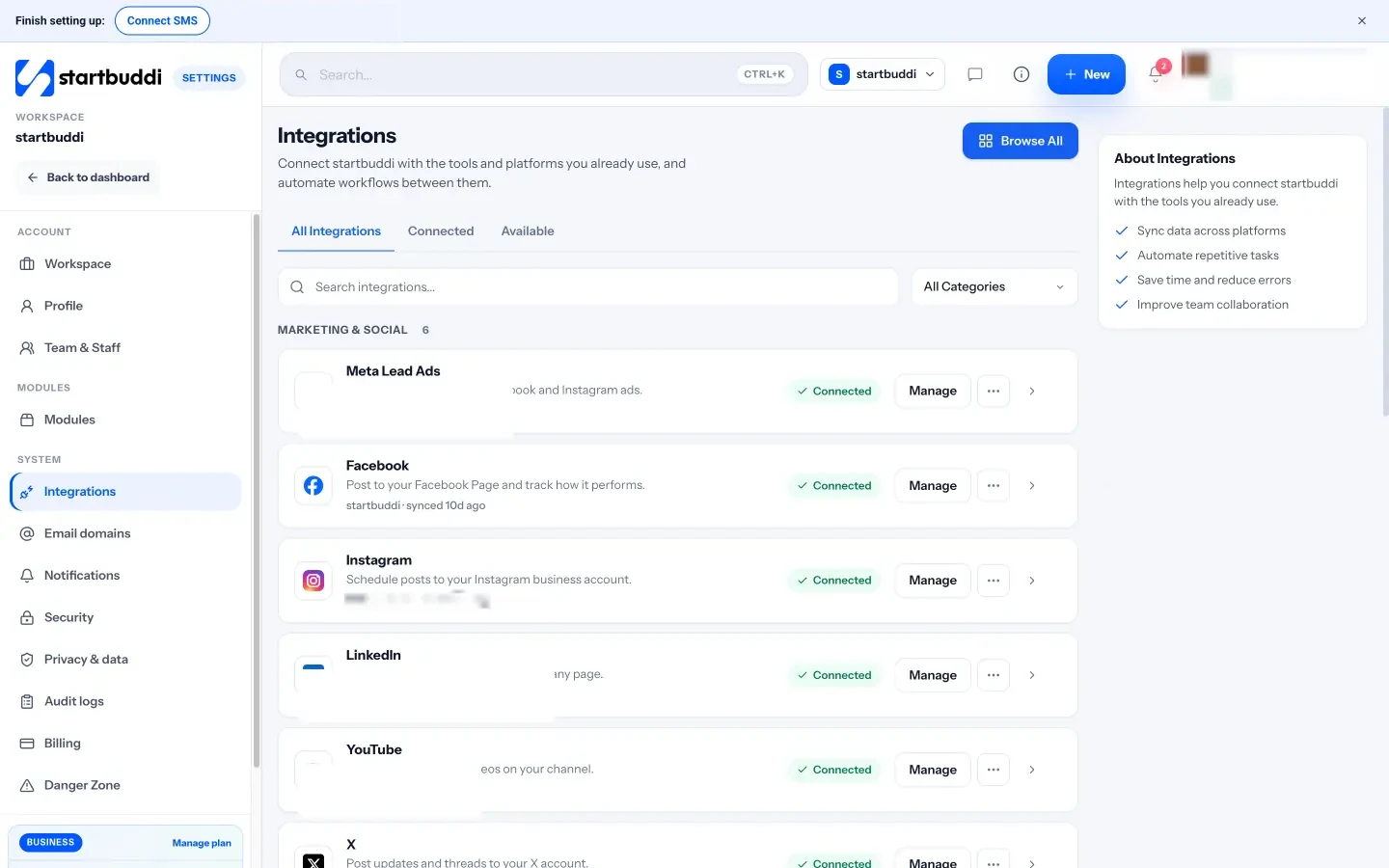
Website chat installs with one line of code pasted before the closing body tag, and chats arrive in the same inbox as email and WhatsApp. Bookings gives you a booking link, embed code and a QR code. Pages you build in Publish can carry Google Analytics, Google Tag Manager and Meta Pixel codes. The Integrations page in Settings also connects tools such as Google Calendar, Paystack, Stripe and Zapier; the integrations overview explains each one. Your next step: embed your main enquiry form and send yourself a test. See plans on the pricing page.
Related terms
FAQ
Do I need a developer for website integration?
Usually not. Links, embed codes and chat widgets can be added by pasting a snippet into your website builder. Developers are only needed for custom API work.
What is the difference between an embed and an integration?
An embed shows another tool inside your page, such as a form. An integration is the connection that moves the data, for example saving that form's answers as a contact.
Will integrations slow my website down?
Each script adds a little loading time. Only add the tools you use, and test your page speed after adding them.
Can I integrate a website built on Wix, Squarespace or WordPress?
Yes. Most website builders let you paste embed codes or custom HTML, which is all you need for forms, booking and chat widgets.
Omolola Akiyode is the operations and project manager at startbuddi, leading cross-functional projects and the content that helps founders get set up. Omolola writes about projects, websites and getting found online, and turns complex ideas into clear, practical steps.
Runs operations and projects at startbuddi