What is an org chart?
Also called: Organisational chart, organizational chart, organogram, company structure chart, hierarchy chart
An org chart (organisational chart) is a diagram of how a business is structured, showing each person or role and the lines connecting them to their manager, so everyone can see who reports to whom.
An org chart (short for organisational chart) is a diagram that shows how a business is structured: who works there, what their role is, and who reports to whom. Boxes stand for people or roles, and lines connect each person to their manager. At a glance, you can see the departments, the chain of responsibility and who to ask about what.
Even a business of five people has a structure, whether or not anyone has drawn it. An org chart simply makes it visible.
Why an org chart matters for a small business
- Clear responsibility. When two people each think the other is handling a client, things fall through the gap. An org chart settles who owns what.
- Faster onboarding. New hires learn who is who in minutes instead of weeks.
- Better hiring decisions. Drawing the chart often shows that one person has eight direct reports, or that nobody owns marketing.
- Smoother growth. Planning the next hire is easier when you can see the gaps.
- Easier approvals. Leave requests, expenses and sign-offs need to go to the right manager, and the chart shows who that is.
How an org chart works: an example
Rahul runs a restaurant group in Melbourne with two sites and 14 staff. His org chart:
- Rahul, owner
- Operations manager
- Site manager, Carlton: 2 chefs, 4 front-of-house staff
- Site manager, Fitzroy: 2 chefs, 3 front-of-house staff
- Bookkeeper (part-time contractor)
- Operations manager
Before he drew it, staff at both sites brought every question to Rahul. Afterwards, rota and leave questions went to the site managers, and he got back several hours a week.
Types of org chart
| Type | What it looks like | Suits |
|---|---|---|
| Hierarchical | A pyramid, with the owner at the top and layers below | Most small businesses |
| Flat | Few or no middle managers; most people report to the owner | Very small teams and start-ups |
| Functional | Grouped by department, such as sales, operations, finance | Businesses with clear specialisms |
| Matrix | People report to a department head and a project lead | Agencies and project-based teams |
| Divisional | Grouped by location, product or customer type | Multi-site businesses |
How to make an org chart
- List everyone who works with you, including part-timers, contractors and anyone you rely on regularly.
- Write down each person’s role in plain words: “books appointments and answers the phone”, not just “admin”.
- Decide who each person reports to. This is the step that surfaces confusion. If you are not sure, the team probably is not either.
- Group people into departments or teams if you have more than a handful.
- Draw it, on paper, in a slide or in HR software, starting from the owner at the top.
- Check it with the team. Ask each person whether it matches how work really flows, and fix the differences.
The first version takes less than an hour for most small businesses. Keeping it current is the harder part, which is why many teams let their HR records draw the chart for them.
Best practices and common mistakes
- Show one manager per person where you can. Two bosses for one person causes mixed messages.
- Include contractors and part-timers, marked as such, so everyone knows who does what.
- Keep it up to date. An org chart that still shows people who left last year does more harm than good.
- Do not confuse structure with value. The chart shows reporting lines, not who matters most.
- Watch the number of direct reports. One manager with ten people will struggle to give each of them time.
- Share it. Put it in your handbook and your onboarding pack. A chart only the owner can see does little.
If you are hiring for the first time, our guide on how to build your first team helps you plan the roles, and writing an employee handbook is a good place to publish the chart.
Related terms
Employee onboarding uses the org chart to introduce new hires to the team. Employee offboarding ends with updating it. A reporting line is the link between a person and their manager, and a span of control is how many people one manager looks after.
Org charts in startbuddi
In startbuddi, the org chart draws itself. Under Organization in People, the Org Chart tab shows who reports to whom, based on the manager set on each person’s profile, with a chart view and a list view and branches you can collapse. When you change someone’s manager, the chart updates.
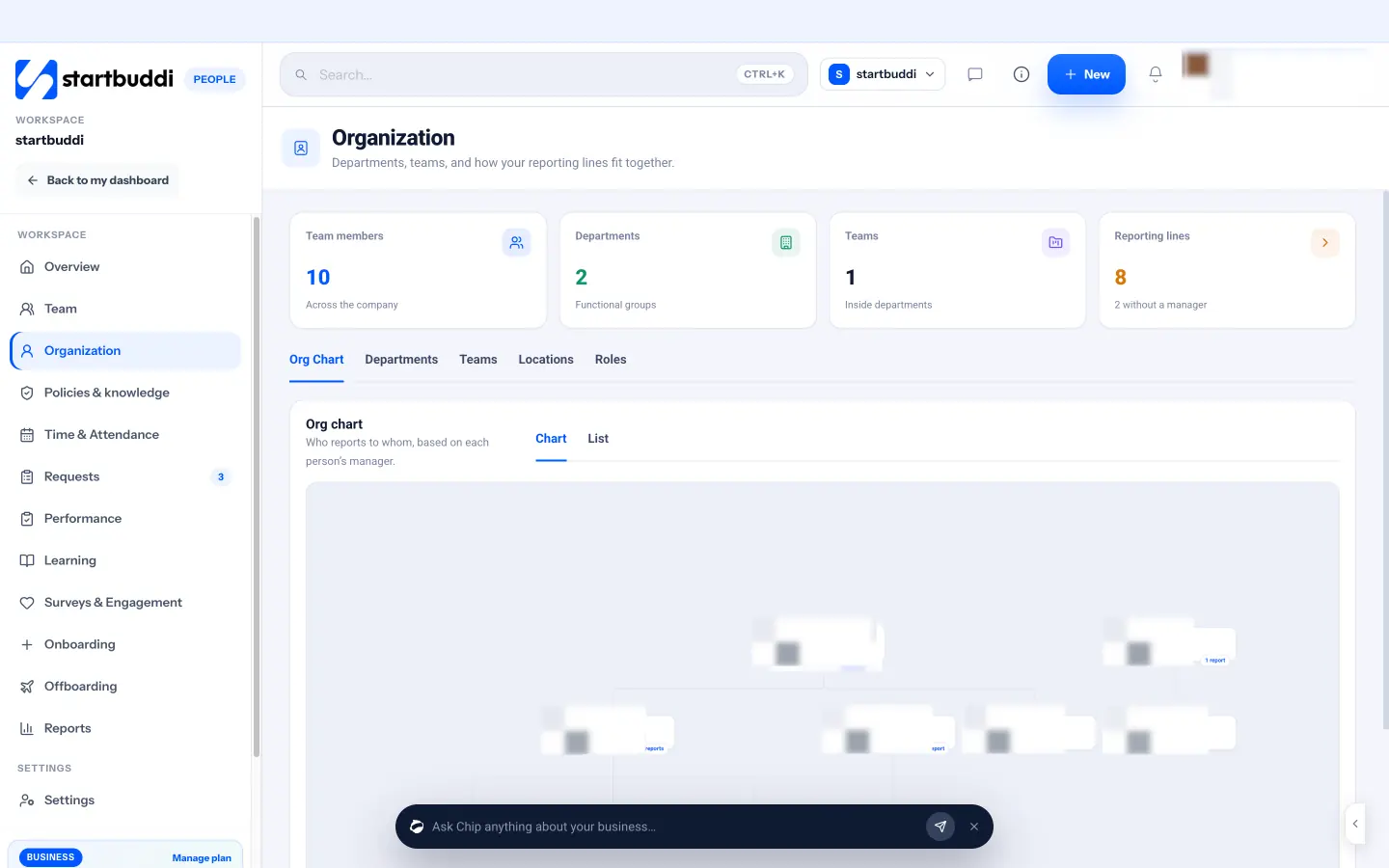
The same page has tabs for Departments (with a head and headcount), Teams inside departments, Locations and Roles, plus a count of reporting lines that shows who has no manager yet. Each person’s details live in the team directory. Chip HR can answer questions such as who reports to whom and who is new. Your next step: set a manager for everyone on your team, then look at the chart and ask whether anyone has too many people reporting to them.
Related terms
FAQ
What is an org chart used for?
It shows who works in the business, what each person does and who they report to, which helps with onboarding, approvals and planning new hires.
Is an organogram the same as an org chart?
Yes. Organogram is a common British and African term for the same diagram.
Does a very small business need an org chart?
It helps even at three or four people, especially if you draw it by role. It shows what you will hand over when you hire.
How often should I update my org chart?
Whenever someone joins, leaves or changes manager. If it updates from your staff records, it stays current on its own.
Tiwalade Joanna Okedara-Kalu is the founder, CEO and CTO of startbuddi, the business system that brings clients, bookings, invoices, projects, marketing and the Chip AI assistant into one place. Tiwalade builds software around how service businesses really work day to day, and writes about client management, getting paid on time and why small businesses outgrow the tools they start with.
Founded startbuddi and leads its product and engineering