How to track payments and stop guessing who has paid you
A simple system to track payments: one list, clear statuses, easy matching, a weekly check and a calm routine for late payers.


Chinonye wrote this while on the startbuddi team. The product has changed since, so the team updated it on .
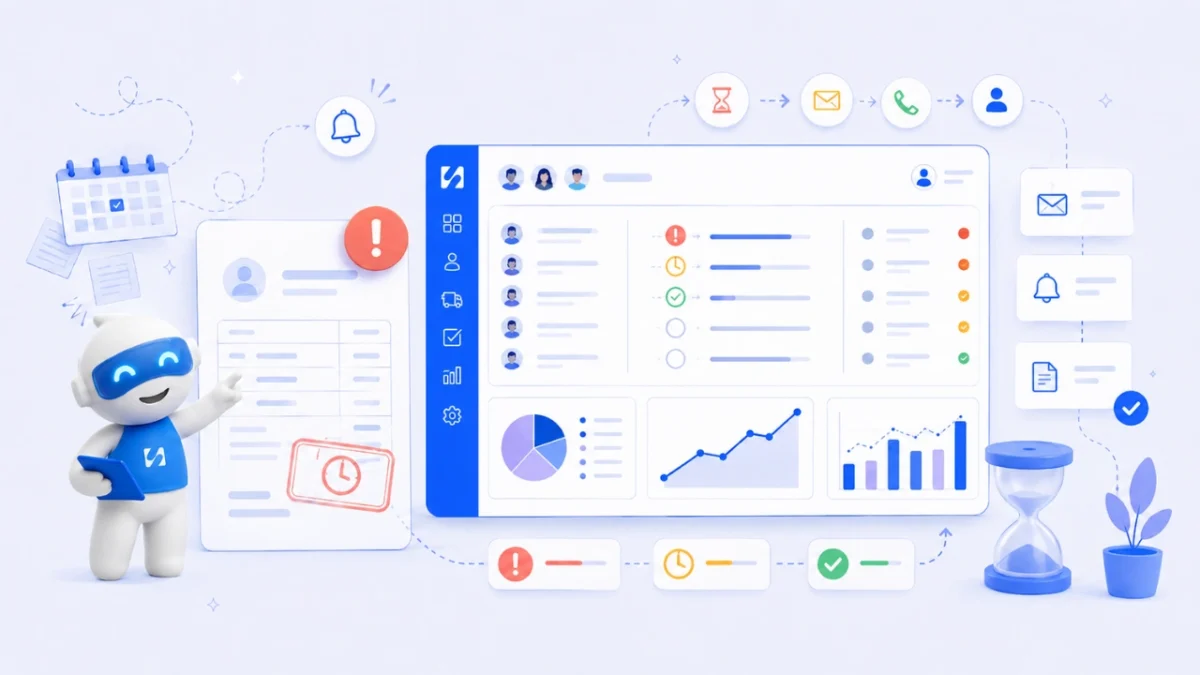
- Log every invoice or sale when you create it, give each a status, ask clients to use the invoice number as their reference, and review the list weekly. Reconcile with your bank monthly and follow a set reminder schedule for anything overdue.
To track payments properly, record every invoice or sale the moment you create it, give each one a clear status (draft, sent, part paid, paid, overdue), match every payment that arrives to the invoice it pays, and check the list at the same time every week. Do that consistently and you’ll always know who has paid you, who hasn’t, and how much is on its way. The tool you use matters far less than doing those four things every time.
This guide shows you how to track payments step by step, from a simple spreadsheet to a connected system, including how to deal with bank transfers without references, part payments and clients who say “I’ve paid” when you can’t see it. It’s written for freelancers and small service businesses anywhere, whether you’re paid in dollars, pounds, naira, rand or shillings.
Why it’s hard to track payments without a system
Most business owners start by tracking payments in their head, their banking app or a basic spreadsheet. That works with three clients. It stops working when you have 15 open invoices, some paid by card, some by bank transfer, a couple in two instalments and one paid in cash.
The signs that your current method has stopped working:
- A client says they paid and you need ten minutes and two apps to check.
- You’ve sent a reminder to someone who had already paid.
- A transfer arrived with no reference and you’re not sure which invoice it’s for.
- You don’t know, without adding it up, how much you’re owed right now.
- You find an unpaid invoice from three months ago that nobody chased.
None of this is about being disorganised. It’s about relying on memory and scattered records instead of one list that’s always up to date.
What happens when you don’t track payments
Poor payment tracking causes real problems, not just stress:
- Cash flow gaps. Money you’ve earned sits uncollected while your own bills fall due.
- Awkward mistakes. Chasing someone who paid, or missing someone who didn’t, both damage trust.
- Guesswork decisions. Hiring, buying equipment or taking time off is hard when you don’t know what’s coming in.
- Tax headaches. Tax authorities expect records that show your income. The US IRS, for example, says your records should clearly show your income and expenses, and the UK government sets out what records companies must keep. Check the rules where you’re registered; this is general information, not tax advice.
Step 1: record every invoice and sale in one list
Every amount you expect to receive needs a line, created when you bill, not when you remember. For each one, record:
| Field | Example |
|---|---|
| Invoice number | INV-0042 |
| Client | Harbour Dental Ltd |
| Amount and currency | £1,200 |
| Issue date | 3 March |
| Due date | 17 March |
| Status | Sent |
| Amount paid so far | £600 |
| Payment method and reference | Bank transfer, ref HD-0042 |
| Date paid | (blank until paid) |
| Notes | Agreed two instalments |
If you take one-off payments without an invoice, such as a deposit link or a card payment at the door, log those too. The rule is simple: if money should arrive, it has a line.
Step 2: use clear payment statuses
A status tells you at a glance what needs doing. Keep the list short and never leave it blank:
- Draft: created but not sent.
- Sent: with the client, not yet due.
- Part paid: some money received, balance outstanding.
- Paid: fully settled.
- Overdue: past the due date with a balance outstanding.
- Cancelled: no longer owed (keep it, don’t delete it).
Overdue shouldn’t depend on someone noticing. In a spreadsheet, add a formula that compares the due date with today. In invoicing software, it usually updates by itself.
Step 3: make every payment easy to match
The hardest part of payment tracking is often not recording invoices but working out what each incoming payment is for. You can prevent most of that before the money arrives.
- Ask for the invoice number as the reference. Put it on the invoice in bold: “Please use INV-0042 as your payment reference.”
- Offer a payment link. Card and online payments through a payment provider carry the invoice details with them, so there’s nothing to match by hand.
- One invoice, one payment where you can. Combining three invoices into one transfer is where confusion starts. If a client does it, note it on all three.
- Record cash and transfers the same day. A payment you meant to log on Friday is the one you’ll forget.
When a payment arrives without a reference
Check the amount against open invoices first; an exact match usually solves it. If two invoices share the same amount, check the payer name against the client. Still unsure? Send a short, friendly message: “Thanks for your transfer of $450 on Tuesday. Could you confirm which invoice it’s for so I can mark it paid?” Never guess and mark the wrong invoice as paid.
When a client says “I’ve already paid”
Thank them, ask for the date, amount and the account it came from, and check your bank for that exact figure. Transfers can take a day or two between some banks and countries. If it’s there, mark it paid and apologise for the nudge. If not, share what you can see and ask them to check with their bank.
Step 4: review payments every week
Block 15 minutes on the same day each week. Work through this:
- Match any new payments to their invoices and update statuses.
- Filter for overdue invoices and decide the next action for each.
- Look at what’s due in the next seven days and send a friendly heads-up where it helps.
- Note the total you’re owed and the total overdue. Watching those two numbers over time tells you more than any report.
Once a month, reconcile: compare your payment records against your bank and payment provider statements, line by line. This catches payments you recorded that never cleared, payments that arrived but weren’t logged, refunds and duplicate charges.
Step 5: follow up on late payments without awkwardness
Late payments are often down to forgetfulness or a slow approval process rather than bad faith. A calm, predictable routine sorts out many of them:
| When | What to send |
|---|---|
| 3 days before due | Friendly reminder with the invoice and payment link |
| Due date | Short note: “This is due today” |
| 3 days overdue | Polite follow-up, ask if anything is blocking payment |
| 7 days overdue | Firmer email with the amount, due date and how to pay |
| 14 days overdue | Phone call or direct message, agree a date |
Put your payment terms on every invoice so there’s no debate later. In some countries the law also backs you up: in the UK, if no payment date is agreed, a business payment is late 30 days after the invoice or delivery, and you may be able to claim interest. Our guides on getting invoices paid and why a client keeps not paying go further, and our free payment reminder generator writes the message for you.
A payment tracking spreadsheet you can copy
If you’re starting with a spreadsheet, set it up so it does some of the thinking for you. Use one row per invoice and these columns: Invoice number, Client, Issue date, Due date, Amount, Paid so far, Balance, Status, Method, Reference, Date paid, Notes.
- Balance: Amount minus Paid so far, calculated by a formula, never typed.
- Status: a formula that shows Paid when the balance is zero, Overdue when the balance is above zero and the due date is before today, and Sent otherwise. In Google Sheets or Excel, a nested IF with the TODAY() function does this.
- Totals row: the sum of Balance for everything not paid, and a separate sum for overdue items.
- Filter view: one saved view showing only overdue rows, sorted by the oldest due date.
Keep a second tab for payments that arrive, one row per payment, with the invoice number it pays. That way a part payment or a combined transfer is visible rather than hidden in a single overwritten cell.
Tracking payments across methods and currencies
Many small businesses are paid several ways: card online, bank transfer, mobile money, cash and the occasional PayPal. Each needs to end up in the same list.
- Record the method on every payment, so you know where to look when reconciling.
- Record fees separately. If a provider deducts a fee, log the full invoice as paid and the fee as an expense, so your income isn’t understated.
- Invoice in the client’s agreed currency and record what actually landed in your account in your own currency, with the date. Exchange rates move, and the difference is real money.
- Check settlement times. Some providers pay out to your bank a day or more after the customer pays, so “paid” and “in my bank” can differ.
Which tools help you track payments?
The right tool depends on how many invoices you send and how you get paid.
Spreadsheets
Free and flexible, good for a handful of invoices a month. Everything is manual: you type each payment, you calculate overdue, you remember to chase. Fine to start with; our free invoice template pairs well with a simple tracking sheet.
Accounting software
Tools built for bookkeeping connect to your bank, categorise transactions and produce reports for your accountant. They’re the right choice if you need full books, tax returns and bank reconciliation in one place. See our guide on choosing easy accounting software.
Invoicing and business tools
Invoicing tools focus on getting paid: sending bills, taking online payment, tracking status and reminding clients. Some also connect payments to your client records and bookings. They suit service businesses that want to see who owes what without running full accounts. Compare options in our researched list of invoicing software.
Many small businesses use two: an invoicing tool to bill and collect, and accounting software or an accountant for the books. The key is that payments are tracked in one of them, not split across both.
Common payment tracking mistakes
- Tracking only big invoices. Small ones add up and are the easiest to forget.
- Deleting cancelled invoices. Mark them cancelled so your numbering and history stay intact.
- Relying on bank notifications. They tell you money arrived, not which invoice it paid.
- No due dates. “Payable on receipt” with no date makes it impossible to know when something is late.
- Chasing without checking first. Always look at your records before sending a reminder.
How startbuddi helps you track payments
In startbuddi, Money Manager keeps invoices, payments and your client records together. It isn’t full accounting software (there are no bank feeds or tax returns), but it’s built to answer “who has paid me?” quickly.
When you send an invoice, your client can pay online by card through Stripe, or by card, bank transfer or USSD through Paystack in the countries it supports. Those payments are recorded automatically and the invoice is marked paid. For money that arrives another way, such as a bank transfer or cash, you open the invoice and use Record payment to enter the amount (part payments are fine), method, date and a note like the transfer reference.
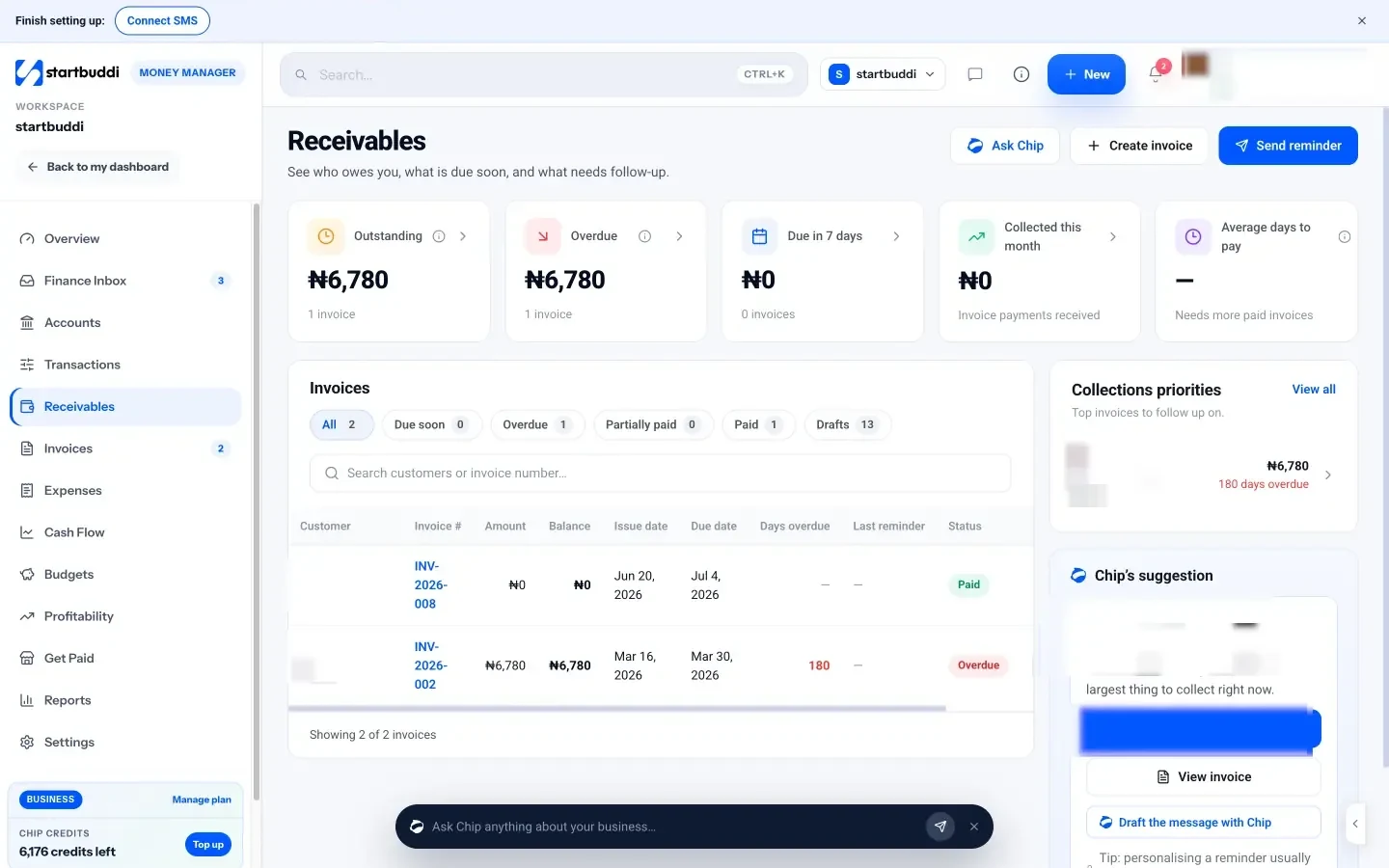
Receivables shows what’s outstanding, overdue, due in the next seven days and collected this month, along with your average days to pay. Each open invoice has a Remind button, and you can set up a reminder sequence that emails clients before the due date, on the day and at chosen intervals after.
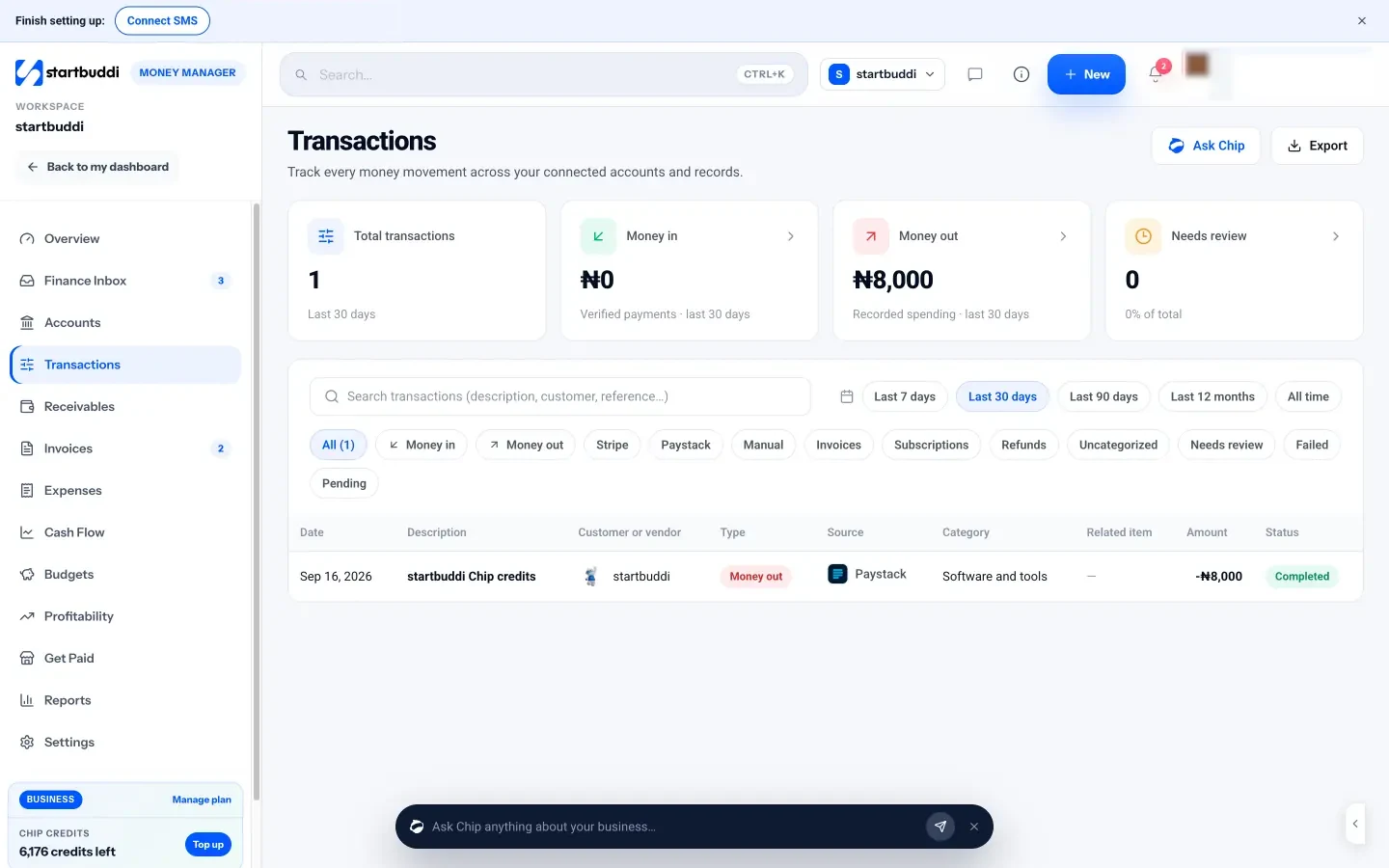
Transactions lists every payment in and expense out, and flags payments that need matching, so you can link a payment to its invoice or mark it as not an invoice payment. The Finance Inbox gathers what needs attention, such as overdue invoices and failed payments.
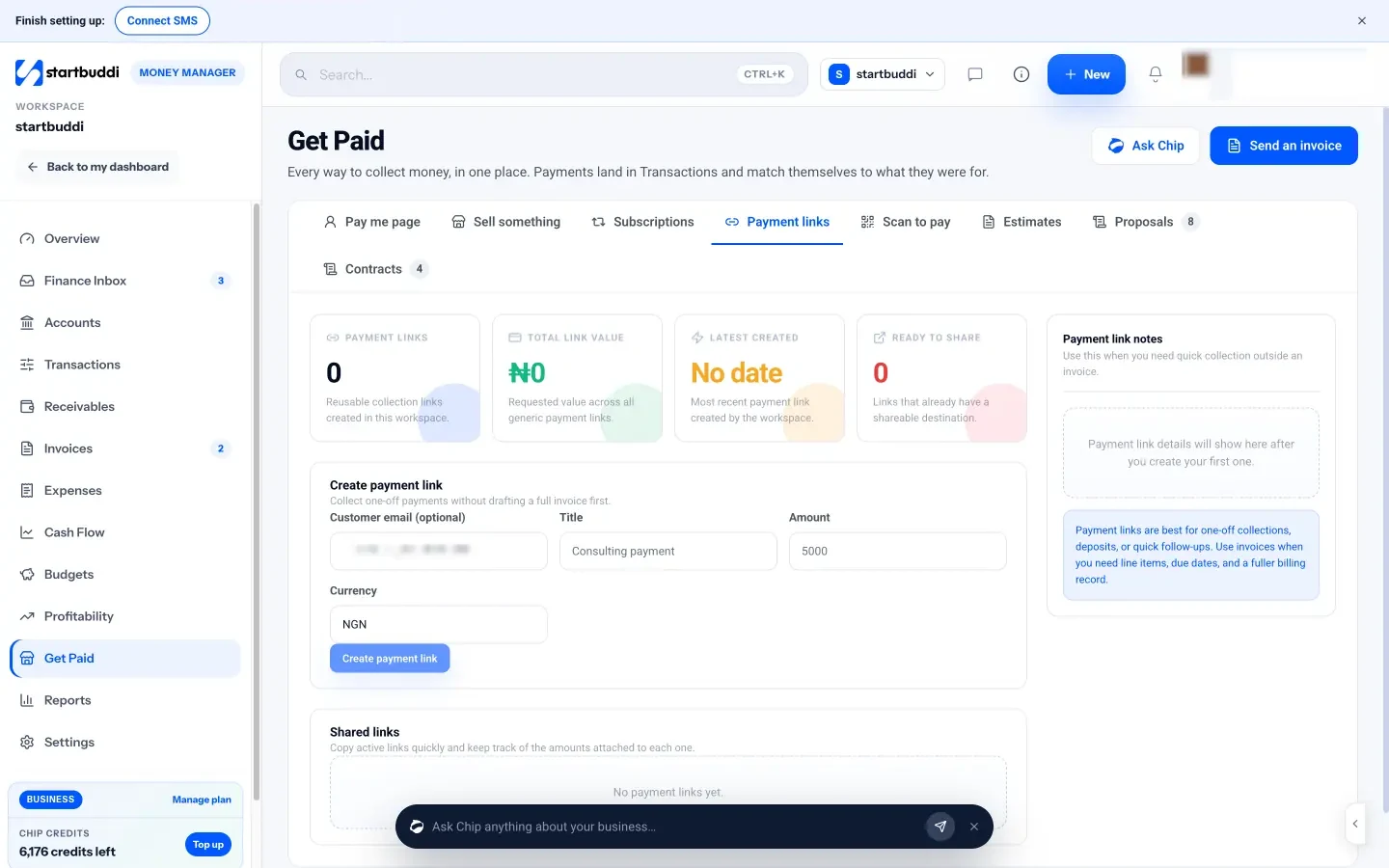
For one-off payments without a full invoice, Get Paid creates payment links you can drop into WhatsApp or email, and those payments land in Transactions too.
Money Manager is on every plan. The Free plan includes 5 invoices a month; Starter and above include unlimited invoices (see pricing). See pricing.
Your next step
Open whatever you use today and give every unpaid invoice a status and a due date. That alone shows you what you’re owed. When you want payments to update themselves, send your next invoice from startbuddi with online payment switched on.
Sources
Frequently asked questions
How do I keep track of who has paid me?
Keep one list of every invoice with amount, due date and status, and update it the day money arrives. Ask clients to use the invoice number as their payment reference.
What is the best way to track payments for a small business?
A spreadsheet works for a few invoices a month. Beyond that, an invoicing tool that takes online payment and marks invoices paid automatically saves time and mistakes.
How often should I reconcile payments?
Match payments to invoices weekly and reconcile against your bank and payment provider statements at least once a month.
What do I do with a bank transfer that has no reference?
Match the amount and payer name to open invoices. If it's still unclear, ask the client which invoice it's for before marking anything paid.
SEO Copywriter| Email growth Specialist| I help businesses increase revenue with strategic SEO content & high-converting email funnels.