How to sell digital products online: a practical guide for small businesses
How to choose, test, price, sell and deliver digital products such as templates, guides and courses, and what to check on payments, fees and tax before you launch.


- To sell digital products, start with something people already ask you for, test demand with a pre-sale or waitlist, then sell it from a page that takes payment and sends the file straight away. Price on the value to the buyer, account for payment fees and tax, and grow sales through your email list and social profiles.
To sell digital products online, you need four things: a product that solves a specific problem, a page that explains it, a way to take payment, and a way to deliver the file or access straight after someone pays. The hard part isn’t the technology. It’s choosing something people will actually pay for, and telling the right people about it.
Digital products suit small businesses and freelancers because you make them once and sell them many times, with no stock and no delivery riders. A tailor can sell sewing patterns, an accountant can sell a bookkeeping template, and a fitness coach can sell a 30-day plan. This guide takes you from idea to first sale, including the practical details on pricing, payment fees and tax that most guides skip.
What counts as a digital product
A digital product is anything a customer buys and receives online, without anything being shipped. The most common types for small businesses are:
| Type | Examples | Effort to make |
|---|---|---|
| Templates | Budget spreadsheet, contract template, social media post designs, CV template | Low |
| Guides and ebooks | “How to start a catering business in Lagos”, recipe book, travel guide | Medium |
| Printables and patterns | Planners, colouring pages, sewing or crochet patterns | Low to medium |
| Presets and design assets | Photo filters, fonts, icons, mock-ups | Medium |
| Audio and video | Beats, meditation tracks, recorded workshops | Medium to high |
| Courses and programmes | A six-lesson course, a 30-day challenge | High |
| Memberships | Monthly new templates, a paid community, ongoing coaching resources | Ongoing |
If this is your first product, start at the top of the table. A useful template you can finish in a weekend teaches you more about selling than a course that takes six months to record.
Step 1: choose a product people already want
The best digital product ideas come from questions you already answer for free. Look back over your messages and notes and ask yourself:
- What do people ask me again and again? “How do you price your cakes?” could become a costing template.
- What do I use in my own work that others would pay for? The checklist you follow for every client, the spreadsheet you built for your own money, the script you use on sales calls.
- What did I struggle with that I’ve now solved? Getting your first ten clients, registering your business, planning a wedding on a budget.
- What do my existing customers need between appointments? A hair care routine after braids, a meal plan after a consultation.
Write one sentence for each idea: “This helps [specific person] do [specific thing] without [specific pain].” If you can’t fill it in clearly, the idea isn’t ready yet.
Step 2: test demand before you build
Many people spend months on a product nobody buys. You can avoid that by asking for commitment before you build it.
Three ways to test
- A waitlist page. Describe the product, show what’s inside, and ask for an email to be told when it launches. If only a handful of people sign up after you’ve shared it widely, rethink the idea or the offer.
- A pre-sale. Offer it at an early price, with a clear delivery date. Payment is the strongest signal of demand. If too few people buy, refund them and try something else.
- A small first version. Sell a short, simple version to a few customers, ask what they wanted more of, and improve it.
Set your test target before you share it, for example “20 waitlist signups in two weeks” or “five pre-sales”. Deciding afterwards makes it too easy to talk yourself into a weak result.
Step 3: make it well enough to be useful
Your product doesn’t need to be perfect. It needs to do what the sales page promises, and be easy to open and use.
- Pick formats people can open anywhere: PDF for guides, common spreadsheet formats for templates, MP3 or MP4 for audio and video.
- Keep file sizes reasonable. Many buyers download on mobile data. Compress images and split large video into lessons.
- Add a short “start here” page. Explain what’s in the file, how to use it and how to reach you with questions.
- Brand it. Your business name and link on every page, so a file that gets shared still points back to you.
- State how it may be used. One line such as “For personal use by the buyer only. Please don’t share or resell” sets expectations.
Step 4: set a price
Price digital products on the value to the buyer, not the hours you spent. A contract template that saves a freelancer a lawyer’s fee is worth more than a colouring book, even if both took a weekend to make.
Offer two or three versions
| Version | What’s included | Who it suits |
|---|---|---|
| Basic | The core file | People who want to do it themselves |
| Standard | File plus a short video walkthrough or extra templates | Most buyers |
| Premium | Everything plus a 30-minute call or a review of their work | Buyers who want your help |
The premium version is also a natural route into your paid services. When you sell digital products this way, the basic version can bring in steady small sales while the premium tier introduces you to clients who pay for your time.
Account for fees
Payment providers take a fee from each sale, and it’s worth checking the numbers before you set a low price. Paystack’s pricing page lists its rates for local payments and international cards, and Stripe publishes its fees by country. Always check the provider’s current page, because fees change. On a very cheap product, a fixed fee can eat a large share of the price.
Local and international buyers
If you sell to buyers in more than one country, you may want a naira price for local customers and a dollar or pound price for international ones. Make sure your checkout can take the currencies and payment methods your buyers use: cards, bank transfer and USSD matter a lot for Nigerian buyers.
Step 5: choose where to sell
You have three broad options, and many sellers use more than one.
| Where | Pros | Cons |
|---|---|---|
| Your own store or page, with your own payment provider | You keep the customer’s details, set your own design and prices, and money goes to your bank | You bring the traffic yourself |
| A marketplace | Some buyers already browse there | Marketplace fees and rules, lots of competition, less control over the customer relationship |
| Selling by DM | Personal, no set-up | Slow, manual delivery, hard to scale beyond a few sales a week |
Whatever you choose, keep a list of your buyers and their emails. Your next product sells fastest to people who bought and liked the first one.
Step 6: deliver the product and look after buyers
Digital buyers expect their product immediately. A buyer who pays at 11pm and hears nothing until morning will often message to ask whether their payment worked, or ask their bank for the money back.
- Send access straight away: a download link on the thank-you page, in the receipt email, or both.
- Test the whole journey yourself before launch: pay, receive, download, open on a phone.
- Send a follow-up a few days later asking if they got what they needed, and pointing to the “start here” page.
- Have a clear refund policy on the sales page. Many digital sellers don’t refund once a file is downloaded, but whatever you decide, say it before people pay.
Step 7: tell people about it
A product nobody sees doesn’t sell. The channels that work best for small sellers are usually the ones you already have.
- Your email list. People who asked to hear from you are the most likely to buy. If you don’t have a list yet, our guide on how to grow an email list from zero shows how, often using a free sample of your product.
- Your social profiles. Show the product in use, share a free page from it, and put the buy link at the top of your link in bio page.
- A launch week. An early price for the first few days, with a real deadline, gives people a reason to decide now.
- Your existing customers. Offer the product to service clients as a next step, such as a hair care guide after a salon visit.
- Buyer feedback. Ask early buyers what changed for them, and with their permission, share their words on your page.
A four-week plan to sell digital products for the first time
If you want a simple order to do things in, this plan fits around a busy week of client work.
| Week | What to do |
|---|---|
| Week 1 | List product ideas from your messages, pick one, write its one-sentence promise and put up a waitlist page |
| Week 2 | Share the waitlist with your customers and followers, talk to five people who signed up about what they need, start making the product |
| Week 3 | Finish a first version, set up the product and checkout, test paying and downloading it on your own phone |
| Week 4 | Launch to the waitlist first with an early price and a real deadline, then to everyone else, and collect feedback from the first buyers |
After launch, keep a simple weekly habit: one post showing the product in use, one mention in your email, and one improvement based on what buyers tell you. That steady rhythm is how most small sellers keep digital products selling long after launch week.
Tax basics for digital sellers
Selling online doesn’t put you outside the tax system, and the rules for digital goods can differ from physical ones. A few points to check:
- Selling to consumers in the UK or EU: VAT on digital services such as e-books and downloads is generally due where the consumer lives, not where you are. The UK government explains this in its guidance on VAT rules for digital services to private consumers.
- Selling in Nigeria: income from digital sales is business income, and VAT may apply depending on your turnover and registration. Check the current rules with the Nigeria Revenue Service.
- Keep records of every sale, the buyer’s country, the amount and any fees.
This is general information, not tax advice. Speak to an accountant or your tax authority about your situation.
Mistakes to avoid
- Building for months before selling anything. Test first.
- A product that’s too broad. “Business tips” is hard to sell. “A pricing calculator for home bakers” is easy to explain.
- Pricing too low to cover fees and your time answering questions.
- No plan for delivery. Manual sending falls apart when sales happen while you sleep.
- Launching once and stopping. Most digital products sell steadily through regular, low-key mentions, not one big launch.
How startbuddi helps you sell digital products
In startbuddi, your online store has “Digital download” as one of its product types, alongside services, subscriptions, physical products and bundles. You add the name, description, price and up to 12 pictures, and choose “No delivery” as there’s nothing to ship. Buyers pay by card, bank transfer or USSD through your own Paystack account, or by card through Stripe, and the money goes to your own account. Every paid order gets a receipt automatically, and paying customers become contacts.
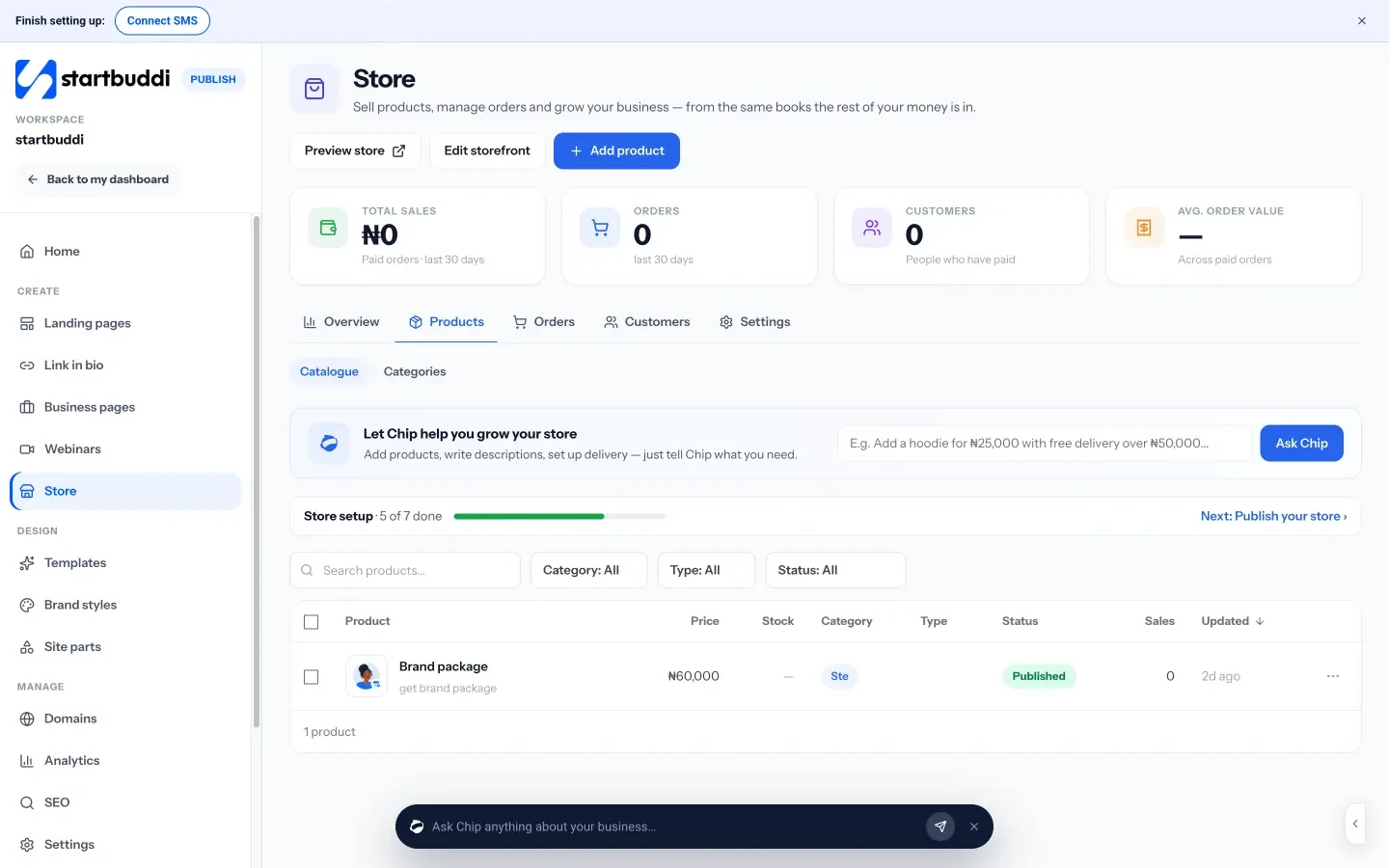
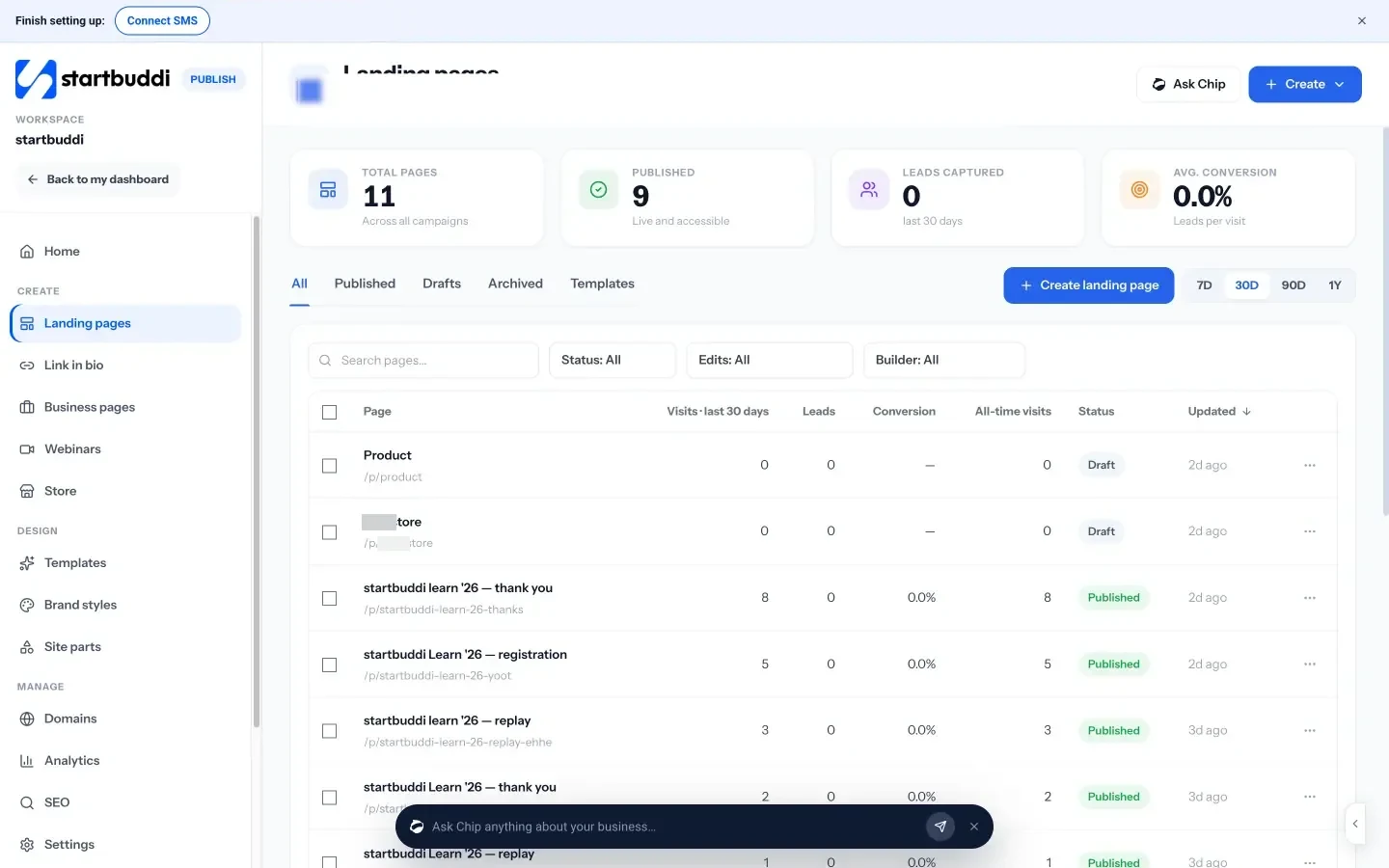
You can also sell the same product from your Link in bio page with a product block, and offer a free sample through its file block, which can ask for an email before the download.
To test an idea first, a landing page can run as a waitlist or a lead magnet page (“Give away a guide, checklist or template in exchange for an email”), and every signup lands in your contacts. Landing pages can also have steps after the main page, such as a checkout, a thank-you page or a download page.
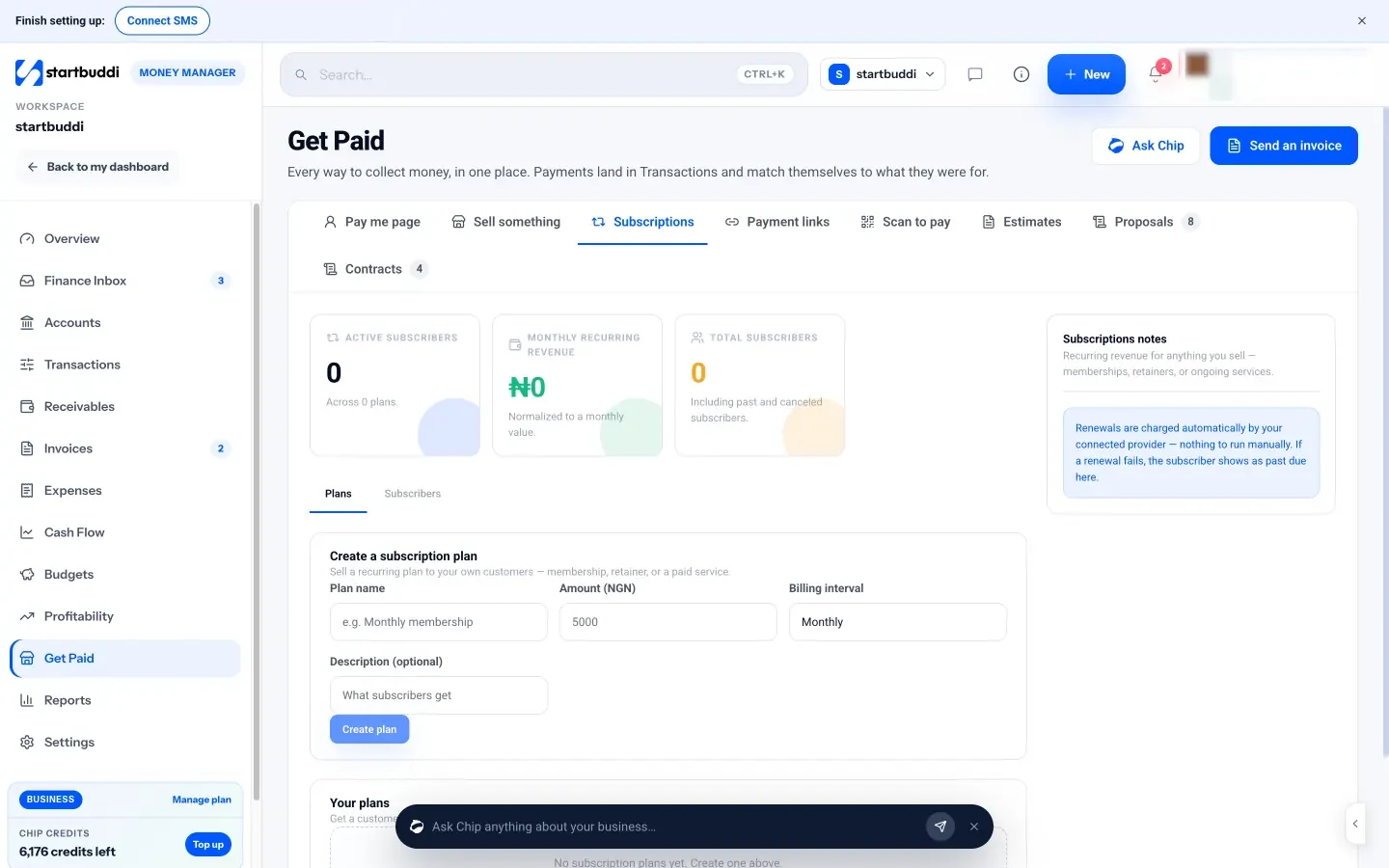
For memberships, Subscriptions lets you create a monthly or yearly plan, share a subscribe link, and have renewals charged automatically through Paystack or Stripe.
The store, landing pages and link in bio work on every plan, including Free, once you connect a payment provider. Sending launch emails to your list uses email marketing, which is part of every paid plan from Starter up.
Your next step
Look through your last month of messages and list three questions people keep asking you. Pick the one you could turn into a template or short guide in a weekend, write its one-sentence promise, and put up a waitlist page to test it. For more on taking payment once it’s ready, see our guide on accepting payments online in Nigeria, or compare plans on our pricing page.
Sources
- Paystack: Pricing
- Stripe: Pricing
- GOV.UK: VAT rules for supplies of digital services to consumers
- Nigeria Revenue Service
Frequently asked questions
What digital product is easiest to start with?
A template or checklist based on something you already use in your own work. It's quick to make, easy to explain and simple to improve after your first buyers give feedback.
Do I need a website to sell digital products?
No. A single store page, landing page or link in bio page with a payment option is enough to start. Add a fuller website later if people start searching for you.
How do I stop people sharing my files?
You can't stop it completely. Brand every page, state the licence clearly, and focus on serving buyers well: most people who would pirate a file weren't going to pay anyway.
Can I sell a monthly membership instead of a one-off product?
Yes. A membership suits content you add regularly, like new templates each month. Use a payment provider that charges renewals automatically, and deliver new content on a steady schedule.
Tiwalade Joanna Okedara-Kalu is the founder, CEO and CTO of startbuddi, the business system that brings clients, bookings, invoices, projects, marketing and the Chip AI assistant into one place. Tiwalade builds software around how service businesses really work day to day, and writes about client management, getting paid on time and why small businesses outgrow the tools they start with.
Founded startbuddi and leads its product and engineering