A simple Instagram strategy that books clients for small businesses
A simple Instagram strategy for small businesses that turns followers into bookings: the profile, which formats to use, how often to post, getting found and following up.



- Set up a professional account with a clear bio and one useful link. Use Reels to reach new people, carousels to teach and Stories to stay close to followers, post three times a week, reply to every message, and capture details so you can follow up.
A simple Instagram strategy for a small business works when you treat Instagram as a shop window and a conversation, not a billboard. Set up a professional account with a clear bio and one link, post original content on a rhythm you can keep (Reels to reach new people, carousels to teach, Stories to stay close to followers), reply to every comment and message, and move interested people off Instagram to somewhere you can follow up: a booking page, a form, WhatsApp or your email list.
This guide covers what actually moves the needle for a small business with limited time: the profile, the formats, the rhythm, getting found, turning followers into customers and measuring what works.
Is an Instagram strategy right for your small business?
Instagram suits businesses with something to show: food, fashion, beauty, homes, events, crafts, fitness, design, travel. It’s harder, though not impossible, for businesses whose work is invisible, like bookkeeping or IT support. They can still do well with faces, stories and useful tips.
Check where your customers are before you commit. In Nigeria, for example, DataReportal’s Digital 2026 Nigeria report puts Instagram’s ad reach at 10.0 million people in late 2025, about 4.2% of the population. That’s a large, often young and urban audience, but smaller than Facebook or TikTok in the same report. If your customers are mostly older or outside cities, Facebook or WhatsApp may matter more. Ask your last ten customers where they found you; the answer is usually clearer than any statistic.
Step 1: set up a profile that sells
Switch to a professional account
A professional account gives you insights, contact buttons and ad tools. Instagram’s help centre explains how to switch to a professional account, and whether to choose Business (for shops, local businesses and service providers) or Creator. Note that a private account becomes public when you switch.
Write a bio that answers three questions
People decide whether to follow within seconds. Your bio should say:
- What you do and for whom: “Custom birthday cakes for Lagos families”.
- Why you: “Same-week orders · Delivery across the Island”.
- What to do next: “Order below 👇”.
Use your business name and your main keyword in the name field. People search Instagram for things like “cakes Lekki” or “braids Abuja”, and the name field helps you show up.
Use one link that does several jobs
Instagram gives you limited room for links, so use a link in bio page that holds everything: booking, your menu or price list, a signup form, a WhatsApp button and a way to pay. Keep the most important action at the top.
Add contact options and highlights
- Turn on contact buttons (call, email, directions) so people can reach you in one tap.
- Create Story Highlights for the questions people always ask: prices, how to order, delivery, reviews, FAQs.
- Pin your three best posts to the top of your grid: one that explains what you do, one that proves it and one current offer.
Step 2: choose the right format for each job
Instagram’s own explanation, Instagram ranking explained, shows that Feed, Stories, Explore and Reels each rank content differently. In short, Stories lean on people you already interact with, while Reels and Explore can show your content to people who don’t follow you yet. Use that to decide what each format is for.
| Format | Best for | Small business ideas |
|---|---|---|
| Reels | Reaching new people | A process in 15 seconds, before and after, a quick tip, a day in the shop |
| Carousels | Teaching and saves | Step-by-step guides, price lists, “5 mistakes to avoid”, a project in pictures |
| Single photos | Showing products and moments | A new product, a finished job, a customer with your product |
| Stories | Staying close to followers | Today’s availability, polls, questions, behind the scenes, reminders |
What Instagram says helps and hurts
- Be original. Instagram says reposted Reels and those carrying another app’s watermark get less visibility, as do Reels that are muted or mostly text.
- Give people a reason to share. Interactions such as likes, comments, saves and shares feed ranking. A tip worth saving or a moment worth sending to a friend does more than a plain product shot.
- Be consistent. Instagram notes that people see more Stories from accounts they watch regularly.
Content ideas by type of business
If you’re not sure what to post, start with what your customers are curious about. These ideas work because they show the work, answer questions or put real people on screen.
| Business | Reel | Carousel | Story |
|---|---|---|---|
| Salon or barber | A 15-second transformation | How to keep your style fresh for longer | Today’s open slots |
| Restaurant or caterer | A dish being plated | This week’s menu with prices | A poll on next week’s special |
| Fashion or crafts | From fabric to finished piece | How to style one item three ways | New stock arriving |
| Trades and home services | Before and after a job | Signs you need a repair, not a replacement | Where the team is working today |
| Coach or consultant | One tip, straight to camera | A simple framework clients use | A question box: ask me anything |
Faces help. Posts where the owner or team appear tend to feel more personal than product-only shots, and small businesses have an advantage here: customers can see the real people they’d be buying from.
Step 3: post on a rhythm you can keep
Buffer’s posting frequency guide suggests three to five feed posts a week on Instagram, based on reach data from its users. For a small business, three a week plus a few Stories is a good, sustainable start. Missing weeks hurts more than posting less often.
A simple weekly pattern:
- Monday: a carousel that teaches something.
- Wednesday: a Reel showing the work or the people.
- Friday: a post that sells: an offer, new product or open slots.
- Most days: one to three Stories about what’s happening today.
Plan it all in one sitting each month so you’re not deciding every morning. Our guide on planning a month of social media content in an afternoon walks through exactly how, and the free content calendar template gives you a place to start.
Step 4: help new people find you
Use keywords, not just hashtags
Instagram search looks at names, bios and captions. Write captions that include the words people search for: your product, your service and your area. “Bridal makeup in Ikeja” in a caption does more than ten generic hashtags.
Hashtags: few and specific
Use a handful of specific hashtags that describe the post and your location rather than 30 broad ones. #lagoscakes tells Instagram more than #food.
Tag your location and collaborators
Add the location to posts about local work. When you work with another business or creator, a collaboration post appears on both profiles and puts you in front of their followers.
Work with local creators and neighbours
Small, local creators with engaged followers are often better value than big names. Try a product swap, a joint giveaway with a nearby business or a feature for a loyal customer who posts regularly. If you pay someone or give them free products for a post, make sure the post is clearly labelled as a paid partnership or ad; followers trust honesty, and many countries require it.
Put your Instagram everywhere else
Your handle belongs on packaging, receipts, your shop sign, email signature, website and WhatsApp status. Instagram is often where people check you out after hearing about you somewhere else, and pairing it with local SEO helps people find you on Google too.
Step 5: turn followers into customers
Followers don’t pay bills. The goal is to move interested people from “like” to “message” to “customer”.
Reply fast and personally
Comments and DMs are where sales happen. Reply to every comment in the first hour after posting if you can, and answer DMs the same day. A quick, friendly reply often closes the sale on its own.
Make the next step obvious
End sales posts with one clear action: “Tap the link in bio to book”, “DM us ‘CAKE’ for this week’s flavours” or “Message us on WhatsApp to order”. One call to action per post works better than three.
Capture details so you can follow up
If someone asks about a price and then goes quiet, you need a way to follow up. Collect a name and an email or phone number through a form or signup on your link in bio page, and keep every enquiry in one contact list. People who gave you permission can then hear about new products and offers by email or WhatsApp. Our guide to WhatsApp message templates has follow-up wording you can use.
Use Stories to sell gently
Stories are a low-pressure place to sell because they disappear and feel casual. Show a product in use, then add a question sticker (“Want one in blue?”) or a poll. Everyone who answers has put their hand up, so follow up with a friendly message. A weekly “slots left this week” Story is one of the simplest ways for a service business to fill gaps in the diary.
Consider a small ad budget later
Once you know which posts do well organically, putting a small budget behind the best one can reach more of the right people. Start small, target your area and track messages or bookings, not just likes.
Step 6: measure what matters
Instagram’s professional dashboard shows insights for each post and your account. Check them once a month and look for patterns, not single results.
| What to look at | What it tells you |
|---|---|
| Reach from non-followers | Whether you’re getting in front of new people |
| Saves and shares | Whether your content is useful enough to keep or pass on |
| Profile visits and link taps | Whether people want to know more after seeing a post |
| Messages and bookings | Whether Instagram is actually bringing in customers |
The last row matters most. Ask new customers how they found you, and note it on their contact record. After a couple of months you’ll know whether Instagram is earning its place in your week.
Common Instagram mistakes small businesses make
- Posting only products. A grid of product photos with prices feels like a catalogue. Mix in people, process and tips.
- Buying followers. Fake followers don’t buy and they make your real engagement look weaker.
- Chasing every trend. Use trends that fit your business; skip the ones that don’t.
- Ignoring DMs. An unanswered “how much?” is a lost sale.
- No link or a broken link. Check your link in bio every month.
- Giving up after a month. Instagram rewards consistency. Give a plan three months before judging it.
How startbuddi helps
With startbuddi, your Instagram sits next to the rest of your business, so a post can lead to a booking, a sale or a contact you can follow up with.
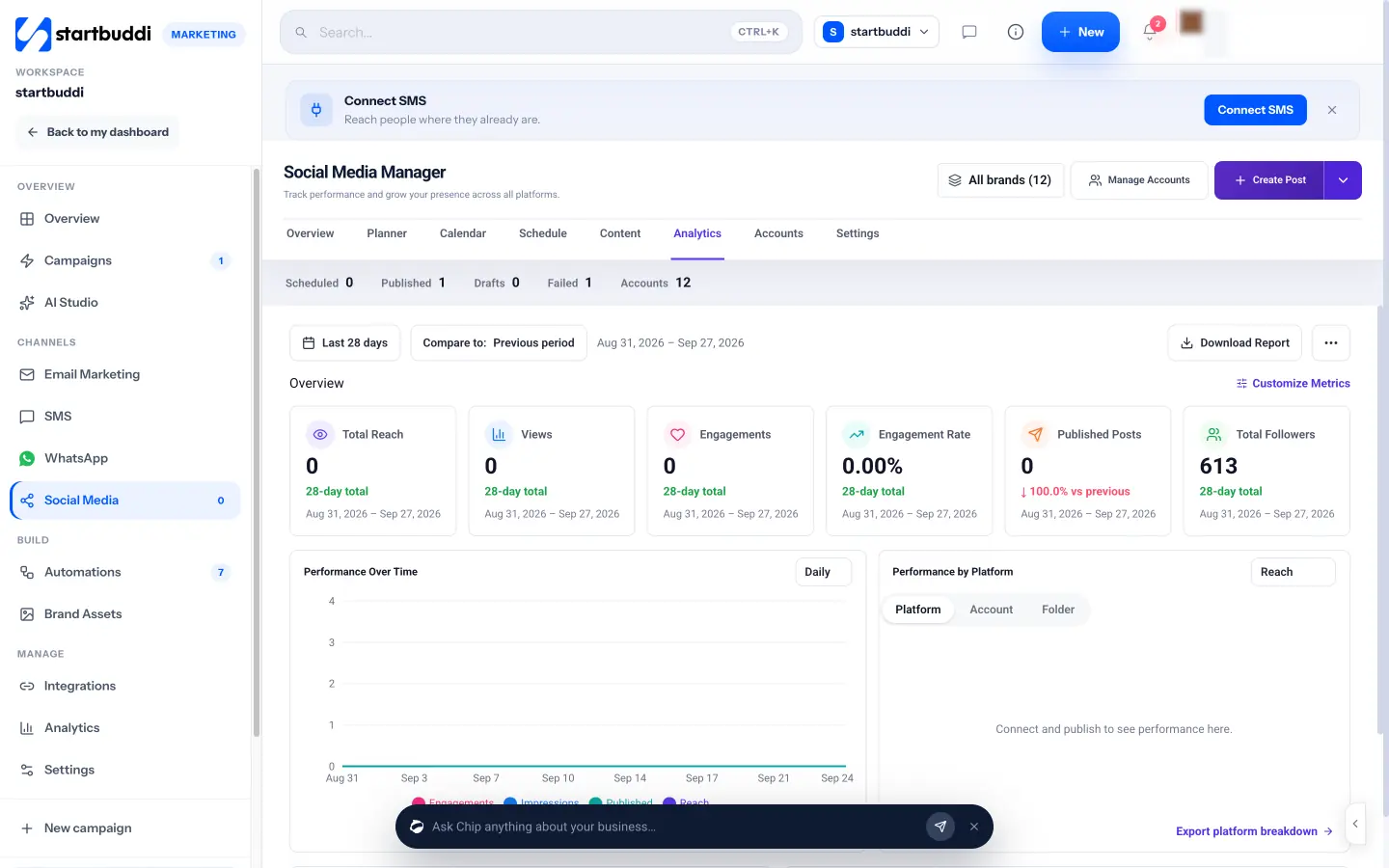
- Plan and schedule Instagram posts. The Social Media Manager publishes to Instagram business and creator accounts linked to a Facebook Page, including feed posts, Reels and Stories. You can add a first comment, a location and a collaborator, and post to Facebook, LinkedIn, X, YouTube and Pinterest from the same place.
- Chip for captions and ideas. Plan with Chip drafts a week of posts from what’s happening in your business, and in the composer Chip can write a caption, suggest hashtags or create an image.
- See what works. Analytics shows followers, reach, views, engagement and top posts, so your monthly review takes minutes.
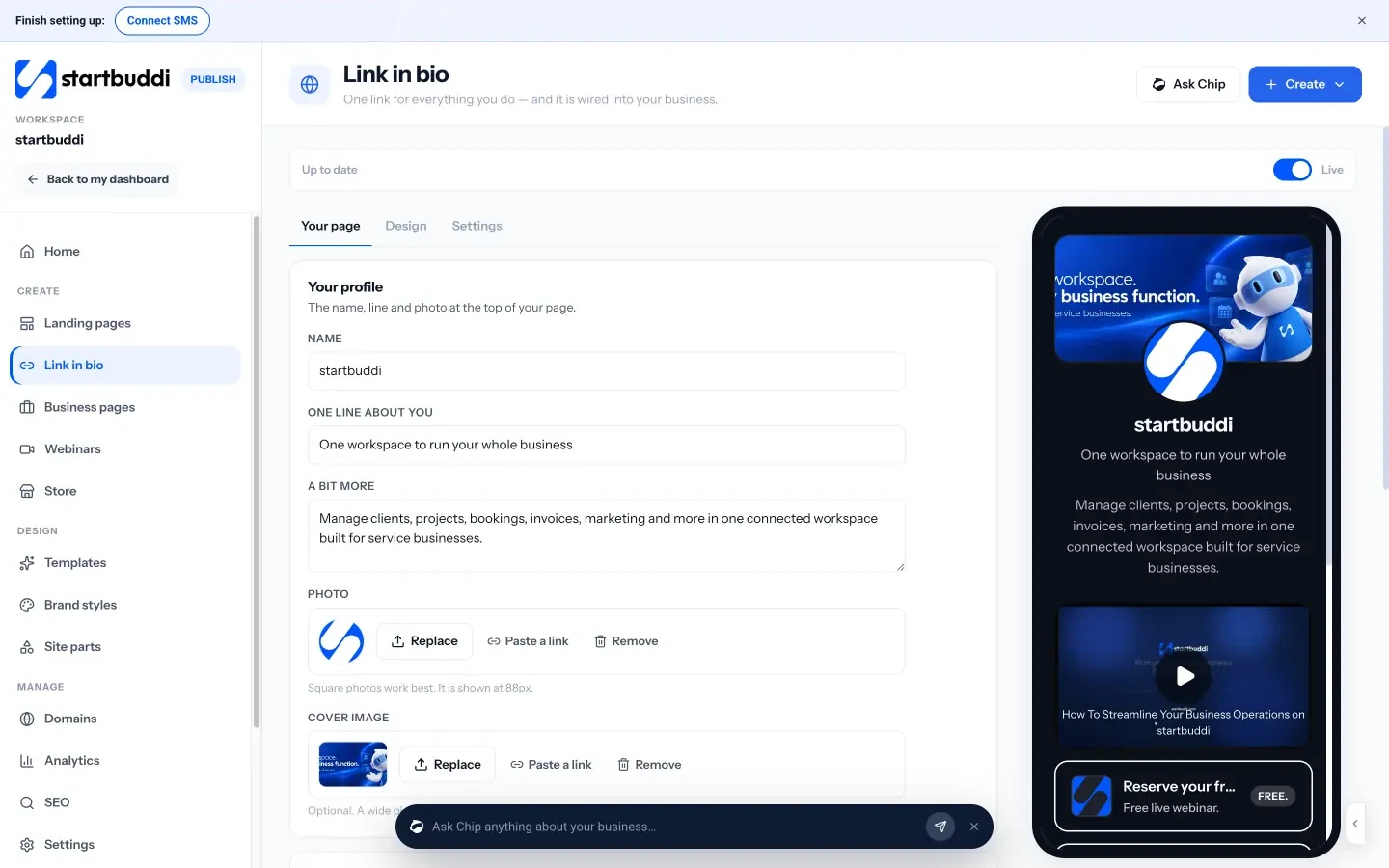
- A link in bio that sells. The link in bio page can hold products, a tip jar, payments, a signup block, a form, a booking block and a WhatsApp button. Add ?src=instagram to the link on your profile and its analytics show how many visits and taps came from Instagram.
- Every enquiry in one place. Signups and form responses land in contacts, so you can follow up by email or WhatsApp later.
Social media scheduling is part of the Marketing module, available on the Starter plan and above.
Your next step
This week, fix your profile: rewrite your bio using the three questions above, set up one link that holds your key actions, and pin your three best posts. Next week, start the Monday, Wednesday, Friday rhythm. If you’d like to plan, schedule and track it in one place, compare the plans and start a 30-day trial.
Sources
- Instagram: Instagram ranking explained
- Instagram Help Centre: Set up a professional account
- DataReportal: Digital 2026 Nigeria
- Buffer: How often to post on social media
Frequently asked questions
Should my business use a Business or Creator account?
Most shops, local businesses and service providers should choose Business. Creator suits individuals whose personal brand is the business, such as coaches or artists.
How often should a small business post on Instagram?
Three feed posts a week plus a few Stories is a sustainable start. Consistency over months matters more than posting every day for a fortnight.
Do hashtags still work on Instagram?
A few specific hashtags can help, but keywords in your name, bio and captions matter too. Use words your customers would actually search for.
How do I know if Instagram is bringing in customers?
Track link taps, messages and bookings, and ask new customers how they found you. Likes alone don't tell you whether Instagram pays.
Olabimpe Salami is the email and outreach specialist at startbuddi. Olabimpe writes about the messages that bring customers in and back: email, WhatsApp and SMS campaigns, follow-ups, and turning enquiries into paying clients.
Runs email and outreach at startbuddi