How to organize client communication in one place, without losing a message
A practical system to organise client communication: one record per client, one shared inbox, clear channel rules, notes, reply times, handovers and written decisions.


Chinonye wrote this while on the startbuddi team. The product has changed since, so the team updated it on .
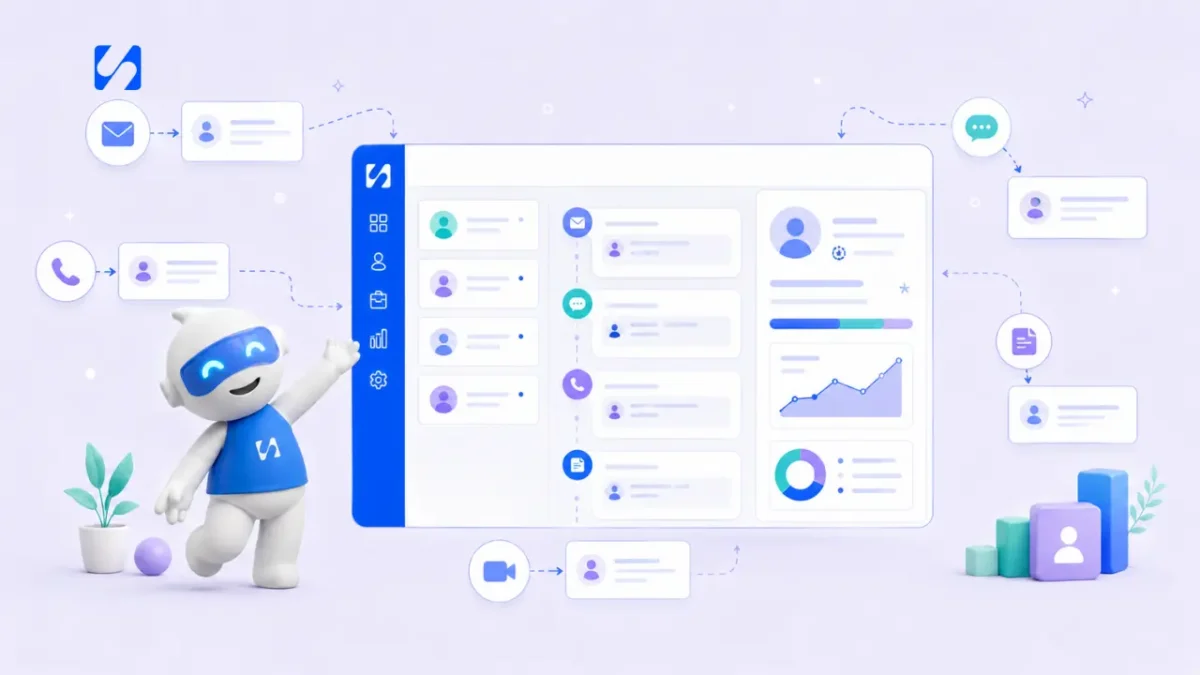
- Client communication gets messy when messages live on personal phones and inboxes. Give every client one record, bring channels into one shared inbox, agree which channel is for what, log decisions in writing, set reply times and owners, and use a client portal or shared space for project conversations.
To organize client communication, bring it into one place and give it a few simple rules. Every client gets one record. Every channel (WhatsApp, email, SMS, social messages, website chat) lands in one shared inbox linked to that record. You agree which channel is for what, write down every decision, set a reply time and an owner for each client, and move project conversations into a shared space the client can see too. The result is that anyone on your team can pick up any conversation without asking the client to repeat themselves.
This guide explains how to set that up step by step, whether you are a freelancer juggling a dozen clients or a small agency with a team answering the same WhatsApp number.
Why client communication gets messy
It usually starts innocently. You give a client your personal WhatsApp because it’s quick. Another prefers email. A third sends voice notes to your colleague. The designer on your team talks to the client’s marketing manager on Slack. A month later, nobody is sure what was agreed about the deadline, and the client is annoyed that they had to explain the brief twice.
The problem isn’t the number of channels. Clients will always use the channel that suits them. The problem is that each channel holds a separate piece of the story, often on one person’s phone, and nothing links those pieces back to the client.
The cost is real, even if it’s hard to put a number on:
- Slow replies, because messages sit where nobody is looking.
- Contradictions, when two people answer the same question differently.
- Disputes about what was agreed, with no written record.
- Knowledge that leaves the business when a team member does.
Step 1: Give every client one central record
Before you touch any inbox, make sure each client has one record that holds their details, notes and history. That can be a CRM contact or, at the very start, a row in a spreadsheet. Every conversation, file and decision should point back to it.
A good record answers these questions at a glance: who is this, which channel do they prefer, what are we working on, what was last said, and what happens next? If you’re unsure what to capture, our guide on collecting and storing client information lists the essentials.
Step 2: Bring every channel into one shared inbox
This is the change that makes the biggest difference. Instead of checking WhatsApp on one phone, email in another tab and Instagram in an app, connect them all to one shared inbox where the whole team can see and reply.
Move client chats off personal phones
If clients message a team member’s personal WhatsApp, those conversations leave when that person does. Use a business number connected to your shared inbox instead, and tell clients about the change in a friendly message. Our guide on managing clients on WhatsApp covers the details, including how to handle groups.
Keep email in a shared place too
For client work, use a shared address such as hello@ or projects@, or connect individual mailboxes to the shared inbox. The aim is that no important client email lives only in one person’s inbox. If a client keeps writing to an old personal address, reply from the shared one and ask them to save it.
Step 3: Agree which channel is for what
You don’t need to force clients onto one channel. You need clear, gentle rules about what goes where. For example:
| Type of message | Best channel | Why |
|---|---|---|
| Quick questions and updates | WhatsApp or chat | Fast and informal |
| Quotes, contracts, invoices | Email or client portal | Easy to find later, clear record |
| Feedback and approvals | Client portal or email | Written, dated and linked to the work |
| Urgent problems | Phone call, then a written summary | Fast, with a record afterwards |
| Team-only discussion | Internal notes or team chat | Clients never see it |
Share these rules with clients at the start, ideally in your onboarding pack or agreement. Something like: “For quick questions, message us on WhatsApp. For approvals and anything about payment, please reply by email or in your portal so we have a clear record.”
Step 4: Write decisions down
Calls and voice notes are great for talking things through and terrible as records. Build one habit: after any call, meeting or voice-note exchange that changes something, send a short written summary.
Thanks for the call, Funke. To confirm: we’ll move the launch to 14 November, add a second landing page for the Abuja event (quote to follow today), and you’ll send the product photos by Friday.
Save the same summary as a note on the client record. It takes two minutes and prevents most “I thought we said…” arguments.
Step 5: Use internal notes for context the client doesn’t need to see
Some information helps your team but shouldn’t go to the client: “Prefers calls before 10am”, “Sensitive about budget, lead with value”, “Mentioned they’re also talking to another agency”. Internal notes on the client record keep this context in the right place, visible to the team and never to the client.
Internal notes also replace the side conversations that happen in personal chats. If a teammate needs to know something about a client, it goes on the client, not in a private message.
Step 6: Set reply times and owners
A shared inbox without ownership becomes a place where everyone assumes someone else will reply. Two simple rules fix that:
- Every client has an owner, the person responsible for making sure messages get answered, even if someone else writes the reply.
- Every channel has a target reply time, for example within two working hours on WhatsApp and one working day on email.
Reply times matter most for new enquiries. A study published in Harvard Business Review found that firms contacting web leads within an hour were nearly seven times as likely to have a meaningful conversation with a decision maker as firms that waited longer. Existing clients are more forgiving, but they notice slow replies too.
Tell clients your hours
Organising communication also means setting boundaries. State your working hours and typical reply times in your agreement and your email signature. An automatic reply outside hours (“Thanks, we’ll reply by 10am tomorrow”) sets expectations without you being on call all night.
Step 7: Give project conversations a home
Day-to-day project talk (drafts, feedback, approvals, files) quickly buries everything else in a chat thread. Move it somewhere structured:
- A client portal where the client sees their project, shared files, approvals, invoices and a message thread with you. Our glossary entry on what a client portal is explains the idea.
- Shared documents with comments, so feedback sits next to the thing it’s about.
- A short weekly update for longer projects: done this week, planned next week, anything we need from you.
For more on setting one up, read why use a client portal. A weekly update alone often cuts down the “any news?” messages noticeably, because the client already knows where things stand.
Step 8: Plan for handovers
Holidays, sick days and staff changes are when disorganised communication really hurts. If your system works, a colleague can open the client record and see the full conversation history, the latest decisions, open questions and the next step. Test it: pick a client and ask someone who doesn’t usually handle them to explain where things stand in two minutes. If they can’t, something still lives outside the system. Fix that gap, then try the test again with a different client next month. Over time, handovers stop being stressful and become a normal part of how the team works.
A client communication plan you can copy
Put the rules above into a short plan and share it with every new client during onboarding. It fits on half a page:
- Your main contact: the name of the person who owns the relationship, plus a backup.
- Quick questions: our WhatsApp business number, answered within two working hours.
- Approvals, contracts and invoices: email or your client portal, so there’s a written record.
- Updates: a written update every Friday with progress, next steps and anything we need from you.
- Meetings: a 30-minute call every two weeks, with a written summary the same day.
- Working hours: Monday to Friday, 9am to 5:30pm. Messages outside these hours are answered the next working morning.
- Urgent issues: call the main contact, and we’ll follow up in writing.
Clients usually welcome this. It tells them exactly how to reach you and when to expect an answer, which removes most of the anxiety that leads to repeated “just checking” messages.
What this looks like in different businesses
A solo freelancer
Imagine a freelance copywriter in Toronto with eight active clients. She uses one business WhatsApp number and one email address, both connected to a shared inbox she checks at 9am, 1pm and 4pm. Every client has a record with notes from each call, and approvals go by email. When she takes a week off, a fellow freelancer can cover urgent requests by reading the records.
A small agency
A five-person digital agency in Nairobi might route all client messages into team inboxes by account. Each client has an owner, internal notes hold context, and each client portal holds drafts, approvals and invoices. Team discussion stays in internal chat, never in client threads.
A trades business
A plumbing firm in Birmingham might take enquiries by phone, WhatsApp and a website form. The office manager logs every call as a note, confirms bookings and prices by message so there’s a written record, and assigns each job to an engineer, who can see the customer’s history before arriving.
Common mistakes to avoid
- Adding channels without a plan. Every new channel you offer is one more place to monitor. Only add channels you can answer well.
- Using WhatsApp groups as project managers. Groups are fine for quick chat, but decisions and files get buried fast. Summarise decisions elsewhere.
- Letting “urgent” become the default. If everything is urgent, nothing is. Agree what counts as urgent and how to flag it.
- Forgetting to close loops. Every question from a client should end with an answer or a date for one. Unanswered questions are what clients remember.
How startbuddi helps you organise client communication
In startbuddi, client records, conversations and project spaces all sit in one system.
- One shared inbox. The Inbox brings WhatsApp, email, SMS, website chat, Instagram, Facebook and Telegram into one list, linked to each contact. You can reply on a different channel from the one the message came in on. WhatsApp and SMS need the Starter plan or above.
- Owners and team inboxes. Assign conversations to a person or team, and choose who gets new conversations: one person, round robin, or whoever has the fewest open. Chip can suggest which team should handle a conversation.
- Internal notes. Notes on a conversation or contact are visible to your team and never to the client, and show up in both places.
- Better replies, faster. Quick replies, scheduled sending, and Chip drafts you can edit before sending. On Growth and above, Chip can answer on the channels you choose, with rules for when it steps back.
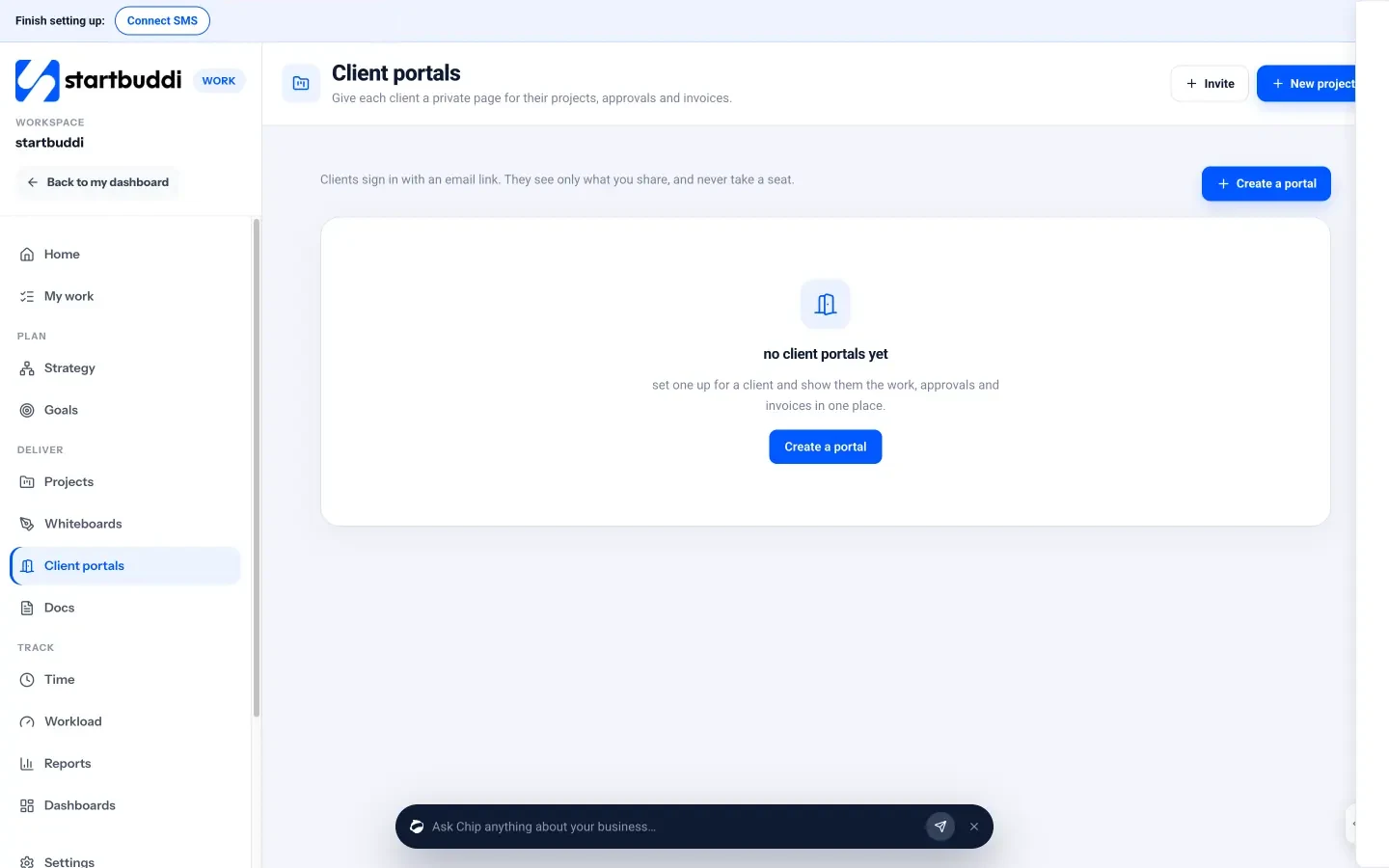
- Client portals. Give each client a private portal with their projects, files, approvals, invoices and a message thread with you. They sign in with an email link, with no password and no paid seat. See client portals.
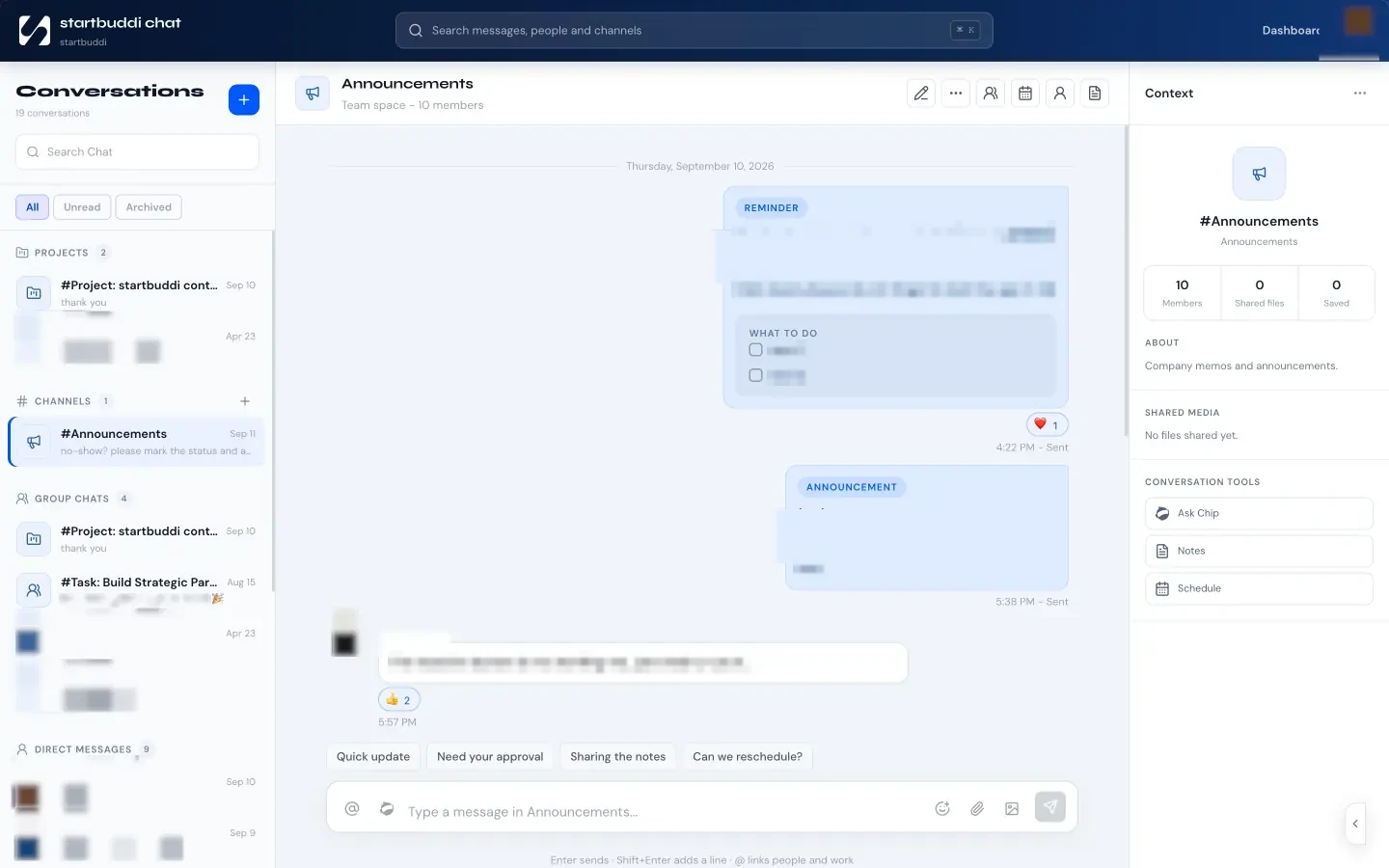
- Team chat. Chat is for internal conversations, so team discussion stays out of client threads.

You can start on the Free plan with up to 250 contacts. Starter adds WhatsApp and SMS, Growth adds Chip auto-reply and five seats (see pricing), and every paid plan comes with a 30-day trial.
Your next step
List every place a client message reached you this week: apps, phones, inboxes, voice notes. That list is your map of what needs to move. Start with the channel that holds the most client conversations, usually WhatsApp, and bring it into a shared inbox first. Compare plans on our pricing page when you’re ready.
Sources
Frequently asked questions
What is the best way to organise client communication for a small business?
Keep one record per client, bring all channels into one shared inbox, agree which channel is for what, and write decisions down on the client record.
Should I let clients message me on WhatsApp?
Yes, if that's where they are, but use a business number connected to a shared inbox rather than a personal phone, so conversations stay with the business.
What is the difference between a communication log and internal notes?
A communication log is every message exchanged with the client. Internal notes are team-only context, such as preferences or concerns, that the client never sees.
How do I stop clients messaging me at all hours?
State your working hours and reply times in your agreement and signature, use an automatic out-of-hours reply, and agree a clear way to flag real emergencies.
SEO Copywriter| Email growth Specialist| I help businesses increase revenue with strategic SEO content & high-converting email funnels.