Scheduling software for home service businesses: a practical guide
How home service scheduling software works for cleaners, plumbers and other trades: booking models, realistic schedules, reminders, team rotas and how to choose.



- Home service scheduling software handles services, availability, online booking, staff assignment, reminders and payments for jobs at customers' homes. Set honest durations and travel buffers, group jobs by area, and only pay for dispatch and GPS once you have many people on the road.
Home service scheduling software is a shared diary built for jobs that happen at the customer’s address: it shows who is working where and when, lets customers book or request a visit online, sends reminders, and stops two jobs landing in the same slot. For a cleaner, plumber, electrician, gardener or pest control business, it replaces the paper diary, the WhatsApp back-and-forth and the “can you do Thursday?” phone calls.
This practical guide covers how scheduling works for home services, how to build a schedule your team can actually keep, what cleaning businesses need in particular, how reminders and team rotas fit in, and how to compare tools. Along the way we are clear about which features you need at which size, because a two-person cleaning company and a twenty-van contractor need very different things.
What home service scheduling software does
A calendar tells you what is booked. Booking software built for home services also handles the rules around it. The core pieces are:
- A list of services with a duration and price, like “End of tenancy clean, 2-bed, 4 hours”.
- Availability rules: working hours, days off, holidays, and the gap between jobs.
- Online booking or requests, so customers can choose a slot without calling.
- Staff assignment: who does each job, and a fair way to share work across the team.
- Reminders and confirmations by email or message.
- A link to the money: deposits, invoices and payments tied to each visit.
Larger field service platforms add dispatch boards, GPS tracking and route optimisation. Those are useful when you have many people on the road at once. Most small home service businesses get far more from the six basics above.
Three ways to schedule home service jobs
Scheduling software for home service businesses usually supports one or more of these models. Pick the one that fits each type of job.
| Model | How it works | Best for |
|---|---|---|
| Self-booking | The customer picks a service and a free slot, and it is confirmed straight away | Fixed jobs: standard cleans, boiler services, gutter clearing |
| Request, then confirm | The customer sends details and preferred times, and you confirm or propose another | Jobs that need a look first: repairs, quotes, one-off deep cleans |
| Recurring visits | The same customer, same day and time, every week or month | Regular cleaning, garden maintenance, pool care |
Most businesses mix all three. The mistake is forcing every job into one model, such as making a customer with a leaking roof pick a slot from a menu.
How to build a schedule your team can keep
Set honest durations
Time your last twenty jobs of each type and use the typical time, not the fastest. If a standard three-bedroom clean usually takes three and a half hours, book it as three and a half hours. Offer sizes as separate services (“2-bed”, “3-bed”, “4-bed”) rather than one service that runs anywhere from two to six hours.
Build in travel time
Home service work happens across town, so add a buffer after each job. Travel between jobs is also part of the working day. In the US, the Department of Labor says travel from job site to job site during the workday counts as hours worked (DOL Fact Sheet 22), so planning it well saves wages as well as time. Other countries have their own working-time rules, so check yours.
Group jobs by area
Without route optimisation, you can still cut driving by working one area per day: north side on Mondays and Thursdays, south side on Tuesdays and Fridays. Offer customers the days you are in their area. It is simple, and it works.
Cap each day
Set a maximum number of each job per day, especially long ones. Two deep cleans in one day may be all a team can do well.
Keep a flexible slot
Leave one slot a day for urgent jobs, re-cleans or overruns. If it is still empty the afternoon before, release it. The same idea works for heating engineers, as our guide to HVAC appointment booking explains.
Cleaning services scheduling software: what cleaners need
Cleaning is one of the biggest home service trades. The US Bureau of Labor Statistics counts 2,432,600 jobs for janitors and building cleaners in 2025 (BLS), and residential cleaning businesses have particular scheduling needs:
- Recurring visits that stay on the same day and time, with a clear process when a customer skips a week.
- Consistent cleaners, because customers like seeing the same face in their home.
- Access notes: key safe codes, alarm codes, where to park, which rooms to skip. Store them securely and share them only with the assigned cleaner.
- Checklists so every clean covers the same things.
- Payment on a schedule, often a monthly plan or payment after each visit.
Dedicated cleaning tools cover this closely. For example, ZenMaid lists scheduling, online booking forms, checklists, a mobile app with GPS for cleaners, and invoicing. Our page for cleaning service companies shows a lighter approach.
Reminders, reschedules and no-shows
In home services, a no-show often means the customer is not home and you cannot get in. That is a wasted trip, fuel and wages. Reminders help. A Cochrane review of text message reminders for healthcare appointments found attendance rose from 67.8% without reminders to 78.6% with them. Home visits are different from clinic appointments, but the lesson carries over: people forget, and a nudge works.
- Send a confirmation when the booking is made.
- Send a reminder the day before, with the arrival window and any access instructions you need.
- Include a link to reschedule, so customers change the booking instead of just not being there.
- Publish a fair cancellation policy, and send it with the confirmation.
More ideas are in our post on how to reduce no-shows.
Scheduling a team that works in people’s homes
Once you have staff, scheduling becomes about fairness and safety as well as filling slots.
- Share work fairly. Round robin scheduling spreads new bookings evenly across the team, while still letting regular customers keep their usual person.
- Let people set their hours. Part-time cleaners and weekend-only staff are normal in this industry.
- Know where people are. Many home service workers work alone. In Great Britain, HSE guidance says employers must manage the health and safety risks before people work alone. A shared schedule, plus a simple check-in when each job starts and ends, is a good first step.
A weekly scheduling routine that takes 20 minutes
Software keeps the diary. A short routine keeps it sensible. Once a week, ideally on Friday afternoon, run through this list:
- Look at next week by person. Is anyone overbooked while someone else has gaps? Move jobs now, not on Monday morning.
- Check the areas. If Tuesday has jobs on opposite sides of town, offer one customer a different day.
- Confirm the big jobs. Send a short message to anyone with a long or expensive visit next week.
- Block time off and holidays so nobody can book those slots.
- Review last week. Count no-shows, overruns and late arrivals. If one job type keeps overrunning, change its duration.
- Chase unpaid visits from last week before they become old debts.
Twenty minutes a week saves hours of rearranging and apologising later. If you run several businesses or areas, do this per area.
Scheduling mistakes home service businesses make
- Letting the calendar decide travel. An online booking page does not know that 2pm across the river is impossible after 1pm in the other direction. Buffers and area days fix this.
- One service for every job size. A clean that might take two hours or six will wreck the day. Split it by size.
- No customer history. When a regular calls, you should see their past visits, notes and what they paid without scrolling through WhatsApp.
- Paying for features you will not use. Dispatch boards and live maps are brilliant for fleets and wasted on a two-person team.
- Keeping schedules in one person’s head. If only the owner knows the plan, the business stops when they are ill.
Home services scheduling software compared
Here is what each tool’s own pricing page said in September 2026, in US dollars. Some prices vary by region, so check the page for your country. We have not ranked them; each suits a different kind of business.
| Tool | What it is | Price as published | Dispatch or GPS |
|---|---|---|---|
| Jobber | Field service software with online booking | Core $49 a month billed monthly, no free plan | GPS and routing on Grow and above |
| Housecall Pro | Field service software with online booking | Basic $79 a month billed monthly, no free plan | GPS on Essentials and above |
| ZenMaid | Scheduling for cleaning businesses | Starter $19 a month (up to 40 appointments), 14-day trial | GPS in the mobile app |
| Square Appointments | Appointment booking with payments | Free plan for solo businesses | Not a dispatch tool |
| Calendly | General scheduling links | Free plan; Standard $10 per seat a month billed yearly | Not a dispatch tool |
| Setmore | Appointment booking | Free for up to 4 users; Pro $5 per user a month billed yearly | Not a dispatch tool |
For a wider list, see our best booking software for service businesses.
How to choose scheduling software for home service businesses
- Count your people on the road. One to five: a booking tool with team calendars is enough. More than that: consider dispatch and routing.
- List your job types and decide which can be self-booked, which need a request, and which recur.
- Check how it handles addresses and access notes, since every job is at a customer’s home.
- Check reminders and reschedule links in a test booking of your own.
- Follow the money. Can it take a deposit, send an invoice after the visit, or bill a monthly plan?
- Add up the real cost, including per-user fees as you hire.
How startbuddi helps home service businesses schedule
Where startbuddi fits: it is a booking, customer and payments system, not field service dispatch software. There is no GPS tracking, route optimisation or native mobile app (you use it in your phone’s browser), no built-in address field on bookings, and calendar sync pushes bookings to Google Calendar without reading busy times back. Bookings are single appointments, so a weekly clean is added visit by visit or rebooked by the customer. For a small team that wants online booking connected to customers and invoices, it fits well.
In Bookings, you create services with a duration, price and the staff who do them, set a maximum number of bookings per day, and ask booking questions such as the address and access notes. Customers can pay in full or a deposit when they book, through Stripe or Paystack.
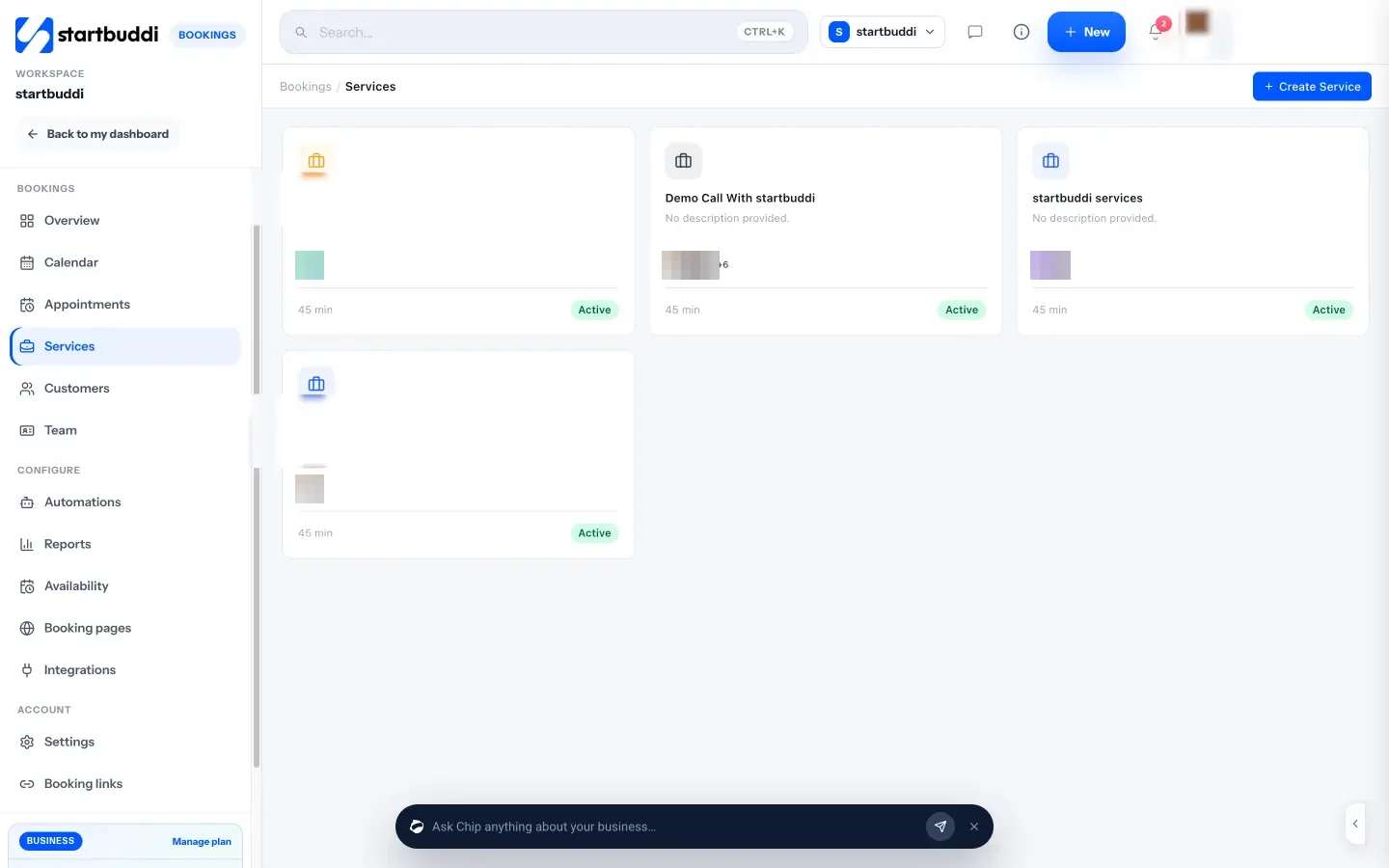
Availability covers working hours, a buffer after each booking and email reminders. The calendar shows day, week, month or staff views, and Block time keeps a slot free for urgent jobs or takes a holiday out of booking. Bookings can rotate across your team with round robin, and each person can set their own hours.
The Overview shows today’s bookings and a Needs attention list, where you mark whether the customer was there or not. Marking a no-show sends your follow-up email, and from any booking you can generate an invoice.
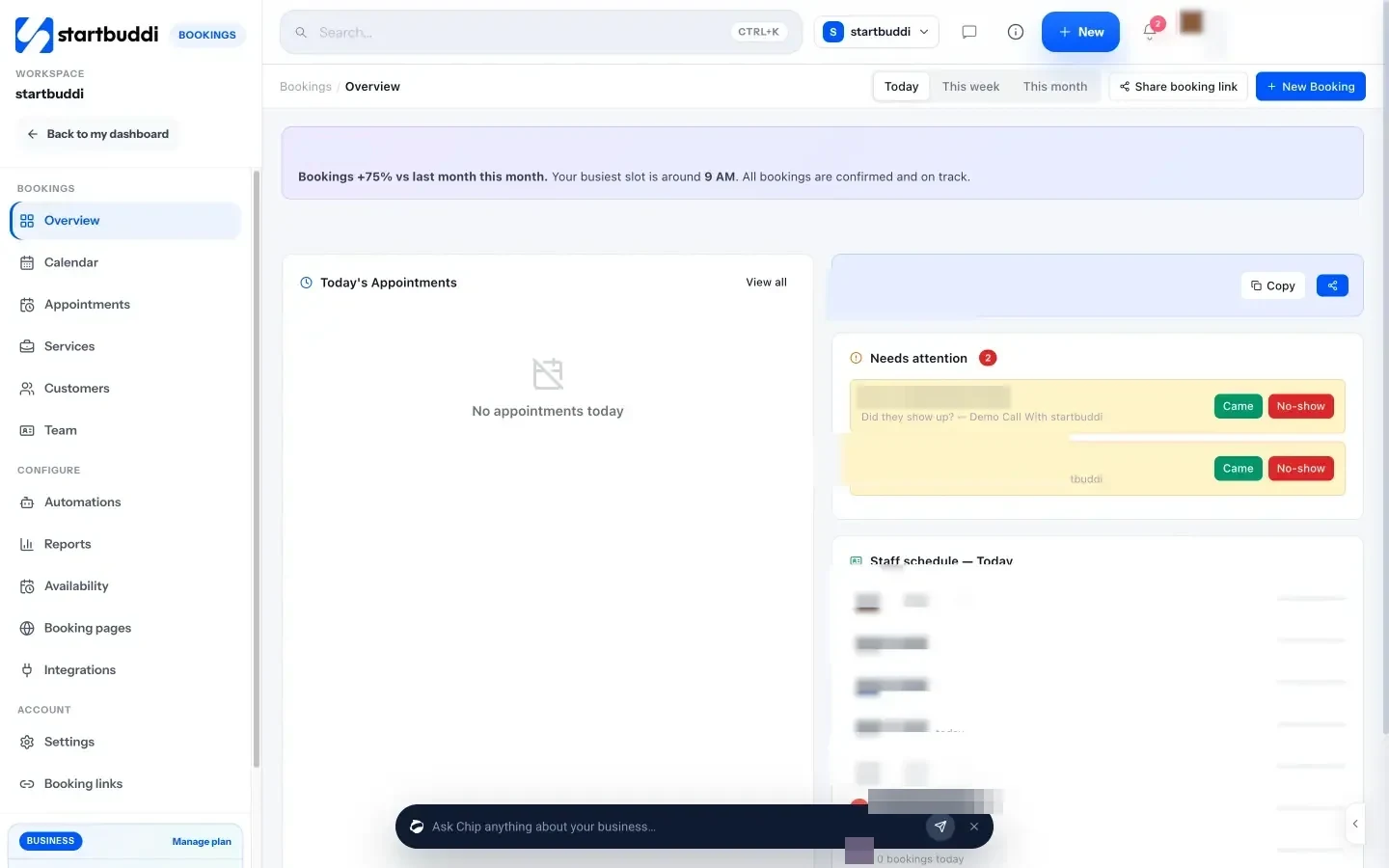
Reports show total bookings, your cancellation rate, repeat customers, bookings by service, peak hours and staff performance, with a CSV download. That is the data you need for the weekly routine above: which jobs sell, when people want you, and who on the team is carrying the most work. Guests also get their own booking page where they can cancel, so a customer who cannot be home tells you instead of leaving you at a locked door.
For regular customers, Subscriptions bills a monthly plan through your payment provider, and every booker becomes a contact in Contacts. Automations (Starter plan and above) can send email, WhatsApp or SMS steps after a booking is made, cancelled or missed. The Free plan includes one live service, and Starter gives you ten (see pricing).
Your next step
Write down your three most common jobs, their honest durations and the travel buffer each needs. Decide which ones customers can book themselves. Then set up just those in a scheduling tool and share the link for two weeks before adding more. You can start on startbuddi’s Free plan and have a booking page live today.
Sources
- Cochrane (2013): Mobile phone messaging reminders for attendance at healthcare appointments
- US Department of Labor: Fact Sheet 22, hours worked
- HSE: Lone working, guidance for employers
- US Bureau of Labor Statistics: Janitors and building cleaners
- Pricing pages: Jobber, Housecall Pro, ZenMaid, Square Appointments, Calendly, Setmore
Frequently asked questions
What is the best scheduling software for home service businesses?
It depends on your size. Small teams need online booking, team calendars, reminders and payments. Businesses with many people on the road also need dispatch, GPS and route planning.
Is there cleaning services scheduling software with a free plan?
Several general booking tools have free plans, such as Setmore, Calendly, Square Appointments and startbuddi. Cleaning-specific tools like ZenMaid usually offer a trial instead.
How do I cut travel time without route optimisation?
Work one area per day and offer customers the days you are near them. Add a realistic buffer after each job so the schedule survives traffic.
Should customers book home services online or request a visit?
Let them book fixed, predictable jobs directly. Use a request form for jobs you need to see first, like repairs or unusual cleans.
Omolola Akiyode is the operations and project manager at startbuddi, leading cross-functional projects and the content that helps founders get set up. Omolola writes about projects, websites and getting found online, and turns complex ideas into clear, practical steps.
Runs operations and projects at startbuddi