CRM for coaches: manage clients, sessions and follow-ups without the overwhelm
What a CRM for coaches should do, the features that matter for life, business and health coaches, how to compare tools fairly, and a simple setup you can copy.


Chinonye wrote this while on the startbuddi team. The product has changed since, so the team updated it on .
- A CRM for coaches keeps intake answers, session notes, bookings, agreements, payments and follow-ups for each client in one place. Look for booking with reminders and deposits, intake forms, private notes, contracts, package billing and simple follow-up automation, then set it up around your real client journey.
A CRM for coaches is a system that keeps everything about each client in one place: how they found you, their intake answers, session notes, bookings, signed agreement, payments and what should happen next. The right one saves you from hunting through Google Docs, WhatsApp chats and email threads before every session, and it quietly handles reminders and follow-ups so you can spend your time coaching.
This guide explains what a coaching CRM should do, which features matter for different kinds of coaches, how to compare tools without getting lost in feature lists, and a simple setup you can copy this week. It is written for life coaches, business and executive coaches, health and fitness coaches, and career coaches, whether you work alone or with a small team.
What is a CRM for coaches?
CRM stands for customer relationship management. A general sales CRM tracks leads moving towards a sale. A CRM for coaches does that too, but most of its value comes after someone signs up, because coaching is a long relationship made of many sessions, check-ins and renewals.
In practice, a coaching CRM should let you:
- Capture enquiries and discovery-call bookings in one list.
- Keep a private record for each client with intake answers, goals and notes.
- Book sessions with automatic confirmations and reminders.
- Send and store agreements, and take payment for packages or monthly plans.
- Follow up between sessions and when a package is about to end.
If you are new to the idea, our glossary entry on what a CRM is explains the basics in a few minutes.
Signs your coaching business needs a CRM
Many coaches run happily on a notebook and a calendar for their first handful of clients. The cracks usually show in the same places:
- You re-read old chats before sessions to remember what the client said last time.
- Discovery calls go nowhere because nobody followed up two days later.
- No-shows and late cancellations eat into your week, and you feel awkward chasing them.
- Payments are tracked in your head, and you are never quite sure who is on which package.
- Renewals slip. A client finishes their six sessions and drifts away because nobody asked what’s next.
If two or more of those sound familiar, a simple system will pay for itself in recovered time within a month or two.
The features that matter in a CRM for coaches
Ignore long comparison grids for a moment. These are the layers that make a real difference to a coaching practice.
| Layer | What to look for | Why it matters for coaches |
|---|---|---|
| Booking | Online booking page, reminders, rescheduling, optional deposits | Fewer emails about times, fewer no-shows |
| Intake | Forms that save answers to the client record | You walk into session one already knowing their goals |
| Client record | Private notes, files, history of every message and session | Continuity between sessions and if you ever hand over a client |
| Agreements | Templates and e-signatures | Clear terms on confidentiality, cancellations and payment |
| Payments | Invoices, payment links, recurring billing for monthly plans | No awkward money conversations mid-session |
| Follow-up | Simple sequences and reminders | Discovery calls and renewals don’t depend on your memory |
Privacy is not optional
Coaching clients share personal and sometimes sensitive information. The International Coaching Federation’s Code of Ethics asks coaches to agree roles, confidentiality and financial arrangements before coaching begins, and to store and dispose of records in a way that protects confidentiality and complies with the law. Whatever tool you choose, check who on your team can see notes, and keep only what you need.
Different coaches, different priorities
Life and wellness coaches
Usually solo, working with individuals on packages of sessions. Priorities: an easy booking page, gentle reminders, a warm intake form and a way to check in between sessions. Package billing and a clear cancellation policy matter more than a complex sales pipeline.
Business and executive coaches
Often sell to companies, where the person being coached is not the person paying. Priorities: tracking both the client and the sponsor, proposals and signed agreements, invoices to companies, and a pipeline for corporate deals that can take weeks to close.
Health and fitness coaches
Often run many short sessions and group classes. Priorities: fast booking, deposits or prepayment to reduce no-shows, recurring monthly billing and quick messages on WhatsApp or SMS. Group programmes also need a way to message a whole cohort at once, which is where saved lists or segments help.
Career coaches
Usually short, intense engagements with clear outcomes. Priorities: a strong intake form, document sharing for CVs and applications, and follow-up that asks for a testimonial or referral once the client lands a role.
How to compare coaching CRMs fairly
There are dedicated coaching platforms, client-management tools built for freelancers, and broader business systems. Names you will come across include coaching-specific tools such as Simply.Coach and Paperbell, freelancer tools such as Dubsado, HoneyBook and Bonsai, and general CRMs. Prices and plans change often, so check each provider’s own pricing page rather than relying on a list.
Instead of counting features, run each shortlisted tool through the same five tests:
- The new-client test. Can a stranger book a discovery call, fill in your intake form and appear as one contact with their answers attached?
- The session test. Can you open a client and see past notes, upcoming sessions and what they’ve paid in under ten seconds?
- The money test. Can you sell a six-session package or a monthly plan and see who still owes you?
- The paperwork test. Can you send your coaching agreement for signature without leaving the tool?
- The follow-up test. Can you set a reminder or message for two days after a discovery call, and another for the last session of a package?
Also check where your clients are. If most of them message you on WhatsApp, a tool that only handles email will leave half your conversations outside the system. Our side-by-side pages on startbuddi vs Dubsado and startbuddi vs Bonsai, and our list of the best CRM software for small business, can help you narrow things down.
A simple CRM setup for a coaching practice
Whatever tool you choose, this structure works for most coaches.
1. Pipeline stages
Enquiry, Discovery call booked, Proposal or package offered, Signed and paid, Won or Lost. Keep it this short. For corporate coaching, add a stage for “Sponsor approval”.
2. Client record fields
Beyond name and contact details, add: package or plan, sessions remaining, main goal, start date, renewal date and how they found you. Resist adding twenty fields. You can always add one later.
3. Three automations
- After a discovery call: a thank-you message with next steps, and a task for you two days later if they haven’t decided.
- Before each session: a reminder the day before, with the link or address.
- Near the end of a package: a check-in inviting them to review progress and talk about what’s next.
4. Paperwork
A coaching agreement covering sessions, cancellations, confidentiality and payment. Our coaching agreement template is a good start, and our guide to writing a client service agreement explains each clause.
5. A weekly 20-minute review
Look at new enquiries, discovery calls without a decision, clients with one or two sessions left and unpaid invoices. That short review catches most of what slips. Put it in your calendar at the same time every week, such as Friday afternoon, so it becomes a habit rather than something you do only when a quiet month worries you.
Numbers worth tracking in a coaching business
A CRM also tells you how the business is doing, not just who to call. Five numbers are enough for most coaches, and you can check them in ten minutes at the end of each month:
- Enquiries per month, split by where they came from: referrals, Instagram, LinkedIn, your website, talks and podcasts. This shows which marketing is worth your time.
- Discovery call to client rate. If you hold ten calls and four become paying clients, that’s 40%. A falling rate usually points to the wrong people booking calls, or an offer that needs work.
- Average client value: what a typical client pays you over the whole relationship, including renewals. A six-session package at $600 that renews once is worth $1,200, not $600.
- Renewal rate: the share of clients who continue after their first package. For many coaches this is the biggest lever on income, because keeping a happy client costs far less effort than finding a new one.
- No-show and late cancellation rate. If it creeps up, tighten reminders, take a deposit or revisit your cancellation policy.
You don’t need a dashboard for this at the start. A monthly note with five figures is enough to spot a trend before it turns into a quiet month.
Common mistakes when coaches set up a CRM
Copying a sales team’s setup
Templates built for sales teams come with long pipelines, lead scores and forecasts. A solo coach needs a short pipeline and a clear view of current clients. Strip anything you won’t use in a normal week.
Keeping session notes somewhere else
If notes stay in a separate notebook app, the CRM only knows half the story. Keep at least a short summary and the agreed next step on the client’s record after each session, so you can prepare in two minutes and hand over cleanly if you ever bring in an associate coach.
Automating the personal parts
Reminders, receipts and scheduling are perfect for automation. Check-ins after a difficult session are not. Let the system remind you to write, then write it yourself.
Forgetting the end of the package
Most coaches set up onboarding carefully and forget the last session. Add a reminder two sessions before a package ends, so the conversation about what comes next happens while the client is still getting results, not after they have gone quiet.
Collecting more than you need
Long intake forms that ask for everything put people off and create data you have to protect. Ask what you need for the first session and gather the rest as trust builds.
How startbuddi works as a CRM for coaches
startbuddi is an all-in-one business system rather than a coaching-only tool. It doesn’t have a dedicated goal-tracking view for each coaching client, so you keep goals and progress in the client’s notes and files. What it does is connect the business side of coaching in one place:
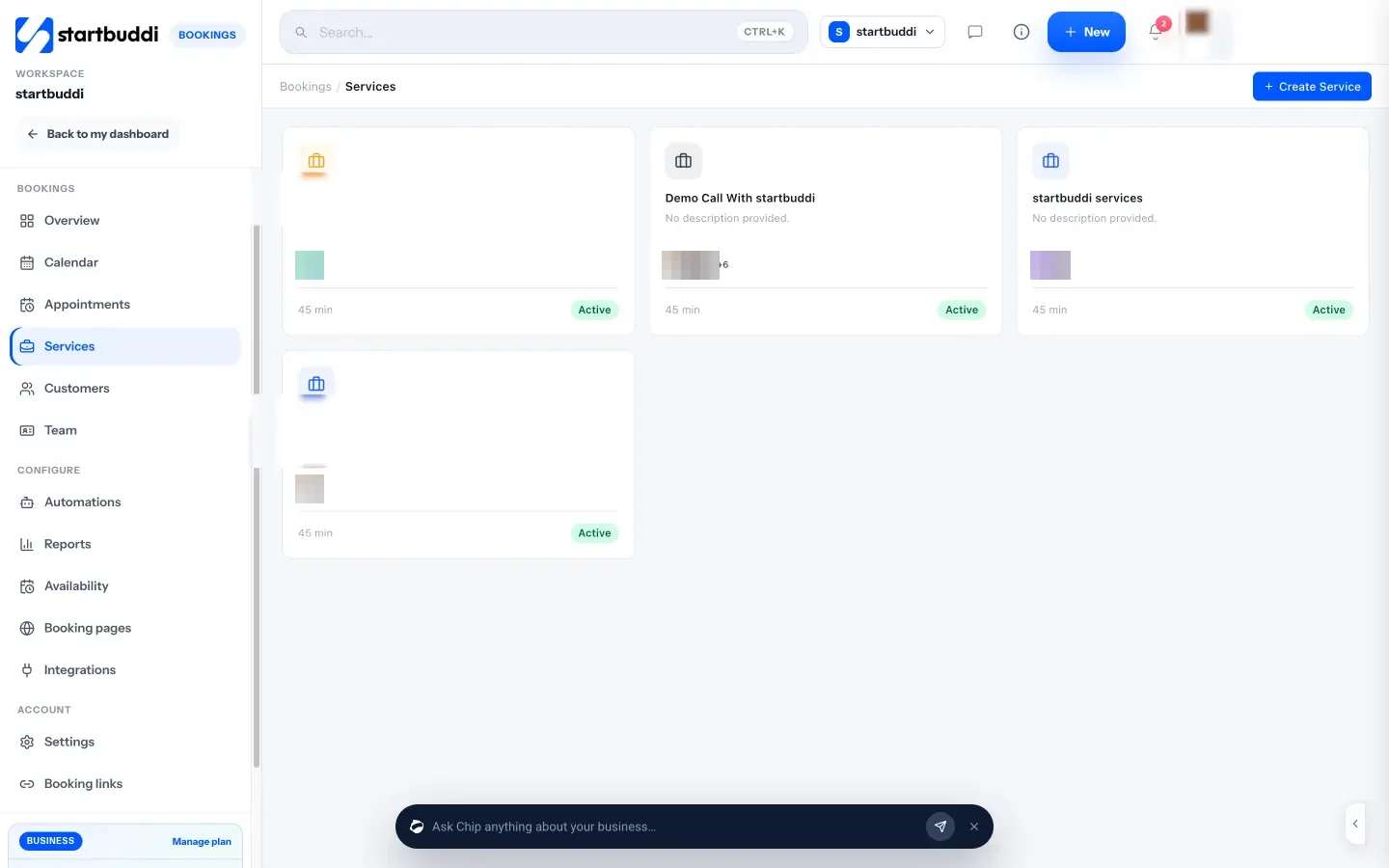
- Bookings. Create services such as a free discovery call or a paid 60-minute session, share one booking link, and optionally require full payment or a deposit before a booking is confirmed. Reminder emails go out at the lead time you choose, and there are follow-up emails for no-shows. See Bookings.
- Intake. Add booking questions to each service, or build a longer intake form in Forms with answers mapped to contact properties.
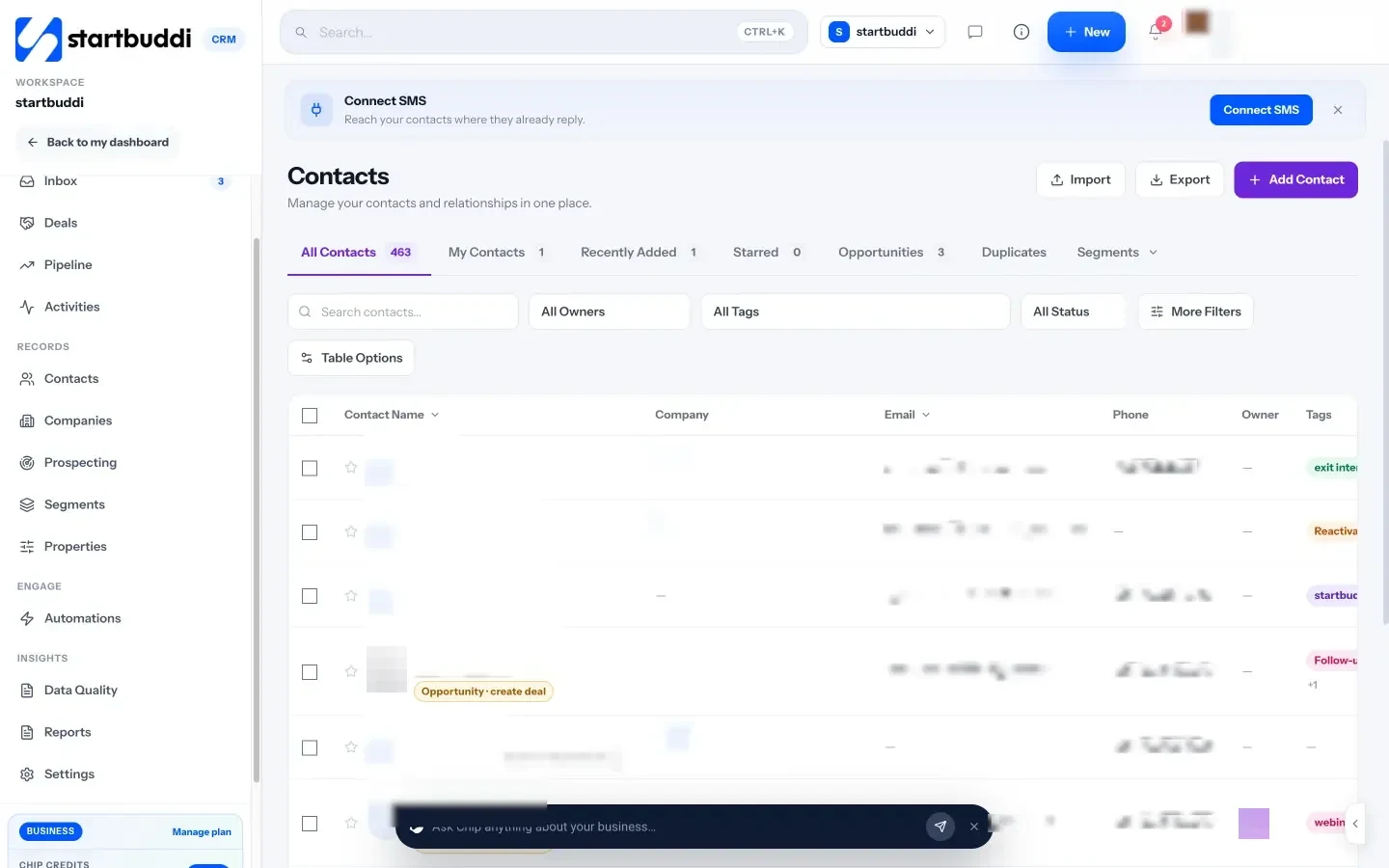
- Client records. Each contact page holds notes, tasks, files, deals, bookings and a money tile showing what has been invoiced, paid and is outstanding.
- Agreements and payments. Send contracts for e-signature, invoice clients, and set up recurring billing for monthly plans in Money Manager.
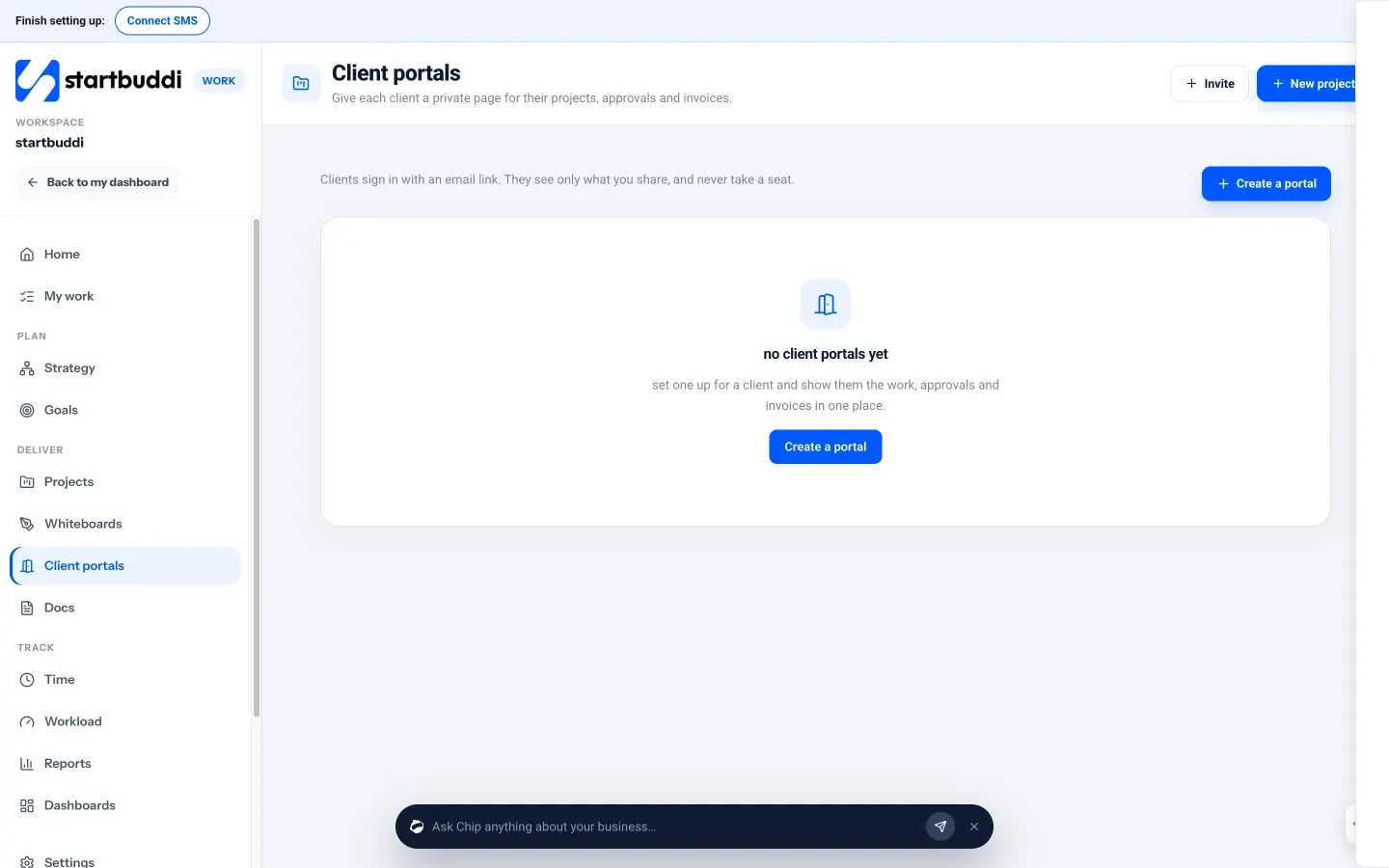
- Client portals. Give a client a private page with shared files, documents, invoices and a chat, with sign-in by email link and no password.
- Follow-ups. Automations such as a booking reminder stack or a welcome flow for new contacts, available on Starter and above.
Chip, the AI assistant, can answer questions like “Who haven’t I contacted in 14 days?” and draft a follow-up sequence for a contact using their real history, which you edit before anyone is enrolled.
You can start on the Free plan with up to 250 contacts. Starter (see pricing) adds more automations, WhatsApp and SMS, and every paid plan comes with a 30-day trial. More detail on the startbuddi for coaches page.
Your next step
Write down the five steps a client takes from first message to renewal, then run one tool through the five tests above using that journey. The tool that passes all five with the least effort is your CRM. If you want to try startbuddi for it, compare the plans on our pricing page.
Sources
Frequently asked questions
Do I need a CRM as a life coach?
Not on day one. Once you have more clients than you can keep track of from memory, or discovery calls start slipping, a simple CRM saves time and makes you look more organised.
What is the difference between a coaching platform and a CRM?
Coaching platforms focus on the coaching itself, such as goals and session content. A CRM focuses on the relationship and the business: enquiries, bookings, payments and follow-ups. Some tools do a bit of both.
What documents does a coach need before taking on a client?
At least a signed coaching agreement covering sessions, cancellations, confidentiality and payment. Some coaches add an intake questionnaire and a privacy notice.
Can I use a free CRM for my coaching business?
Yes. Many CRMs, including startbuddi, have free plans with a contact limit. They work well while you test your setup and grow your first client list.
SEO Copywriter| Email growth Specialist| I help businesses increase revenue with strategic SEO content & high-converting email funnels.