Booking Software for Tutors: 13 Best Options for 2026
Booking software for tutors compared: 13 tools on recurring lessons, parent portals, invoicing and free plans, with every price checked on 14 October 2026.



The best booking software for tutors is TutorBird for most independent tutors, with a parent portal, lesson notes and automatic invoicing for $16.95 a month. Teachworks suits tutoring centres that run recurring lessons across many tutors. For free trial lessons and consultations, Calendly or a Google Calendar booking page is enough.
startbuddi is our product. It’s on this list for tutors who sell one-off sessions and take deposits, and its limits (no recurring lessons, no parent portals) are listed as plainly as everyone else’s. Prices were checked on each vendor’s own site on 14 October 2026.
Key takeaways
- Tutoring is mostly the same student at the same time every week. Choose a tool that books recurring appointments, or you’ll be rebooking dozens of lessons a month.
- Tutoring-specific tools (TutorBird, My Music Staff, Teachworks, TutorCruncher, Oases Online) add parent portals, attendance, lesson notes and term billing. General schedulers don’t.
- General schedulers (Calendly, Setmore, YouCanBookMe, Google Calendar) are cheaper or free, and they’re good at trial lessons and one-off sessions.
- Check how a tool charges as you grow: per tutor, per lesson or per active student.
Tutor booking software compared
| Tool | Best for | Starting price (checked 14 Oct 2026) | Free plan | Standout feature |
|---|---|---|---|---|
| TutorBird | Independent tutors and small teams | $16.95/month + $4.95 per extra tutor | No (30-day trial) | Parent portal, lesson notes and automatic invoicing |
| My Music Staff | Music teachers | $16.95/month + $4.95 per extra teacher | No (30-day trial) | Recurring lessons and make-up credits |
| Teachworks | Tutoring centres | $16.49/month + $0.32 per student lesson | No (21-day trial) | Repeating lessons and branded portals |
| TutorCruncher | Tutoring agencies | From £25/month | No (2-week trial) | Client invoicing, tutor payroll and built-in video |
| Oases Online | Learning centres with many students | $99/month (up to 25 active students) | No | Parent portal and calendar-based billing |
| Calendly | Trial lessons and consultations | $12 per seat/month, or $10 billed annually | Yes (1 event type) | Simple booking link most parents know |
| Google Calendar appointment schedules | Tutors already on Google | Free with a personal Google account | Yes (1 booking page) | Booking page inside your own calendar |
| Microsoft Bookings | Tutors and schools on Microsoft 365 | Included in eligible Microsoft 365 plans | No | Teams links for online lessons |
| Setmore | Small tutoring teams on a budget | $5 per user/month billed annually (Pro) | Yes (up to 4 users) | Group classes on the free plan |
| SimplyBook.me | Tutors with a modest lesson count | €13.9/month, or €11.9 billed annually | Yes (50 bookings a month) | Recurring bookings on every plan |
| YouCanBookMe | Solo tutors wanting an intake form | $9/month (Individual) | Yes (1 booking page) | Stripe payments and a 7-question form, free |
| Acuity Scheduling | Tutors selling lesson packages | $20/month, or $16 billed annually | No (7-day trial) | Packages and recurring sessions on Standard |
| startbuddi | Tutors in Nigeria and Africa taking payment upfront | See pricing | Yes | Payment by Paystack before the lesson is confirmed |
Prices are in each vendor’s own currency, before tax. Where a page shows “$” without naming the currency, we’ve repeated it as shown.
How we chose
We looked for tools a home tutor, an online tutor and a small tutoring centre could each set up without help, and judged them on:
- Scheduling: weekly recurring lessons, rescheduling, cancellations and time zones for online students.
- Families: a parent or student portal, lesson notes and attendance.
- Getting paid: payment at booking, monthly or termly invoicing, and late fees.
- Online lessons: built-in video or a video link in each booking.
- True cost: how the price grows with tutors, lessons or students.
Every price and feature comes from the vendor’s own pricing, feature or help pages, checked on 14 October 2026. We didn’t run hands-on tests and don’t quote review scores.
1. TutorBird
TutorBird is studio management software for tutors: scheduling, a student and parent portal, invoicing and lesson notes.
Best for: independent tutors and small tutoring businesses that bill families monthly.
Key features:
- A calendar with rescheduling, cancellations and two-way calendar sync.
- A student and parent portal, with optional self-service scheduling.
- “Automatic invoicing, online payments, late fee automation”, plus lesson notes and attendance.
Pricing: TutorBird’s pricing page lists one plan at “$16.95/month” plus “$4.95 per each additional tutor or staff member”, with unlimited students, a 30-day trial and a 90-day money-back guarantee.
Pros:
- One low price with no student cap.
- Parent portal and invoicing built for tutoring.
Cons:
- No built-in video; online lessons need an integration.
- Its pricing page doesn’t mention recurring lessons, so check them during the trial.
Who should skip it: a tutor who only does occasional one-off sessions.
2. My Music Staff
My Music Staff is the same style of studio software, built for music teachers.
Best for: piano, guitar, violin and singing teachers with weekly students.
Key features:
- Recurring lessons weekly, biweekly or monthly, with a “same amount each month” billing option.
- Make-up credits when a student is absent.
- A student and parent portal, lesson notes, attendance and a Zoom integration.
Pricing: My Music Staff pricing lists “$ 16.95 /month” plus $4.95 per extra teacher, with unlimited students, a 30-day trial and a 90-day money-back guarantee.
Pros:
- Make-up lessons handled properly, which most tools ignore.
- Flat monthly billing that suits termly fees.
Cons:
- Music-studio wording throughout.
- No built-in video.
Who should skip it: academic tutors who’d rather not see “studio” and “recitals” everywhere; TutorBird is the closer fit.
3. Teachworks
Teachworks is management software for tutoring centres and lesson-based businesses.
Best for: tutoring centres with several tutors and lots of weekly lessons.
Key features:
- Repeating lessons (daily, weekly or monthly), according to its help centre.
- Branded portals for students, parents, teachers and customers.
- Invoicing in several currencies with Stripe payments, attendance and lesson notes.
Pricing: Teachworks’ pricing page lists Starter at “$16.49 /mo” plus “$0.320 per student lesson”, Growth at $47.99 plus $0.189 per lesson and Premium at $187.99 plus $0.065. Students, teachers and users are unlimited, cancelled lessons aren’t counted, and there’s a 21-day trial. Fees are charged in US dollars.
Pros:
- Unlimited users, so a growing centre doesn’t pay per tutor.
- Per-lesson pricing drops on higher plans.
Cons:
- The per-lesson charge means busy months cost more.
- Its pricing page also shows an older set of figures, so confirm at signup.
Who should skip it: a solo tutor with a handful of students.
4. TutorCruncher
TutorCruncher is software for tutoring agencies that match tutors with clients.
Best for: agencies that invoice families and pay tutors.
Key features:
- Automatic client invoicing and tutor payroll, with exports to Xero or QuickBooks.
- Built-in video with 20,000 minutes included.
- Lesson reports and subscriptions (Enterprise).
Pricing: TutorCruncher’s pricing page lists Pay as you go “Starting from” £25 a month, Startup at £60 and Enterprise at £200, with a free two-week trial. Extra branches and a custom domain are add-ons.
Pros:
- Handles the agency side: paying tutors as well as billing parents.
- Video included up to a generous allowance.
Cons:
- “Starting from” pricing, so your real cost depends on volume.
- More than a solo tutor needs.
Who should skip it: independent tutors.
5. Oases Online
Oases Online is management software for learning centres.
Best for: centres with dozens of active students and a parent portal to run.
Key features:
- Scheduling with conflict detection, reminders and group sessions.
- A parent portal with session notes and messages.
- Automated invoices and calendar-based billing, plus attendance.
Pricing: Oases Online’s pricing page lists Starter at “$99” a month for up to 25 active students, rising to $699 for up to 350. Your tier adjusts with your active student count. A demo is offered; no trial is mentioned.
Pros:
- Built for centres rather than adapted from a salon tool.
Cons:
- The highest entry price on this list.
- No trial stated.
Who should skip it: anyone with fewer than 20 students.
6. Calendly
Calendly is a general scheduling tool that many tutors use for trial lessons.
Best for: booking free consultations and first lessons with new families.
Key features:
- A booking link with your availability and calendar connections.
- Payments through Stripe or PayPal, group events and prepaid “meeting packages” on Standard.
Pricing: Calendly’s pricing page lists a free plan with one event type, Standard at $12 per seat a month ($10 billed annually) and Teams at $20 ($16 annually), with a 14-day trial.
Pros:
- Parents know how it works.
- A free plan that’s enough for trial lessons.
Cons:
- No parent portal, lesson notes or term invoicing.
- Recurring appointments aren’t mentioned on its pricing page.
Who should skip it: tutors who need to run the whole term in one tool. See our Calendly alternatives for other options.
7. Google Calendar appointment schedules
Google Calendar lets you publish a booking page from your own calendar.
Best for: tutors who live in Google Calendar and need a simple, free booking page.
Key features:
- With a personal Google account, “you can create a single booking page”.
- Premium features (more than one schedule, automatic email reminders, checking several calendars) come with Google One Premium, Google AI Pro or Ultra, or paid Google Workspace plans.
- Stripe payments with Workspace Individual or Business Standard and above.
Pricing: free for one booking page with a personal Google account, according to Google’s comparison of appointment schedule features. Premium features need one of the paid plans above.
Pros:
- Free, and nothing new to learn.
- Bookings land straight in your calendar.
Cons:
- The free version has one booking page, no payments and no automatic reminders.
- No parent portal or invoicing.
Who should skip it: tutors who want payment upfront without a paid Google plan.
8. Microsoft Bookings
Microsoft Bookings is the scheduling tool inside Microsoft 365.
Best for: tutors and schools that already use Microsoft 365 and Teams.
Key features:
- Personal and shared booking pages with staff, services and availability.
- A Teams meeting link for each online booking.
- Email and text notifications.
Pricing: included in eligible plans, which Microsoft’s Bookings overview lists as Microsoft 365 Business Basic, Business Standard, Business Premium and several education and enterprise plans. There’s no standalone free plan.
Pros:
- No extra cost if you already pay for Microsoft 365.
- Teams links for online lessons.
Cons:
- Needs a Microsoft 365 business, education or enterprise subscription.
- Payments at booking aren’t described in its overview.
Who should skip it: tutors who don’t use Microsoft 365.
9. Setmore
Setmore is a free-first scheduling tool.
Best for: small tutoring teams that want a free plan with group sessions.
Key features:
- Free for up to four users, with unlimited appointments, group classes, payments and email reminders.
- Recurring appointments, text reminders, deposits and video appointments on Pro.
Pricing: Setmore’s pricing page lists Free for up to four users and Pro at “$5* user / mo”, with the asterisk marking annual pricing.
Pros:
- A generous free plan for small teams.
- Group sessions without paying.
Cons:
- Recurring lessons need Pro.
- No parent portal or lesson notes.
Who should skip it: tutors who need term billing.
10. SimplyBook.me
SimplyBook.me is booking software priced by booking volume.
Best for: tutors with a modest number of lessons who want recurring bookings cheaply.
Key features:
- Recurring bookings and group bookings on every plan.
- Intake forms and packages as optional “custom features”.
- Payments at booking from Basic.
Pricing: SimplyBook.me’s pricing page lists Free (50 bookings a month, one provider, no payments), Basic at €13.9 a month (€11.9 billed annually, 100 bookings) and Standard at €29.9 (€24.9 annually, 500 bookings).
Pros:
- Recurring bookings without a premium plan.
Cons:
- 100 bookings a month on Basic is about 23 weekly students.
- No payments on Free.
Who should skip it: busy tutors who would outgrow the booking caps quickly.
11. YouCanBookMe
YouCanBookMe is a simple scheduler with a usable free plan.
Best for: solo tutors who want a booking page with an intake form and payment, free.
Key features:
- On Free: one calendar connection, one booking page, Stripe payments and an intake form of up to seven questions.
- Group sessions from Individual; packages and unlimited form questions on Professional.
Pricing: YouCanBookMe’s pricing page lists Individual at $9 a month, Professional at $13 and Team at $18 per member, with 10% off yearly billing and a 14-day trial. The free plan shows “Powered for free” branding.
Pros:
- Payments on the free plan.
- Cheap paid plans.
Cons:
- Recurring appointments aren’t mentioned on its pricing page.
- Free plan branding on your page.
Who should skip it: tutoring centres.
12. Acuity Scheduling
Acuity Scheduling, owned by Squarespace, is a scheduling tool with packages and recurring sessions.
Best for: tutors who sell blocks of lessons upfront.
Key features:
- “Appointment packages and recurring sessions”, with packages, gift certificates and subscriptions on Standard.
- Custom intake forms and payment at booking on every plan.
Pricing: Acuity’s pricing page lists Starter at $20 a month ($16 billed annually), Standard at $34 ($27) and Premium at $61 ($49), with a 7-day trial and no free plan.
Pros:
- Lesson packs and recurring slots in one scheduler.
Cons:
- Packages need Standard.
- No parent portal, attendance or lesson notes.
Who should skip it: tutors who need family accounts.
13. startbuddi
startbuddi is an all-in-one workspace for service businesses: bookings, client records, an inbox for WhatsApp, Instagram and email, invoices and payments together.
Best for: tutors in Nigeria and across Africa who sell one-off sessions, exam-prep blocks booked one at a time, or consultations, and want payment before the lesson.
Key features:
- A booking page for each lesson type (for example “WAEC maths, 60 minutes” or “IELTS speaking practice”), with prices in NGN, USD, GBP, EUR, KES, ZAR or GHS. The page shows which timezone the times are in.
- Require full payment or a deposit to confirm the booking: through Paystack (card, bank transfer, USSD or mobile money) or Stripe (card).
- One automatic reminder per confirmed booking, at the time you choose, by email, or by WhatsApp or SMS once those are set up.
- Online lessons in startbuddi’s own video room from the Starter plan, or by Google Meet or your own link.
- Recurring invoicing that creates a fresh invoice draft each month, and Subscriptions in Money for a monthly fee that renews by card through Stripe or Paystack.
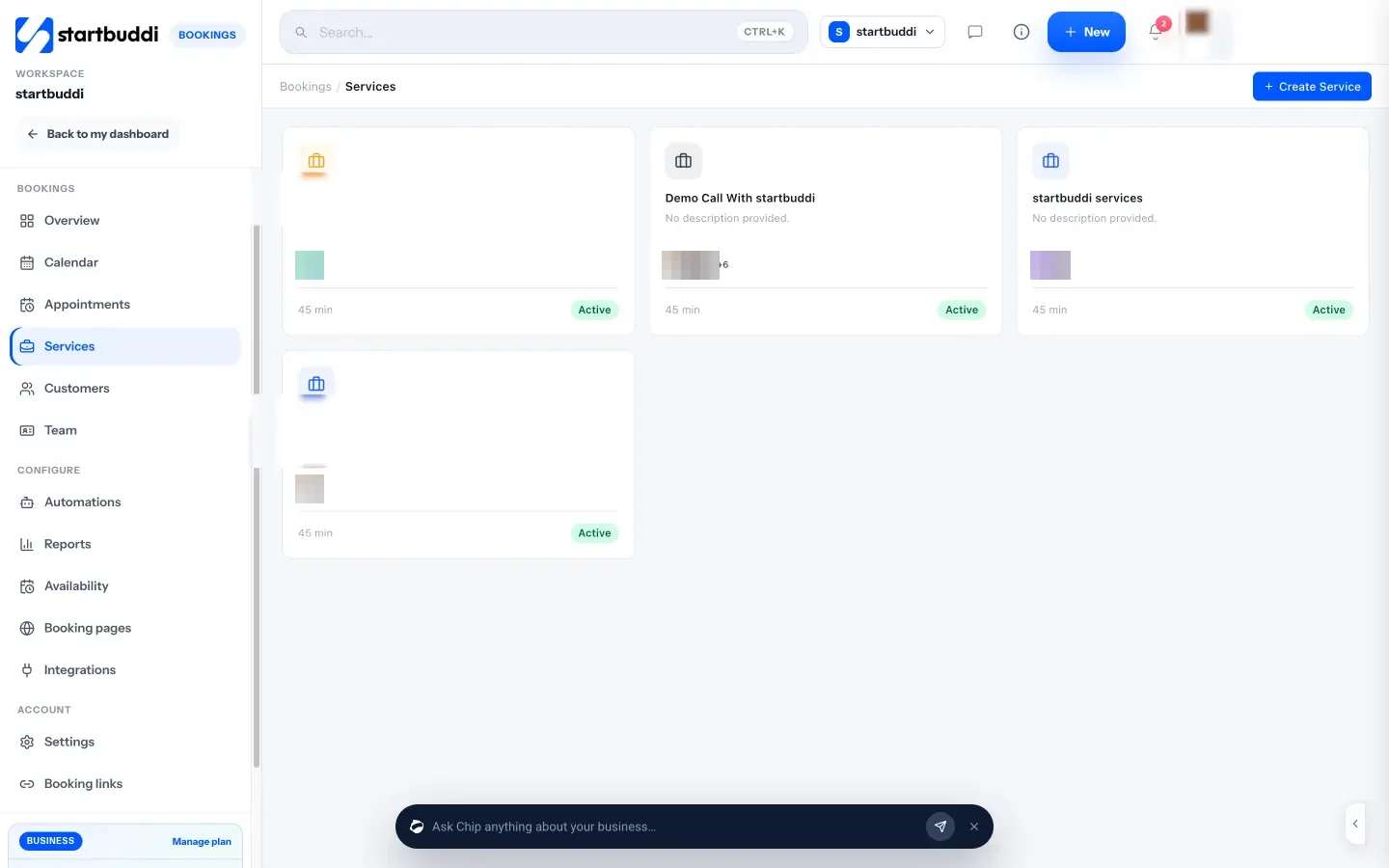
Pricing: free plan available; see pricing. The Free plan allows one live service and one team member.
Pros:
- Payment upfront in naira, by the methods parents use.
- Bookings, WhatsApp chats with parents, invoices and payments in one place.
Cons:
- No recurring lessons: each lesson is booked on its own, which is a real drawback for weekly students.
- No lesson notes for parents, attendance register or make-up credits.
- No parent portal for each family: client portals are capped by plan (none on Free, one on Starter).
- Calendar sync is one way: bookings go to Google Calendar, but your Google events don’t block slots.
Who should skip it: tutors with mostly weekly students, who’ll be better served by TutorBird or Teachworks.
How to choose booking software for tutors
Work through these four questions.
- One-off or weekly? If most students come every week, recurring lessons are non-negotiable: TutorBird and My Music Staff, Teachworks, SimplyBook.me, Acuity and Setmore Pro. If you mostly sell one-off exam-prep sessions, any scheduler will do.
- Who pays, and how? Parents paying a monthly fee want one invoice, not 4 payments. Look for monthly billing (TutorBird, My Music Staff, Teachworks) or a subscription. Parents paying per session want to pay at booking.
- Online or in person? Online tutors need a video link in every booking and clear time zones. TutorCruncher includes video; Microsoft Bookings creates Teams links; most others connect to Zoom or Google Meet.
- How will you grow? Per-tutor pricing (TutorBird) suits small teams, per-lesson pricing (Teachworks) suits centres with lots of tutors, and per-student pricing (Oases Online) suits big centres.
Here’s an illustrative monthly cost for one tutor with 15 weekly students (60 lessons a month), using list prices checked on 14 October 2026:
| Tool and plan | Calculation | Monthly cost |
|---|---|---|
| Calendly Standard (billed monthly) | One seat | $12 |
| TutorBird | One tutor | $16.95 |
| Teachworks Starter | $16.49 + (60 × $0.32) | $35.69 |
| Oases Online Starter | Up to 25 active students | $99 |
The figures are illustrative. Calendly is cheapest but only books lessons; TutorBird adds the parent portal and invoicing for about $5 more, which is usually worth it. Before you share a link, our guide on how to create a booking page covers the setup, and how to automate appointment reminders helps cut missed lessons. For booking tools beyond tutoring, see our best booking software list.
Is there free scheduling software for tutors?
Yes. Google Calendar gives you one free booking page with a personal account. Calendly Free allows one event type, which is enough for trial lessons. Setmore is free for up to four users, SimplyBook.me for 50 bookings a month without payments, and YouCanBookMe’s free plan includes Stripe payments. startbuddi has a free plan with one live service. The tutoring-specific tools offer trials, not free plans.
Try startbuddi Bookings
If you tutor in Lagos, Abuja, Nairobi or Accra and want parents to pay before the lesson, start free with startbuddi Bookings. Set up a trial lesson, share the link in your parents’ WhatsApp group and see how it goes. The appointment scheduling software page shows more of the booking side, and pricing lists what each plan includes.
Frequently asked questions
What is the best booking software for tutors?
For most independent tutors, TutorBird is the best fit: a parent portal, lesson notes and automatic invoicing for $16.95 a month plus $4.95 per extra tutor. Teachworks suits tutoring centres, and Calendly or Google Calendar are enough for trial lessons.
Is there free scheduling software for tutors?
Yes. Google Calendar offers one free booking page, Calendly Free allows one event type, and Setmore, SimplyBook.me and YouCanBookMe all have free plans with limits. Tutoring-specific tools such as TutorBird and Teachworks offer trials instead.
Can tutoring software book recurring weekly lessons?
Many can. My Music Staff and Teachworks support repeating lessons, SimplyBook.me includes recurring bookings on every plan, and Acuity and Setmore Pro offer recurring appointments. startbuddi doesn't create recurring bookings.
How should tutors charge parents?
Most tutors with weekly students bill monthly or termly in advance, with a clear policy for missed lessons. Tutors selling one-off sessions usually take payment when the lesson is booked. Choose software that supports whichever you use.
What features should tutor booking software have?
Recurring lessons, reminders, payment or invoicing, and clear time zones for online students. Tutoring centres also need a parent portal, attendance and lesson notes.
Can I take payment when a student books a lesson?
Yes, with most tools here. Calendly takes payments on Standard, YouCanBookMe on its free plan, Acuity on every plan and Google Calendar with an eligible paid plan. startbuddi can require full payment or a deposit before the booking is confirmed.
Olabimpe Salami is the email and outreach specialist at startbuddi. Olabimpe writes about the messages that bring customers in and back: email, WhatsApp and SMS campaigns, follow-ups, and turning enquiries into paying clients.
Runs email and outreach at startbuddi