How to build a simple sales funnel step by step
Build a simple sales funnel for your service business: a landing page, a lead magnet, a five-email sequence, a booking page and an easy way to pay, all connected.


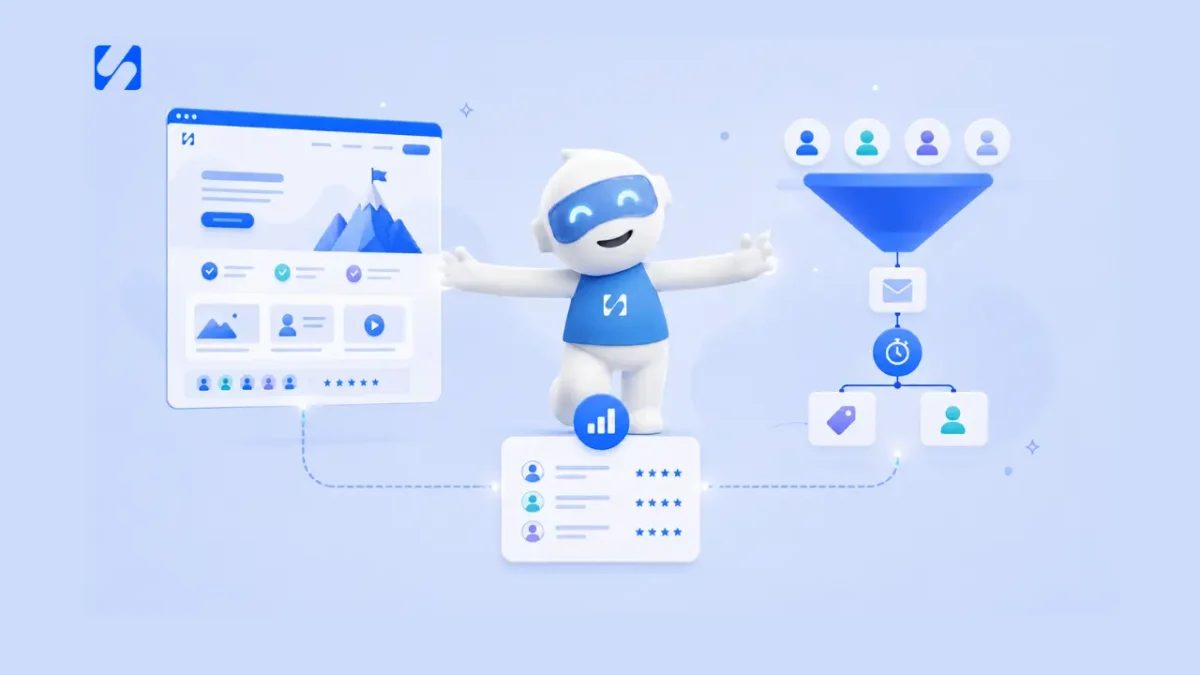
- A simple sales funnel for a service business is five connected steps: a one-offer landing page, a specific lead magnet, three to five trust-building emails, a booking page and an easy payment step. Launch a basic version fast, then fix whichever of three numbers is lowest.
A simple sales funnel for a service business has five connected pieces: a landing page with one offer, a free lead magnet that earns an email address, a short email sequence that builds trust, a booking page for a call, and an easy way to pay. Build them in that order, connect each step to the next so nobody is copied by hand, and measure three numbers to find the weak link. You can have a working version live in a weekend, without ads, a big budget or a technical background.
This guide is the practical, step-by-step version. If you want the theory first, read what a sales funnel is and how it helps you get clients. Here you’ll get what to build, in what order, example copy for each step, a five-email sequence you can adapt, and the mistakes that stop most beginner funnels working.
What a simple sales funnel looks like
Here is the whole thing on one page:
| Step | What it is | What the visitor does | Goal |
|---|---|---|---|
| 1. Landing page | A single page with one message and one button | Reads, decides it’s relevant | Get them to opt in |
| 2. Lead magnet | A free, useful thing: checklist, guide, template, short call | Swaps their email for it | Turn a visitor into a lead |
| 3. Email sequence | Three to five emails over about a week | Reads, starts to trust you | Build trust, answer doubts |
| 4. Booking page | A page to book a call or consultation | Picks a time | Start a sales conversation |
| 5. Payment | A payment link, invoice or deposit | Pays | Turn a lead into a client |
Every step feeds the next. The most common reason funnels fail isn’t a bad step, it’s a gap between steps: a landing page whose sign-ups sit in a spreadsheet, or an email sequence that never links to the booking page.
Do you even need a funnel?
If most of your work comes from referrals and repeat clients, you may not need one yet. A funnel helps most when people find you online, aren’t ready to buy on day one, and need a little time and information before they trust you. That’s true for most coaches, consultants, designers, trainers, accountants and agencies. If your website already brings enquiries but they don’t turn into clients, read sales funnel vs website to see how the two work together.
Step 1: build a landing page that does one job
Your landing page isn’t your homepage. It’s a single page for a single offer, with no menu leading visitors elsewhere. Its only job is to get the right people to take your lead magnet.
What to put on it
- A headline about their problem or the result they want. “Stop losing weekends to bookkeeping: the 10-minute weekly routine for freelancers.”
- Two or three sentences on who it’s for and what they’ll get.
- Three bullets describing what’s inside the lead magnet.
- A short form: first name and email. Nothing else.
- A button with a specific label: “Send me the checklist”, not “Submit”.
- A line of reassurance: “Free. One email a day for five days, then only when there’s something useful. Unsubscribe anytime.”
- A little proof: a real review, a credential or a photo of you.
The mistake most beginners make is writing about themselves. Visitors don’t care about your background yet. They care whether you understand their problem. For more on this page, see how to build a landing page that converts.
Step 2: create a lead magnet worth an email address
A lead magnet is the free thing you offer in exchange for contact details. It turns an anonymous visitor into someone you can follow up with. It doesn’t need to be big. It needs to be specific and useful.
Lead magnet ideas for service businesses
| Business | Lead magnet |
|---|---|
| Bookkeeper | “Year-end checklist: 12 things to gather before you call your accountant” |
| Wedding photographer | “The wedding day timeline template we give every couple” |
| Fitness coach | “A 4-week home workout plan for busy parents” |
| Web designer | “Homepage checklist: 15 things to fix before you pay for a redesign” |
| Interior designer | “Room planning worksheet with measurements guide” |
| Consultant | “A free 20-minute review call” (works when your service is high value) |
The easiest way to find yours: think of the question you’re asked most before someone hires you, and turn your answer into a one- or two-page resource. “Five tips for your business” will always lose to “The checklist I use to onboard new coaching clients in 48 hours”.
Step 3: write a short email sequence that builds trust
Once someone takes your lead magnet, an automated sequence of emails takes over. Three to five emails over five to seven days is enough for most service businesses. Here’s a structure that works:
- Email 1 (straight away): deliver what you promised. The download link, one tip on how to use it, and a sentence about who you are.
- Email 2 (day 2): something useful. A short answer to a related problem. No selling.
- Email 3 (day 3 or 4): a story. A real example of a client situation (with permission, or anonymised) and what changed.
- Email 4 (day 5): handle a worry. The most common reason people hesitate: price, time, “I can do it myself”, “I’ve been burned before”.
- Email 5 (day 6 or 7): a clear, low-pressure invitation. “If you’d like help with this, book a free 20-minute call here.”
Two example emails
Here is how the first and last emails might read for a bookkeeper whose lead magnet is a year-end checklist.
Subject: Your year-end checklist (and the one item people forget)
Hi Tolu, here’s your checklist: [link]. Most people get through it in an evening. The item that’s usually missing is receipts for small cash purchases, so start with that one. Over the next few days I’ll send a few short emails on keeping your books tidy without it taking over your weekends. Joy
Subject: Want a hand with it?
Hi Tolu, if you’ve worked through the checklist and would rather someone else took it from here, I have a few 20-minute calls free next week. We’ll look at where your books are and whether a monthly package would save you time. No pressure either way: [booking link]. Joy
Put this into practiceEverything in this article works inside startbuddi, free to start.Start free
Short, personal, one link each. Notice that the last email gives the reader an easy way to say no. People who feel free to decline are more comfortable saying yes, and those who aren’t ready will still read your next useful email instead of unsubscribing.
Writing tips
- Write to one person, in plain words, as if you were emailing a friend of a friend.
- Keep each email short: a few short paragraphs and one link.
- Use subject lines that say what’s inside: “Your checklist, plus the step most people skip”.
- Stop the sequence for anyone who books or replies, so they don’t get “are you ready to book?” after booking.
For a deeper dive, see how to build a sales funnel email sequence. A note on consent: send marketing emails only to people who asked for them, and include an unsubscribe link in every one. Rules differ by country, so check what applies where you and your subscribers are.
Step 4: connect a booking page so leads can schedule themselves
The final email, and every email’s signature, should link to a booking page. Without it, interested people have to email you, wait for times, and reply again. Many won’t.
A good booking page for a funnel:
- Shows only the times you want to take calls.
- Asks two or three short questions so you arrive prepared (“What would you like help with?”).
- Sends an instant confirmation with what to expect.
- Sends a reminder before the call to cut no-shows.
- Adds a buffer between calls so you’re not rushing.
If calls are your main sales moment, consider putting the booking link on the landing page too, for people ready to talk straight away. See how to get more bookings online for more.
Step 5: make paying easy
If someone says yes on a call and then waits two days for an invoice, momentum drops. Have the payment step ready before the call:
- A payment link for a fixed package or deposit, sent in the chat or email straight after the call.
- An invoice for larger or custom jobs, sent the same day.
- A deposit at booking for paid consultations or sessions, so the booking and payment happen together.
- A proposal or contract where the work needs a signed scope before payment.
Whatever you use, make sure a payment updates the client’s record, so you always know who has paid.
Where to get people into the funnel
You don’t need paid ads to start. Point the traffic you already have at the landing page:
- The link in your Instagram, TikTok or LinkedIn bio.
- Your WhatsApp Business profile and status.
- A line in your email signature.
- The end of every blog post or video.
- Your Google Business Profile.
- Talks, workshops and events: “grab the checklist at this link”.
Once the funnel works with free traffic, and you know what a new client is worth, you can decide whether ads make sense.
Measure three numbers
A simple funnel needs only three numbers, checked every month:
| Number | How to work it out | If it’s low |
|---|---|---|
| Opt-in rate | Sign-ups ÷ landing page visitors | Sharpen the headline or make the lead magnet more specific |
| Booking rate | Calls booked ÷ sign-ups | Improve the emails, especially the invitation; add the link earlier |
| Close rate | New clients ÷ calls held | Work on the call itself, your offer or your pricing |
Fix the lowest number first. Don’t compare yourself with averages you read online: they vary hugely by industry and traffic source. Compare this month with last month.
Common mistakes in a beginner sales funnel
- Sending traffic to your homepage. A homepage has many jobs; a landing page has one.
- A vague lead magnet. “Free tips” doesn’t earn an email. A specific checklist does.
- Asking for too much in the form. Name and email is enough at this stage.
- Emails that only sell. The sequence should be mostly useful, with one clear invitation.
- Disconnected tools. Sign-ups copied by hand, a booking tool that doesn’t know who’s in the sequence, payments nobody links to the client.
- Never looking at the numbers. Without the three numbers above you’re guessing which step to fix.
- Building for months before launching. A simple version live this week teaches you more than a perfect one next quarter.
How to build a simple sales funnel with startbuddi
startbuddi doesn’t have a separate “funnel builder”. Instead, the pieces of a simple funnel are parts of tools you’d use anyway, and they share one contact list, so leads don’t need copying between apps.
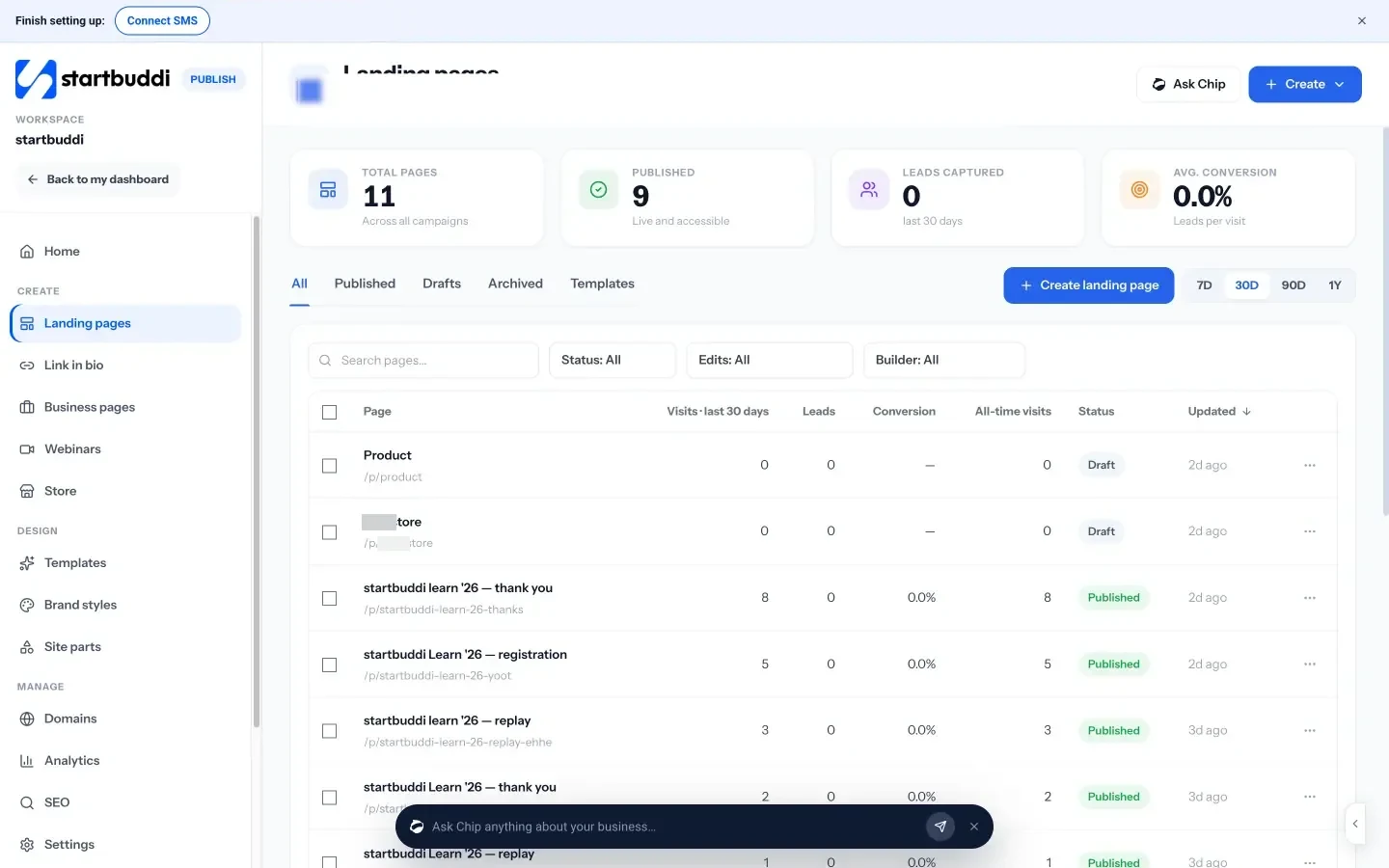
Landing page and lead magnet. Landing pages in Publish include a “Lead magnet page” type for giving away a guide, checklist or template in exchange for an email. You can build from a template, from blank, or by describing it to Chip, the AI assistant. Inside the page builder you can add steps after the sign-up, such as a thank-you page or a download page. Sign-ups land in Contacts with their source kept.
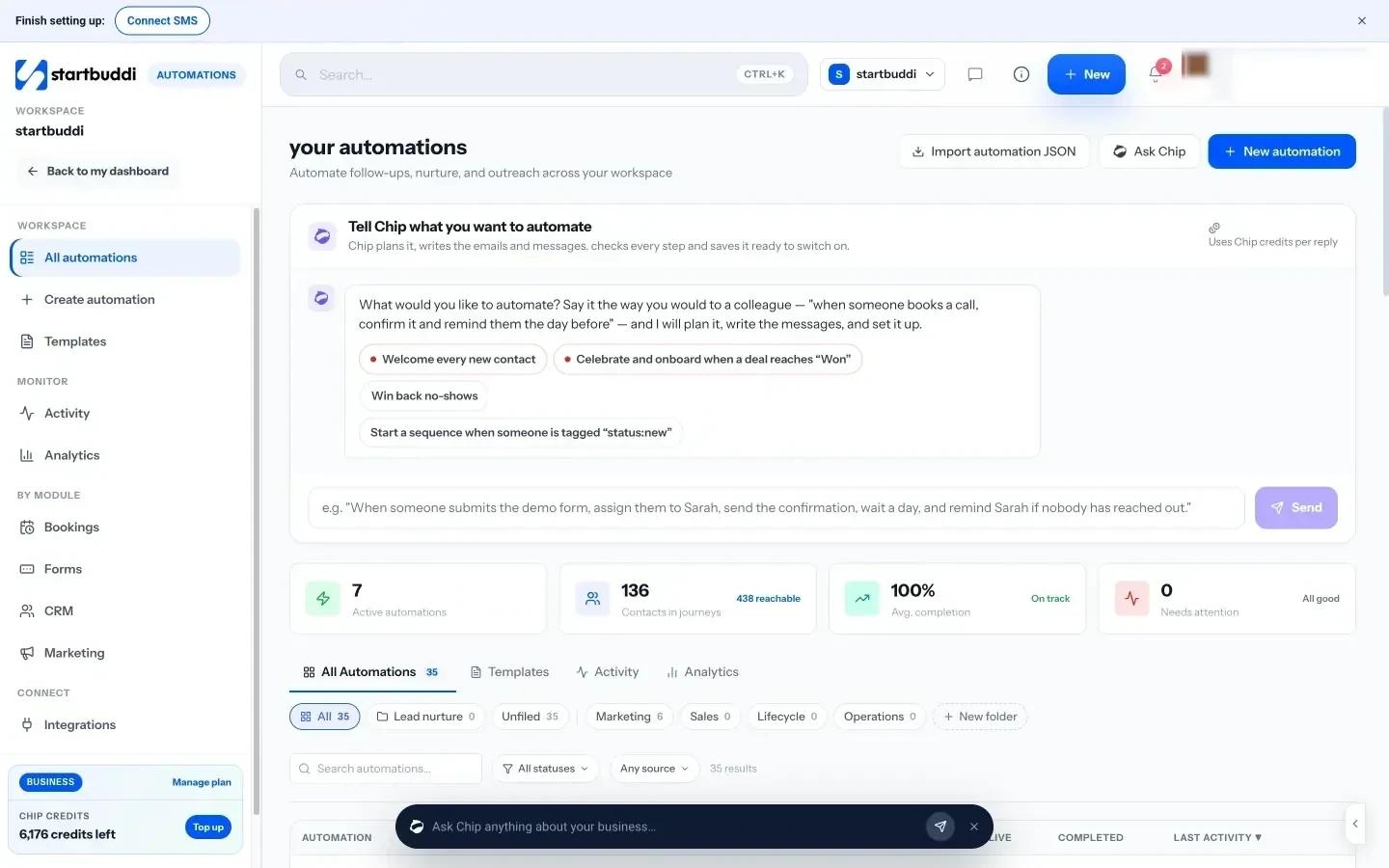
Email sequence. Automations can start when someone submits the form, send each email, wait a set number of days, and stop or branch when someone replies. There’s a “Lead capture welcome flow” template to start from, and Chip can draft the emails for you to edit. Email marketing needs the Starter plan or above, and Free includes 2 active automations against 10 on Starter.
Booking. Bookings gives you a booking page with your available times, booking questions, confirmation and reminder emails, and buffer time between calls.
Payment. Get Paid in Money Manager creates payment links you can paste into a chat, and you can send invoices or require a deposit when someone books, using your own Stripe or Paystack account.
See pricing for what each plan includes. Every paid plan has a 30-day trial.
Your next step
This week, write down the one question you’re asked most before someone hires you. Turn your answer into a one-page checklist, put it on a landing page with a two-field form, and write the first email that delivers it. That’s a working funnel. Add the rest of the emails, the booking link and the payment step over the following week.
Frequently asked questions
How long does it take to build a simple sales funnel?
A basic version, with a landing page, one lead magnet and the first email, can be live in a weekend. The full five-email sequence, booking and payment steps usually take another week of evenings.
Do I need paid ads for a sales funnel?
No. Start with free traffic you already have: your social bios, WhatsApp status, email signature, blog posts and Google Business Profile. Consider ads once you know the funnel works and what a client is worth.
What is the best lead magnet for a service business?
A short, specific resource that answers the question you're asked most before someone hires you, such as a checklist, template or worksheet. For high-value services, a free short review call can also work.
How many emails should a sales funnel sequence have?
Three to five over about a week is enough for most service businesses: deliver the freebie, give something useful, share a story, handle a worry, then invite them to book.
Omolola Akiyode is the operations and project manager at startbuddi, leading cross-functional projects and the content that helps founders get set up. Omolola writes about projects, websites and getting found online, and turns complex ideas into clear, practical steps.
Runs operations and projects at startbuddi