How to build a sales funnel email sequence that turns leads into clients
A step-by-step guide to the emails that follow a new lead: what each one does, when to send it, example subject lines, and how to set the sequence to run on its own.


Chinonye wrote this while on the startbuddi team. The product has changed since, so the team updated it on .
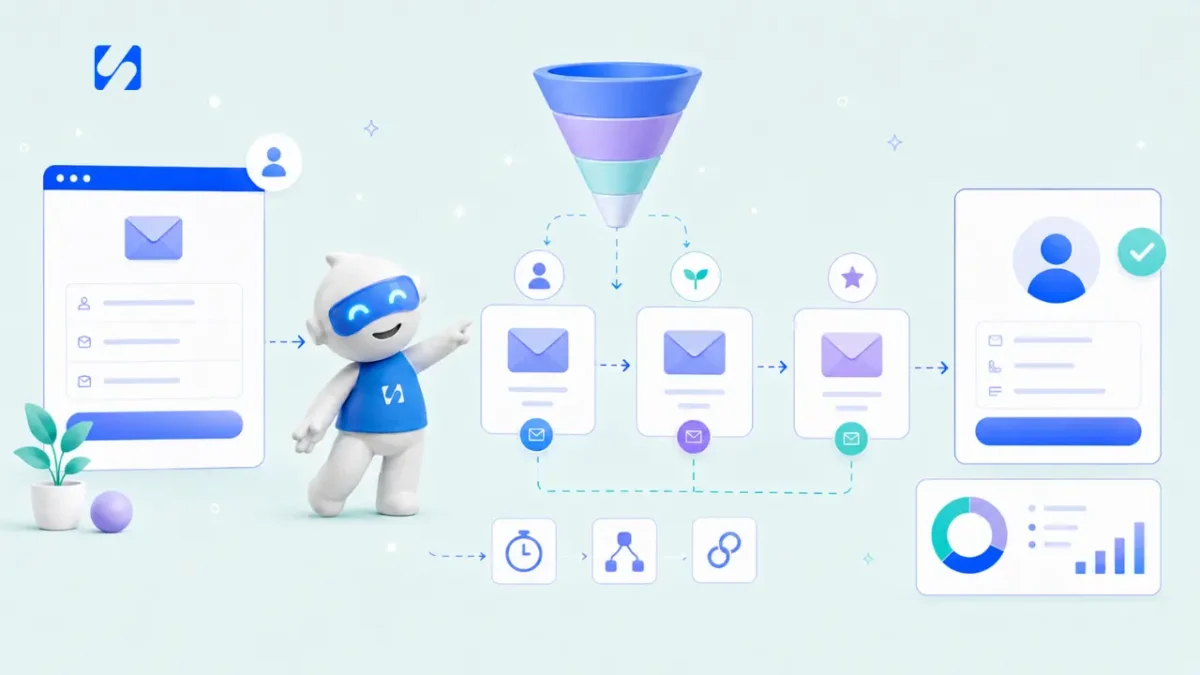
- A sales funnel email sequence is a short series of automated emails sent after someone signs up or enquires. Start with a welcome that delivers what they asked for, add two or three emails that build trust and answer doubts, then make a clear offer. Send them a few days apart, stop when someone replies or buys, and measure clicks and replies rather than opens.
A sales funnel email sequence is a short series of emails that goes out automatically after someone shows interest: they fill in a form, download a guide, book a call or ask for a quote. Its job is to take a lead from “curious” to “ready to talk” without you writing each message by hand. A good one is five or six emails over about two weeks: a welcome, a few emails that build trust and answer doubts, and a clear offer.
Most people who enquire aren’t ready to buy that day. They’re comparing options, waiting for budget or just busy. Without follow-up, they drift to whoever stays in touch. This guide shows you how to plan, write and automate a sequence that keeps you in touch, step by step. It’s written for service businesses, coaches, consultants, agencies and small shops anywhere, and assumes no marketing background.
What a sales funnel email sequence does at each stage
A sales funnel describes the journey from first contact to purchase. The email sequence is the part that happens after someone has given you their details. Each email has one job:
| Funnel stage | What the lead is thinking | The email’s job |
|---|---|---|
| Just signed up | “Did that work? What did I get?” | Deliver what they asked for and say who you are |
| Interested | “Is this person any good?” | Show expertise with something useful |
| Considering | “Has this worked for someone like me?” | Show how you’ve helped others |
| Doubtful | “What if it’s too expensive, too slow, not for me?” | Answer the common worries honestly |
| Deciding | “What exactly do I do next?” | Make a clear offer with one action |
| Hesitating | “I’ll do it later.” | A polite last call, then step back |
If you’d like the bigger picture first, our glossary entries on lead nurturing and the email drip sequence explain the ideas behind this.
Step 1: Decide who the sequence is for and what starts it
One sequence can’t speak to everyone. Decide:
- Who: the type of lead, for example “small restaurant owners who downloaded our menu design checklist”.
- The trigger: what puts someone in the sequence. Common triggers are a form submitted, a guide downloaded, a call booked, or a tag added after a conversation.
- The goal: the one action you want at the end, such as booking a discovery call, requesting a quote or buying a starter package.
- The exit: what takes someone out early, such as replying, booking or paying. Nobody wants a “still thinking about it?” email the day after they paid.
It also helps to qualify leads before they get the sequence. A question or two on your form (“What’s your budget?”, “When do you want to start?”) lets you send ready-to-buy leads straight to a call and the rest into the sequence.
Step 2: Map the emails and the timing
Here’s a six-email sequence that works for most service businesses. Adjust the timing to how long your customers usually take to decide.
| When | Purpose | Example subject line | |
|---|---|---|---|
| 1. Welcome | Immediately | Deliver the guide, confirm the booking, set expectations | Here’s your checklist (and what happens next) |
| 2. Quick win | Day 2 | A useful tip they can use today | The 10-minute fix most restaurants miss |
| 3. Story | Day 4 | How you helped someone in their situation | How [client name] filled Tuesday nights |
| 4. Doubts | Day 7 | Answer the top two or three worries | “Isn’t a redesign expensive?” |
| 5. Offer | Day 10 | A clear invitation with one link | Want me to look at your menu? |
| 6. Last call | Day 14 | A polite close and an open door | Should I close your file? |
Only use stories that really happened, with the client’s permission, and keep them factual. If you’re new and don’t have client stories yet, use a worked example instead and say so.
For more help with the first line people see, our guide to email subject lines that get opened has rules and examples.
Step 3: Write emails that sound like a person
The best sequence emails read like a message from a helpful expert, not a brochure. A few rules:
- One idea per email. If you have three tips, that’s three emails.
- Short. 100 to 250 words is plenty for most.
- Plain. A simple layout with your name at the bottom often feels more personal than a designed newsletter.
- One call to action. One link, one button or one question. More choices mean fewer clicks.
- Invite replies. End with a question: “What’s the hardest part of this for you?” Replies are the warmest leads you’ll get.
- Personalise lightly. Use their first name and, if you know it, their business type or what they downloaded.
Here’s an example of email 2:
Subject: The 10-minute fix most restaurants miss
Hi Tobi,
Thanks again for downloading the menu checklist. Here’s the one change I’d make first: move your three most profitable dishes to the top of their sections and give each one a single line describing what makes it special. Plain lists get skimmed; a short description gives people a reason to choose. It takes ten minutes.
If you try it, reply and tell me what happened. I read every reply.
Ada
Outlines for the other five emails
Email 1, welcome. Deliver the checklist or confirm the booking in the first line. Then two sentences on who you are and who you help, what they’ll get from you over the next two weeks, and a question: “What made you download this?”
Email 3, story. The situation a client was in, what you did, and what changed, in about 150 words. Name the client only with permission. End with: “If that sounds like you, reply and tell me where you’re stuck.”
Email 4, doubts. Pick the two or three questions you hear most on calls: price, time, “will this work for my kind of business?” Answer each in two or three honest sentences. If your service isn’t right for some people, say who, which builds trust with everyone else.
Email 5, offer. Say exactly what you’re offering, what it costs or how pricing works, what happens after they say yes, and the one link to take the next step. Keep it short; the earlier emails did the persuading.
Email 6, last call. “I haven’t heard back, so I’ll assume now isn’t the right time. If anything changes, just reply to this email.” Many people reply to this one, because it’s honest and easy to answer.
Step 4: Set the triggers so it runs on its own
A sequence only saves time if it’s automated. In most email tools, you’ll set up:
- The trigger: for example “when someone submits the checklist form”.
- The emails with waits between them: send email 1, wait two days, send email 2, and so on.
- Conditions: for example, “if they clicked the booking link, skip to email 5”, or “if they’re tagged as a customer, stop”.
- Exit rules: stop the sequence when someone replies, books or pays.
- A notification to you when someone clicks the offer link, so you can follow up personally.
Test it with your own email address before switching it on. Check every link, and read the whole sequence on your phone.
Step 5: Stay on the right side of the rules
Someone who asked for your guide has agreed to receive it. Whether they’ve also agreed to marketing emails depends on how you asked and where they are. Tell people on the form what they’ll receive and how often, include an unsubscribe link in every email, and include your business address. The UK’s guidance on electronic mail marketing and the US CAN-SPAM Act compliance guide are good starting points. This is general information, not legal advice; check the rules where you and your customers are.
Step 6: Measure and improve
Look at the sequence after the first 50 to 100 people have been through it. The numbers that matter:
- Click rate per email. Which emails get people to act.
- Replies. The best sign an email felt personal.
- Conversion to your goal. How many people booked, asked for a quote or bought.
- Unsubscribes per email. A spike means that email missed the mark, or the timing is too tight.
Treat open rates with caution. Some email apps load images automatically on the reader’s behalf, which makes opens look higher than they are. Clicks and replies are real people.
Change one thing at a time: a subject line, the order of two emails, the gap between them. Otherwise you won’t know what made the difference. Keep a short log of each change and the date you made it, so you can look back after a few months and see which edits actually helped and which made no difference at all.
Common mistakes with email sequences
- Selling in the first email. Deliver what you promised first. Earn the right to ask.
- Too many emails too fast. Daily emails for two weeks will lose most people. A few days apart is kinder.
- No exit rules. Emailing a paying client “are you still interested?” looks careless.
- Writing once, never reviewing. Prices, offers and links go out of date. Check the sequence every few months.
- Ignoring replies. If the sequence invites replies, someone has to answer them the same day.
- Different promises on the page and in the inbox. If the form promised a checklist, the first email must contain the checklist, not a sales pitch with a link at the bottom.
- Forgetting mobile. Most people will read on a phone. Short paragraphs, a big enough button and no wide images.
- Using a no-reply address. Send from an address people can answer.
Sequences for other moments
Once your first sequence works, the same structure helps elsewhere:
- After a quote: answer questions, share an example, then a polite close.
- After a first purchase: onboarding, a check-in and a review request.
- After a no-show or cancellation: an easy way to rebook.
- For quiet leads: a short re-engagement series every few months.
- For free trial users: our guide on email sequences that convert trial users to paid covers this case.
If you don’t have many leads yet, start with the list itself: see how to grow an email list from zero.
How startbuddi runs your sales funnel email sequence
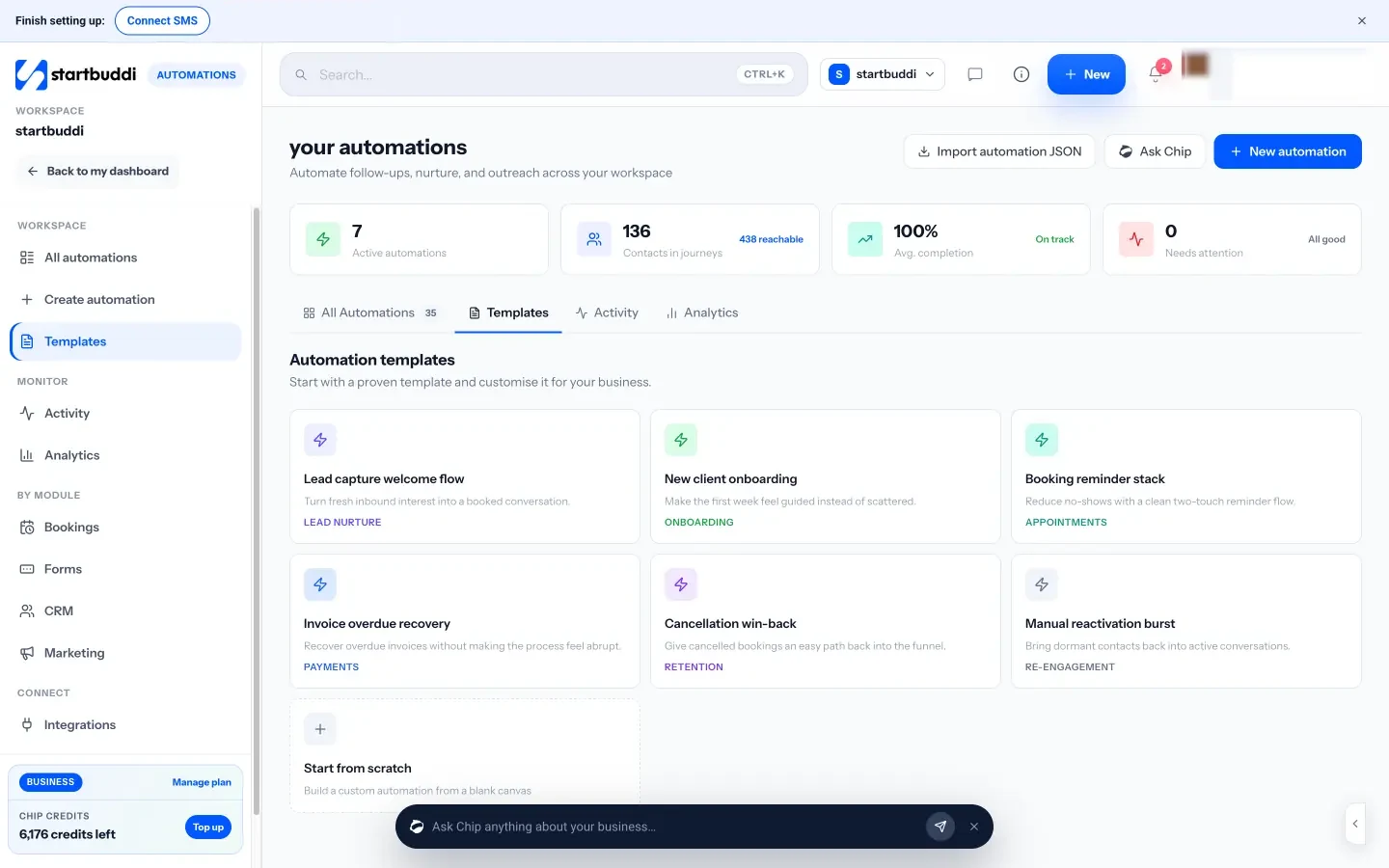
In startbuddi, email sequences are built in Automations, the same engine that runs booking reminders and form follow-ups. Your leads, forms and emails share one contact list, so the sequence knows who has replied, booked or paid.
- Start from a trigger. Sequences can start when a form is submitted, a contact is added, a tag is added, a booking is made or an invoice is paid, among others.
- Templates or Chip. Start from a template such as “Lead capture welcome flow”, build from scratch, or describe what you want and Chip plans the steps and writes the emails. Chip saves its builds as drafts that you review and switch on.
- Waits, conditions and exits. Add waits, branch on contact data, wait for a reply, and use “Exit when” to take people out early when a rule matches.
- More than email. Steps can also send SMS or WhatsApp messages, create a task for you, add a tag or notify the team.
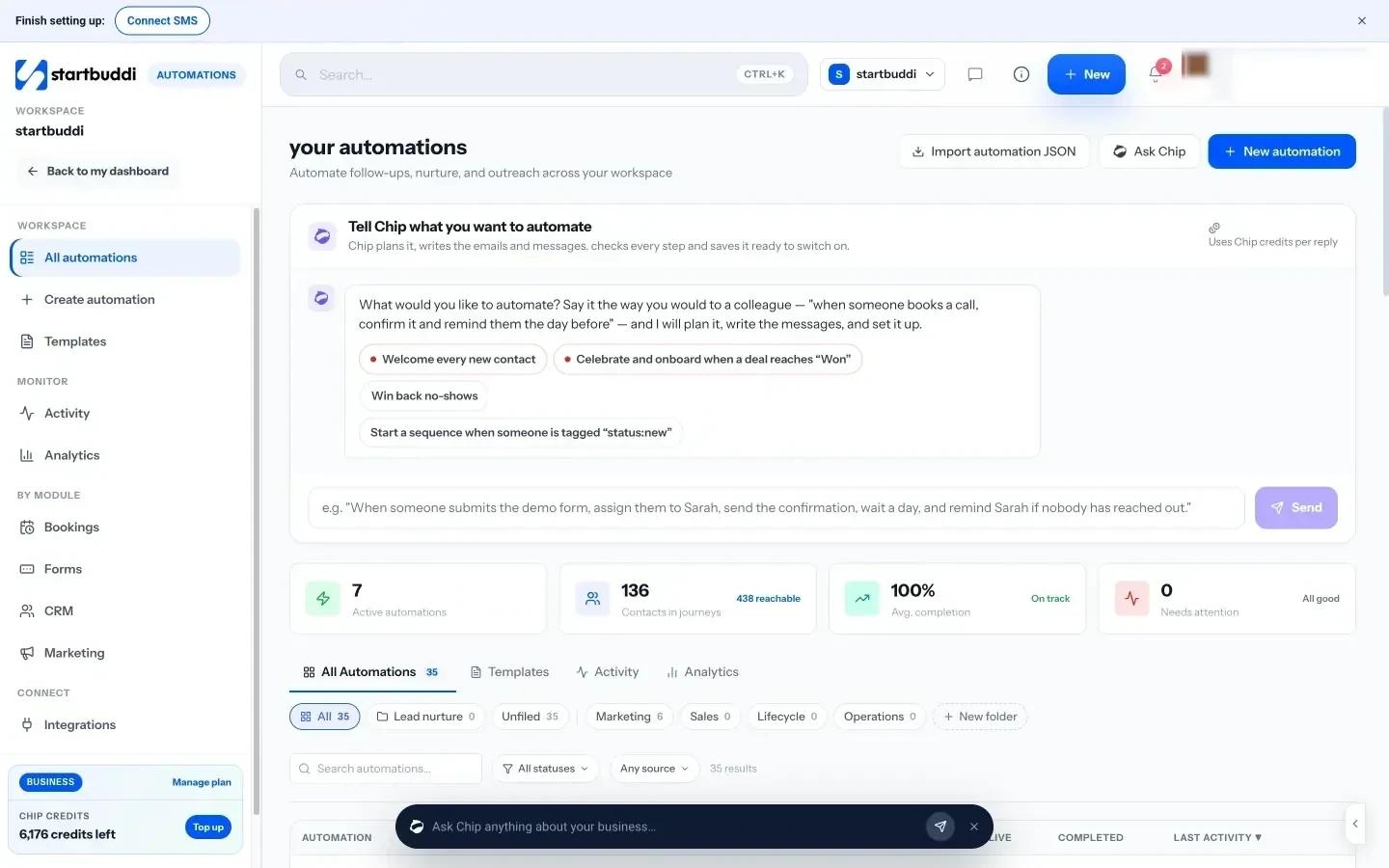
- Test before you launch. Test with a contact or simulate an event, and see a reach check before you activate.
- Per-contact nurture. On any contact, “Nurture with Chip” drafts a short follow-up sequence from that person’s real history, which you edit before enrolling them.
- Pages that feed the sequence. A landing page or form can trigger the automation the moment a lead lands, and the page’s Emails tab shows what it sends.
- Reports. Each automation shows runs, delivered, opens, clicks, bounces and unsubscribes.
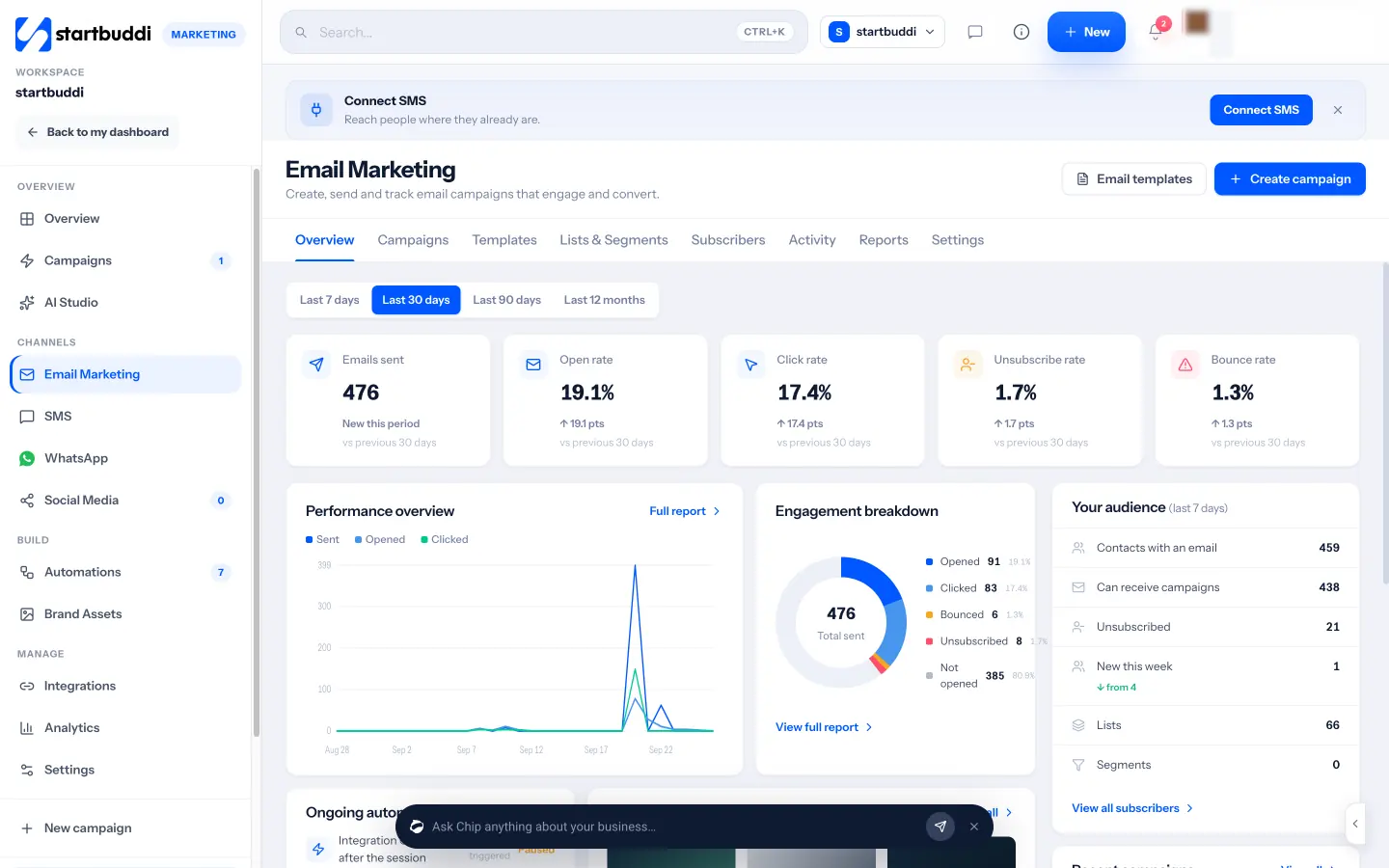
The Marketing module needs Starter or above, which includes 3,000 email sends a month and 10 active automations (see pricing); every paid plan has a 30-day trial. See pricing, and our help article on setting up your first email sequence.
Next step
Pick the one form or offer that brings you the most leads. Write the six emails from the table above this week, in a plain document first, then set them to run from that form. Review the numbers after a month. When you’re ready, build it in startbuddi Automations.
Sources
Frequently asked questions
How many emails should a sales funnel email sequence have?
Five or six is a good start for most service businesses, spread over about two weeks. Longer buying cycles can use more emails with bigger gaps.
What is the difference between a nurture sequence and a sales sequence?
A nurture sequence builds trust with useful content over time. A sales sequence moves towards a specific offer. Most funnel sequences combine both, ending with a clear offer.
How far apart should sequence emails be?
Two to four days apart works for most. Send the first email straight away, while interest is highest.
Should I stop the sequence when someone replies?
Yes. A reply means a real conversation has started. Take them out of the sequence and answer personally.
SEO Copywriter| Email growth Specialist| I help businesses increase revenue with strategic SEO content & high-converting email funnels.