What are CRM notes?
Also called: Contact notes, customer notes, interaction notes, call notes, account notes

CRM notes are short written records attached to a customer's profile in a CRM. They capture the context that numbers miss: what was discussed, what the customer wants and what was agreed, so anyone on the team can pick up the relationship.
CRM notes are the short written records you attach to a customer’s profile in a CRM (customer relationship management) system. They hold the details that fields and numbers can’t: what the customer said on the call, what they are worried about, what you promised and when you will speak next.
A CRM already knows a customer’s email address, their deals and their invoices. Notes add the story around those facts. When anyone on your team opens the record, they can see the whole relationship in a minute instead of asking around or scrolling through old chats.
Why CRM notes matter for a small business
In a small business, customer knowledge usually lives in one person’s head or in a mix of WhatsApp chats, emails and paper diaries. That works until you get busy, go on holiday or hire someone. Good CRM notes fix that.
- You stop relying on memory. You can talk to twenty customers a week and still remember that one of them prefers calls after 4pm.
- Follow-ups actually happen. A note that says “send revised quote by Friday” is a promise you can see, not one you might forget.
- Handovers are painless. If a colleague covers for you, they know what was agreed and don’t ask the customer to repeat themselves.
- Conversations feel personal. Picking up where you left off (“How did the launch go?”) builds trust faster than any template.
- Knowledge stays when people leave. The history belongs to the business, not to one team member’s phone.
What goes into a CRM note
A useful note answers four questions: what happened, what matters, what was agreed and what happens next. Typical content includes:
- Meeting or call summaries: the main points, the customer’s problem in their own words and any decisions.
- Preferences: how and when they like to be contacted, budget range, services they are interested in.
- Commitments: anything you or they promised, with a date.
- Handover context: what the next person needs to know, for example when a lead becomes a client and moves from sales to delivery.
- Useful personal context: only what helps the relationship and what you would be comfortable with the customer reading, such as “back from leave on the 12th”.
How CRM notes work: an example
Priya runs a small bookkeeping practice in Toronto. A café owner calls to ask about monthly bookkeeping. After the call, Priya adds a note to his contact record:
Call, 10 min. Owns one café, plans a second site in spring. Currently doing books himself in a spreadsheet, two months behind. Wants monthly bookkeeping plus year-end support. Budget roughly $400 a month. Next step: I send a proposal by Thursday. He prefers email, not phone.
Two weeks later her assistant takes a call from the same café owner. She opens the record, reads the note and the activity below it, and can answer straight away: the proposal went out on Thursday, and he was expecting to decide after speaking to his business partner.
Types of CRM notes
Interaction notes
Written after a call, meeting, visit or important message. They are dated and sit in the customer’s history, newest first.
Summary notes
One short, always-current paragraph at the top of the record: who this customer is and what the team should know right now. Update it rather than adding to it.
Deal notes
Notes attached to a specific opportunity in your sales pipeline, such as what the buyer needs before they sign.
Internal notes on bookings or jobs
Private reminders for your team about a particular appointment or piece of work, for example “bring samples” or “client asked for a female stylist”.
Best practices and common mistakes
A simple structure keeps notes consistent across the team. Try this four-line template:
- Context: call, meeting or message, and how long.
- What they said: their need or problem, in their words where possible.
- Agreed: decisions, prices discussed, promises.
- Next step: who does what, by when.
- Write it straight away. Notes written the same day are more accurate than notes written on Friday afternoon.
- Keep it short and scannable. A few lines or bullet points beat a long essay nobody reads.
- Record facts, not opinions. “Said the price is above budget” is useful. “Seems cheap” is not, and it would be awkward if the customer ever saw it.
- Turn next steps into tasks. A note records the promise. A task with a due date makes sure it happens.
- Don’t store sensitive data you don’t need. Leave out card numbers, passwords and health details unless your work genuinely requires them.
Notes about a person are personal data. In many countries customers can ask to see the information you hold about them, for example under the UK GDPR right of access explained by the ICO. Check the data protection rules where you operate. This is general information, not legal advice.
Related terms
A CRM is the system that holds your notes alongside contacts, deals and conversations. Keeping notes accurate and up to date is part of wider CRM data management. A client management system uses notes to keep delivery and account work on track after a sale, and good notes make lead nurturing feel personal rather than automated.
CRM notes in startbuddi
In startbuddi, every contact page has a Summary & notes card. The summary is a single short field that answers “What should the team know about this contact?” and you edit it as things change. Below it is a running note feed: type a note and click Add note. Notes you add from a conversation in the shared inbox appear on the contact too, and the other way round, so the history stays in one place.
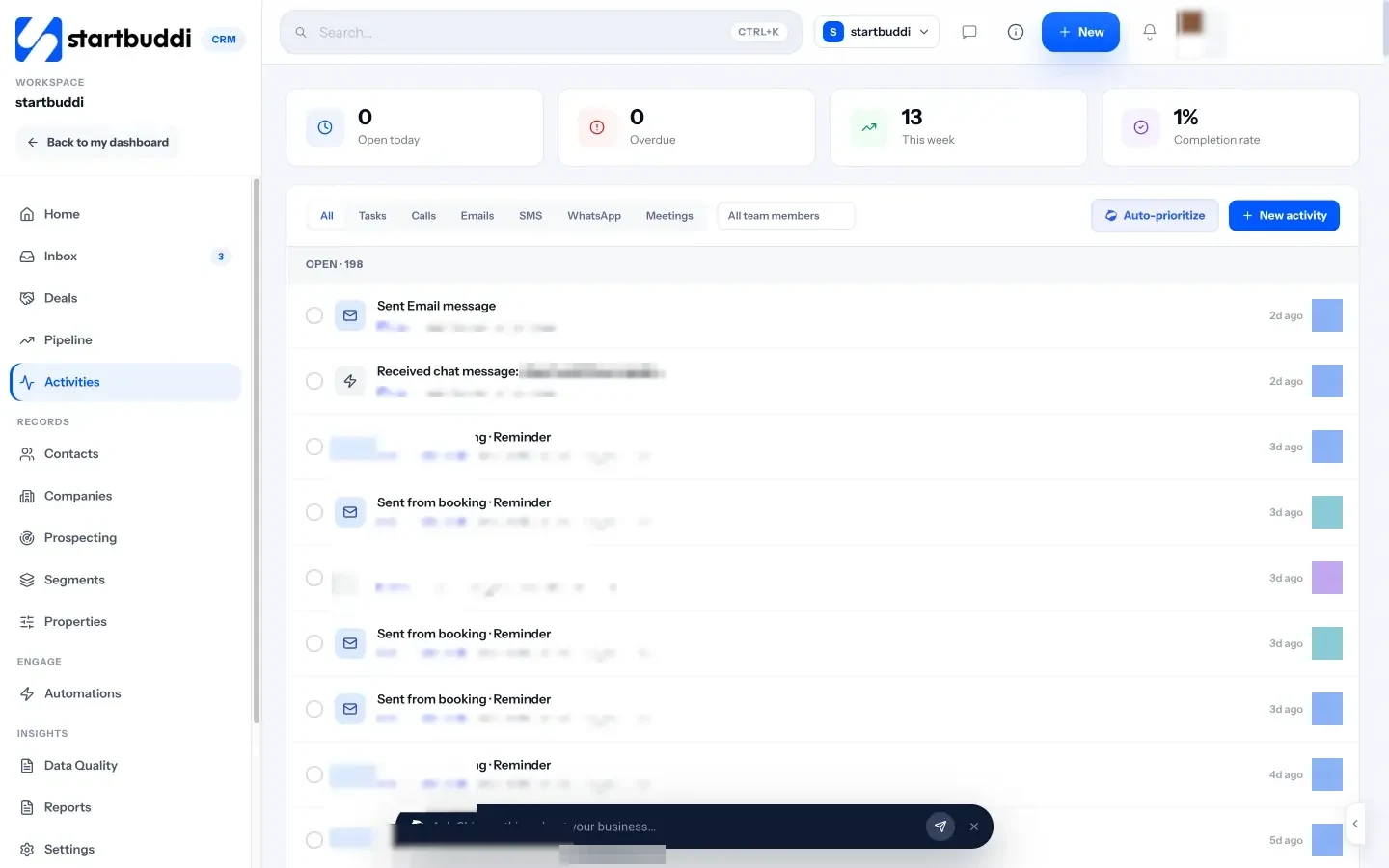
Deals have their own Notes tab in the deal panel on the pipeline, bookings have internal notes for your team, and the Activities list lets you log a call, meeting or Note / Follow-up with a due date and an owner. Everything sits on the contact’s page in your contact list, next to their deals and invoices.
Your next step: pick your five most active customers and write a two-line summary for each. You can start free, and see the plans on the pricing page.
Related terms
FAQ
What should I write in a CRM note after a sales call?
Write the customer's main need, anything you agreed or quoted, their preferred way to be contacted and the next step with a date. Four or five lines is usually enough.
Who should be able to see CRM notes?
Anyone who talks to the customer: sales, delivery, support and billing. Keep notes factual, because in many countries customers can ask to see the information you hold about them.
Can CRM notes be written automatically?
Some tools summarise calls or conversations for you. Treat any automatic summary as a draft and check it, because a wrong note is worse than no note.
What is the difference between a CRM note and an activity?
An activity records that something happened or needs to happen, such as a call or a follow-up task. A note records what was said and what it means.
Omolola Akiyode is the operations and project manager at startbuddi, leading cross-functional projects and the content that helps founders get set up. Omolola writes about projects, websites and getting found online, and turns complex ideas into clear, practical steps.
Runs operations and projects at startbuddi