Catering scheduling software: bookings, staff and events in one place
What catering scheduling software does, the features small caterers need, how staff rotas fit in, and published prices for well-known tools.


- Catering scheduling software puts enquiries, tastings, deposits, events, staff shifts and invoices on one calendar. Small caterers usually need a client-and-payments tool plus a rota app, and should start with whichever step loses the most time today.
Catering scheduling software keeps every part of a catering job on one calendar: the enquiry, the tasting, the deposit, the event date, the menu, the staff on shift and the final invoice. For a small caterer, the right setup is usually two things working together: one tool that handles clients, bookings and payments, and one that handles staff rotas. Which one you start with depends on where the most time is lost today.
This guide explains what catering scheduling software does, the features that matter for small catering companies, how staff scheduling fits in, a comparison of well-known tools, and how to set up a simple system in a week.
What catering scheduling software actually does
A restaurant schedules around opening hours. A caterer schedules around events, and every event is a small project with its own date, venue, guest count, menu and team. Catering scheduling software exists to stop those details living in five places at once: a notebook, a WhatsApp chat, a spreadsheet, an email thread and your memory.
Most tools in this category cover some or all of these jobs:
- Enquiries and bookings. Capture the date, guest numbers, venue and dietary needs, and hold the date once a deposit is paid.
- Quotes and menus. Build a quote from menu items and per-head prices, then turn it into an invoice.
- Event sheets. Often called a banquet event order (BEO): one page with timings, menu, headcount, equipment and who is doing what.
- Staff scheduling. Build shifts per event, send them to staff, and track who confirmed.
- Payments. Deposits, balances, reminders and receipts.
- Kitchen planning. Prep lists, ingredient quantities and sometimes inventory.
No small caterer needs all of this on day one. A caterer doing two weddings a month has different problems from one running daily office lunches for ten companies.
Catering company scheduling software: the features that matter
Before you look at any product, write down how a job moves through your business today, from the first message to the final payment. Then check each tool against the steps where things go wrong. These are the features that matter most for small catering companies.
One calendar for every event
You should be able to see every confirmed event, tasting and delivery on one calendar, with the ability to block dates you can’t take. If two people take enquiries, both need to see the same calendar, or you will double-book a Saturday sooner or later.
Enquiry forms that ask the right questions
The first message from a client is often “are you free on the 14th?”. A good enquiry form collects the date, guest count, venue, style of service (buffet, plated, drop-off), budget and dietary requirements in one go, so you can quote without five rounds of messages.
Deposits that confirm the booking
A date is not booked until money is paid. Look for a way to take a deposit online when the client books a tasting or confirms an event, and to send the balance as an invoice later. Our guide to how much deposit to charge covers how to set the amount.
Quotes that become invoices
Per-head pricing, extras (staff, hire equipment, delivery) and tax should roll into a total automatically. When the client agrees, the quote should become an invoice without retyping. If you still quote in a word processor, start with our quote and estimate template.
Allergen and dietary information on every job
Dietary needs are not a nice-to-have. In the UK, food businesses serving non-prepacked food must give allergen information for any of the 14 regulated allergens in each dish, and at a buffet this should be shown for each dish separately (UK government allergen guidance). In the US, the FDA lists nine major food allergens, with sesame added from 1 January 2023 (FDA). The EU’s rules come from Regulation 1169/2011. This is general information, not legal advice, so check with your local food authority. Whatever tool you choose, make sure dietary notes travel from the enquiry form to the event sheet the kitchen actually reads.
Event sheets everyone can read
On the day, the kitchen, the drivers and the floor team all need the same facts: arrival time, service time, headcount, menu, dietary notes, equipment and the client’s contact on site. Whether it’s a printed sheet or a shared page, it should come from the booking itself, not be retyped at midnight the night before.
Reminders and follow-ups
Automatic reminders for tastings, balance due dates and final numbers save hours of chasing. A thank-you email after the event, with a request for a review, brings in the next booking.
Catering staff scheduling software: rotas, shifts and availability
Staff scheduling is where catering differs most from other service businesses. You may need twelve servers for a Saturday wedding and two chefs for a Tuesday office lunch, often drawn from a pool of part-time and casual staff.
Dedicated staff scheduling apps are built for this. They typically let you:
- Build shifts per event and publish them to staff by app, text or email.
- Let staff set their availability, swap shifts and accept open shifts.
- Track hours worked with a clock-in feature, then export them for payroll.
- Warn you before someone goes into overtime.
Labour rules matter here, and they differ by country. In the US, the Fair Labor Standards Act requires overtime at time and a half for hours worked over 40 in a workweek (US Department of Labor). In the UK, workers are generally entitled to a 20-minute break when they work more than six hours a day, and 11 hours of rest between working days (GOV.UK). Long wedding shifts can hit both limits quickly. This is general information, not legal advice. Check the rules where you operate, especially for casual event staff.
If you run fewer than a handful of events a month with a small, steady team, a shared calendar and a group chat may be enough for rotas. Once you are staffing several events a week from a larger pool, a dedicated rota app usually pays for itself in time saved.
Catering scheduling software compared
There are two kinds of tool here: catering management suites that run the whole event, and staff scheduling apps that only do rotas. The table lists well-known options with prices exactly as each company publishes them on its own site (checked in September 2026, in US dollars, before tax). Prices change, so confirm on the vendor’s page before you buy.
Catering management software
| Tool | What it does | Published starting price | Free plan or trial |
|---|---|---|---|
| Caterease | Catering and event planning management | Express $99 a month, billed annually, plus a one-time launch fee per user | No free plan listed |
| Total Party Planner | Catering and event management built by caterers | Nibble $119 a month billed month to month (1 user), plus a one-time setup fee | Free demo and a 30-day money-back guarantee |
| Better Cater | Proposals, events, menus and kitchen from one event record | Plus $83 a month billed annually, or $99 billed monthly | 30-day free trial |
| CaterZen | Orders, sales, delivery, marketing and accounting for caterers | Not stated with a billing period, see current pricing | Free trial |
| Tripleseat | Event management for restaurants, hotels and venues | Not published, quote after a demo | No free plan listed |
| Curate | Proposals, production, recipes and payments for event businesses | Not published, contact sales | No free plan listed |
Staff scheduling apps
| Tool | Published starting price | Free plan |
|---|---|---|
| Homebase | Essentials $30 a month per location, billed monthly (annual billing saves 20%) | Yes: Basic, up to 10 employees at 1 location |
| Connecteam | See current pricing | Yes: up to 10 users |
| When I Work | See current pricing | No, 14-day free trial |
| Deputy | Lite $5 per user a month billed monthly, with a monthly minimum spend | No, free trial |
The pattern is clear: full catering suites with published prices start at roughly $80 to $120 a month in the US (billed monthly or annually, depending on the vendor), often with setup fees, while rota apps can be free for a small team. For a caterer doing a handful of events a month, that difference matters.
How to choose: four questions to ask
- Where do you lose the most time today? If it is chasing deposits and quotes, start with bookings, quotes and payments. If it is filling shifts, start with a rota app.
- How many events do you run a month? Full catering management suites are built for busy caterers and venues. A caterer doing a few events a month may pay for features they never use.
- Does it take payments in your currency? A tool that only works with one card processor, or only in one country, is a problem if your clients pay by bank transfer, mobile money or a local card.
- Can you leave? Check that you can export clients, events and invoices before you commit.
Try any tool with a real upcoming event, not a demo one. Enter the enquiry, send the quote, take the deposit and build the event sheet. If that feels slow, it will feel slower on a busy Friday.
A simple catering system you can set up in a week
You don’t need to change everything at once. Here is a week-long plan that works whatever tools you pick.
- Day 1: list your services. Tastings, drop-off catering, full-service events, office lunches. Give each a starting price and a minimum guest count.
- Day 2: build your enquiry form. Date, guests, venue, service style, budget, dietary needs and how they heard about you.
- Day 3: set your deposit and cancellation rules. Write them down once and put them on every quote. Our guide on writing a cancellation policy helps.
- Day 4: make a quote template and an event sheet template. One for pricing, one for the kitchen and floor team.
- Day 5: set up payments. Deposit online, balance by invoice, with reminders before the due date.
- Day 6: sort your staff rota. Either a shared calendar or a rota app, with every confirmed event on it.
- Day 7: run one real job through it. Fix whatever felt clumsy.
How startbuddi helps a small catering business
startbuddi is not a kitchen or inventory system, and it doesn’t build staff rotas shift by shift. What it does is run the client side of catering in one place: enquiries, tastings, deposits, quotes, events as projects, invoices and follow-ups, all on the same customer record. Many small caterers pair it with a free rota app from the table above.
Tastings and consultations with a deposit
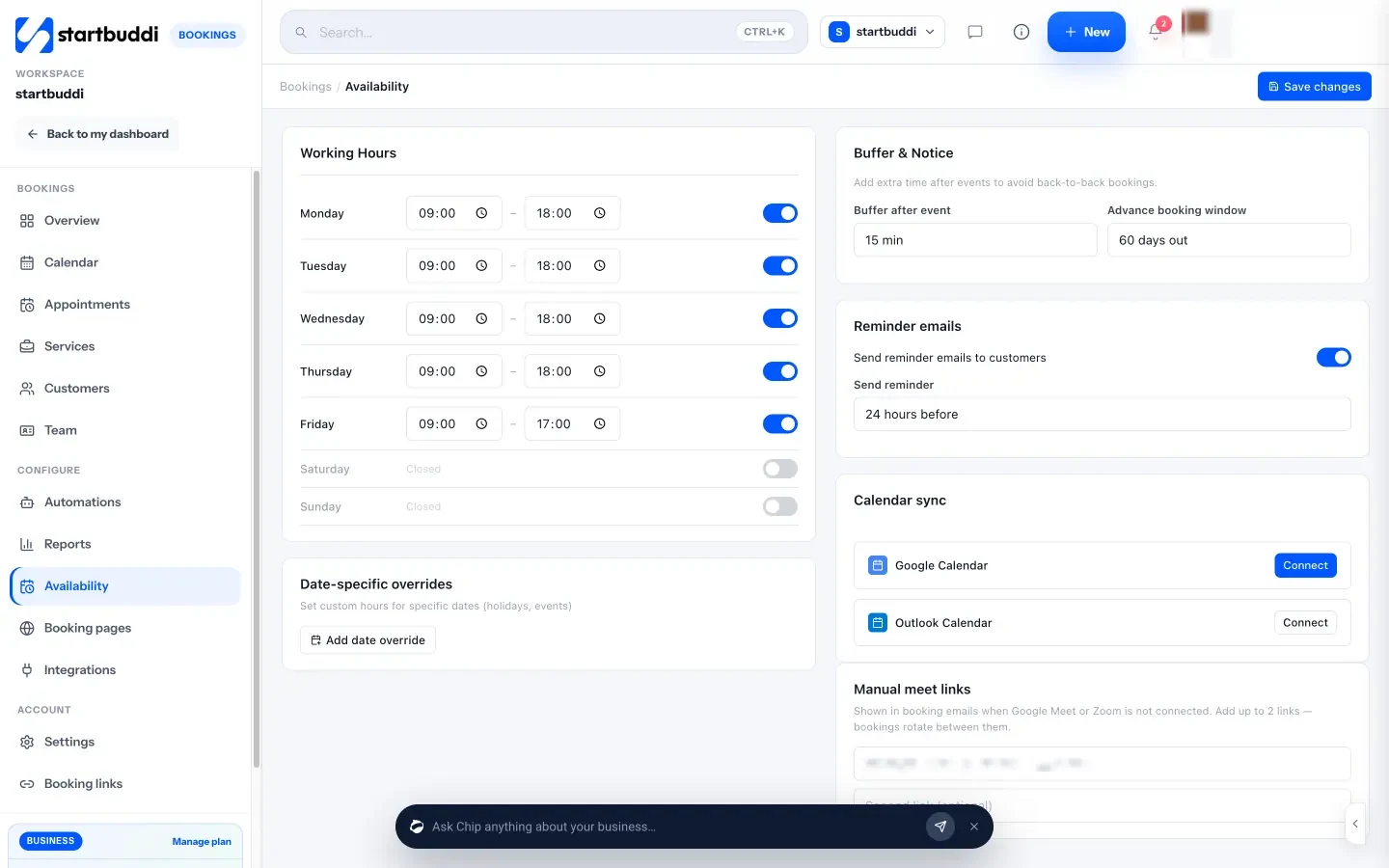
In Bookings, you set up each service, such as a menu tasting or a planning call, with its own duration and price. Turn on “Require payment to book” and choose the full amount or a deposit, and the slot is only confirmed once the client pays through Paystack or Stripe. Reminder emails go out at the time you choose, and you can block dates you can’t take.
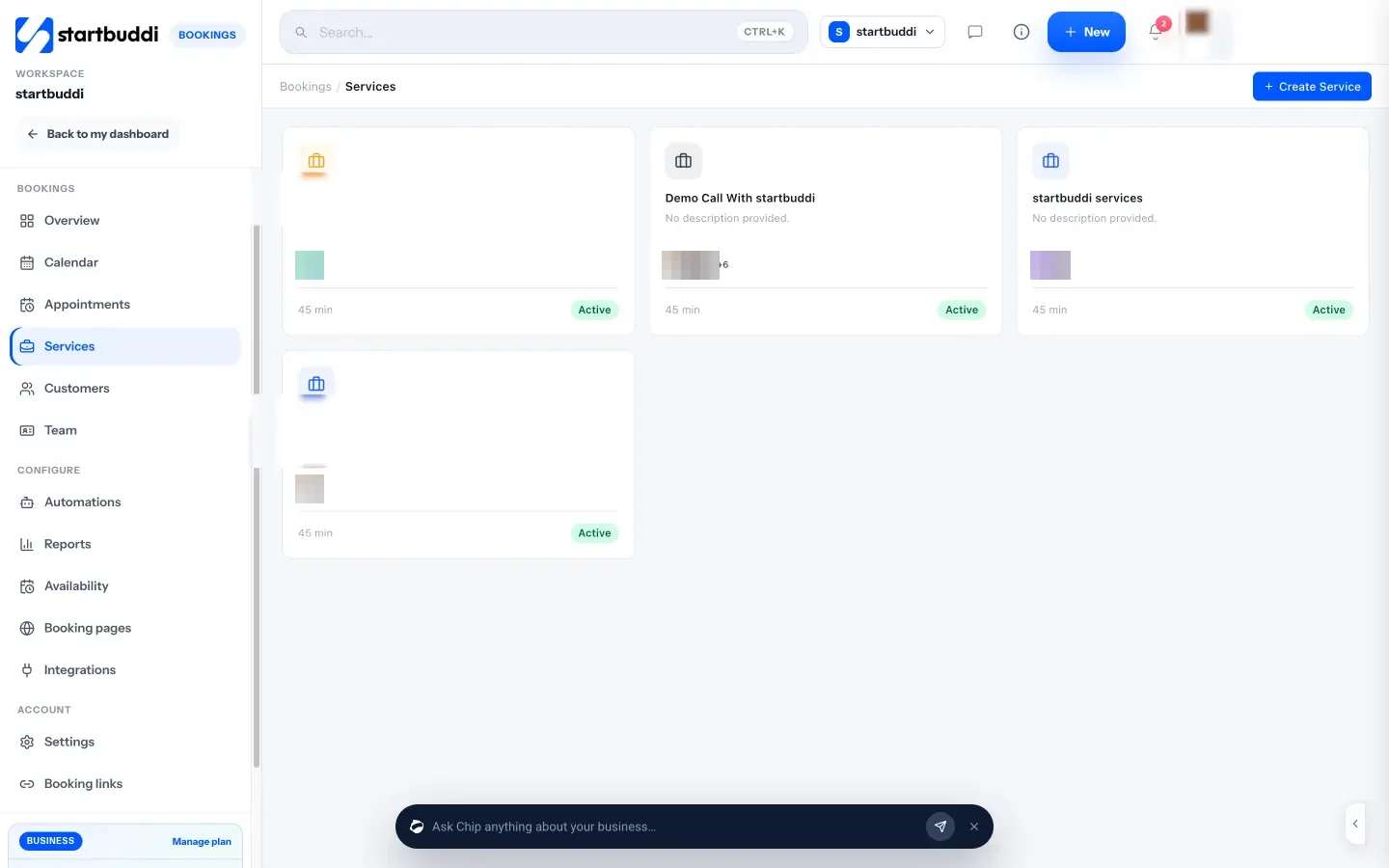
Availability lets you set working hours, a buffer after each booking and how far ahead people can book.
Enquiry forms, quotes and invoices
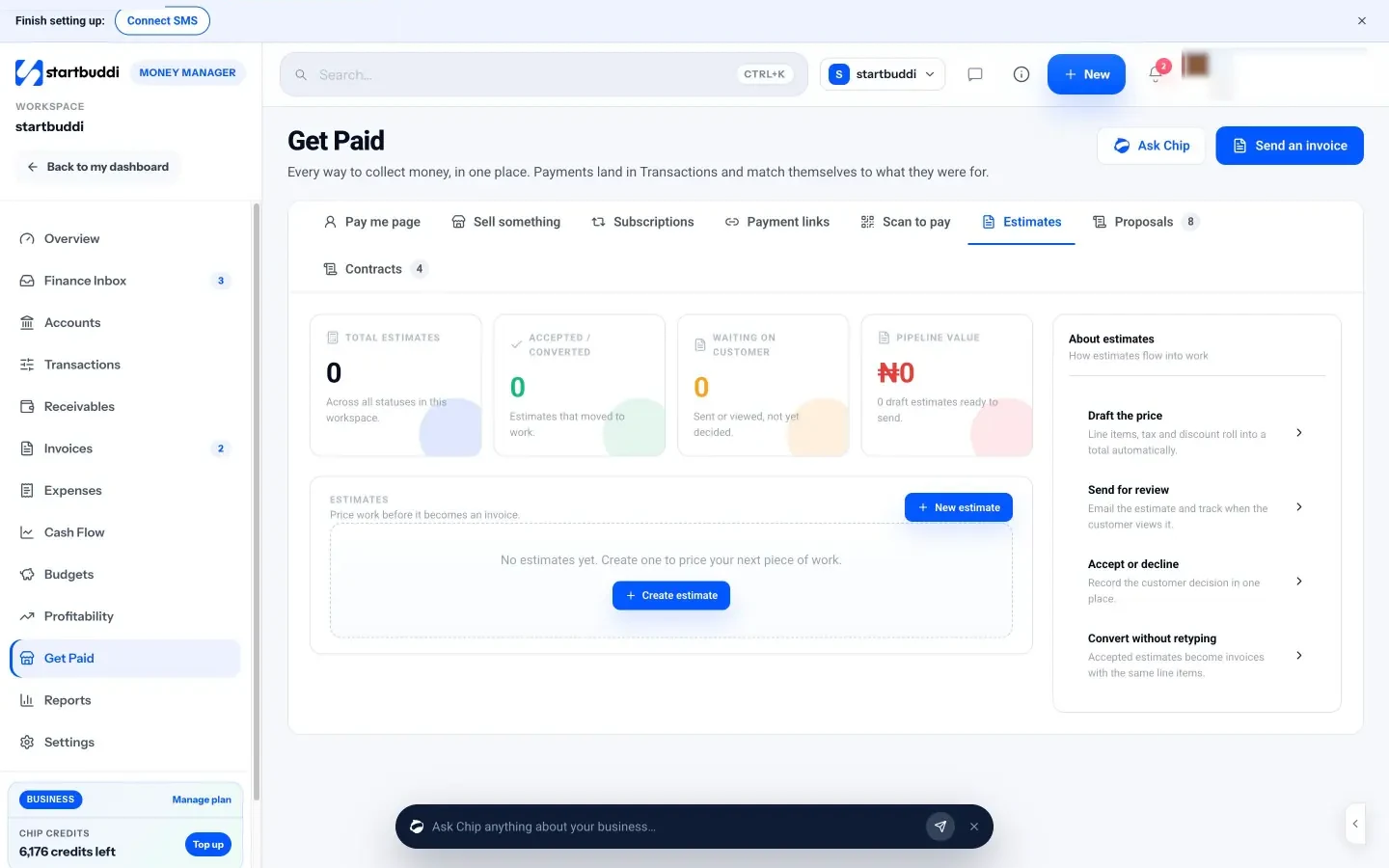
A form collects the event date, guest count, venue and dietary needs, and every submission lands in your contacts. From there, estimates let you price the job with line items, tax and discount. When the client agrees, you mark it accepted and convert it to an invoice with the same line items. Invoices can be paid online by card or bank transfer through Paystack or Stripe, or you can record a bank transfer yourself.
Each event as a project
In Projects, there is an “Event planning” template that sets up milestones, tasks and due dates you can change. Use one project per event for the menu sign-off, final numbers, equipment hire and the team, so nothing sits only in someone’s head.
You can start on the Free plan, which includes one booking page, one form and 5 invoices a month. Starter (see pricing) unlocks unlimited invoices, 20 forms and 10 live services, and every paid plan has a 30-day trial.
Your next step
Pick your next confirmed event and write down every step from enquiry to final payment, and who does each one. Circle the step that took the longest. If it was the rota, try a free staff scheduling app. If it was quotes, deposits and chasing payments, set up a tasting service and a quote template this week. You can see how startbuddi works for event businesses on our event companies page, or compare plans on the pricing page.
Sources
- GOV.UK: Allergen guidance for food businesses
- US FDA: Food allergies
- Regulation (EU) No 1169/2011 on food information to consumers
- US Department of Labor: Overtime pay
- GOV.UK: Rest breaks at work
- Caterease pricing
- Total Party Planner pricing
- Better Cater pricing
- CaterZen pricing
- Tripleseat packages
- Curate pricing
- Homebase pricing
- Connecteam pricing
- When I Work pricing
- Deputy pricing
Frequently asked questions
What is the best catering staff scheduling software for a small team?
For a small team, start with a rota app that has a free plan, such as Homebase or Connecteam, and move to a paid plan only when you staff several events a week.
Is there free catering scheduling software?
Full catering management suites rarely have free plans, but free rota apps and free booking tools exist. Many small caterers combine a free booking and invoicing tool with a free rota app.
Do I need catering company scheduling software or just a calendar?
A shared calendar works for a few events a month. Once you take deposits, send quotes and staff several events a week, software saves time and prevents double bookings.
Should catering software handle allergens?
It should at least carry dietary notes from the enquiry to the event sheet the kitchen uses. The legal duty to give allergen information stays with you.
Tiwalade Joanna Okedara-Kalu is the founder, CEO and CTO of startbuddi, the business system that brings clients, bookings, invoices, projects, marketing and the Chip AI assistant into one place. Tiwalade builds software around how service businesses really work day to day, and writes about client management, getting paid on time and why small businesses outgrow the tools they start with.
Founded startbuddi and leads its product and engineering