Best CRM for ecommerce: how to choose one that brings buyers back
What an ecommerce CRM should do after the sale, the questions that decide which one fits your shop, and the published free plans of popular options.


- The best CRM for ecommerce is the one that knows what each customer bought and helps you talk to them again at the right moment. Store-heavy brands usually pair their shop platform with an email and SMS tool; small shops and service businesses that sell online may prefer one system for customers, orders and follow-ups.
The best CRM for ecommerce is the one that knows what each customer bought, when, and how to reach them again, and then helps you send the right message at the right moment. There’s no single winner. A fast-growing product brand on a big shop platform needs something different from a small shop selling a few products, or a service business that takes payments online. This guide shows you how to decide.
You’ll learn what an ecommerce CRM does after the sale, the features that matter, the questions that narrow the choice, and the published free plans of some popular options. We don’t rank tools or give scores: the right choice depends on what you sell, where you sell it and who does the work. It’s written for small online shops and for service businesses that take payments online, anywhere in the world, whether you sell in dollars, pounds, naira or rand. If you already have a CRM and just want better follow-ups, skip to the post-purchase plan below.
What a CRM for ecommerce does after the sale
A CRM (customer relationship management software) is a shared record of every customer: who they are, what they bought, what you’ve sent them and what they said back. In ecommerce, its main job starts after checkout. Without one, the pattern is familiar: a customer buys, you ship, and then nothing. Next time they need something, they buy from whoever reminded them first.
Keeping customers matters for profit, not just revenue. Research by Frederick Reichheld of Bain & Company, summarised in Harvard Business Review, found that increasing customer retention by 5% increased profits by 25% to 95%, and that acquiring a new customer costs five to 25 times more than keeping an existing one. The exact figures vary by business, but the direction is clear: your existing buyers are the cheapest sales you’ll ever make.
A good ecommerce CRM helps with three things:
- Memory. Every order, message and support question on one customer record.
- Timing. Follow-ups that go out when something happens: a first order, a second order, 60 days of silence.
- Focus. Groups (segments) so a first-time buyer and a loyal customer don’t get the same email.
What to look for in the best CRM for ecommerce
Before you compare names, decide which of these you actually need. Most small shops need the first four; the rest depend on your size.
Order history on the customer record
The CRM should see orders automatically, either because it’s part of your shop platform or through a direct connection. If someone has to copy orders across, the data will be out of date within a week.
Segments you can build without a spreadsheet
Useful groups include first-time buyers, repeat buyers, big spenders, people who haven’t bought in 90 days, and subscribers who’ve never bought. Check that you can build these by clicking, not by exporting.
Automated follow-ups
A thank-you after the first order, a “how’s it going?” check-in, a reorder reminder for things that run out, and a win-back message for quiet customers. These run on their own once set up.
The channels your customers use
Email is the default. In many markets, WhatsApp or SMS gets a faster reply. If your customers message you on WhatsApp, a CRM that brings those chats into one inbox saves hours.
Support in the same place
Delivery questions, returns and complaints are part of the relationship. If support lives in a separate tool, your marketing may email someone a promotion the day after they complained.
Consent and unsubscribes
Marketing messages usually need permission, and people must be able to opt out. Look for clear subscribe and unsubscribe handling, and check the rules where you sell, such as the UK’s guidance on electronic mail marketing or the US CAN-SPAM Act. This is general information, not legal advice.
Questions that decide which CRM fits your shop
- Where do you sell today? If you run a store on a major shop platform, start with tools that connect to it natively. If you sell through Instagram, WhatsApp and payment links, you need something that can take orders as well as manage customers.
- How many products and orders? A few products and a handful of orders a day is a different problem from thousands of SKUs. Big catalogues need an ecommerce platform first and a CRM second.
- Do you sell services as well as products? Bookings, projects and invoices don’t fit neatly into most ecommerce CRMs.
- Who will run it? One founder needs something set up in an afternoon. A marketing team can handle more depth.
- How do you price growth? Some tools charge by contacts, some by users, some by emails sent. Work out the price at double your current list.
- Which channels? Email only, or email plus SMS and WhatsApp?
Popular CRM and retention tools for ecommerce
These are widely used tools, each with a different centre of gravity. Details are as published on each tool’s own site when we checked in September 2026. Prices change and are sometimes shown in your local currency or as a limited-time offer, so check the linked page before you decide. We haven’t ranked them.
| Tool | What it’s built around | Free plan (as published) |
|---|---|---|
| HubSpot | A general CRM with contacts, deals and marketing tools | Yes, free for up to 2 users, with up to 1,000 contacts |
| Klaviyo | Email and SMS marketing driven by shop data | Yes, up to 250 profiles and 500 emails a month |
| Omnisend | Email and SMS marketing for online stores | Yes, 250 contacts and 500 emails a month |
| Zoho CRM | A configurable CRM priced per user | Yes, a free edition for up to 3 users |
A few notes on fit, based on how each company describes its product. Klaviyo and Omnisend focus on marketing automation for stores rather than being a full CRM, which suits product brands whose retention runs on email and SMS. HubSpot and Zoho are general CRMs you’d connect to your shop. Many shop platforms also have customer tools built in: Shopify, for example, lets merchants group customers with similar characteristics into segments. Check what your platform already does before paying for something new.
For wider lists, see our round-ups of CRM software and email marketing software, and our comparisons of startbuddi and HubSpot and Zoho.
CRM, email tool or shop platform: which do you actually need?
“Ecommerce CRM” covers three different kinds of product, and a lot of confusion comes from mixing them up.
| Shop platform’s own customer tools | Email and SMS marketing tool | Full CRM | |
|---|---|---|---|
| Best at | Orders, customer lists, basic segments | Automated campaigns driven by purchase data | One record across sales, support and every channel |
| Typical buyer | New stores keeping things simple | Product brands growing repeat sales | Businesses with sales conversations, B2B buyers or services |
| Watch out for | Limited follow-up and multi-channel messaging | Support and one-to-one chats live elsewhere | Needs a good connection to your shop’s orders |
Many small shops start with the platform’s own tools, add an email tool when repeat sales matter, and only add a full CRM when they sell to businesses, take custom orders or run a service side. Don’t buy all three on day one.
Numbers to watch once your CRM is running
A CRM earns its cost if it moves a few simple numbers. You don’t need a dashboard with 30 charts; track these monthly in whatever tool you pick.
- Repeat purchase rate. The share of customers who have ordered more than once. If this doesn’t move after three months of follow-ups, change the messages.
- Time between first and second order. Tells you when to send the reorder reminder. If most second orders arrive around day 40, remind people on day 35.
- Revenue from returning customers. How much of this month’s sales came from people who had bought before.
- Replies and complaints. A rising unsubscribe or complaint count means you’re sending too often or to the wrong group.
- Average order value by segment. Loyal customers often spend more per order, which helps you decide who gets early access or a personal message.
Write the starting numbers down before you switch anything on. Without a baseline, you can’t tell whether the CRM is helping.
A simple post-purchase plan to set up first
Whichever tool you choose, these five automations do most of the work. Set them up before anything clever.
| When | Message | Goal |
|---|---|---|
| Straight after the first order | Thank you, what happens next, how to reach you | Reassure and reduce “where’s my order?” messages |
| A few days after delivery | How to get the most from the product, and a question: how’s it going? | Catch problems early; invite a reply |
| Two to three weeks later | Ask for a review or a photo | Social proof for new buyers |
| When the product usually runs out | Friendly reorder reminder with a direct link | Second purchase |
| After 60 to 90 days of silence | What’s new, or a reason to come back | Win back quiet customers |
Keep the first versions short and personal. A plain, well-timed note often beats a designed newsletter. Our guide to winning back lost customers has message ideas for the last step.
Common mistakes when choosing an ecommerce CRM
- Buying for features, not habits. A tool with 40 automation templates is useless if nobody switches them on. Start with the five above.
- Forgetting support conversations. If complaints and marketing live in separate tools, customers get mixed messages.
- Emailing everyone the same thing. Even two segments (first-time and repeat buyers) make messages feel more relevant.
- Ignoring the price at scale. Contact-based pricing grows with your list. Check what you’d pay at twice your size.
- Treating every customer as a newsletter subscriber. Someone who bought once a year ago and someone who bought last week need different messages. Segment before you send, even if it’s only by date of last order.
- Letting data rot. Duplicate customers, old email addresses and missing phone numbers make every campaign weaker. Merge duplicates and clean the list once a quarter.
- Skipping consent. Buying from you isn’t always the same as agreeing to marketing. Ask clearly at checkout.
How startbuddi fits: small shops and service businesses that sell online
We built startbuddi for service businesses and small shops that want customers, sales and follow-ups in one place, rather than for large product catalogues. If you run a big store on a dedicated ecommerce platform, you’re probably better served by the platform’s own customer tools plus a specialist email tool. If you sell a handful of products, services, downloads or subscriptions, often through Instagram, WhatsApp and your own pages, startbuddi can hold the whole relationship.
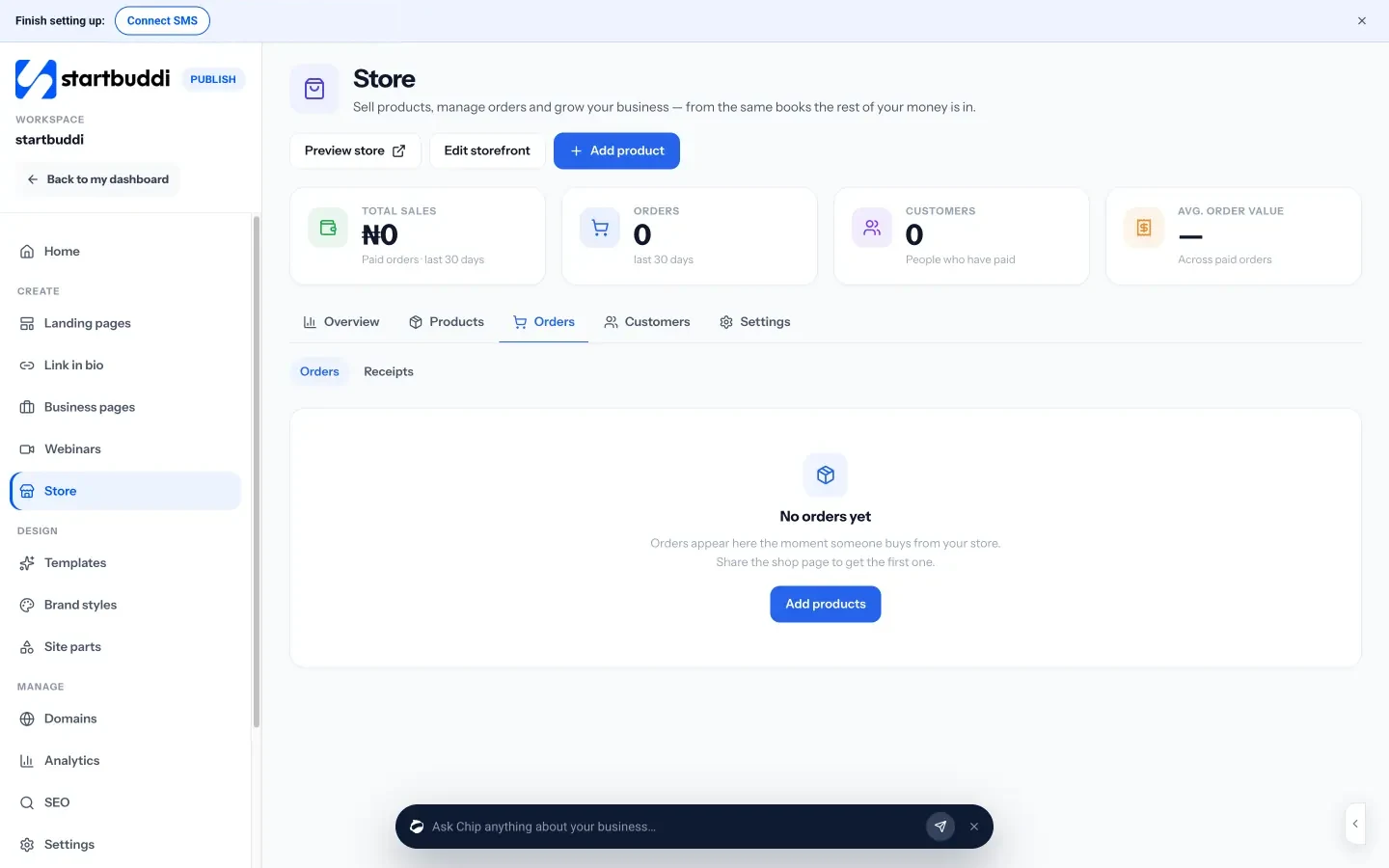
- A simple online store. The Store sells physical products, services, digital downloads, subscriptions and bundles. You can run it as a catalogue with an Enquire button that opens WhatsApp or a form, or as a full store with a cart and hosted checkout. Card payments go through your own Stripe or Paystack account.
- Customers who become contacts. The store’s Customers tab shows orders, total spent and last order, and paying customers are added to your contacts, where you can tag them, add notes and see their history.
- One inbox. The Inbox brings WhatsApp, email, SMS, website chat, Instagram and Facebook messages into one place (WhatsApp and SMS need Starter or above).
- Follow-ups. Email campaigns, segments and automations run from the same contact list. The Marketing module needs Starter or above, and Free includes 2 active automations against 10 on Starter.

Be clear on the limits today: the store doesn’t yet have discount codes, delivery zones by country or order fulfilment tools, and checkout charges the base product price. If those matter to you, a dedicated ecommerce platform is the better fit, and you can still use startbuddi for the service side of your business.
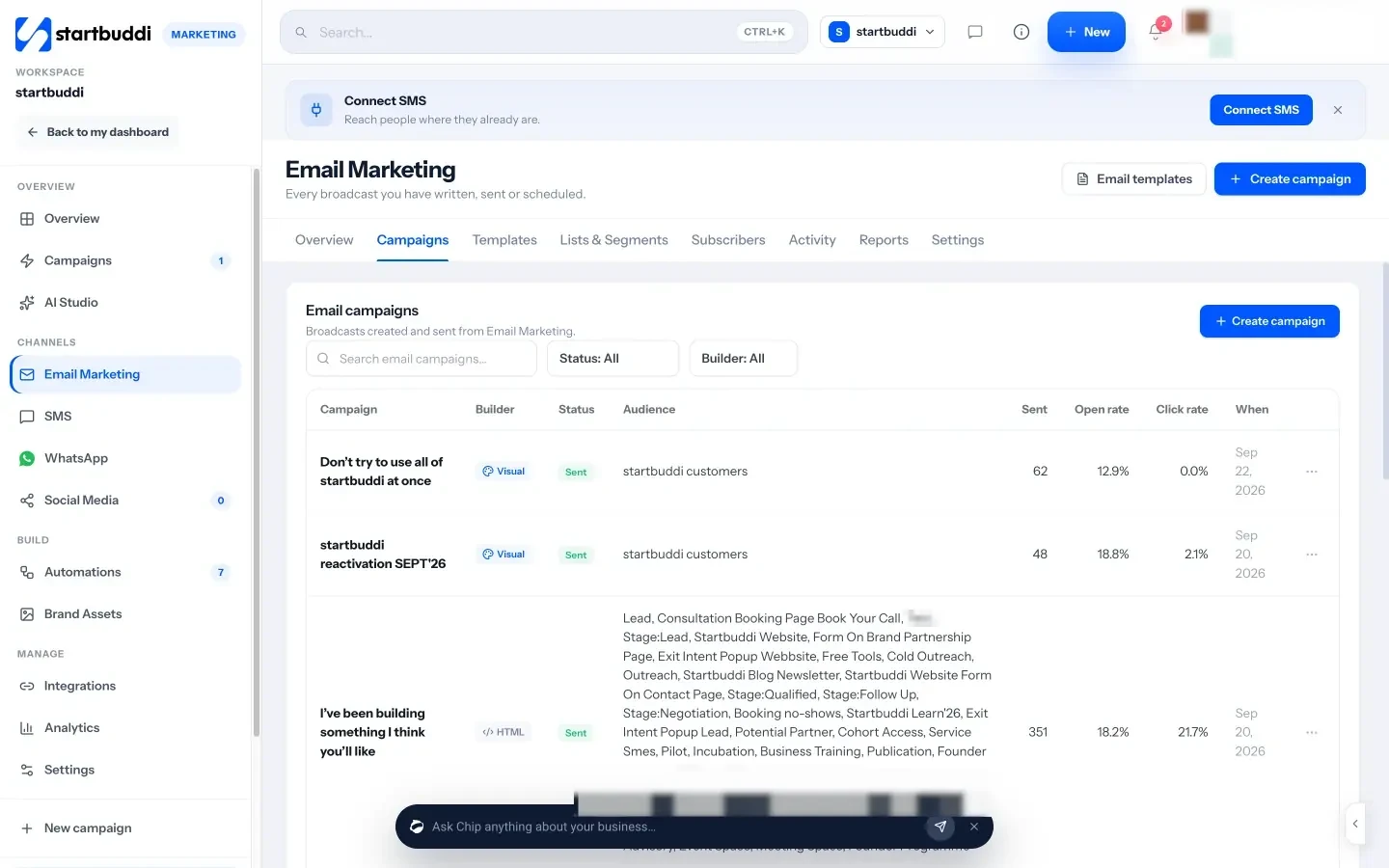
The Free plan includes up to 250 contacts. Starter holds up to 2,500 contacts and unlocks marketing and more automations (see pricing), and every paid plan has a 30-day trial. See pricing.
Next step
Write down where you sell, how many orders you handle in a month and which channel your customers reply on. Then try two tools from this page with your real customer list for a week. If you’re a small shop or service business that wants orders, contacts and follow-ups together, start with the startbuddi store on the Free plan.
Sources
- Harvard Business Review: The value of keeping the right customers
- HubSpot CRM pricing
- Klaviyo pricing
- Omnisend pricing
- Zoho CRM pricing
- Shopify Help Center: customer segmentation
- ICO: electronic mail marketing
- FTC: CAN-SPAM Act compliance guide
Frequently asked questions
What is the difference between a regular CRM and an ecommerce CRM?
A regular CRM is often built around sales deals. An ecommerce CRM centres on orders, repeat purchases and automated messages after the sale, usually connected to your shop.
Is there a free CRM for ecommerce?
Yes. HubSpot, Klaviyo, Omnisend and Zoho CRM all publish free plans with limits, and startbuddi has a Free plan with up to 250 contacts. Check the limits against your list size.
Do I need a CRM if my shop platform has customer tools?
Not always. Many platforms let you segment customers and send email. Add a CRM when you need one record across channels, support and follow-ups.
Can startbuddi replace my ecommerce platform?
For a small catalogue, it can: the store takes orders and payments through Stripe or Paystack. For large catalogues or discount codes and delivery zones, use a dedicated platform.
Tiwalade Joanna Okedara-Kalu is the founder, CEO and CTO of startbuddi, the business system that brings clients, bookings, invoices, projects, marketing and the Chip AI assistant into one place. Tiwalade builds software around how service businesses really work day to day, and writes about client management, getting paid on time and why small businesses outgrow the tools they start with.
Founded startbuddi and leads its product and engineering