Live Chat: Definition, Examples and How It Works

Live chat is a messaging window on a website or app that lets a visitor type a question and get an answer in real time from a person, an AI assistant or both. So what is live chat for a small business? It's the online version of someone walking into your shop and asking a question at the counter.
Key takeaways
- Live chat sits on your website as a small widget, usually in the bottom corner, and messages arrive in your team’s inbox.
- Its value is speed: a visitor with a quick question gets an answer while they’re still on the page, instead of emailing and waiting.
- “Live” means someone answers promptly. A chat that shows “online” and replies tomorrow does more harm than no chat.
- Many businesses now pair people with an AI assistant that answers routine questions and hands harder ones to a person.
- If a bot answers on your behalf, you’re responsible for what it says, so feed it your real prices and policies.
Why live chat matters for a small business
Visitors to a small business website usually have one blocking question: do you cover my area, do you support this software, how soon can you start? If the answer means filling in a form or sending an email, many people leave and try the next result on Google.
Live chat removes that friction. For an IT support firm, a visitor whose server is down at 10am wants to know if you can help today, not on Thursday. A chat answered in two minutes can turn that into a booked call. Each conversation also tells you what your website fails to explain, which is cheap research. And a visitor who chats and leaves an email becomes a lead you can follow up, rather than an anonymous visit.
What is live chat and how does it work?
A live chat setup has three parts:
- The widget. A short piece of code, usually one line, pasted into your website. It shows a chat button and opens a small window.
- The inbox. Messages land in a dashboard or shared inbox where your team reads and replies, often on desktop and phone.
- The rules. Who answers (a person, a bot or both), when the chat shows as available, what details to ask for, and what happens when nobody is free, such as collecting an email for a follow-up.
The conversation is usually saved against the visitor’s details, so the next person to reply can see the history. Most tools also let you ask for a name and email before or during the chat.
Live chat vs chatbots, email and phone
| Live chat | Chatbot | Email or contact form | Phone | |
|---|---|---|---|---|
| Who answers | A person, often helped by AI | Software only | A person, later | A person, now |
| Speed | Minutes | Seconds | Hours to days | Immediate, if answered |
| Good for | Pre-sales questions, quick support | Routine questions at any hour | Detailed requests, attachments | Urgent or complex issues |
| Cost to run | Staff time while online | Set-up and upkeep | Low | Highest staff time |
In practice the lines blur. Many “live chat” tools let an AI assistant answer first and hand over to a person, which covers evenings and weekends without pretending someone is at the desk.
An example with numbers
These figures are illustrative. An IT support firm in Nairobi gets 1,500 website visitors a month. It adds live chat to its services and pricing pages.
| Step | Monthly number |
|---|---|
| Visitors | 1,500 |
| Visitors who start a chat (2%) | 30 |
| Chats that leave contact details and a real need | 15 |
| Chats that book a discovery call | 8 |
| Calls that become clients | 3 |
Three new clients a month on a KSh 40,000 monthly support contract is KSh 120,000 of new recurring work. The point isn’t the exact rates; it’s that each step can be measured, so the firm can see whether chat earns the time it takes. Track the conversion rate at each step, and look at where chats sit in the customer journey: before pricing questions, or after.
What to get right before you switch it on
- Set honest hours. Show the chat as available only when someone can answer, or say clearly that the assistant is AI and a person will reply later.
- Answer fast. Aim for a first reply within a couple of minutes during your hours.
- Write down your answers. Prices, service areas and response times should be the same whether a person or a bot replies.
- Check what your bot says. In Moffatt v. Air Canada, a Canadian tribunal held the airline responsible for wrong refund information its website chatbot gave a customer and rejected the argument that the bot was a separate entity, as summarised by McCarthy Tétrault (checked on 1 October 2026).
- Tell people when it’s AI. In the EU, Article 50 of the AI Act (checked on 1 October 2026) requires AI systems that talk with people to be designed so people know they’re dealing with an AI, unless it’s obvious, from 2 August 2026.
Our guide to live chat for small business covers staffing, scripts and setup in depth.
Related terms
- Lead: a chat visitor who leaves contact details and a real need.
- Conversion rate: the share of chats that become calls or sales.
- Customer journey: where live chat fits between first visit and purchase.
How startbuddi handles live chat
In startbuddi, live chat is called website chat. You set it up under Publish → Live chat, copy one line of embed code into your site, and conversations arrive in the shared Inbox alongside email, WhatsApp and SMS. Visitors can type to a person or to Chip, book a meeting, or switch to WhatsApp.
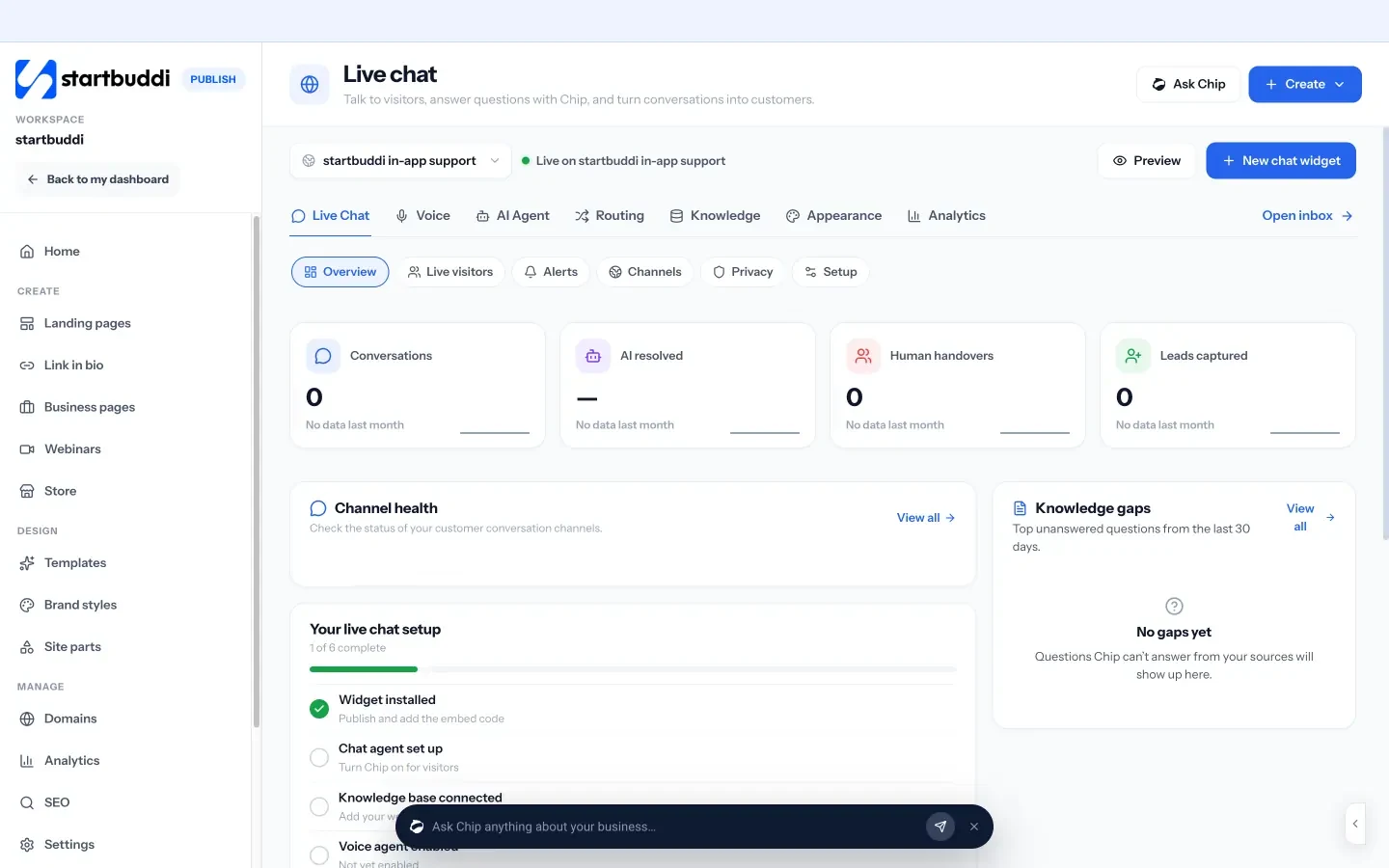
Chip answers only from the knowledge sources you approve and hands the conversation to your team, with the full context, when it can’t answer or the visitor asks for a person. Two teammates can’t claim the same chat. Chip answering on its own uses Chip credits and needs a paid plan; see pricing for details. Read more on the website chat page, or see how it fits IT teams.
Start your own website chat
Add a chat window to your site, keep every conversation in one inbox and let Chip handle the routine questions. Start free with startbuddi.
Live Chat is part of Chip & AI agents in startbuddi.
See Chip & AI agentsRelated terms
FAQ
What is live chat on a website?
Live chat on a website is a chat window, usually in the bottom corner of the page, where visitors type questions and get answers in real time. Replies come from your team, an AI assistant or both. Conversations are saved so you can follow up.
What is the difference between live chat and a chatbot?
Live chat means a conversation that is answered promptly, traditionally by a person. A chatbot is software that answers automatically. Many tools combine them: the bot handles routine questions and passes the rest to a person.
Is live chat free?
Some live chat tools have a free plan, and many charge per seat or add fees for AI answers. The bigger cost is staff time, because someone needs to answer during the hours the chat shows as available.
Do I need to be online all the time to use live chat?
No. Set the hours you can answer and show a message outside them that collects an email or phone number. An AI assistant can cover evenings, as long as it says it's AI and hands harder questions to a person.
What should I ask a live chat visitor?
Ask what they need first, then for a name and email or phone once there's a reason to follow up. Asking for details before the first answer puts some people off. Ask before a handover or booking instead.
Tiwalade Joanna Okedara-Kalu is the founder, CEO and CTO of startbuddi, the business system that brings clients, bookings, invoices, projects, marketing and the Chip AI assistant into one place. Tiwalade builds software around how service businesses really work day to day, and writes about client management, getting paid on time and why small businesses outgrow the tools they start with.
Founded startbuddi and leads its product and engineering