Contactless payment: Definition, Examples and How It Works

A contactless payment is a card or phone payment made by tapping or holding the card, phone or watch near a reader, without inserting the card or typing a PIN for most amounts.
A contactless payment is a card or phone payment made by tapping or holding the card, phone or watch near a reader, without inserting the card or typing a PIN for most amounts. It uses short-range radio (NFC), and each payment creates a one-time code, so the card details can’t simply be copied and reused.
Key takeaways
- Contactless payment means tap to pay: card, phone or watch held near a reader.
- It runs on NFC and EMV chip security, with a one-time code for every payment.
- Banks set limits on contactless card payments. In the UK the limit has been £100 for years, and from March 2026 banks may set their own.
- QR code payments and payment links are close cousins, and often the practical choice for small service businesses.
Why contactless payment matters for a small business
Contactless payments are fast. A tap takes a few seconds, so queues move and nobody waits while a customer hunts for cash or change. For a salon, a café or a barber with a busy Saturday, that speed is real money.
They also reduce disputes about cash. Every tap leaves a record with an amount and a time, which makes end-of-day reconciliation easier than counting a till. And customers increasingly expect it: in many cities, people carry a phone and a card but no cash at all.
How contactless payment works
Contactless payments use near-field communication (NFC), which only works over a few centimetres. EMVCo, the body that manages the EMV chip standards, explains that EMV contactless (checked on 1 October 2026) uses the same cryptography as chip cards and creates a one-time security code for every transaction.
Here is what happens in a tap:
- The business enters the amount on a card reader or a phone set up to accept cards.
- The customer holds a contactless card, phone or watch near the reader.
- The card or phone sends a one-time code, not the reusable card details.
- The reader passes the payment to the payment processor, which asks the customer’s bank to approve it.
- The reader shows “approved”, usually within seconds, and the money settles to the business’s account later.
Phone and watch wallets, such as Apple Pay and Google Pay, add another layer. The phone checks the customer’s face, fingerprint or passcode before it pays, and it shares a device-specific number instead of the real card number.
Contactless limits
Banks limit how much you can tap with a card before they ask for a PIN or other check. In the UK, the Financial Conduct Authority set a limit of £100 per payment from 2021. On 19 December 2025 the FCA announced that firms with strong fraud controls can set their own contactless limits from March 2026 (checked on 1 October 2026), though it expects most banks to keep their current limits for now. Limits elsewhere are set by local banks and regulators, so check with your bank or payment provider.
Contactless payment examples with numbers
A barber in Manchester
A haircut costs £25. The customer taps a card on the reader and the payment is approved without a PIN, because £25 is under the bank’s limit. A £140 colour treatment at the salon next door is over £100, so the reader asks for the card to be inserted with a PIN, or the customer pays with a phone wallet that has already checked their face or fingerprint.
A salon in Lagos
A braiding appointment costs ₦18,000. Some customers tap a contactless card on a bank or fintech card terminal. Others scan a QR code on the counter that opens the salon’s payment page, then pay by card, bank transfer or USSD on their own phone. Both are “no touch” payments for the customer. On a day with 12 customers, that is ₦216,000 collected without handling cash.
Contactless payment online
“Contactless payment online” usually means paying on a website or in an app with a wallet like Apple Pay or Google Pay. Nothing is tapped, but the customer approves the payment on their phone with their face or fingerprint instead of typing card details.
Related terms
- Payment gateway: the service that passes an online card payment safely to the banks.
- Payment links: a link you send to a customer that opens a checkout page for a set amount.
- Chargeback: when a customer’s bank reverses a card payment after a dispute.
How startbuddi handles contactless payment
startbuddi is not a card terminal or point-of-sale system, so it does not take tap-to-pay card payments on a reader. It covers the ways service businesses get paid without cash changing hands:
- Scan to pay: in Money Manager, Get Paid has a Scan to pay tab with printable QR codes for your pay me page and each payment link. Customers scan and pay on their own phone.
- Card payments online: with Stripe connected, customers can pay invoices by card on their own phone or computer.
- Nigerian payment methods: with Paystack connected, customers pay by card, bank transfer, USSD or mobile money, and money settles straight to your bank.
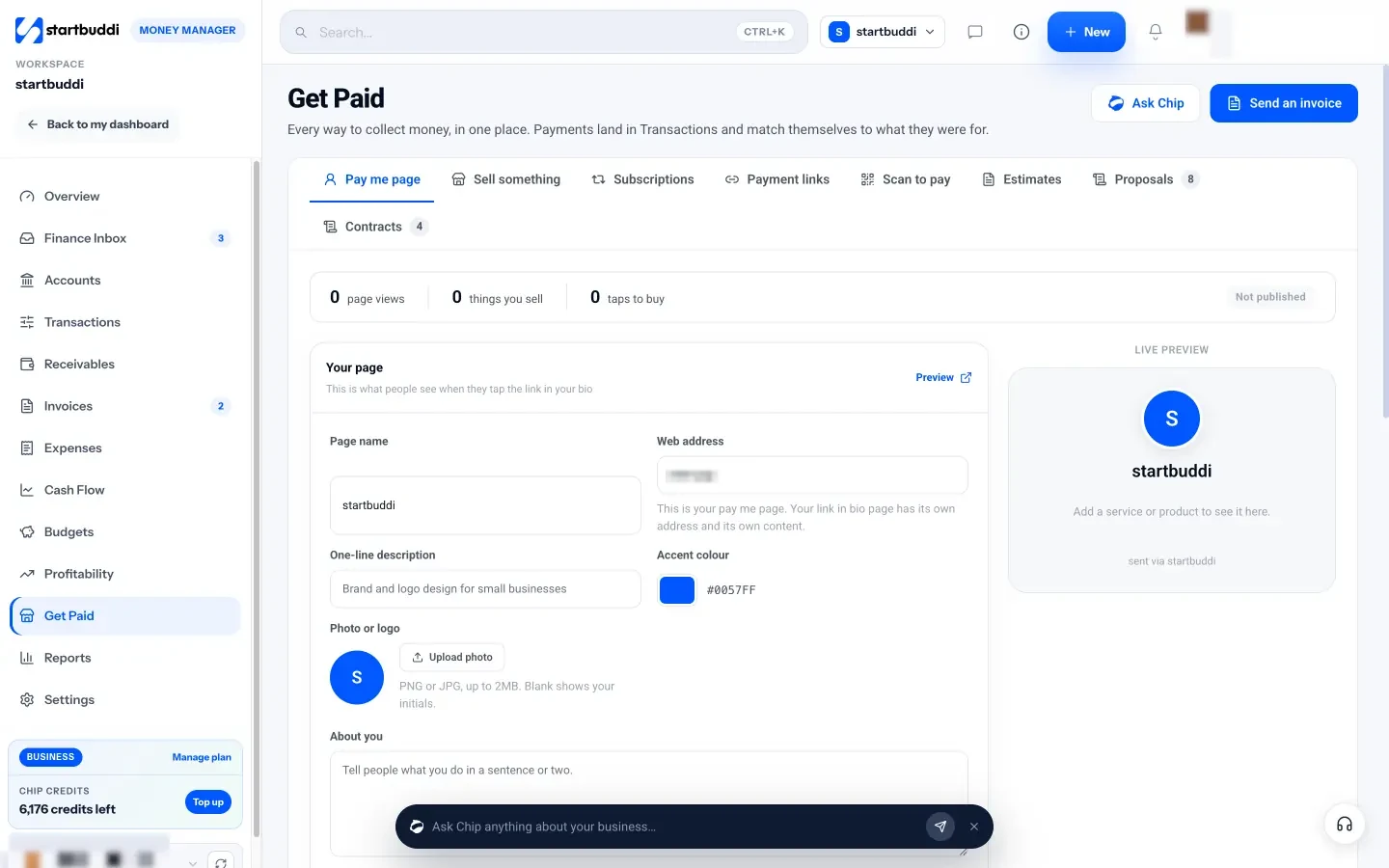
Every payment lands in Transactions and is matched to the invoice, sale or link it was for. You can read more about collecting payment online as a freelancer or agency, or see the Get Paid features. A free plan is available; see pricing.
Contactless payment is part of Money Manager in startbuddi.
See Money ManagerRelated terms
FAQ
Is contactless payment safe?
Contactless payment is generally safe because each tap creates a one-time code and the reader must be a few centimetres from the card. Phone wallets add a face, fingerprint or passcode check. If a card is lost or stolen, contact the bank straight away; in the UK, the FCA notes that consumers are reimbursed in unauthorised fraud cases.
What is the difference between contactless and chip and PIN?
Chip and PIN means inserting the card and typing a PIN. Contactless means tapping the card or phone with no PIN for most amounts. Both use the same chip security, and a reader will ask for chip and PIN when a tap is over the limit or when the bank wants an extra check.
What are the best contactless payment apps for small businesses?
The best contactless payment app depends on where you trade and which cards your customers carry. In the UK and US, card reader apps from payment processors are common. In Nigeria, many businesses use bank or fintech card terminals for taps and QR codes or payment links for everything else. Check fees, settlement times and which payment methods each one accepts before you choose.
Can I accept contactless payment online?
Yes, in the sense that customers can pay online with a phone wallet such as Apple Pay or Google Pay. They approve the payment with their face or fingerprint instead of typing card details. You need a payment provider that supports wallets on your checkout or invoice page.
Tiwalade Joanna Okedara-Kalu is the founder, CEO and CTO of startbuddi, the business system that brings clients, bookings, invoices, projects, marketing and the Chip AI assistant into one place. Tiwalade builds software around how service businesses really work day to day, and writes about client management, getting paid on time and why small businesses outgrow the tools they start with.
Founded startbuddi and leads its product and engineering