How to manage multiple freelance clients without losing track
How to manage multiple freelance clients with one system: vet the fit, agree terms in writing, onboard, block your time, control scope, bill on time and offboard well.



- Chaos with freelance clients usually comes from reinventing the process every time. Use one system: check fit, agree scope and payment in writing, onboard the same way, send weekly updates, price every change, invoice on a schedule and finish with a proper handover.
To manage multiple freelance clients without losing track, run every client through the same simple system: check the fit before you say yes, agree the scope, price and payment terms in writing, onboard them with a short welcome pack, keep them updated on a fixed rhythm, handle changes through a change request, and invoice on a schedule you set. The chaos most freelancers feel doesn’t come from bad clients. It comes from making up the process again for every new one.
This guide covers each stage of that system, with templates you can copy, the rules that protect you in places like New York and the UK, and a weekly routine that keeps five or six clients under control without living in your inbox.
Why freelance client work turns chaotic
When you work alone, you are the salesperson, the project manager, the accounts team and the person doing the actual work. Chaos creeps in through small gaps:
- A project starts on a WhatsApp voice note with no written scope.
- Feedback arrives by email, Instagram DM and a comment in a shared doc, all on the same day.
- “One small tweak” turns into a week of extra work you can’t bill for.
- You send the invoice late because you were busy delivering, and then chase it for a month.
Scope creep alone is common even among professional project managers. The Project Management Institute’s Pulse of the Profession 2018 found that 52% of projects completed in the previous 12 months experienced scope creep or uncontrolled changes. As a freelancer you have no project office to absorb that. You need the process to do it.
Step 1: Check the fit before you say yes
The easiest difficult client to manage is the one you never take on. A 20-minute discovery call, or a short intake form, filters most problems out.
Questions to ask every new client
- What problem are you trying to solve, and why now?
- What does a good result look like in three months?
- What is your budget range, and who approves the spend?
- When do you need it, and is that date fixed?
- Who will give feedback, and how quickly can they respond?
Red flags worth taking seriously
- They want to skip the contract “because we trust each other”.
- The budget is vague but the deadline is tomorrow.
- They criticise their last three freelancers.
- They ask for free sample work that looks exactly like the real job.
Our client intake form template covers these questions so you can send it before the call.
Step 2: Put the scope, price and terms in writing
Every professional freelance relationship starts with a written agreement, even a one-page one. It protects you and the client, and in some places it’s the law.
In New York State, the Freelance Isn’t Free Act has since 28 August 2024 required businesses that hire freelancers for work worth $800 or more, including several jobs over 120 days, to provide a written contract. Unless the contract says otherwise, the freelancer must be paid within 30 days of finishing the work. In the UK, if no payment date is agreed, a business-to-business payment is late 30 days after the invoice or delivery, and you can usually charge statutory interest of 8% plus the Bank of England base rate. Rules differ in Nigeria, Canada, Australia and elsewhere, so check where you and your client are based. This is general information, not legal advice.
What your agreement should cover
| Section | What to write |
|---|---|
| Deliverables | Exactly what you will hand over, in what format |
| Not included | The things clients often assume, listed plainly |
| Revisions | How many rounds, and what happens after that |
| Timeline | Key dates, and that they move if feedback is late |
| Price and payment | Total, deposit, due dates, late payment terms, currency |
| Ownership | When rights transfer, usually on final payment |
| Ending early | Notice period and what is paid for work done |
Start from our freelance agreement template and have a lawyer check it once for your country.
Take a deposit
A deposit turns a verbal yes into commitment. The Freelancers Union’s advice on getting paid upfront notes that an upfront payment doesn’t have to be the full amount. Many freelancers ask for 30% to 50% on new projects. Our deposit calculator helps you pick a number you can explain.
Step 3: Onboard every client the same way
The first week sets the tone. A short, consistent onboarding tells the client you have done this before, and it saves you answering the same questions ten times.
Send a welcome message within a day of the deposit landing. It should include:
- A thank you and the start date.
- What you need from them, with a deadline: logins, brand files, content, a named contact.
- How you will communicate: one channel for feedback, your working hours and your usual reply time.
- The dates of the first check-in and the first deliverable.
Hi Priya, thanks for the deposit. We’re booked to start on Monday 9 June. To keep things on track, could you send the brand files and website logins by Friday? I’ll share updates every Thursday afternoon, and the first draft of the homepage is due on 20 June. For feedback, please reply to this email thread so nothing gets lost.
Our client onboarding checklist lists everything else worth collecting in week one.
Step 4: Communicate on a rhythm, not on demand
Most “needy” clients are really anxious clients. They message at 10pm because they don’t know what is happening. Fix the anxiety and most of the messages stop.
- One weekly update, same day, same format: what’s done, what’s next, what I need from you.
- One place for feedback. Pick email, a shared portal or a project tool, and gently redirect everything else there.
- Set reply times and keep them. “I reply within one working day” is professional. Replying instantly at midnight trains clients to expect it.
- Bad news early. If a date will slip, say so the day you know, with a new date.
Step 5: Handle scope changes with a simple process
Clients will ask for more. That’s often good news: more work, more money. The problem is only extra work that goes unpriced and unscheduled.
- Acknowledge the request warmly: “Good idea, that would work well on the pricing page.”
- Say it’s outside the current scope, pointing to the agreement.
- Give options: add it now for a price and a new date, swap it for something already in scope, or keep it for phase two.
- Get a written yes before you start.
A change request you can copy
Thanks, Tunde. Adding a booking page is a great idea. It isn’t part of the current scope, so here are two options. Option A: I add it for $450 (about ₦700,000), and launch moves from 14 to 21 July. Option B: we launch on 14 July as planned and build the booking page in a second phase in August. Just reply with A or B and I’ll update the plan.
Short, friendly and specific. The client gets a choice, you get paid for the extra work, and nobody argues later about what was agreed.
Tracking your time, even on fixed-price work, shows you which clients quietly cost you the most. Our hourly rate calculator helps you price the extras properly.
Step 6: Bill on a schedule and chase politely
Invoicing is part of client management, not an afterthought. Late invoices lead to late payments.
- Invoice on the day a milestone is approved, or on a fixed date each month for retainers.
- Make paying easy: a payment link by card, bank transfer details, and the currency the client expects.
- Remind before the due date, on the day, then 3, 7 and 14 days after.
- Pause work, politely, if an invoice is well overdue and your agreement allows it.
Our guide to collecting payment online as a freelancer covers the payment side in more detail.
How to handle a difficult freelance client
Even with a good system, some clients push. Most difficult situations fall into a few patterns, and each has a calm response.
- Constant urgent messages: restate your reply times, then answer everything in one batch at your set time. “Got all of these, I’ll reply properly this afternoon.”
- Vague feedback like “make it pop”: ask for two examples they like and one they don’t. Concrete references end most loops.
- Late feedback, same deadline: point to the timeline clause and send the new date in writing the day feedback is late.
- Disputing an invoice after approving the work: refer back to the written approval, stay polite, and offer a short call.
- Disrespect or abuse: end the project under your agreement’s early-ending clause, invoice for work done, and hand over what’s paid for. Some clients cost more than they pay.
Keep every approval, change and promise in writing, in one place. When a disagreement happens, the record usually settles it in minutes.
Step 7: Offboard well and keep the relationship
How a project ends decides whether you get repeat work and referrals. When you finish:
- Hand over files, logins and a short “how to look after this” note.
- Send the final invoice with the handover, not a week later.
- Ask for a testimonial and a referral while the client is happy.
- Put a reminder in your calendar to check in after three months.
A short wrap-up note also helps: what you delivered, the results so far, and one idea for what they could do next. It reminds the client of the value you added, and it plants the seed for the next project. Past clients who liked working with you are usually the cheapest new work you will ever win.
A weekly routine to manage multiple freelance clients
With five or six clients on the go, the biggest risk is spending the whole day reacting. Block your time instead: give each client (or each project) named blocks in your calendar, keep one or two short slots a day for messages and calls, and protect at least one long block for focused work. When a client asks for something, it goes into the next free block rather than interrupting the current one.
| When | What | Time |
|---|---|---|
| Monday morning | Plan the week per client: deadlines, deliverables, what you’re waiting on | 30 minutes |
| Daily, twice | Check your feedback channel at fixed times, not all day | 2 × 20 minutes |
| Thursday | Send weekly updates to every active client | 45 minutes |
| Friday | Send invoices due, check overdue ones, follow up new enquiries | 30 minutes |
That’s about four hours a week of admin, planned in advance, instead of a steady drip of interruptions.
How startbuddi helps freelancers manage clients
startbuddi puts the client record, the proposal, the work and the invoice in one place, so each step above happens next to the client it belongs to. See how it fits on our page for freelancers.
- One record per client in Customers, with notes, conversations, deals, tasks, files and invoices on the same page.
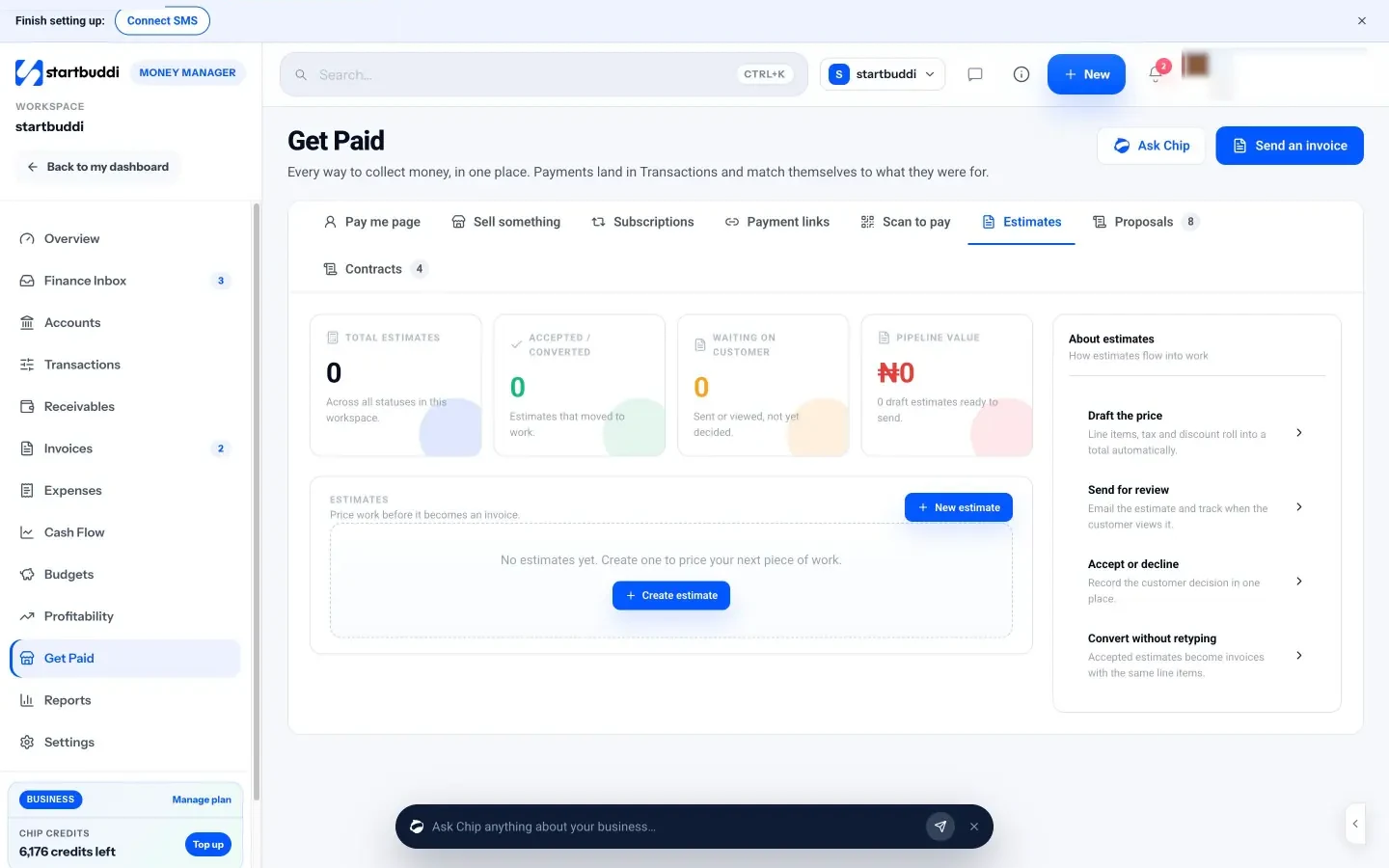
- Estimates, proposals and contracts in Money Manager. Clients sign proposals and contracts online. You record an estimate’s accept or decline, and an accepted estimate becomes an invoice with the same line items. Contract templates are a starting point, not legal advice.
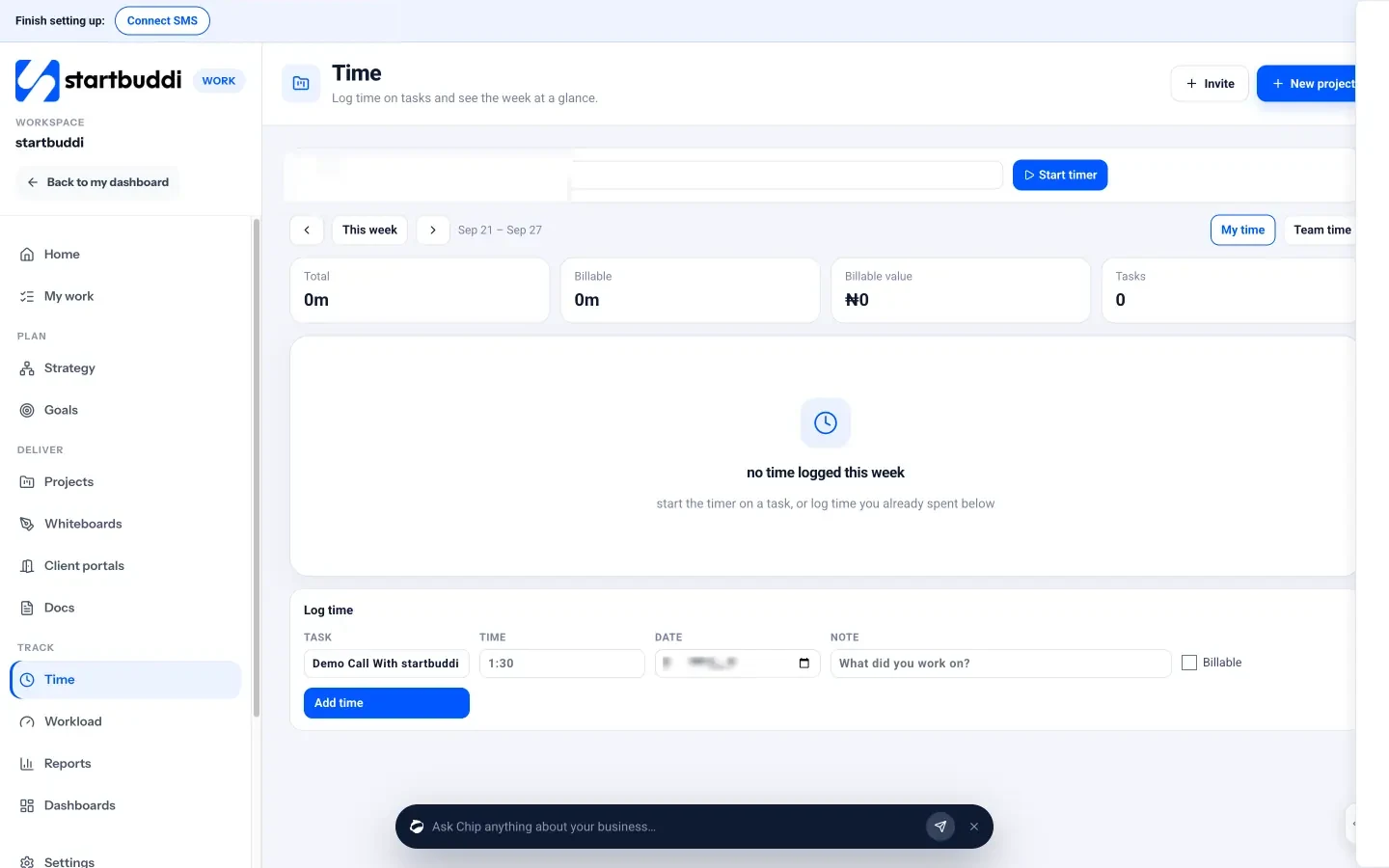
- Time tracking in Work: start a timer on a task, tick Billable, and see the week’s billable hours and their value.
- Invoices with card payment through Stripe or Paystack, bank transfer details, and a one-click Remind button on every open invoice in Receivables. You can also record a payment that arrived by transfer or cash.
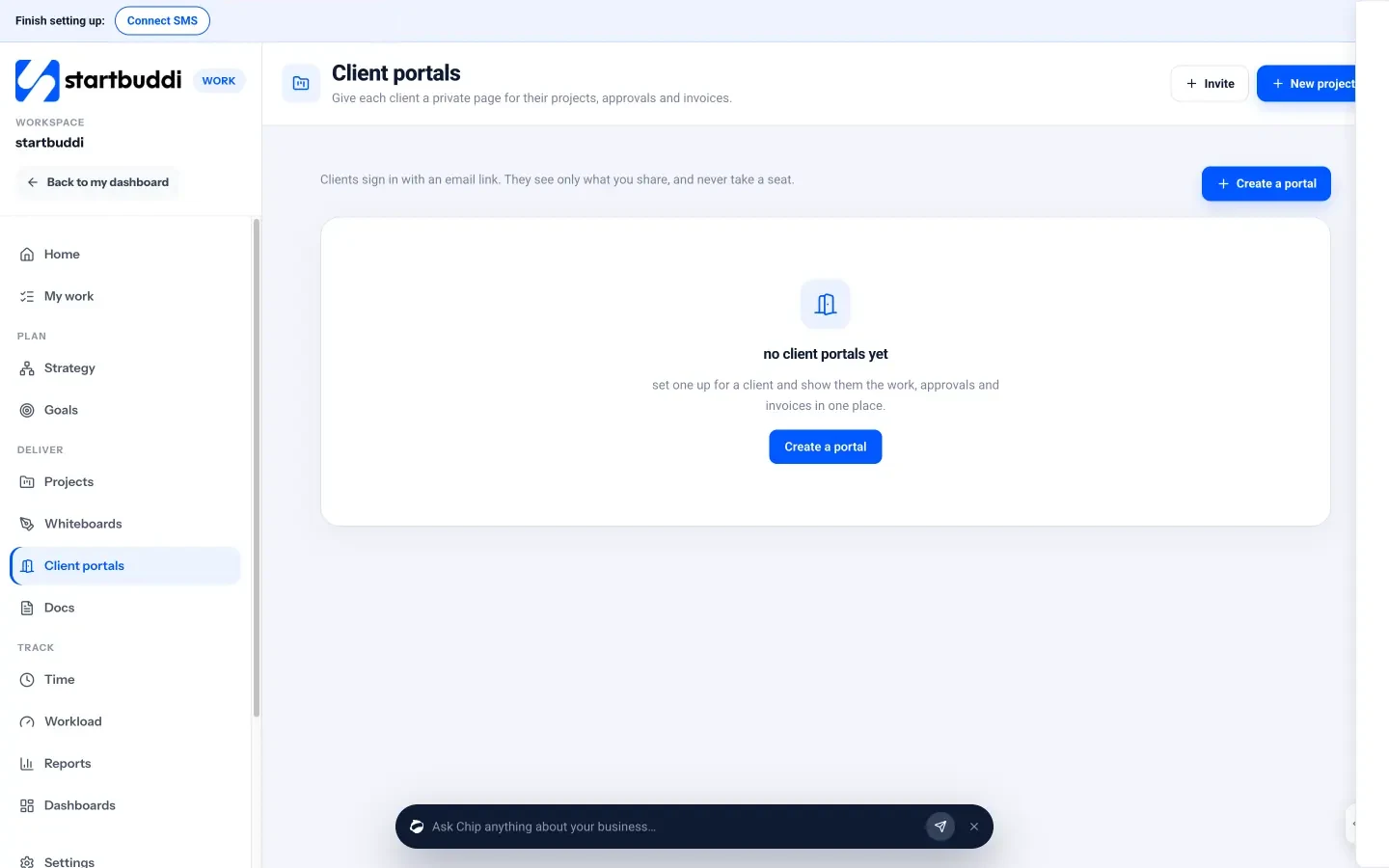
A client portal gives each client a private page for their projects, approvals, invoices and messages. Clients sign in with an email link, with no password and no paid seat. You can build and preview a portal on the Free plan. Inviting clients needs Starter for one live portal, or Growth for up to ten (see pricing).
Honest limits: startbuddi doesn’t turn logged hours into an invoice automatically, so you add billable time to the invoice yourself. It isn’t accounting software or a legal service. The Free plan covers 250 contacts and 5 invoices a month, which suits a freelancer just starting out. If you are comparing freelancer tools, see startbuddi vs Bonsai.
Your next step
Take your busiest client and run them through this system this week: confirm the scope in writing, set a weekly update day, and send any invoice that’s waiting. Then set up the same steps in startbuddi, free to start, and see the plans on our pricing page.
Sources
- Project Management Institute: Pulse of the Profession 2018
- New York State Department of Labor: Freelance Isn’t Free Act
- GOV.UK: Late commercial payments
- GOV.UK: Charging interest on commercial debt
- Freelancers Union: 7 tips for getting paid upfront
Frequently asked questions
Do I need a contract for small freelance jobs?
It is wise for any paid job, and some places require one. New York State, for example, requires a written contract for freelance work worth $800 or more.
How much deposit should a freelancer ask for?
Many freelancers ask for 30% to 50% on new projects. Pick a figure that covers your early costs and time.
How do I deal with a client who keeps asking for extra work?
Acknowledge the idea, point to the agreed scope, offer a price and new date or a swap, and wait for a written yes before starting.
How often should I update freelance clients?
Once a week on a fixed day works for most projects: what is done, what is next and what you need from them.
What should I do if a client pays late?
Send polite reminders on a set schedule, check what your agreement and local law allow, and pause work if an invoice is well overdue.
Omolola Akiyode is the operations and project manager at startbuddi, leading cross-functional projects and the content that helps founders get set up. Omolola writes about projects, websites and getting found online, and turns complex ideas into clear, practical steps.
Runs operations and projects at startbuddi