CRM for recruitment agencies: what to look for and how to choose
What a CRM for recruitment agencies needs to do, the features worth paying for, well-known options in their own words, and where an all-in-one tool fits.



Photo: Cytonn Photography / Unsplash
- Recruitment is two-sided, so a recruitment CRM has to track clients and candidates at once. High-volume agencies usually need a specialist ATS and CRM; small agencies often start with a clean client pipeline, contracts and invoicing, and add an ATS as volume grows.
A CRM for recruitment agencies is software that tracks both sides of a placement: the clients who pay you to fill roles, and the candidates you put forward. The best fit depends on your size and model. A high-volume staffing desk usually needs a dedicated recruitment platform that combines an ATS (applicant tracking system) with a CRM. A new or boutique agency often needs something simpler first: a clean client list, a pipeline of job orders, follow-ups, contracts and invoices, with candidates handled in a lighter way until volume justifies a specialist tool.
This guide explains what makes recruitment different from ordinary sales, the features worth paying for, the questions to ask on a demo, and some well-known recruitment platforms in their own words. It also covers where an all-in-one business system like startbuddi fits, and where it doesn’t. It’s written for agencies anywhere, from a solo recruiter in Leeds to a ten-person staffing firm in Lagos or Johannesburg.
Why recruitment agencies need a different kind of CRM
A standard sales CRM tracks one relationship: you and the buyer. Recruitment is two-sided. The client paying for the placement is one relationship, and the candidate, who isn’t paying you at all, is another. Both have their own pipeline, their own history and their own reasons to go quiet.
Candidates are also messier than deals. They change jobs, change their minds, withdraw after a second interview, and come back two years later with a new email address. A good recruitment CRM has to handle:
- Two pipelines at once: job orders moving from brief to filled, and candidates moving from sourced to placed.
- Many-to-many links: one candidate put forward for several roles, one role with a shortlist of several candidates.
- Long memories: a candidate you placed in 2024 may be your client’s hiring manager in 2027.
- Sensitive data: CVs, salary expectations, right-to-work documents and sometimes health or diversity information.
Forcing a sales-only CRM into that shape usually ends with candidates in a spreadsheet on the side, which defeats the point.
What to look for in a CRM for recruitment agencies
Features vary a lot between products. These are the ones that matter most, roughly in order of importance for a small agency.
| Feature | Why it matters | Who needs it most |
|---|---|---|
| Candidate database with search | Find the right person by skill, location or salary in seconds | Everyone |
| CV (resume) parsing | Turns a PDF or Word CV into a structured record without retyping | Agencies handling many applications |
| Job order pipeline | Shows every open role and where each one is stuck | Everyone |
| Client and contact records | Keeps hiring managers, fee terms and history in one place | Everyone |
| Email and calendar connection | Logs outreach and interviews automatically | Teams with more than one recruiter |
| Job board posting | Posts one advert to several boards and pulls applicants back in | High-volume and contract desks |
| Timesheets and shift scheduling | Needed if you place temps or contractors and bill hourly | Temp and contract staffing |
| Reporting | Time to fill, placements per recruiter, fee income by client | Owners and managers |
| Contracts and invoicing | Terms of business signed, placement fees billed and chased | Small agencies without a finance team |
If you’re a small team, weigh ease of use above depth. A recruitment CRM nobody updates is worse than a tidy spreadsheet, because people trust it and it’s wrong.
What a recruitment pipeline should look like
Whatever tool you choose, sketch your stages on paper first. It forces the team to agree what each stage means, and it tells you straight away whether a tool can model your process.
Job order stages (the client side)
- Brief received: the client has described the role, salary range and deadline.
- Terms agreed: your fee and terms of business are signed.
- Shortlist sent: you’ve put forward your first candidates.
- Interviewing: at least one candidate is in the client’s process.
- Offer made.
- Placed: the candidate has started, and the fee can be invoiced.
- Lost or on hold, with a reason (filled internally, budget frozen, went to another agency).
Candidate stages (the talent side)
- Sourced: you’ve found them, but haven’t spoken.
- Screened: you’ve had a call and know what they want.
- Submitted to a specific role.
- Interviewing.
- Offered, then placed, or back into the pool with a note on timing.
Two rules help. First, every job order and every active candidate has an owner and a next step with a date. Second, “lost” always carries a reason, because the reasons tell you where to improve: slow shortlists, weak briefs or fees that are out of line with the market.
The numbers worth tracking
A recruitment CRM earns its keep when it tells you where time and money go. Start with five numbers and review them monthly:
- Open roles per recruiter, so nobody is quietly overloaded.
- Time to shortlist: days from brief to first candidates sent. Clients notice speed.
- Submission to interview rate: how often your shortlists are good enough to get meetings.
- Placements and fee income by client and by recruiter.
- Days to get paid after a placement, which matters more than most agencies admit.
Recruitment CRM vs ATS: what’s the difference?
You’ll see both terms, often on the same product. Roughly:
- An ATS manages applicants for specific jobs: adverts, applications, screening, interview stages and offers.
- A recruitment CRM manages relationships over time: nurturing passive candidates, keeping in touch with clients and winning new job orders.
Most platforms built for agencies now combine the two. In-house HR teams hiring for their own company usually want an ATS. Agencies usually want both, because their revenue depends on client relationships as much as on filling a single role.
Well-known recruitment CRM platforms, in their own words
These are specialist tools built for recruiting. The descriptions come from each company’s own website, checked in September 2026. We don’t rank them, and prices change often, so check each pricing page and ask for a trial before you decide.
- Bullhorn describes itself as an AI recruitment ATS and CRM used by staffing agencies of all sizes.
- Loxo calls itself an AI recruiting platform for scaling firms, bringing sourcing, CRM, ATS and outreach together. Its site offers a free starting option.
- Crelate presents itself as an AI recruiting platform combining sourcing, recruitment CRM and applicant tracking, for executive search, direct hire and staffing firms among others.
- Recruit CRM describes an ATS and CRM for recruitment agencies, including a CV parser that turns PDFs and Word files into candidate records.
- Zoho Recruit is aimed at HR teams and staffing agencies and offers a 15-day free trial, according to its site.
- Manatal describes AI recruitment software for HR teams, recruitment agencies and headhunters, with a 14-day free trial.
For broader CRM options that aren’t recruitment-specific, see our researched list of CRM software for small businesses.
How to choose the right CRM for your recruitment agency
Use these steps to go from a long list to a decision in two or three weeks.
- Write down your model. Permanent, contract, temp, executive search or a mix. Temp desks need timesheets; executive search needs deep relationship history.
- Count your volume. How many open roles a month, and how many applicants per role? Ten roles with five candidates each is a different problem from 200 roles with 100 applicants each.
- List your must-haves and nice-to-haves. Keep must-haves to five or fewer.
- Shortlist three tools that match your model and budget.
- Test with real work. Load one live role and ten real candidates into each trial. Ask every recruiter to use it for a week.
- Check the exit. Make sure you can export candidates, clients and notes as CSV if you ever leave.
Our guide on how to choose a CRM has a fuller checklist that works for any industry.
Questions to ask on a demo
- How does it stop the same candidate being created twice?
- Can I see every role a candidate has been put forward for, and every candidate put forward to a client?
- How are emails and calls logged: automatically, or by hand?
- What does it cost per recruiter, and what’s extra (job board credits, AI features, parsing)?
- Where is candidate data stored, and how do I delete a candidate on request?
Handle candidate data carefully
Recruiters hold more personal data than most small businesses: CVs, employment history, salary details and sometimes sensitive information. Data protection law in most countries expects you to tell candidates how you’ll use their data, keep only what you need and delete it when you no longer have a reason to hold it. In the UK, the ICO publishes specific guidance on recruitment and selection, including on automated decisions. In Nigeria, the Nigeria Data Protection Commission oversees the rules. This is general information, not legal advice; check what applies where you and your candidates are.
Practically, that means choosing a CRM that lets you record consent or the basis for holding data, restrict who can see sensitive fields, and delete or export a person’s record when asked.
Common mistakes when choosing a recruitment CRM
- Buying for the agency you hope to be in five years. Enterprise tools take time to set up and cost more per seat. Buy for the next 12 to 18 months.
- Ignoring the client side. Candidates get the attention, but client relationships pay the bills. Make sure job orders, fee terms and hiring-manager history are easy to track.
- Skipping data migration planning. Moving thousands of CVs later is painful. Clean your data before you import.
- No adoption plan. Agree which fields are required and review usage weekly for the first month.
Where startbuddi fits for recruitment agencies
To be clear up front: startbuddi is not an ATS. It doesn’t parse CVs, post to job boards or manage timesheets for temps. If those are central to your agency, a specialist platform from the list above is the right choice.
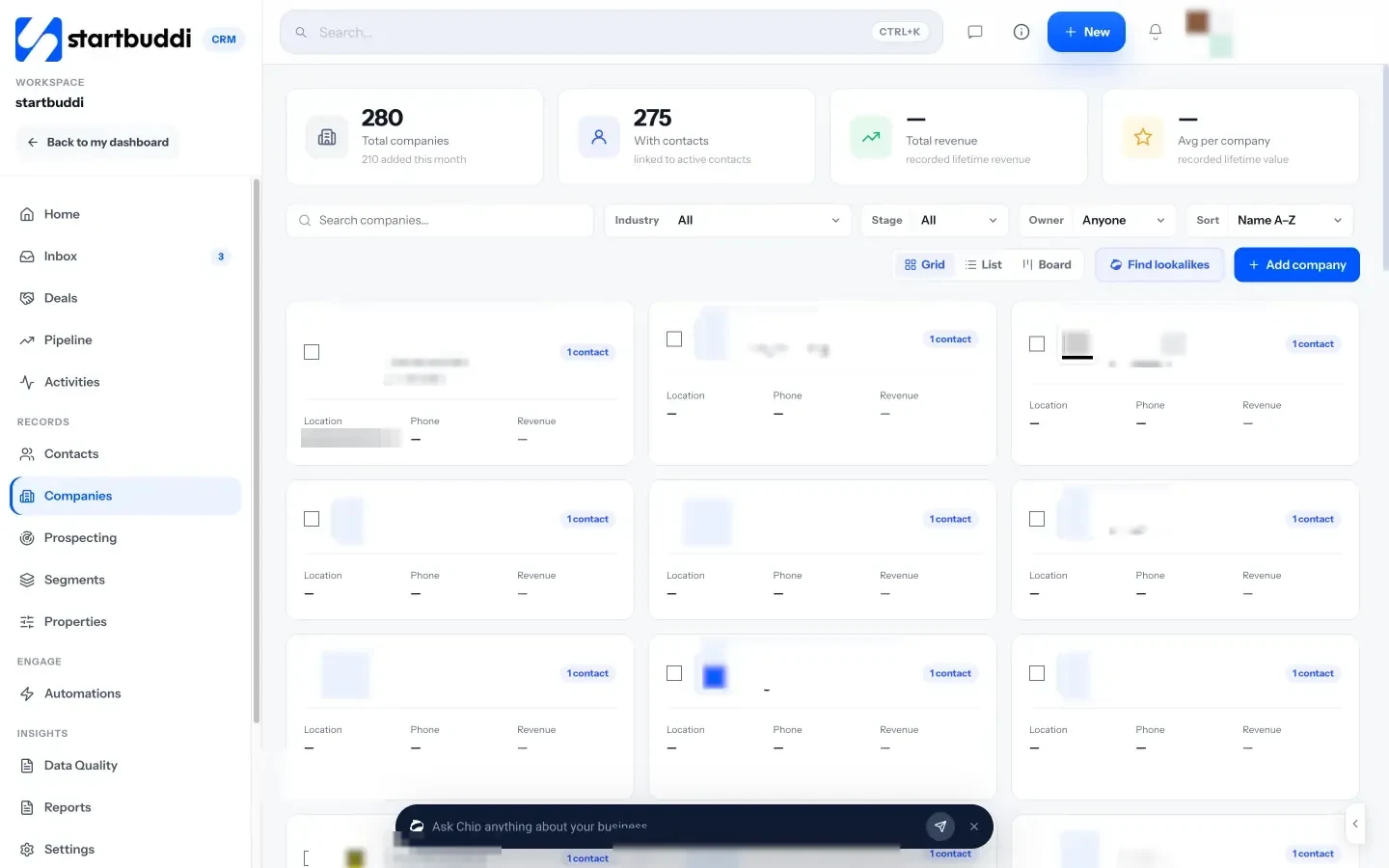
What startbuddi does well is the business side of a small agency, and the client relationships that bring in job orders. In Customers, you keep hiring managers as contacts linked to their companies, with notes, tasks, files and a history of emails and messages on each record.
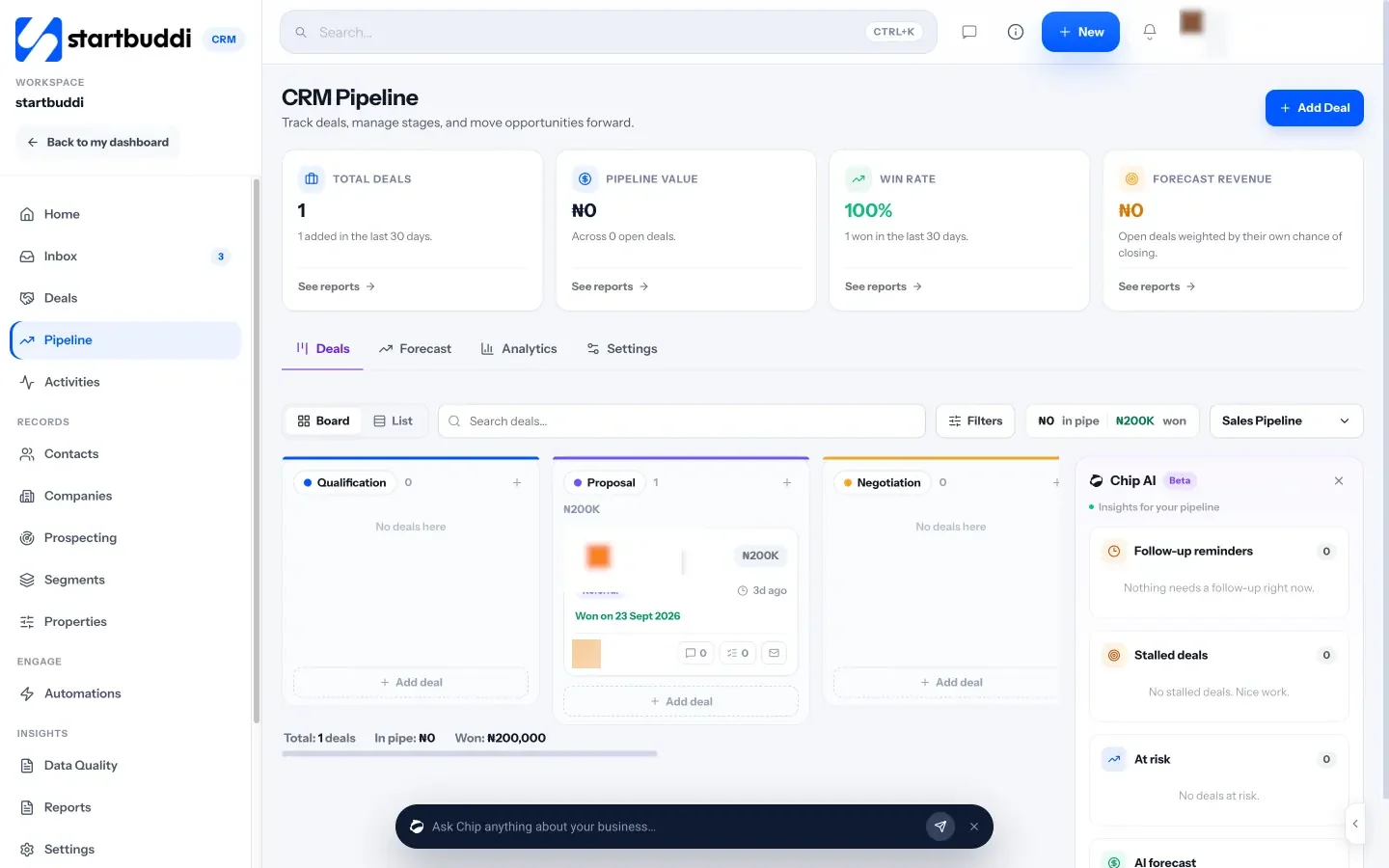
The pipeline lets you create more than one board with your own stages, so one pipeline can track new client business (pitch, terms sent, terms signed) and another can track open roles (brief received, shortlist sent, interviews, offer, placed). Each deal carries a value, so you can see potential fee income at a glance.
Around that, Forms includes a job application template that sends responses into your contacts, contracts let you send terms of business for e-signature, and invoicing handles placement fees, with online payment by card through Stripe or Paystack. The shared inbox brings email, WhatsApp and SMS conversations with clients into one place.
A typical flow for a small agency looks like this: a hiring manager fills in your enquiry form, is saved as a contact, and you link them to their company and add the role as a deal in your job order pipeline. You send terms for signature, move the deal as the shortlist and interviews progress, and when the candidate starts you raise the placement invoice from the same client record.
Some agencies use startbuddi alongside a specialist ATS: candidates live in the ATS, while clients, contracts, invoices and the team’s own tasks live in startbuddi. Others, especially solo recruiters, start with startbuddi alone and add an ATS once volume demands it. Read more on our page for recruitment and staffing agencies, and grab our free recruitment placement agreement template.
There’s a free plan for up to 250 contacts, and every paid plan has a 30-day trial (see pricing). See pricing for what each plan includes.
Your next step
Write your agency’s model, volume and five must-haves on one page today. That page will rule out half the market before you book a single demo. If the business side of your agency is the bigger mess right now, set up a job order pipeline in startbuddi and see if it covers what you need.
Sources
- Bullhorn
- Loxo
- Crelate
- Recruit CRM
- Zoho Recruit
- Manatal
- ICO: Employment practices and data protection, recruitment and selection
- Nigeria Data Protection Commission
Frequently asked questions
What is the difference between a recruitment CRM and an ATS?
An ATS manages applicants for specific jobs. A recruitment CRM manages relationships with candidates and clients over time. Most agency tools now combine both.
Do small recruitment agencies need a specialist CRM?
Not always. A solo recruiter or a new agency with a few roles a month can often start with a simple CRM for clients and a structured candidate list, then add an ATS as volume grows.
Can startbuddi replace an ATS?
No. It has no CV parsing, job board posting or temp timesheets. It covers client relationships, pipelines, contracts, invoicing and team work, and many agencies run it alongside an ATS.
What should a recruitment CRM cost?
Most specialist tools charge per recruiter per month, with extras for job boards or AI features. Prices change often, so compare current pricing pages and trial two or three tools.
Tiwalade Joanna Okedara-Kalu is the founder, CEO and CTO of startbuddi, the business system that brings clients, bookings, invoices, projects, marketing and the Chip AI assistant into one place. Tiwalade builds software around how service businesses really work day to day, and writes about client management, getting paid on time and why small businesses outgrow the tools they start with.
Founded startbuddi and leads its product and engineering