
startbuddi vs Mailchimp: an honest comparison
Mailchimp is an email marketing platform priced by contact count, with a free plan for up to 250 contacts and SMS as a paid add-on in some countries. startbuddi suits small businesses that want email, SMS and WhatsApp next to their contacts, inbox and invoices, while Mailchimp suits those who mainly need email and want to start free.
startbuddi is best for
Small businesses that want email, SMS and WhatsApp next to their contacts and invoices
 Mailchimp
Mailchimp is best for
Small businesses starting an email newsletter on a free plan
At a glance
Where each one is stronger
The short version. Mailchimp first, because it does some things better than we do.
Mailchimp is stronger at
startbuddi is stronger at
Feature by feature
| Feature | startbuddi | Mailchimp |
|---|---|---|
| Send email campaigns for freeFree plan has no Marketing hub; every paid plan has a 30-day trial | No | Yes, up to 500 emails a monthSource (opens in a new tab) |
| Starter email templatesAbout 28 starter templates, plus seasonal sets | Yes | Limited on FreeSource (opens in a new tab) |
| Schedule a campaignSmart send picks your list's best hour; no per-recipient time zone | Yes | Not on FreeSource (opens in a new tab) |
| AI writes your emailsChip writes the subject, copy and call to action | Yes | Standard and PremiumSource (opens in a new tab) |
| A/B testingThe better version is picked by opens or clicks, not conversions | Subject, content or sender | Paid plansSource (opens in a new tab) |
| Automated follow-up flowsEmail, SMS and WhatsApp steps in one flow | Starter plan and up | Essentials: up to 4 flow stepsSource (opens in a new tab) |
| SMS campaignsTermii, Africa's Talking, Twilio or Brevo; not on Free | Built in, or your own provider | Paid add-on, some countriesSource (opens in a new tab) |
| Mobile appWeb app only; works in a phone browser | No | IOS and AndroidSource (opens in a new tab) |
| Integrations | Catalogue + Zapier | 300+Source (opens in a new tab) |
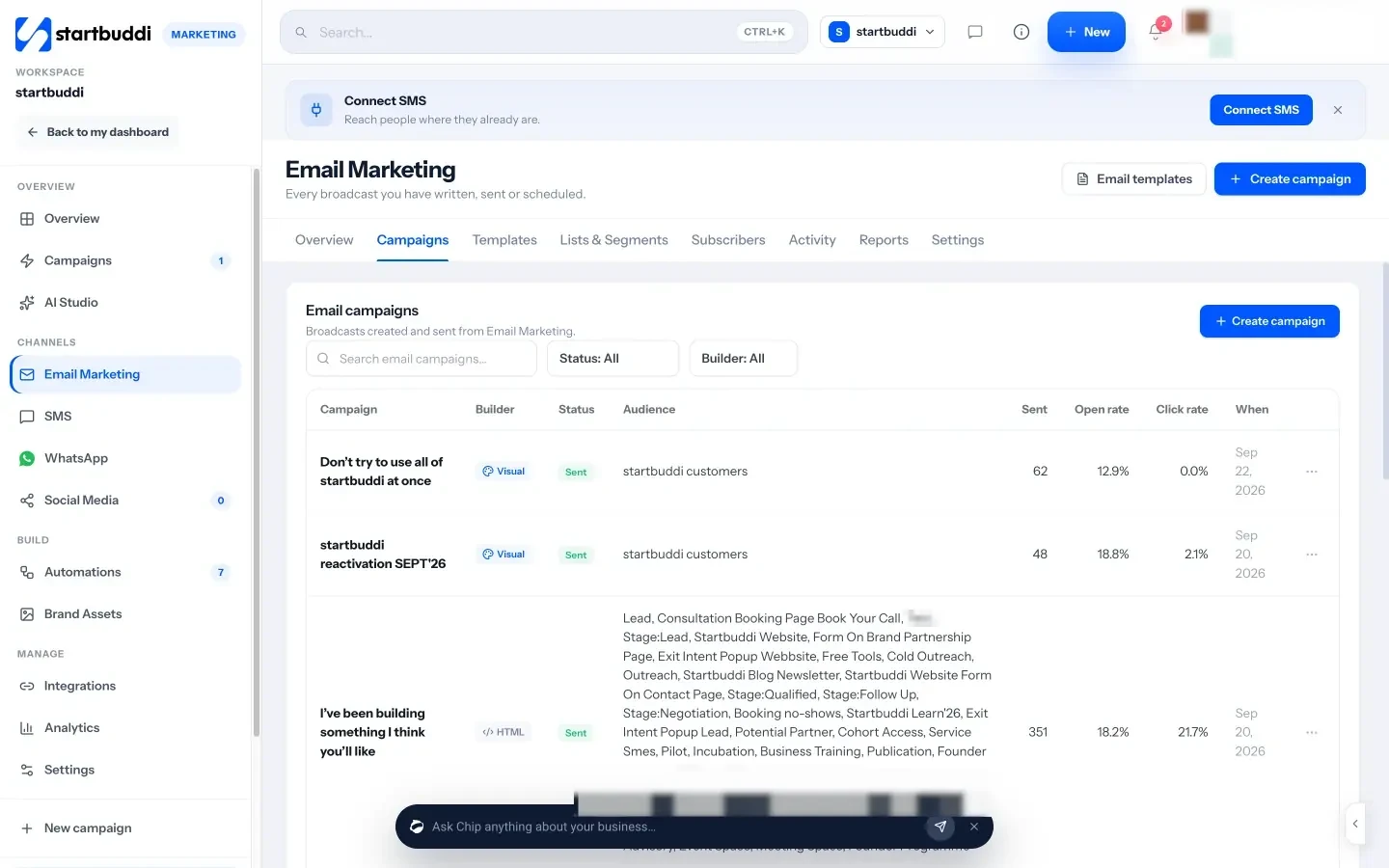
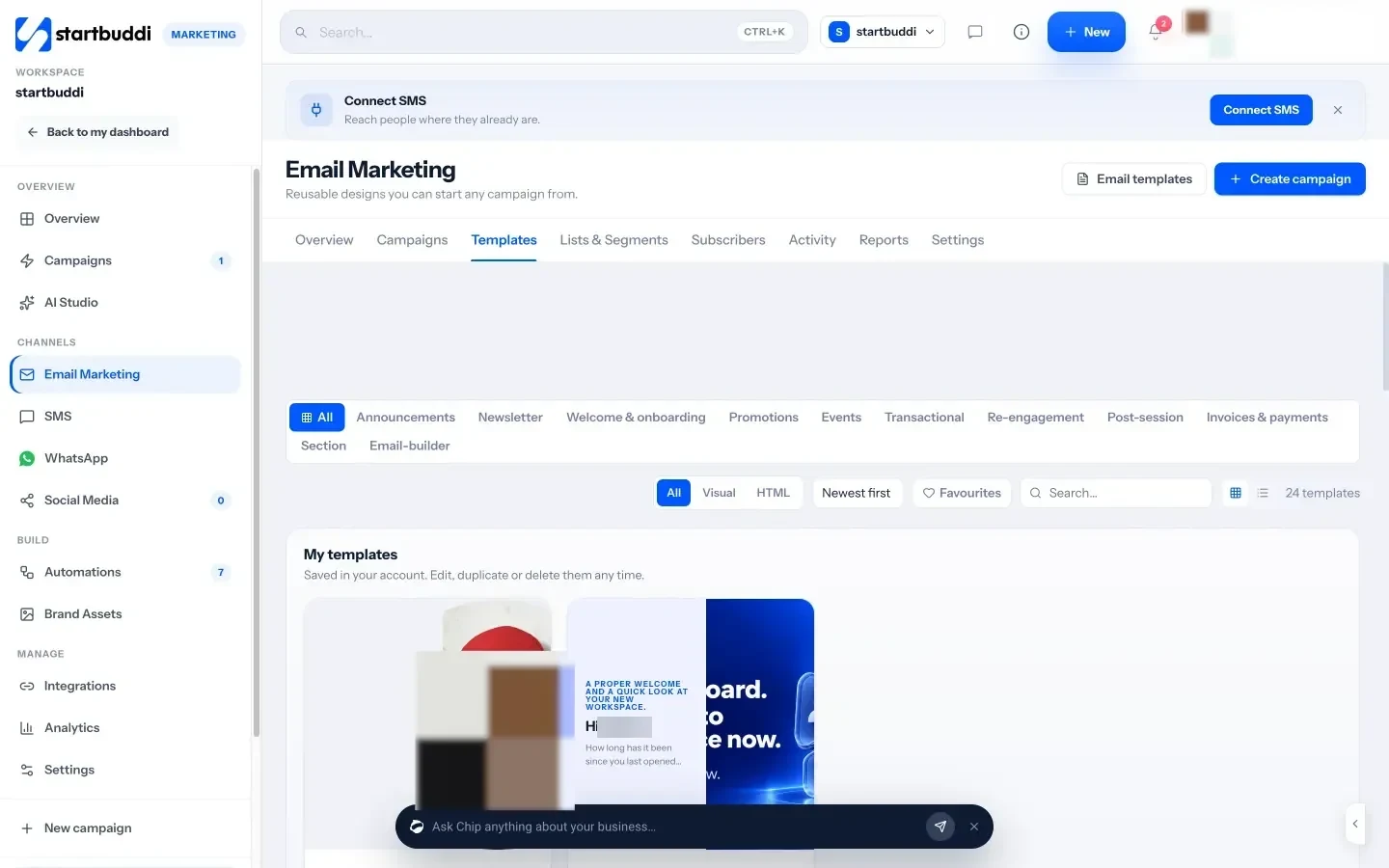
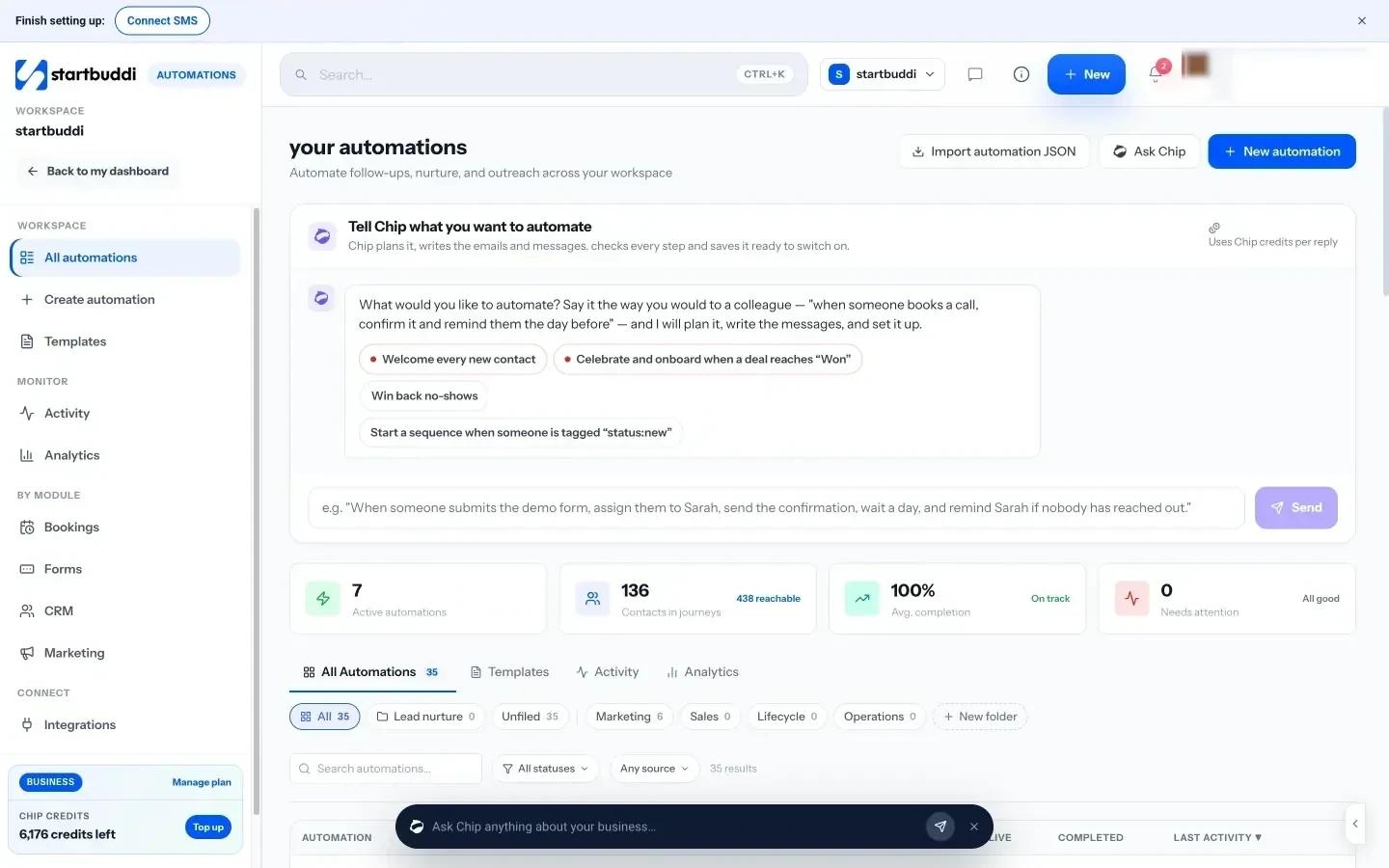
What each one looks like
Real screens, captured by us or taken from the official press kit, each dated.
Pricing side by side
List prices as each company publishes them. We never convert currencies.
startbuddi
- FreeFree
- Starter$29 a month
- Growth$79 a month
- Scale$199 a month
Mailchimp
- FreeFree up to 250 contactsSource (opens in a new tab)
- Essentials$13 USD per month (starting price, 500 contacts); 50% off for the first 12 months at time of checkingSource (opens in a new tab)
- Standard$20 USD per month (starting price, 500 contacts); 50% off for the first 12 months at time of checkingSource (opens in a new tab)
- Premium$350 USD per month (starting price); 50% off for the first 12 months at time of checkingSource (opens in a new tab)
Switching from Mailchimp
What moving across involves.
- Export your audience from MailchimpMailchimp's account export gives you a ZIP of CSV files, with separate files for subscribed, unsubscribed, cleaned and transactional contacts.
- Import them into startbuddiIn Email Marketing, open Subscribers and click Import contacts. Upload the CSV, choose how existing contacts are handled, set their marketing status, map the columns and check the validation report before it runs.
- Verify your sending domainAdd your domain under Email Marketing, Settings, Sending domain, copy the DNS records to your registrar and click Check DNS. Until it is verified, marketing email from the shared address is capped.
- Rebuild templates and follow-upsThe import does not bring over email templates or automations, so recreate them by hand: start from a starter template, and rebuild Mailchimp automations in Automations, where there are starter flows such as a lead capture welcome.
Sources
- Mailchimp pricing (opens in a new tab)
- Mailchimp mobile app (opens in a new tab)
- Mailchimp: export and back up account data (opens in a new tab)
- startbuddi Email marketing (opens in a new tab)
- startbuddi SMS marketing (opens in a new tab)
- startbuddi WhatsApp marketing (opens in a new tab)
- startbuddi Audiences (opens in a new tab)
- startbuddi Campaigns (opens in a new tab)
- startbuddi Automations (opens in a new tab)
- startbuddi Pricing (opens in a new tab)
Questions people ask
Can I move my Mailchimp list to startbuddi?
Yes. Export your audience from Mailchimp as CSV files and use Import contacts in startbuddi. There's no one-click Mailchimp connection yet, so templates and automation flows need rebuilding by hand.
Does startbuddi have a free plan like Mailchimp?
startbuddi has a Free plan, but the Marketing hub is not on it, so you can't send email campaigns on Free. Email, SMS and WhatsApp campaigns start on Starter, and every paid plan has a 30-day trial.
Can I keep my unsubscribes when I switch?
Mailchimp's export separates subscribed and unsubscribed contacts. When you import into startbuddi, you set each file's marketing status, such as Subscribed or Not subscribed, so import them separately.
Does startbuddi send in each subscriber's time zone?
No. startbuddi schedules in your time zone, or uses Smart send to pick the hour your readers open most.
Other comparisons
Mailchimp alternatives


Try startbuddi alongside Mailchimp.
Start on the free plan with a copy of your contacts and see how it fits before you decide.
Start with the one thing you need. The rest is there when you're ready.
Free plan available. Every paid plan starts with a 30-day trial.