
How to start a catering business: kitchen, pricing, scheduling and growth
A four-part guide to starting a catering business: set up a legal kitchen, price menus per head, schedule events and staff, and win repeat bookings.


This guide explains how to start a catering business: choosing the kind of catering you will do, setting up a legal kitchen, pricing menus that make money, quoting and taking deposits, scheduling events and staff, and turning one good event into a steady stream of bookings. It is for home cooks and chefs going professional, restaurant owners adding catering, and event businesses bringing food in-house, in any country.
The short answer: pick one or two kinds of event to specialise in, get your food business registered and a licensed kitchen sorted before you take bookings, price every menu from its real cost per head, always take a deposit and a signed agreement, and run each event from a written timeline with clear jobs for everyone. Each chapter starts with the business side, with templates, worked numbers and mistakes to avoid, then shows how to do it in startbuddi. We are honest about fit too: startbuddi runs enquiries, quotes, deposits, event plans and client follow-up well, but it is not a dedicated staff rota or shift-swapping app, and chapter 3 explains how to handle that.
Choose your catering type and set up legally
- Test demand before you invest
- Where will you cook?
- Register, get licensed and insured
- Food safety for food that travels
- Equipment: buy, hire or borrow
- Write your first menus
- Find reliable suppliers
- A simple start-up budget
- Common mistakes when starting out
Catering looks simple from the outside: cook good food, take it somewhere, serve it. In practice it is a logistics business that happens to involve food. You are cooking large quantities in advance, moving them safely, serving them on time in someone else's space and cleaning up afterwards, often with a team you only see on event days. This chapter helps you decide what kind of caterer you will be, where you will cook and what you need in place legally before your first paid job.
How to start a catering business: choose your kind of catering
"Catering" covers very different businesses. A caterer who drops off sandwich platters for office meetings needs different equipment, staff and prices from one who runs a plated wedding dinner for 200. Most successful small caterers start with one or two types and grow from there.
| Type | What it involves | Typical clients | Things to plan for |
|---|---|---|---|
| Drop-off catering | Food prepared, packed and delivered, with little or no service | Offices, meetings, small parties | Packaging, delivery windows, food that travels well |
| Buffet or family style | Food served on site from shared dishes, with some staff | Birthdays, community events, casual weddings | Hot holding, chafing dishes, replenishing |
| Plated or full service | Courses served to seated guests by waiting staff | Weddings, galas, formal dinners | Larger team, timing with the venue, crockery hire |
| Corporate catering | Regular breakfasts, lunches and events for companies | Offices, co-working spaces, conferences | Invoices on account, repeat orders, dietary lists |
| Specialist catering | A niche cuisine or format, such as grazing tables, barbecue, vegan or halal | Clients looking for something specific | Clear positioning, specialist equipment |
A good way to choose is to look at what you already do well, who you already know and what your local market lacks. A cook with a strong following for West African party food in London, Houston or Toronto has a ready-made niche. A former hotel chef may be better placed for corporate and formal events. An office manager who knows every business in a tech park may do well with drop-off lunches.
Test demand before you invest
Before you rent a kitchen or buy equipment, check that people will pay for your food at a price that works. A few low-cost ways to test:
- Cater for people you know, at a real price. A friend's birthday or a colleague's team lunch, charged properly, tells you more than a free tasting ever will.
- Talk to venues and planners. Ask local event venues without in-house kitchens and wedding or event planners what their clients ask for and which caterers they find hard to get. Gaps in the market often show up in these conversations.
- Look at what competitors offer. Study local caterers' menus, minimums and how they present themselves. You are not trying to copy them, but to find a clear space: a cuisine, a service style, a price point or a type of client they do not serve well.
- Run a pop-up or market stall where local rules allow, to test dishes, build a small following and collect contact details from people who might book you later.
Keep notes of every enquiry you get, even the ones you turn down. After a couple of months you will see which types of event people ask you for, which is the clearest guide to your niche.
Where will you cook?
This is the first practical question, and in many places it decides whether you can legally start. Catering is food service for the public, so most authorities expect it to happen in a kitchen that is registered or permitted and inspected.
- A licensed commercial kitchen you rent. Shared or commissary kitchens rent space by the hour, day or month. This is the most common starting point, because you get commercial equipment without a big investment.
- An existing restaurant or cafe kitchen. If you already run a food business, you may be able to cater from your current kitchen under your existing permit.
- A home kitchen. Rules vary widely. Some places allow some food businesses to run from home after registration and inspection; others do not allow catering from a home kitchen at all. For example, King County in Washington State says licensed caterers must prepare food in an approved kitchen, such as a restaurant or commissary, and a home kitchen can only be used if there is a separate commercial kitchen (King County, catering and home-based food permits).
- Your own premises. Leasing and fitting out your own kitchen gives you control, but is a big commitment. Most caterers do it once they have steady demand.
Register, get licensed and insured
This is general information, not legal advice, and the details change by country, state and city. Use it as a checklist of questions to ask your local authority.
- Food business registration or permit. In the UK, anyone who sells, cooks, stores or handles food must register with their local authority at least 28 days before trading, including home-based businesses (GOV.UK, register a food business). In the US, catering permits are issued by state or county health departments. Elsewhere, start with your local council or environmental health office.
- Business registration and tax. Register the business itself, as a sole trader, partnership or company, and find out which taxes you must charge or pay. The GOV.UK sole trader guide, the IRS self-employed hub, the Corporate Affairs Commission in Nigeria and the Kenya Revenue Authority are good starting points.
- Food hygiene training. Most authorities expect food handlers to be trained, and many require a certificate for the owner or supervisor.
- Insurance. Public or general liability insurance is essential, and venues often ask to see it. Consider product liability, equipment, vehicle and employer's liability or workers' compensation cover too.
- Alcohol. Serving or selling alcohol usually needs a separate licence, or it can be left to the venue or a licensed bar service.
Food safety for food that travels
Catering adds risks a restaurant does not have: food is cooked hours before it is eaten, transported, and held hot or cold in a venue you do not control. Build your processes around that.
- Temperature control. The UK Food Standards Agency says hot food on display should be kept above 63°C and cold food at 8°C or below, and that food taken out of hot holding for display can only be out for up to two hours, once (FSA, chilling food correctly). The US FDA Food Code, adopted as a model by state and local agencies, uses 135°F (57°C) and above for hot holding and 41°F (5°C) or below for cold holding.
- Cooling and reheating. Large batches cool slowly. Split them into shallow containers, cool quickly and reheat thoroughly.
- Transport. Insulated carriers, cool boxes with ice packs, and a probe thermometer to check on arrival.
- Allergens. Label every dish and keep an allergen list for each event. UK law requires information about 14 allergens (GOV.UK allergen guidance); the US FDA lists 9 major food allergens (FDA, food allergies).
Equipment: buy, hire or borrow
You do not need to own everything on day one. Buy what you use at every event: knives, prep equipment, food-grade containers, insulated carriers, thermometers and a few chafing dishes. Hire what you use occasionally: crockery, glassware, linen, large ovens, marquees and tables. A good local hire company is one of the most useful relationships a new caterer can have. As a rule of thumb, once you are paying to hire the same item often enough that the hire fees would have bought it, consider buying.
Write your first menus
Your first menus should be short, reliable and easy to scale. Choose dishes you can cook consistently in large quantities, that hold well at safe temperatures and that travel without falling apart. Many caterers start with three or four set menus at different price points, for example a working lunch, a party buffet and a celebration menu, each with a vegetarian option and clear allergen information. Clients find a few well-described options easier to choose from than a long list, and you buy ingredients more efficiently.
Test every dish at full event quantity before offering it. A sauce that works for eight people can behave very differently in a batch for 120, and a salad that looks beautiful at noon may wilt by the time it reaches a buffet at 7pm.
Find reliable suppliers
Your food is only as reliable as your supply. Build relationships with two or three suppliers for your main ingredients, so a missed delivery does not ruin an event. Ask about delivery days, minimum orders, payment terms and how they handle substitutions. Wholesale markets, cash-and-carry warehouses and specialist suppliers each have a place. Keep supplier details, product specifications and allergen information on file, because you are responsible for knowing what is in every dish you serve.
A simple start-up budget
Catering can start small, because you can rent a kitchen and hire most equipment. The example below is illustrative, for a drop-off and buffet caterer renting a shared kitchen in the US. Replace every line with your own quotes; in Lagos, Leeds or Johannesburg the amounts will be different but the lines are the same.
| Start-up cost (example) | Amount (USD) |
|---|---|
| Registration, permits and food hygiene training | $600 |
| Insurance for the first year | $1,200 |
| Kitchen rental deposit and first month | $1,500 |
| Knives, prep equipment, containers, thermometers | $1,800 |
| Insulated carriers and chafing dishes | $1,400 |
| Branding, photos and a simple website | $1,000 |
| Opening ingredients and packaging | $800 |
| Working capital for three months | $4,000 |
| Total | $12,300 |
A vehicle is the big variable. Many caterers start with their own car or a hired van, and buy a van once events are regular. Do not skip working capital: you often pay for ingredients and staff before the client's final payment arrives.
Common mistakes when starting out
- Taking bookings before the kitchen is registered or permitted.
- Saying yes to every type of event, from 10-person dinners to 400-person weddings, before you have the team or equipment.
- Underestimating transport: vehicles, carriers and the time it takes to load and unload.
- No written allergen information for each dish.
- No insurance certificate ready when a venue asks for it.
Finally, give yourself a realistic timeline. Registration, kitchen arrangements, insurance and menu testing can easily take two to three months. Work backwards from the date of your first planned event, and do not take a deposit for a date you cannot be sure of meeting legally.
Set up your catering business in startbuddi
In startbuddi, a small catering business gets one place for enquiries, clients, quotes, deposits, event plans and follow-up. At the start, the most useful thing is to turn your launch into a clear plan.
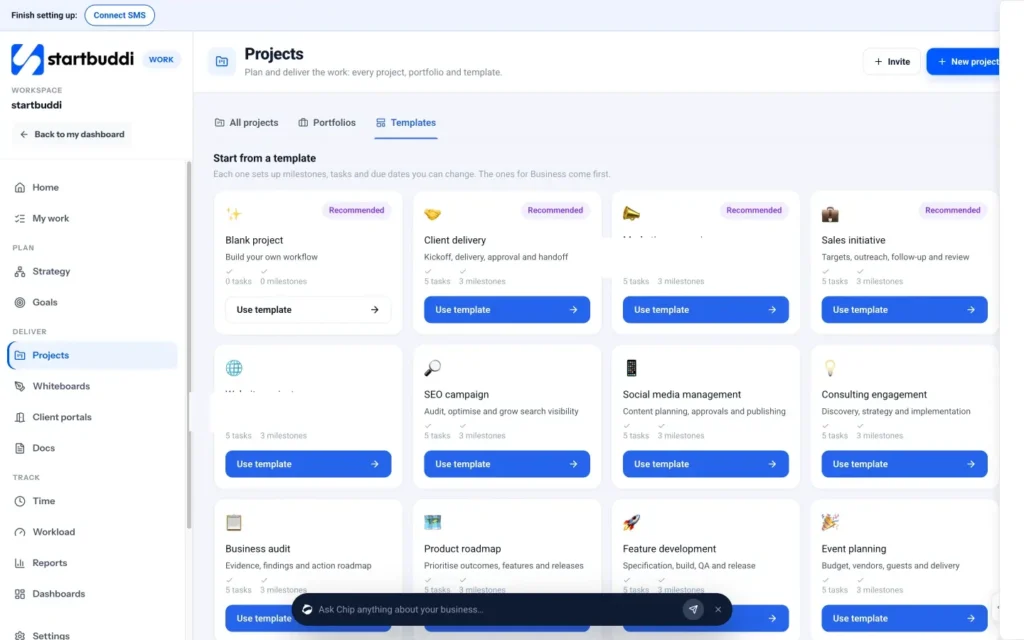
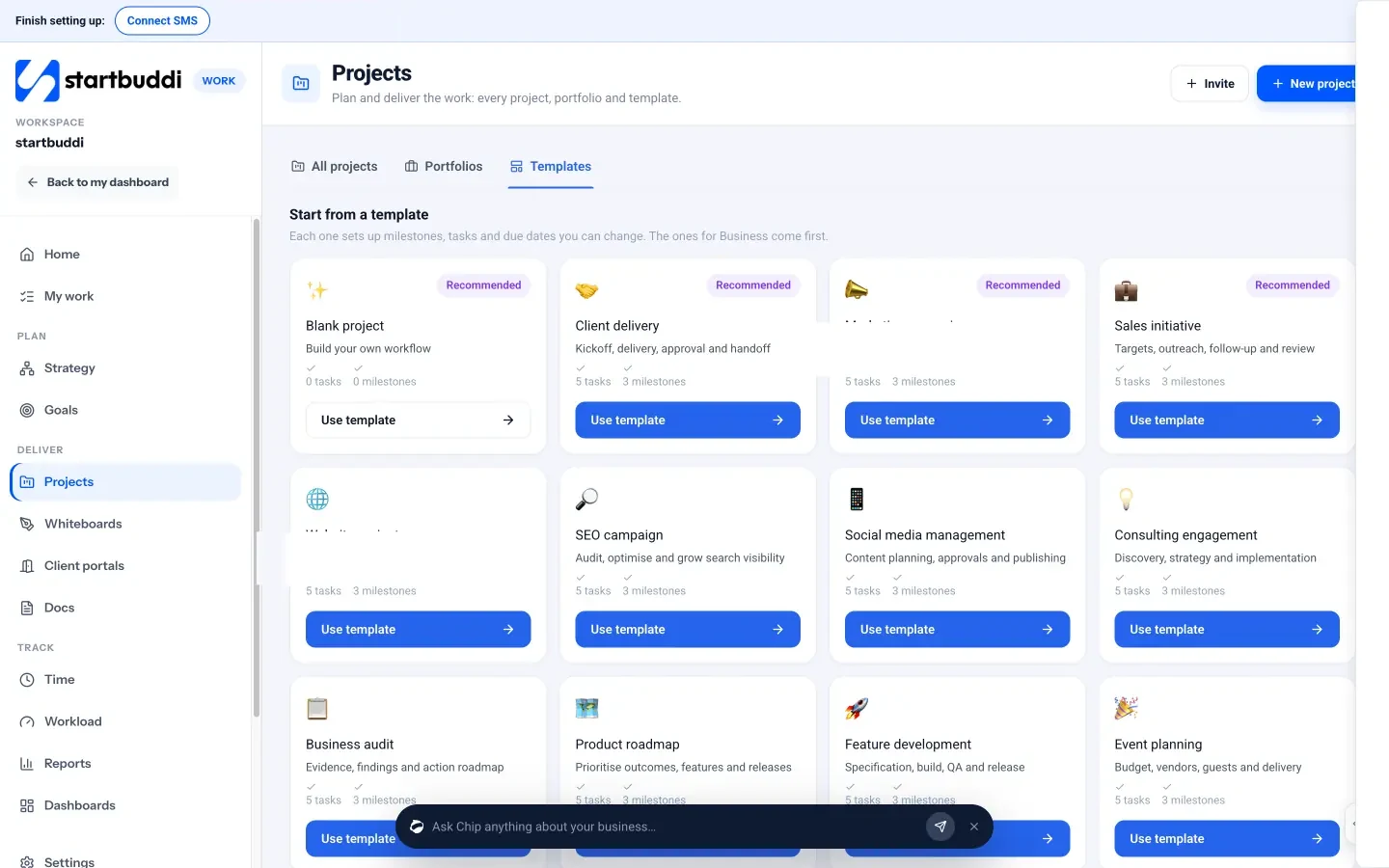
Plan the launch as a project. In Work, open Projects and look at the Templates tab. Templates set up milestones, tasks and due dates you can change, and Event planning is one of the built-in templates, which also suits planning each catering event later. For the launch itself, start a project called "Launch" with tasks such as "Register with the council", "Book kitchen trial", "Get liability insurance", "Photograph five signature dishes" and "Build tasting menu", each with a due date. See projects for what else a project can hold.
Keep documents in one place. In Documents, create folders for your registration and inspection reports, insurance certificates, allergen matrix, recipes and supplier details. When a venue asks for your certificate, it takes seconds to find.
Record set-up costs. Add equipment, hire deposits, training fees and insurance to Expenses in Money Manager with the receipt attached, so you know exactly what it cost to get started. Expenses are included on the Free plan.
Price menus, write quotes and take deposits
- A worked example
- Minimums, extras and travel
- From enquiry to quote
- What a good catering quote includes
- Pricing drop-off and corporate orders
- When the client has a smaller budget
- Deposits, payment schedules and cancellations
- Following up on quotes
- Tastings
- Writing proposals for weddings and large events
- Reviewing prices through the year
- Pricing mistakes to avoid
Catering is won and lost on the quote. Price too low and you work a 14-hour event for almost nothing. Price too high without explaining the value, and the client books someone else. This chapter shows you how to cost a menu per head, build prices that cover labour and overheads, write a quote clients can say yes to, and protect yourself with deposits and a clear agreement.
Pricing a catering menu: start from cost per head
The foundation of catering pricing is the cost of food per guest. For every dish on a menu, work out the ingredient cost for one portion, including garnishes, sauces, oil and a sensible allowance for waste. Add the dishes together to get the food cost per head for the whole menu.
Then build up the rest of the price. A simple, reliable method has four layers:
- Food cost per head. What the ingredients cost for one guest.
- Labour. Prep hours in the kitchen plus event hours for chefs, servers and drivers, including travel and set-up.
- Event costs. Hire items, disposables, transport, fuel, ice, venue fees and anything specific to this event.
- Overheads and profit. A share of kitchen rent, insurance, software, marketing and your own wage, plus a profit margin.
A worked example
A buffet lunch for 80 guests at a company event, with two mains, two sides, a salad and a dessert.
| Cost | Calculation | Amount (USD) |
|---|---|---|
| Food | $7.50 per head × 80 | $600 |
| Kitchen labour | 2 cooks × 6 hours × $22 | $264 |
| Event labour | 1 chef + 3 servers × 5 hours × $20 | $400 |
| Hire and disposables | Chafing dishes, serving ware, napkins | $180 |
| Transport | Van, fuel, parking | $60 |
| Direct costs | $1,504 | |
| Overheads and profit | Add 45% to direct costs | $677 |
| Price | $2,181, about $27 per head |
You would probably quote $27.50 per head with a minimum of 60 guests. Notice that food is only around 28% of the price. New caterers who price at "twice the food cost" often discover that labour and event costs have eaten their profit. The percentages that work for you will depend on your market and style, so use your own numbers and track them after each event.
The same method works in any currency. A caterer in Lagos might cost jollof, chicken, moin moin and small chops at ₦4,500 per head in ingredients, add labour, hire and transport, and arrive at ₦11,000 to ₦13,000 per head. A caterer in Cape Town or Manchester follows exactly the same steps with local prices.
Minimums, extras and travel
Set a minimum spend or minimum guest number, because an event for 15 people takes almost as much planning as one for 50. List extras with their own prices: extra staff hours, late finishes, cake cutting, bar service, premium crockery, delivery outside your usual area and weekend or holiday rates. Being clear up front avoids awkward conversations on the day.
From enquiry to quote
Most catering enquiries arrive with too little information to quote. An enquiry form that asks the right questions saves days of back-and-forth. Ask for:
- event type, date, start and finish times;
- venue address and whether there is a kitchen, power and water;
- number of guests, and how firm that number is;
- service style: drop-off, buffet, family style or plated;
- dietary requirements and allergies;
- budget range;
- whether they need staff, hire items or bar service;
- how they heard about you.
Reply fast. Clients planning an event often contact several caterers on the same day, and the first clear, friendly quote has a real advantage. If you cannot quote within a day, acknowledge the enquiry and say when you will.
What a good catering quote includes
A quote should make it easy to say yes. Include:
- the event details as you understand them, so the client can spot mistakes;
- the menu, with a short description of each dish;
- what is included: staff and their hours, set-up, service, clearing, hire items;
- the price per head or package price, extras and any tax;
- the deposit, payment schedule and how to pay;
- the final numbers deadline, usually 7 to 14 days before;
- how long the quote is valid.
The free quote and estimate template gives you a layout to adapt.
Pricing drop-off and corporate orders
Drop-off catering is priced differently from full-service events, because there is little or no staff time on site. Price it per head or per platter, with a delivery charge and a minimum order. Packaging becomes a real cost, so include it in your costing. Corporate clients value reliability and simplicity more than a bargain: a clear menu, set prices, a reliable delivery window and invoices that match their purchase orders. For regular clients, you can offer a small discount in exchange for a standing weekly or monthly order, which gives you predictable work and makes planning easier.
For corporate accounts, agree payment terms up front. Many companies pay on 14 or 30-day terms after an invoice. That is manageable for regular small orders, but for large one-off events, still ask for a deposit so you are not funding the ingredients and staff yourself.
When the client has a smaller budget
Many enquiries come with a budget lower than your standard price. Rather than cutting your price, change what is included. Offer a buffet instead of plated service, fewer courses, simpler ingredients, drop-off instead of full service, or fewer staff hours. Explain the options clearly: "For $20 per head we can do a two-main buffet with drop-off and set-up; for $27.50 we add service staff and dessert." This keeps your prices consistent and gives the client a real choice. If even the simplest option does not fit their budget, it is fine to decline politely.
Deposits, payment schedules and cancellations
Never hold a date without a deposit. Food and staff are booked well in advance, and a late cancellation can leave you with costs and no income. A common structure is a deposit to secure the date, a second payment a month or so before, and the balance due before the event or on final numbers. For small corporate orders on account, invoice after the event on short terms.
How big should the deposit be? Enough to cover your costs if the client cancels late. Many caterers use 25 to 50 per cent, higher for weddings and custom menus. Our guide to deposits and upfront payments explains the reasoning, and the deposit calculator does the sums.
Put your cancellation terms in writing: what happens to the deposit, what is due if the client cancels within 30 days or 7 days, and what happens if guest numbers drop after the final numbers deadline. Consumer law may give private clients extra rights, so check the rules where you work. The cancellation policy template helps you write clear terms.
Following up on quotes
Many quotes go unanswered, not because the client said no, but because they are busy comparing options or waiting for a decision from someone else. Follow up two or three days after sending a quote with a short, helpful message: ask whether they have questions, offer a quick call, and mention if the date is in demand. A second follow-up a week later is reasonable. After that, send one final note saying you will release the date unless they would like to go ahead. Clients appreciate clarity, and it often prompts a decision.
Tastings
For weddings and large events, clients often want to taste the food before booking. Tastings take time and ingredients, so decide your approach: a paid tasting that is credited against the booking, a free tasting only after a deposit, or group tasting evenings where several couples attend at once. Schedule them in advance and keep them short and focused on the dishes the client is considering.
Writing proposals for weddings and large events
For big events, a simple quote is sometimes not enough. Couples and corporate event teams often want a short proposal that shows who you are and what the day will feel like. Keep it to a few pages: a short introduction, photos of similar events, the menu with descriptions, how service will run on the day, what is included, the price and the next step. Add one or two testimonials if you have them. A well-presented proposal makes a higher price feel reasonable, because the client can see the care that goes into the event.
Reviewing prices through the year
Ingredient, fuel and labour costs change. Review your costings at least twice a year, and whenever a major ingredient jumps in price. For events booked many months ahead, say in your terms that menu prices are fixed from the date the deposit is paid, or that you may adjust prices if costs rise by more than a set amount before final numbers. Either approach is fine as long as the client knows in advance. Clients rarely object to a clear, well-explained price change; they object to surprises.
Charge for tastings in a way that feels fair. A common approach is a set fee per couple or per client, credited in full against the final invoice if they book. It covers your costs, filters out people who are only curious, and rewards those who go ahead.
Pricing mistakes to avoid
- Pricing from food cost alone and forgetting labour, transport and hire.
- Quoting from memory, so the same menu gets different prices for different clients.
- No minimum spend, so small events lose money.
- Holding dates without a deposit.
- No final numbers deadline.
- Not charging for tastings, menu changes or late extras.
Enquiries, quotes, contracts and deposits in startbuddi
This is where startbuddi saves a caterer the most time, because the enquiry, the quote, the contract, the deposit and the final invoice all stay connected to the same client.
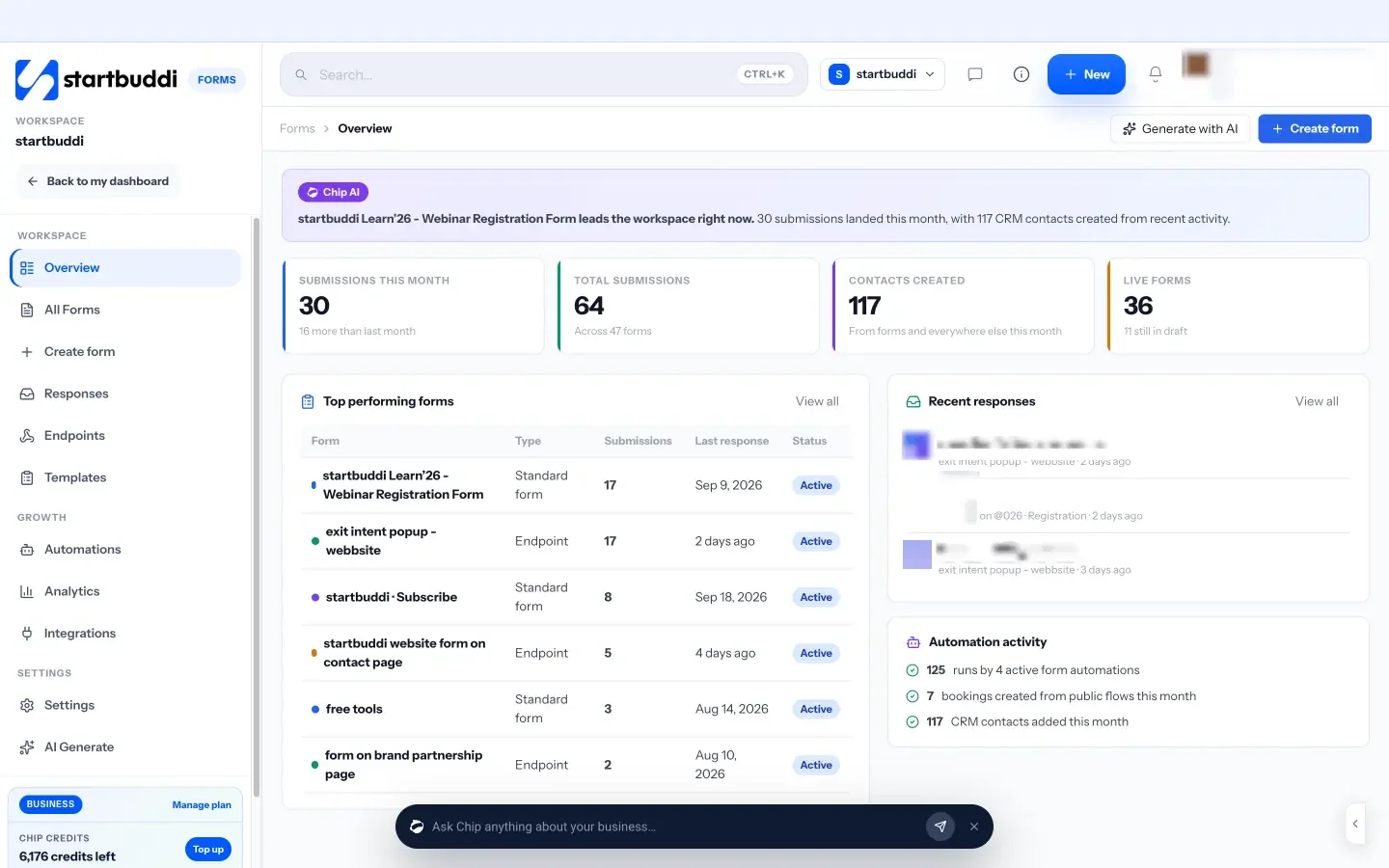
An enquiry form that asks the right questions. In Forms, the templates include a Catering Inquiry form, which you can edit to ask the questions above. Share it as a link, embed it on your website or open it from your link in bio. Logic can show or hide questions based on earlier answers, for example asking about bar service only if the client says they want drinks. Every submission lands in your contacts, and the Free plan includes 1 form. See Forms.
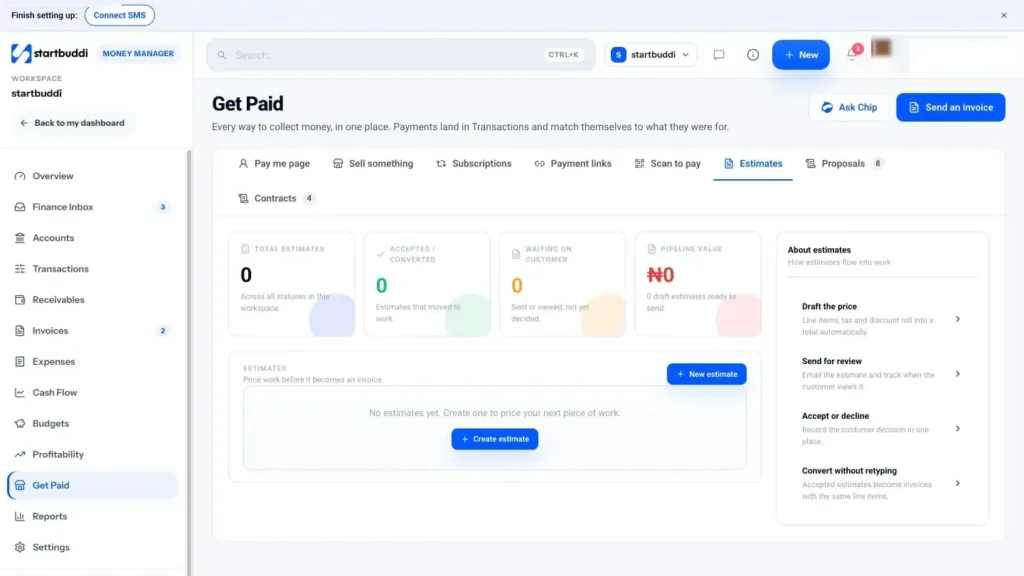
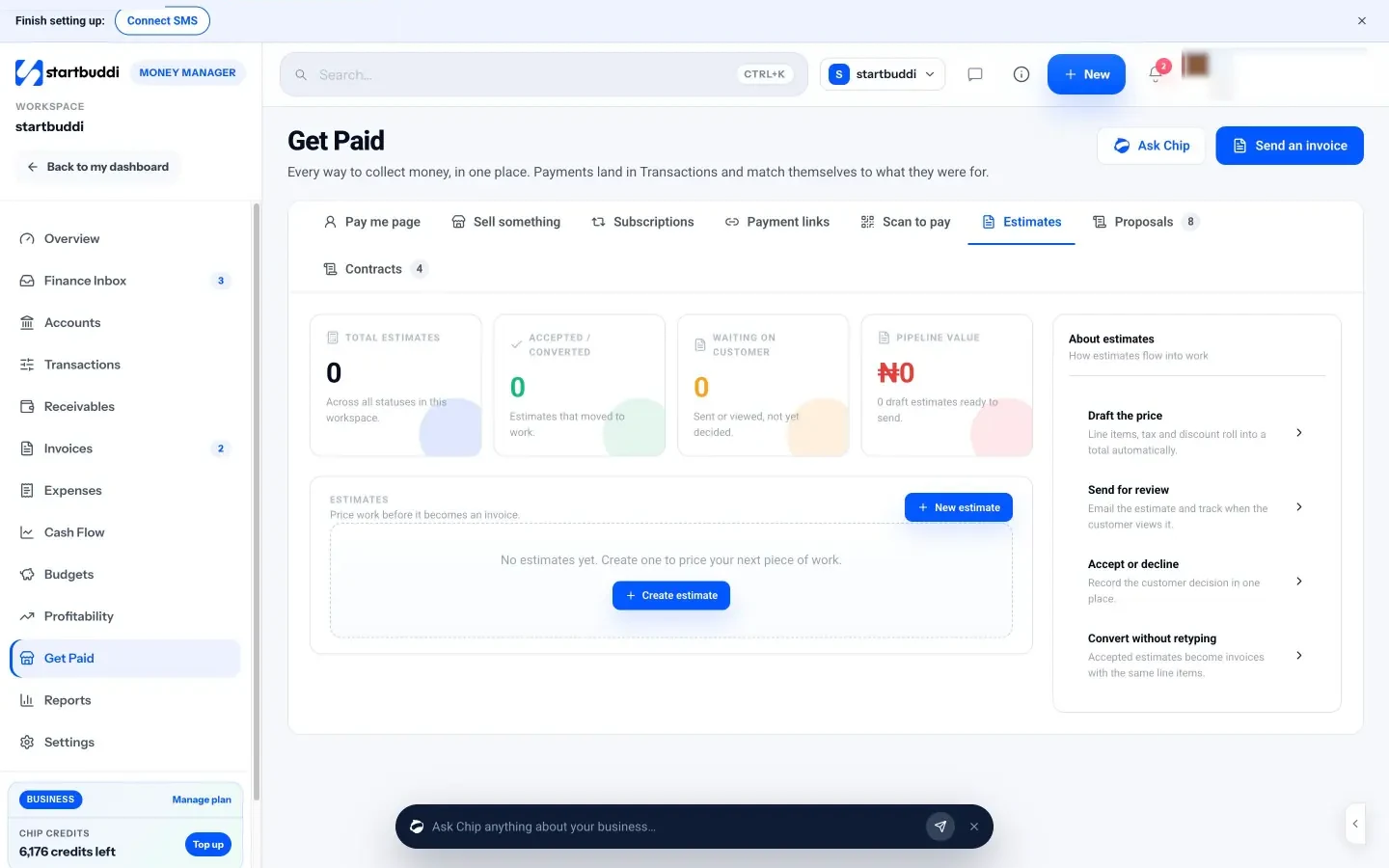
Estimates that turn into invoices. In Money Manager, open Get Paid, then Estimates, and click New estimate. Choose the client, set the currency and add line items for the menu, staff, hire and extras, with tax and any discount. The notes box is where your terms go, such as "Valid for 14 days. 40% deposit to secure the date. Final numbers 10 days before." Send it by email. The client replies to accept, and you click Mark accepted, then Convert to invoice, which creates an invoice with the same line items, with nothing retyped. See estimates, proposals and contracts.
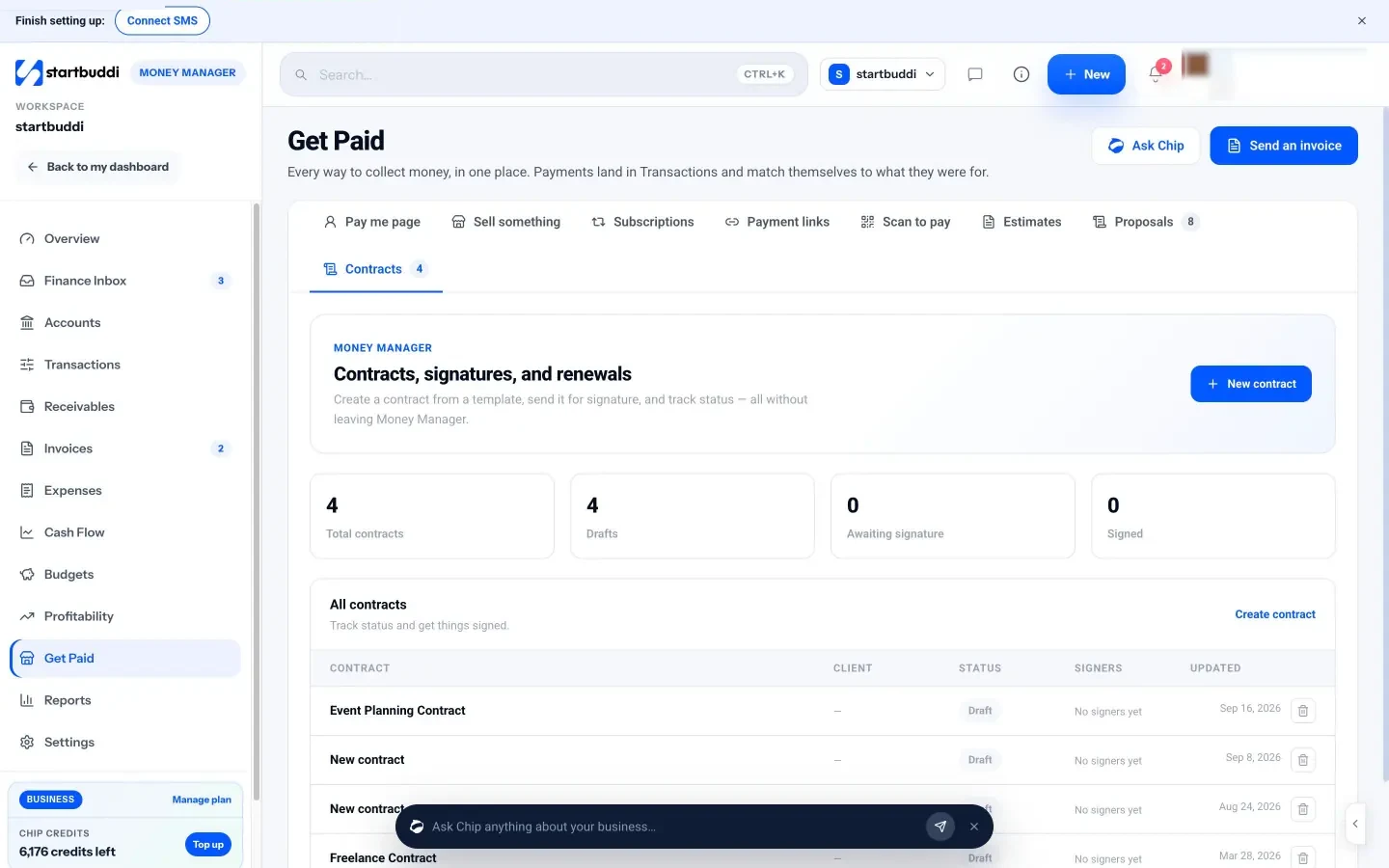
Contracts with e-signature. From the Contracts tab, start a new contract from a template such as Event Planning Contract, edit the wording in the document editor to include your catering terms, add the client as a signer and send it for signature. The status moves to Signed when everyone has signed. The templates are a starting point, not legal advice, so have your terms checked.
Deposits and payments. Send the deposit as an invoice or a payment link, which the client can pay online by card or bank transfer through your connected Paystack or Stripe account. You can record bank transfers that arrive outside startbuddi against the invoice, so the balance always shows what is still owed. The Free plan includes 5 invoices a month; Starter and above are unlimited.
Catering scheduling: events, prep and staff
- Keep one events calendar
- Build a production schedule
- Write an event-day timeline
- Catering staff scheduling
- Use a checklist for every event
- What catering scheduling software should do
- Deliveries and logistics
- Recipes that scale with guest numbers
- Plan capacity for busy seasons
- Brief your team before every event
- A simple way to schedule your core team
- Allergen control on the day
- Scheduling mistakes to avoid
A catering event is a deadline you cannot move. Guests arrive at 7pm whether or not the canapés are ready. That is why good caterers plan backwards from the moment of service, schedule prep days in detail, and staff each event deliberately. This chapter covers catering scheduling from first booking to the day itself: your events calendar, production schedules, event-day timelines and staff scheduling, plus an honest look at which tools do what.
Catering scheduling: plan every event backwards
Start with the time food must be served, and work back through every step: plating, transport, loading, final cooking, prep, ordering and shopping. Each step gets a time and an owner. When every event is planned this way, clashes and gaps show up days in advance rather than on the morning of the event.
Keep one events calendar
The first rule of catering scheduling is one calendar for every confirmed and provisional event. Include tastings, site visits and delivery slots as well as the events themselves. Mark each booking's status clearly, for example "enquiry", "quote sent", "deposit paid" and "final numbers in", so you never double-book a date on the strength of an unpaid quote.
When you look at the calendar, check more than dates. Two events on the same Saturday may be possible if both are drop-off lunches, and impossible if both need your only van and your head chef. Capacity for a caterer is kitchen time, equipment, vehicles and people, not just the date.
Build a production schedule
For each event, write a production schedule: what gets made, when, by whom, and how it is stored. A typical plan for a Saturday wedding buffet might look like this:
| When | Task | Who |
|---|---|---|
| Monday | Confirm final numbers and dietary list; place supplier orders | Owner |
| Wednesday | Check hire order, staff confirmations and venue access times | Owner |
| Thursday | Receive deliveries; make stocks, sauces, marinades and desserts | Head chef + 1 cook |
| Friday | Main prep: marinate, par-cook, prepare salads, portion desserts; pack dry goods and equipment | Head chef + 2 cooks |
| Saturday, 10:00 | Final cooking; label dishes and allergens; load van with checklist | Head chef + 2 cooks |
| Saturday, 14:00 | Travel; arrive, check temperatures, set up buffet | Chef + service team |
| Saturday, 17:00 | Service | All |
| Saturday, 20:30 | Clear, pack down, leave venue as agreed | All |
| Sunday or Monday | Return hire items; clean equipment; record costs | Owner + 1 |
Write an event-day timeline
Separate from your production schedule, the event-day timeline is what you share with the client, the venue and your staff. It shows arrival time, set-up, service times for each course or buffet, speeches or key moments, clearing and departure. Agree it with the client or event planner at least a week before, and bring printed copies on the day. When the wedding speeches overrun by 40 minutes, a shared timeline helps everyone adjust calmly.
Catering staff scheduling
Many caterers work with a small core team plus freelance or part-time staff for events. Staffing well is one of the biggest factors in both guest experience and profit. For each event, decide:
- Roles. Chefs, kitchen porters, servers, bar staff, a team lead, drivers.
- Numbers. Based on guest count, service style and the venue layout. Plated service needs far more servers than a buffet; a venue with a long walk from kitchen to room needs more hands.
- Hours. Include travel, set-up and pack-down, not just service time.
- Briefing. A short written brief for each event: address, parking, dress code, timeline, menu with allergens, and who is in charge.
Keep a list of reliable staff with their skills and availability. Ask for availability early, confirm shifts in writing, and send a reminder a day or two before. Follow employment rules on minimum wage, breaks and overtime where you work. In the UK, for example, workers over 18 usually have the right to one uninterrupted 20-minute rest break during a working day of more than six hours (GOV.UK, rest breaks at work). In the US, the Department of Labor explains overtime rules for hours over 40 in a workweek (US DOL, overtime pay). This is general information, not legal advice.
Use a checklist for every event
Checklists turn good habits into routine. Keep three for each event: a pre-event checklist (final numbers, dietary list, supplier orders, staff confirmed, hire confirmed, timeline agreed), a loading checklist (every dish, utensil and piece of equipment) and a closing checklist (hire items counted, venue left as agreed, leftovers handled safely, temperatures and incidents recorded). Tick them off every time, even for small events. The day you skip one is the day something gets left behind.
What catering scheduling software should do
You can run a small catering business on a calendar and spreadsheets for a while. As events increase, look for tools that cover these jobs:
- One calendar of events with status (enquiry, confirmed, deposit paid).
- Client records with every quote, invoice and message.
- Quotes and invoices linked to events, with deposits and payment schedules.
- Event plans with tasks, deadlines and owners.
- Staff scheduling: shifts, availability, confirmations and hours.
- Menus, recipes and costing, ideally scaling to guest numbers.
- Reports on revenue and profit per event.
No single tool is perfect at all of these. Dedicated catering software, such as Caterease, focuses on event orders, menus and kitchen reports. Staff scheduling apps, such as Deputy and Homebase, focus on rotas, shift swaps and timesheets. All-in-one business tools like startbuddi focus on clients, quotes, payments, projects and follow-up. Decide which jobs cause you the most pain, and choose for those. Our post on catering scheduling software compares the options in more detail.
Deliveries and logistics
Getting food to the venue safely and on time is half the job. Plan the route and the loading order: what goes in first, what must stay upright, what needs to be kept hot or cold and for how long. Allow for traffic, parking and the walk from the vehicle to the kitchen or room, which at some venues involves stairs, lifts or long corridors. Check access times with the venue in writing, including when you can arrive and by when you must leave. For drop-off orders, give clients a delivery window rather than an exact time, and message them when you are on the way.
Keep a simple delivery record for each event: what went out, the temperature of hot and cold food when it left and when it arrived, and who signed for it. It takes a minute and protects you if anything is questioned later.
Recipes that scale with guest numbers
Standard recipes are the foundation of consistent food and accurate costing. Write each recipe for a fixed number of portions, with exact weights, method, yield and allergens. When an event is confirmed, scale the recipe to the final guest number plus a small allowance for waste, and turn the result into your shopping list and prep list. Portion guides help too: grams of protein per guest, pieces of canapé per hour, portions of dessert. Over time, compare what you prepared with what was eaten, and adjust your guides so you waste less without running out.
Plan capacity for busy seasons
Catering is seasonal almost everywhere. Wedding season, end-of-year parties, religious festivals and conference season can push several big events into the same weeks. Look at last year's calendar, or your enquiries so far, and decide your limits in advance: how many events a week your kitchen, vehicles and core team can handle, and which dates you will close to new bookings. Being able to say "we are fully booked that weekend" protects your quality, and it is far better than accepting an event you cannot deliver well.
In quieter months, focus on work that fills the gaps: corporate lunches, meal prep for regular clients, cookery classes or pop-ups. Use the time to train staff, update menus and service equipment.
Brief your team before every event
A ten-minute briefing before guests arrive prevents most problems on the day. Cover the timeline, the menu and allergens, who is in charge of what, where the client and venue contacts are, and any special requests, such as a guest in a wheelchair, a surprise speech or a strict finish time. Ask if anyone has questions. After the event, a five-minute debrief captures what went well and what to improve while it is fresh.
A simple way to schedule your core team
For a small catering business, a weekly rhythm keeps staffing under control without special software. On Monday, list the coming fortnight's events with the roles and hours each one needs. Send the list to your regular staff and ask for availability by Wednesday. Assign shifts on Thursday and confirm them in writing, with the event brief attached. Send a reminder the day before each event. Keep a running record of hours worked per person, which you need for pay and for checking labour cost against each quote.
Build a bench of reliable freelancers for busy periods, and pair new people with experienced staff on their first events. The more consistent your team, the less briefing each event needs, and the better the service.
Allergen control on the day
Allergen mistakes are among the most serious risks in catering, and busy events make them more likely. Label every dish on the buffet or pass with its name and allergens, keep a printed allergen list for the lead, and prepare special meals separately, clearly labelled with the guest's name. Brief servers on who to ask when a guest has a question, rather than guessing.
Scheduling mistakes to avoid
- Pencilling in events on different calendars, so a date gets double-booked.
- Planning only the event day, not the prep days before it.
- Staffing for service time and forgetting set-up and clear-down.
- Confirming staff by a quick call with no written details.
- No buffer for traffic, late deliveries or an overrunning venue.
Schedule events and your team in startbuddi
Here is how startbuddi handles catering scheduling, and where you might pair it with another tool.
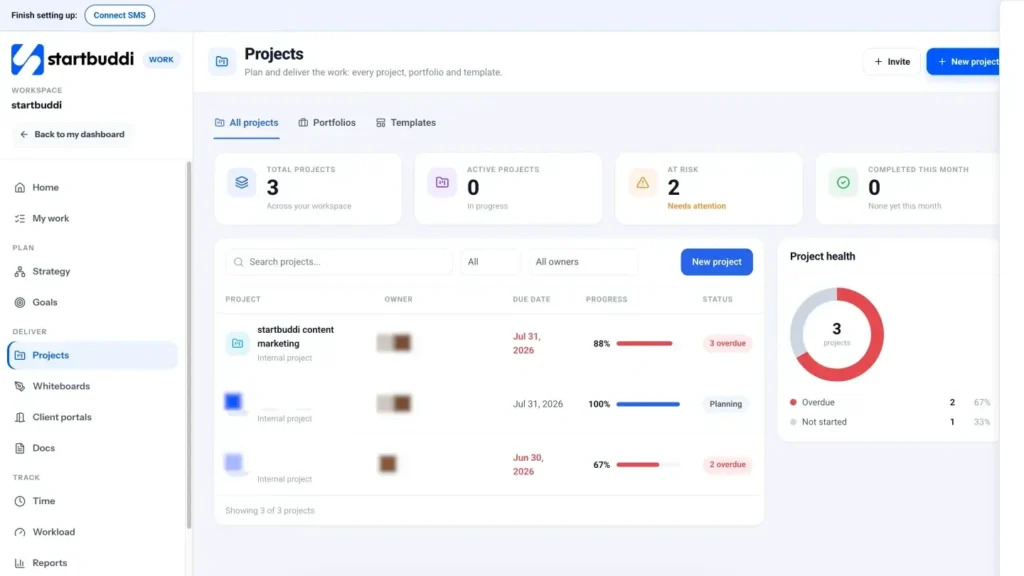
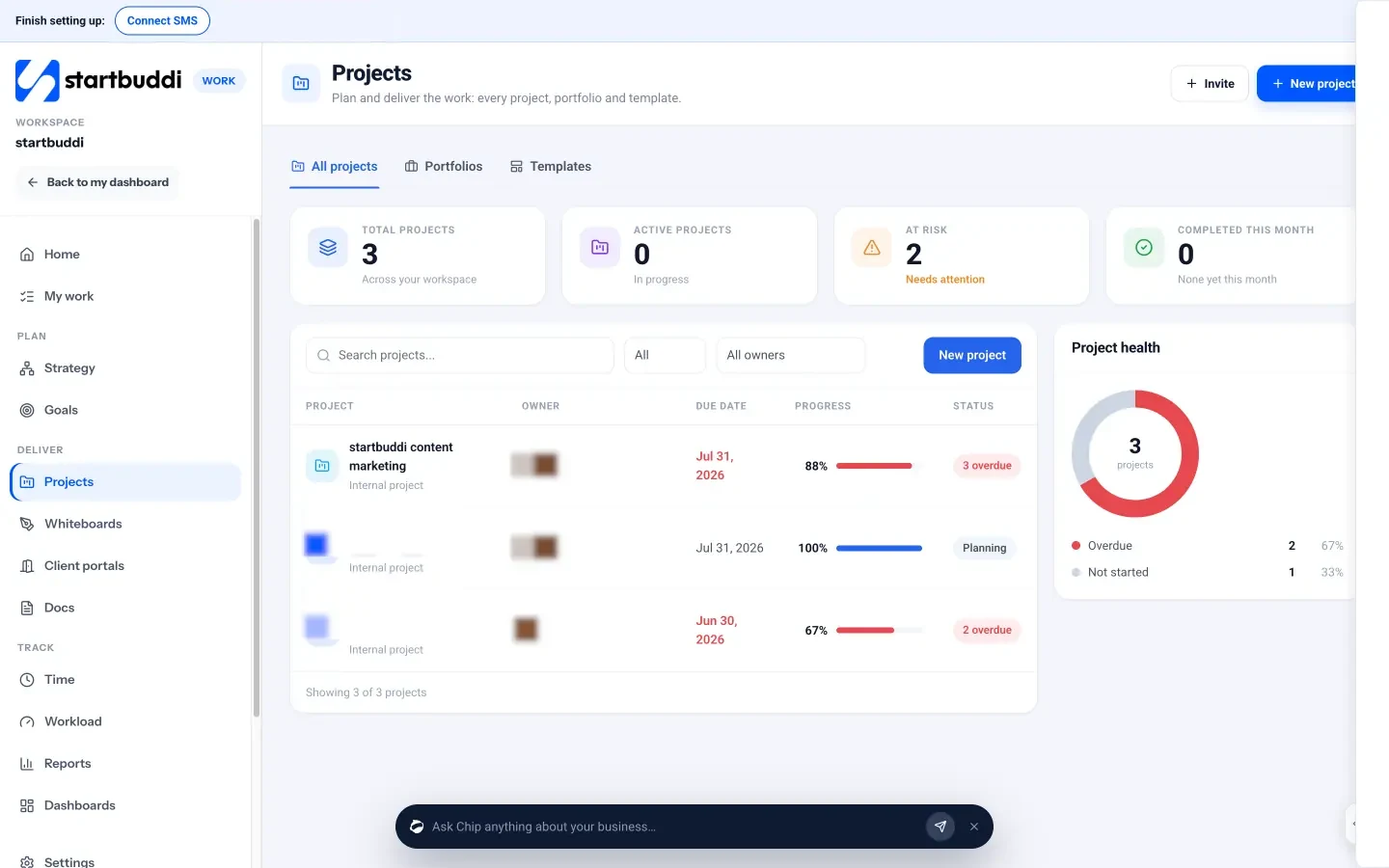
Each event as a project. In Work, create a project for each confirmed event, linked to the client, using the Event planning template or your own saved template. Add tasks for each line of your production schedule, with dates and assignees, and milestones such as "Final numbers in" and "Hire confirmed". The Timeline tab shows the plan as a Gantt chart, and every project gets its own discussion room in Chat for the team. The glossary explains project management software if this is new to you.
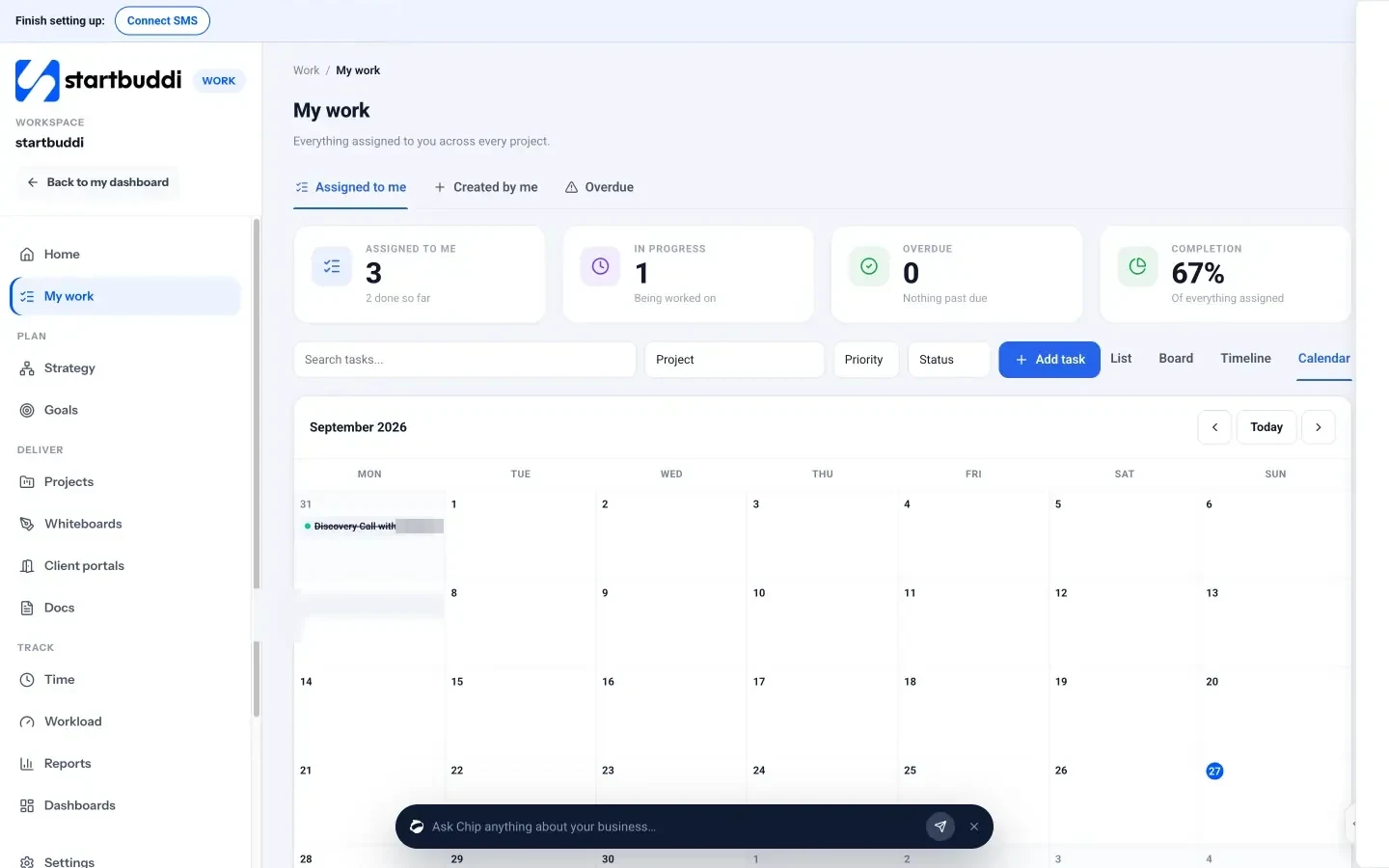
See the week ahead. My work shows every task assigned to you across all events in a list, a board or a calendar, so prep days are visible alongside event days. My work has the details.
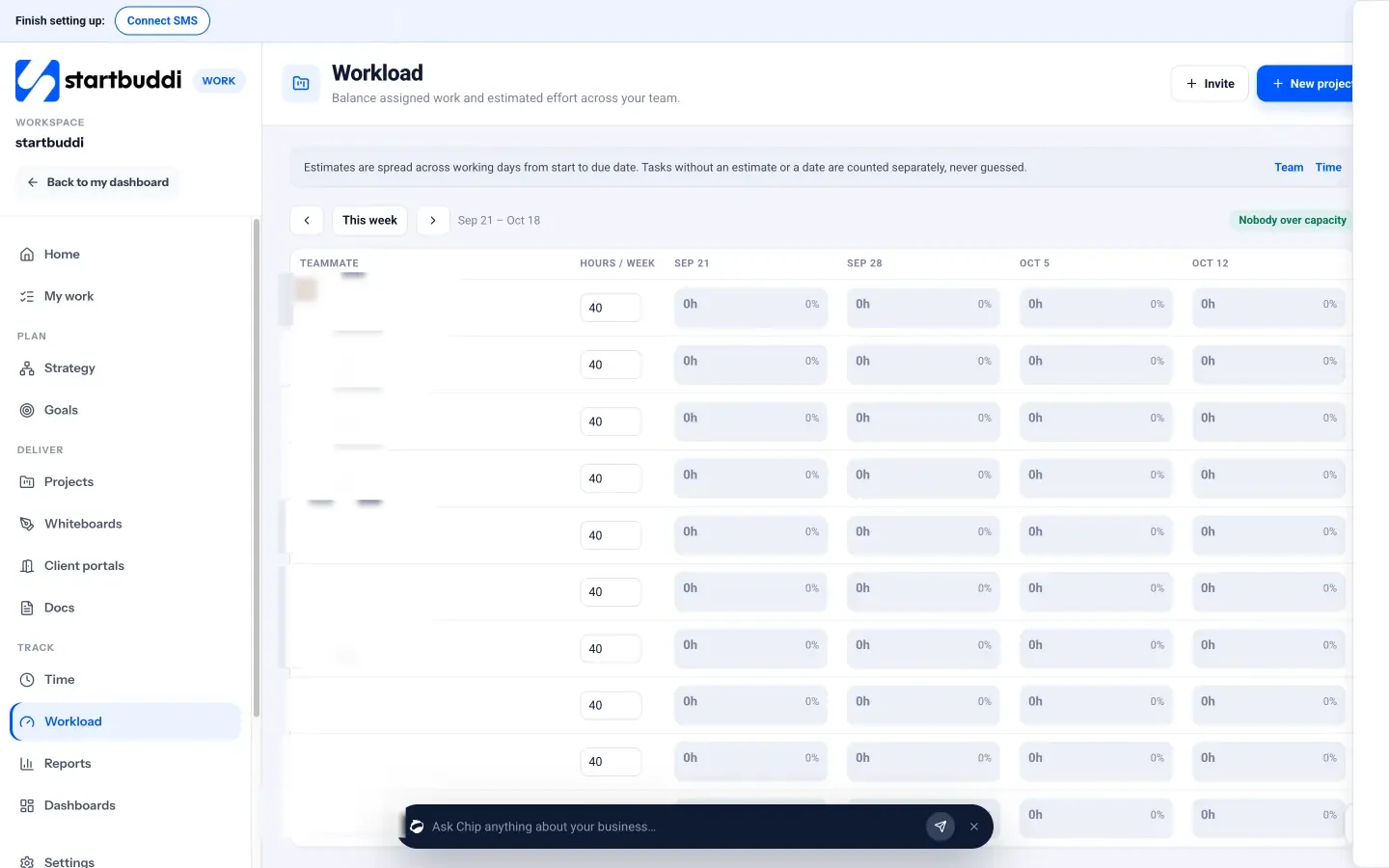
Check who is overloaded. Workload shows each teammate's estimated hours for the week, based on task estimates spread from start to due date, so you can spot a chef with three events' prep on the same days and reassign a task straight from the grid. It is visible to managers, admins and owners.
Tastings and site visits as bookings. In Bookings, create services such as "Wedding tasting" or "Venue walk-through" with the right duration, a price or deposit if you charge, and your available hours. Clients pick a slot from your booking link, and you get a calendar of appointments with reminders sent automatically. See Bookings.
Your team's records. In People, you keep staff profiles and onboarding checklists, and Time & Attendance offers optional clock-in and clock-out if you want a record of hours. Inviting teammates to use startbuddi needs a paid plan with enough seats.
Where to add another tool. There is no shift rota in startbuddi: it does not build rotas, let staff swap shifts or send shift reminders by text. If you schedule a large pool of event staff every week, a dedicated rota app alongside startbuddi is the practical answer, while clients, quotes, event plans and payments stay in startbuddi.
Run great events and win repeat bookings
- Handle the unexpected
- Follow up within 48 hours
- Calculate profit per event
- Win repeat and referral business
- Grow carefully
- Build your portfolio and reputation
- Look after your team and suppliers
- Know when to say no
- Get found by people planning events
- Review the business every month
- Add new services when the core runs well
- Ask for feedback you can act on
- Handle complaints professionally
- Protect your cash flow
- Common mistakes after the event
- Your next step
The best marketing a caterer has is the event itself. Guests taste the food, see how smoothly it runs, and some of them will be planning their own events next year. This chapter covers running the day well, following up afterwards, tracking profit per event and building the relationships that bring repeat bookings and referrals.
Deliver great events and grow your catering business
Clients remember two things: the food, and how calm everything felt. You can control both with preparation. On the day, the lead should have the timeline, the client's contact, the venue contact, the final numbers, the dietary list and a checklist. Arrive early, check food temperatures on arrival, and brief the team before guests arrive, including who handles allergen questions.
Handle the unexpected
Something always changes: speeches overrun, a guest arrives with an undeclared allergy, the venue's oven is smaller than promised. Plan for the common ones:
- Timing changes. Keep hot food in proper hot holding and agree with the event planner how late service can move before quality suffers.
- Unexpected dietary needs. Bring a small number of extra portions that suit common requirements, such as vegetarian or gluten-free, clearly labelled.
- More guests than agreed. Decide in advance whether you will charge for extras on the night and how you will record it.
- Equipment problems. Carry spare fuel, extension leads, a backup thermometer and basic tools.
Follow up within 48 hours
The days after an event are your best chance to win more work. Send the client a thank-you message within two days, with the final invoice if a balance is due. Ask how it went and whether guests had feedback. If they are happy, ask for a short review, and for permission to use photos and their name as a testimonial.
A simple message works well:
Hi Grace, thank you for having us at the launch on Saturday. We loved being part of it. If you have a minute, we'd be grateful for a short review: [link]. And if anyone at the party asked about catering, we'd love an introduction. Your final invoice for the extra ten guests is attached. Thanks again!
Calculate profit per event
Within a week, compare what each event actually cost with what you quoted. Record the real food spend, staff hours, hire, transport and any waste. Over a few months, you will see which kinds of event make money and which only look good in the calendar.
A worked example: the 80-guest buffet from chapter 2 was quoted at $2,200. Afterwards you find food cost $690 because prices rose and you over-ordered, staff ran an hour over at $80, and a last-minute hire item cost $40. Direct costs were $1,694 instead of $1,504, so the amount left for overheads and profit fell from $677 to about $506. The lesson might be to order to tighter quantities, confirm venue access times more firmly, or build a small contingency into future quotes.
Win repeat and referral business
New clients are expensive to find. Repeat clients and referrals are where catering businesses grow.
- Corporate accounts. A company that orders lunch once may order monthly. Offer a simple repeat-order process, keep their dietary list on file and invoice on agreed terms.
- Venues and planners. Venues without in-house catering and event planners recommend caterers constantly. Deliver well at their events, stay in touch and make it easy for them to refer you.
- Past clients. Send a short, seasonal message to past clients: holiday party menus in autumn, summer barbecue packages in spring. Only contact people who have agreed to hear from you, and make opting out easy.
- Reviews. Reviews on Google and wedding directories help new clients choose you. Ask every happy client, and reply to every review.
Grow carefully
Growth in catering usually comes in steps: more events of the same kind, then larger events, then a second type of service, then your own kitchen or a second team. Each step brings new costs and risks. Grow when your current events run smoothly without you doing everything, your processes are written down, you have reliable staff and suppliers, and your profit per event is steady. If you add weddings to a corporate lunch business, for example, you are adding weekend work, tastings, longer planning and bigger deposits; make sure your team and cash flow can handle it.
Build your portfolio and reputation
People choose caterers they trust, and trust comes from evidence. After each event, add the best photos, a short description and the client's feedback, with permission, to your website, social profiles and proposals. Keep a simple list of events by type, such as "20 office lunches, 6 weddings, 4 product launches", so you can answer "have you done this before?" with confidence. Short case studies of two or three standout events, written as "the brief, what we did, how it went", are especially persuasive for corporate clients and planners.
Look after your team and suppliers
Reliable event staff and suppliers are hard to replace. Pay on time, give clear briefs, feed your team properly on long shifts and thank them after a good event. Share credit when clients praise the food or service. Suppliers who know you pay promptly are more likely to help when you need an urgent delivery or a substitution. These relationships are part of what you are building, as much as your client list.
Know when to say no
Not every enquiry is a good fit. An event that needs equipment you do not have, a date when your best staff are away, a budget that cannot cover your costs, or a client who wants to renegotiate every line can cost you more than it earns. Decline politely, suggest another caterer if you can, and focus your energy on events that suit your business. Referring work to other caterers often brings work back to you later.
Get found by people planning events
Many clients search online when they start planning. Make sure you are easy to find and easy to judge:
- A Google Business Profile with your service area, photos and reviews.
- A simple website or page with your menus, sample prices or "from" prices, photos and an enquiry form.
- Listings on wedding and event directories that your clients use.
- Social profiles that show recent events, behind-the-scenes prep and client feedback.
- A consistent name, phone number and address everywhere, so search engines and clients do not get confused.
Showing a "from" price, such as "office lunches from $18 per head", filters out enquiries that will never fit your prices and saves time for both sides.
Review the business every month
Once a month, look beyond individual events at the business as a whole:
| Measure | Why it matters |
|---|---|
| Enquiries received and where they came from | Shows which marketing works |
| Quotes sent and quotes accepted | A low acceptance rate points to price, speed or presentation |
| Revenue and profit by event type | Shows which events to chase |
| Food cost and labour cost as a share of revenue | Catches creeping costs early |
| Money owed and overdue | Protects cash flow |
| Repeat clients and referrals | Shows whether clients come back |
Add new services when the core runs well
Once your main catering service is steady, related services can raise income without needing new clients. Options include bar service with a licensed partner, equipment and crockery hire bundled with your food, cake and dessert tables, meal preparation for regular clients, cookery classes and team-building events, or food for photo and film shoots. Test each one with a few existing clients before promoting it widely, and cost it as carefully as your menus.
Ask for feedback you can act on
A general "how was it?" gets polite answers. Ask two specific questions instead: "What did guests enjoy most?" and "Is there anything we could have done better?" Record the answers against the event. When the same comment comes up more than once, such as portions being too small or service slow at the start, change something. Tell the client what you changed next time you work together; it shows you listen.
Handle complaints professionally
Even well-run events sometimes disappoint a client. If a complaint arrives, reply quickly, thank them for telling you, and ask for details before responding in full. Check your records: final numbers, temperature logs, timelines and staff notes. If you got something wrong, say so and offer a fair remedy, such as a partial refund or a discount on a future event. If the complaint is about something outside your control, explain calmly and with evidence. Handled well, a complaint can end with a client who trusts you more than before.
Protect your cash flow
Catering has an awkward cash cycle: ingredients, hire and staff are paid before or on the event day, while some clients pay days or weeks later. Deposits and staged payments cover much of this, but keep an eye on the gap. Know which balances are due this week, chase overdue invoices promptly and politely, and keep a buffer of at least a month of fixed costs. A handful of late-paying corporate clients can squeeze a profitable business if nobody is watching.
Common mistakes after the event
- Waiting weeks to send the final invoice.
- Never checking actual costs against the quote.
- Forgetting to ask for reviews and referrals while the client is happy.
- Losing track of corporate clients' order history and preferences.
- Only marketing to strangers, never to past clients.
Follow up, track profit and grow in startbuddi
One page per client. Every client in Customers has one page with their contact details, notes, tasks, deals, invoices and bookings. Add notes such as "Prefers halal suppliers" or "Office manager changes in January", so anyone on your team can pick up the relationship. Companies have their own page too, which suits corporate accounts with several people ordering.

Final invoices and reminders. Send the balance invoice from Money Manager straight after the event, with online payment by card or bank transfer. Receivables shows who owes you, what is overdue and the average days to pay, with a Remind button for each open invoice. The glossary explains what should be on an invoice.
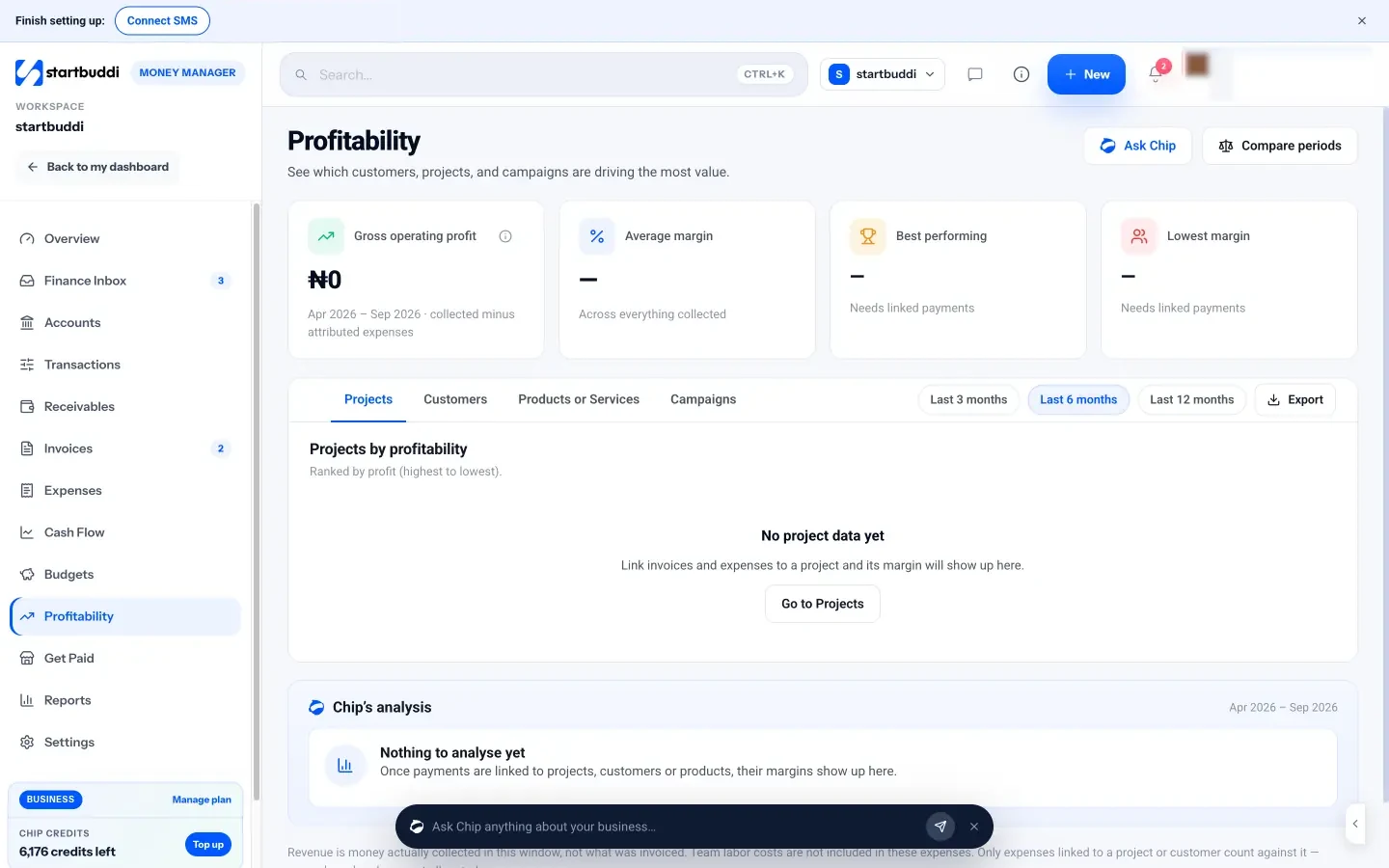
Profit by event. Link each expense to the event's project when you record it. The project's Budget tab shows a money budget against time logged and expenses linked from Money, and Profitability in Money Manager shows which customers and projects bring in the most value. Over time you will see which events are worth chasing.
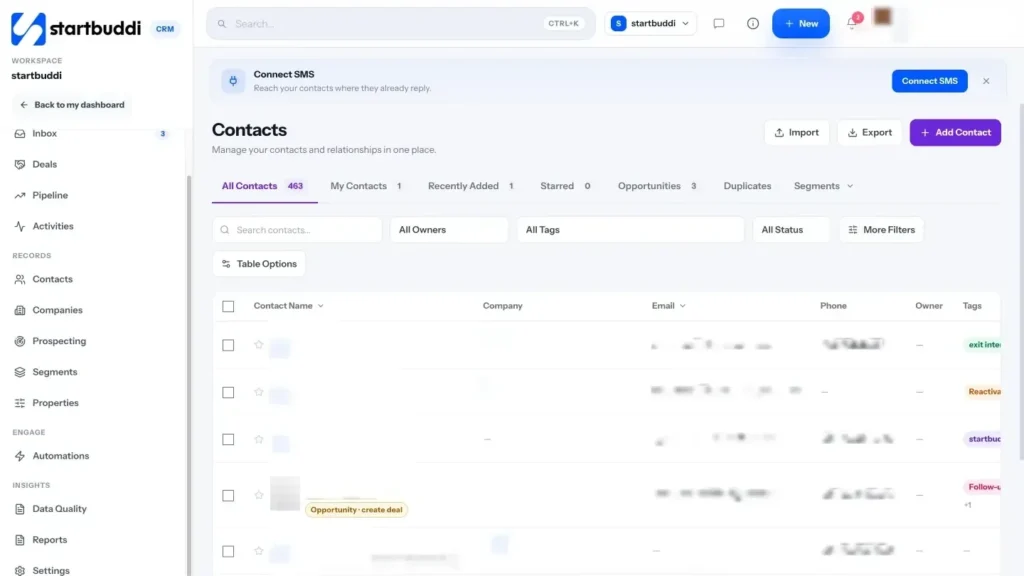
See where enquiries come from. The contacts list can be filtered by source, so you can see how many clients came from your enquiry form or bookings, and Forms analytics shows where responses come from. Put that next to your monthly review so you know which channels deserve more effort.
Seasonal campaigns and follow-ups. On the Starter plan and above, you can email past clients a seasonal menu, send WhatsApp or SMS campaigns, and set up automations such as a thank-you email and review request a day after an event is marked complete. Chip can draft the message for you to edit. If you cater for event companies, the event companies page shows how they use startbuddi.
Your next step
Choose your catering type, confirm what your local authority needs for your kitchen, and cost your first three menus per head. Then set up your enquiry form, an estimate and your first event project in startbuddi on the Free plan. When you want email campaigns, automations and unlimited invoices, see the pricing page; every paid plan has a 30-day trial.
Tiwalade Joanna Okedara-Kalu is the founder, CEO and CTO of startbuddi, the business system that brings clients, bookings, invoices, projects, marketing and the Chip AI assistant into one place. Tiwalade builds software around how service businesses really work day to day, and writes about client management, getting paid on time and why small businesses outgrow the tools they start with.
Founded startbuddi and leads its product and engineering