
startbuddi vs Carrd: an honest comparison
Carrd builds simple one-page sites, with Pro plans billed yearly that add custom domains, forms and payments. By contrast, startbuddi's landing pages, link in bio, store and booking pages feed one contact list with invoices and follow-ups, so pick Carrd for a cheap standalone page and startbuddi if the page is the front door to the rest of your business.
startbuddi is best for
Small businesses whose pages should feed their contacts, payments and follow-ups
 Carrd
CarrdCarrd is best for
One-page sites and signup pages on a very small yearly budget
At a glance
Where each one is stronger
The short version. Carrd first, because it does some things better than we do.
Carrd is stronger at
startbuddi is stronger at
Feature by feature
| Feature | startbuddi | Carrd |
|---|---|---|
| Multi-page websiteLanding pages, business pages and link in bio instead | No | One-page sitesSource (opens in a new tab) |
| Free plan | Yes | Yes (up to 3 sites)Source (opens in a new tab) |
| Number of pages or sites | No page-count limit | 3 on Free; up to 1,000 on ProSource (opens in a new tab) |
| Custom domainBring a domain you own; domains can't be bought in the app | Yes | Pro Standard and upSource (opens in a new tab) |
| Forms on the pageEvery submission creates or updates a contact | Yes | Pro Standard and upSource (opens in a new tab) |
| Where form answers go | Your contact list | Emailed to youSource (opens in a new tab) |
| Take payments on the pageUses your own Paystack or Stripe account | Paystack or Stripe | Stripe, Pro Plus and upSource (opens in a new tab) |
| Remove platform branding"Powered by startbuddi" stays on forms on every plan | Paid plans | Pro Lite and upSource (opens in a new tab) |
| Password protectionThe toggle is on business pages, not landing-page settings | Business pages | Pro Plus and upSource (opens in a new tab) |
| Site analytics | Yes | Pro Standard and upSource (opens in a new tab) |
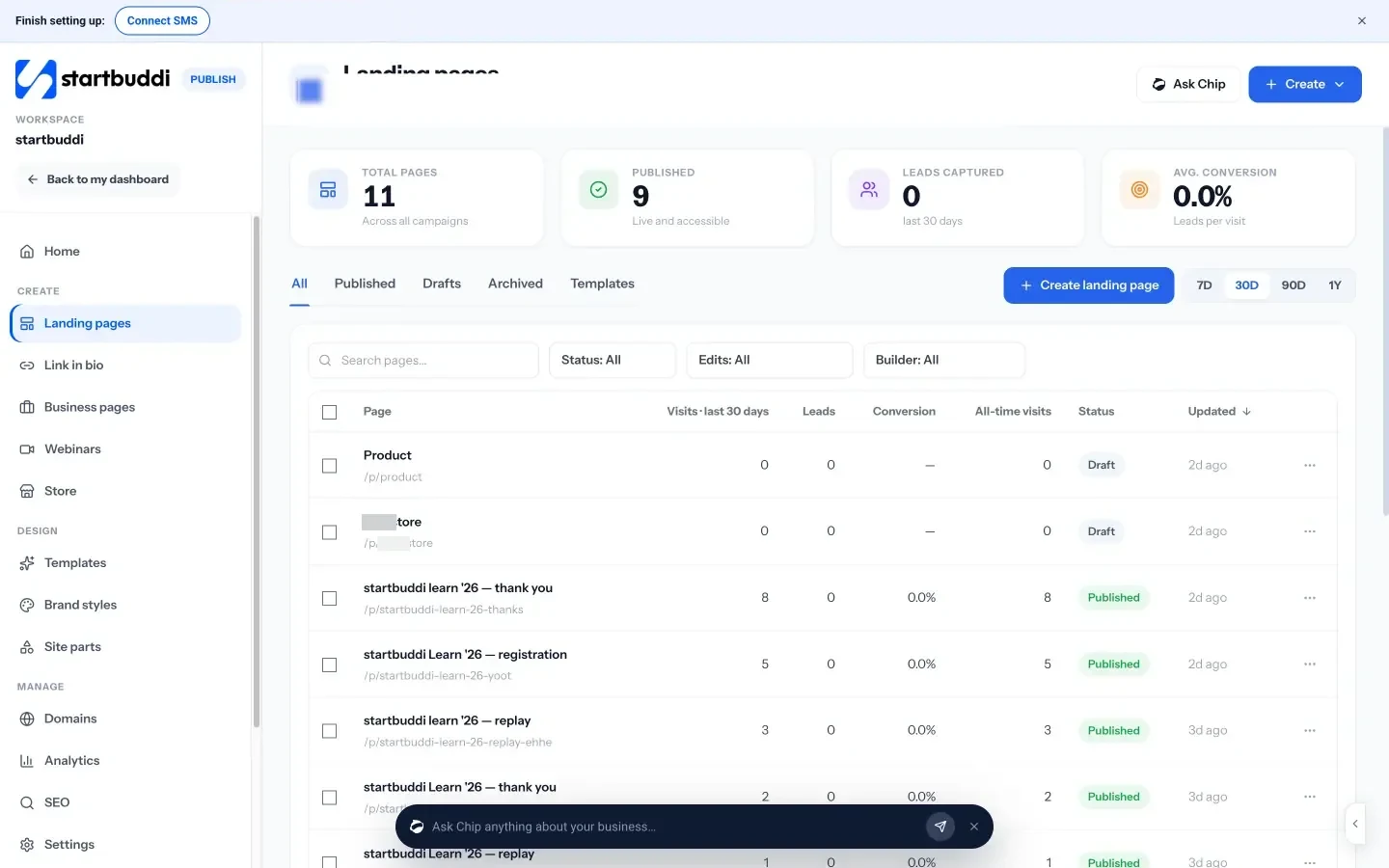
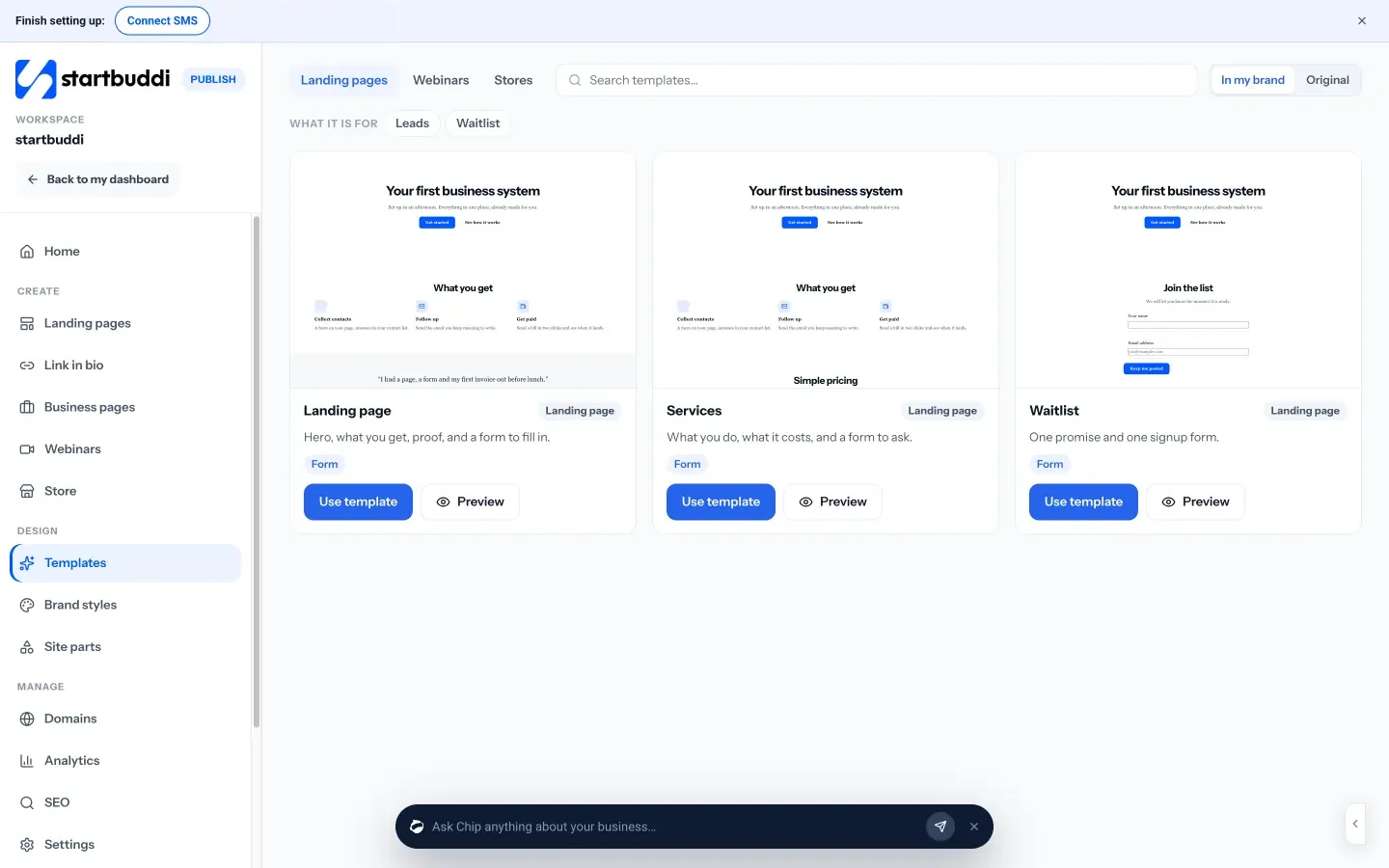
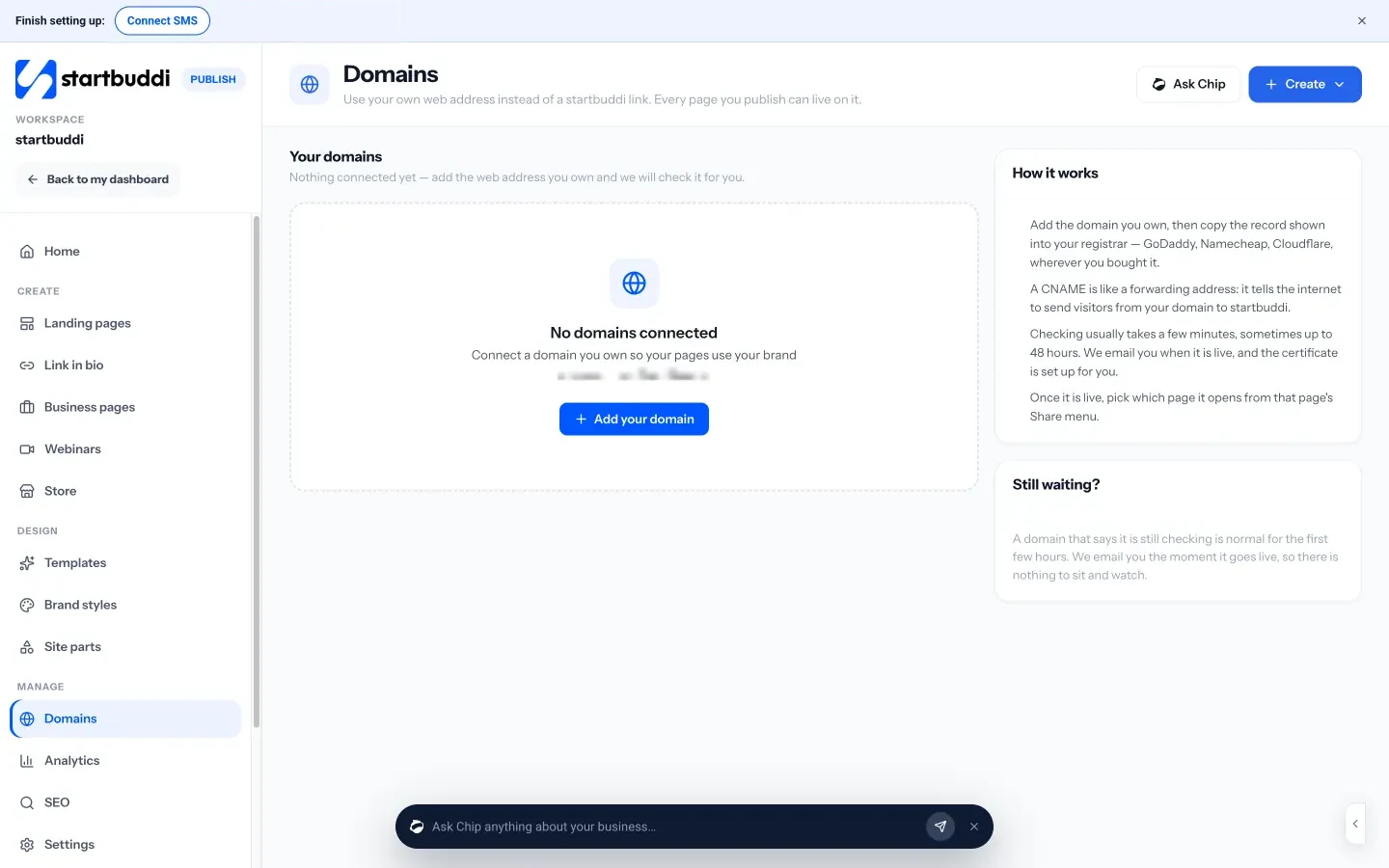
What each one looks like
Real screens, captured by us or taken from the official press kit, each dated.
Pricing side by side
List prices as each company publishes them. We never convert currencies.
startbuddi
- FreeFree
- Starter$29 a month
- Growth$79 a month
- Scale$199 a month
Carrd
- FreeFree up to 3 sitesSource (opens in a new tab)
- Pro Lite$9 USD per year, 3 sitesSource (opens in a new tab)
- Pro Lite (10 sites)$14 USD per year, 10 sitesSource (opens in a new tab)
- Pro Lite (25 sites)$29 USD per year, 25 sitesSource (opens in a new tab)
- Pro Standard$19 USD per year, 10 sitesSource (opens in a new tab)
- Pro Standard (25 sites)$39 USD per year, 25 sitesSource (opens in a new tab)
- Pro Standard (50 sites)$69 USD per year, 50 sitesSource (opens in a new tab)
- Pro Standard (100 sites)$119 USD per year, 100 sitesSource (opens in a new tab)
- Pro Standard (250 sites)$249 USD per year, 250 sitesSource (opens in a new tab)
- Pro Standard (500 sites)$399 USD per year, 500 sitesSource (opens in a new tab)
- Pro Standard (1,000 sites)$599 USD per year, 1,000 sitesSource (opens in a new tab)
- Pro Plus$49 USD per year, 25 sitesSource (opens in a new tab)
- Pro Plus (50 sites)$89 USD per year, 50 sitesSource (opens in a new tab)
- Pro Plus (100 sites)$159 USD per year, 100 sitesSource (opens in a new tab)
- Pro Plus (250 sites)$349 USD per year, 250 sitesSource (opens in a new tab)
- Pro Plus (500 sites)$599 USD per year, 500 sitesSource (opens in a new tab)
- Pro Plus (1,000 sites)$999 USD per year, 1,000 sitesSource (opens in a new tab)
Switching from Carrd
What moving across involves.
- Gather the contacts your Carrd forms collectedCarrd contact forms email each message to you, and signup forms can send people to an email tool such as Mailchimp. Put those names into a CSV, or export them from your email tool.
- Import them into startbuddiIn Customers → Contacts, press Import and follow the three steps: choose the file, match the columns, review. Contacts in Mailchimp come across the same way: export them as a CSV first, as there's no one-click Mailchimp connection yet.
- Rebuild the pageThere is no importer for Carrd pages. Create a landing page with Chip, from a template or from blank, add a form, and publish.
- Point your domain at startbuddiIn Publish → Domains, add the domain and copy the CNAME record into your registrar. Once it shows Live · SSL active, pick the page it should open.
Sources
- Carrd home (opens in a new tab)
- Carrd pricing (Pro plans) (opens in a new tab)
- Carrd docs: contact forms (opens in a new tab)
- Carrd docs: payment-enabled forms (opens in a new tab)
- Carrd docs: custom domains (opens in a new tab)
- startbuddi Publish (opens in a new tab)
- startbuddi landing pages (opens in a new tab)
- startbuddi link in bio (opens in a new tab)
- startbuddi business pages (opens in a new tab)
- startbuddi custom domains (opens in a new tab)
- startbuddi forms (opens in a new tab)
- startbuddi contacts (opens in a new tab)
- startbuddi pricing (opens in a new tab)
Questions people ask
Can startbuddi build a multi-page website like a full site builder?
No. It makes single pages: landing pages, business pages, link in bio, a store and webinar pages, each of which can use your own domain.
Does startbuddi have a free plan?
Yes, startbuddi has a Free plan. Free pages carry a "Powered by startbuddi" line, which a paid plan can take off (forms keep it on every plan).
Can I move my Carrd page to startbuddi?
Not automatically; you rebuild the page with Chip, a template or a blank page. Contacts can come across as a CSV, and your domain moves over with one CNAME record.
Can I use both?
Yes. Some people keep a Carrd site and use a startbuddi form, booking page or store for the parts that need to reach their contact list and payments.
Other comparisons
All comparisons


Try startbuddi alongside Carrd.
Start on the free plan with a copy of your contacts and see how it fits before you decide.
Start with the one thing you need. The rest is there when you're ready.
Free plan available. Every paid plan starts with a 30-day trial.