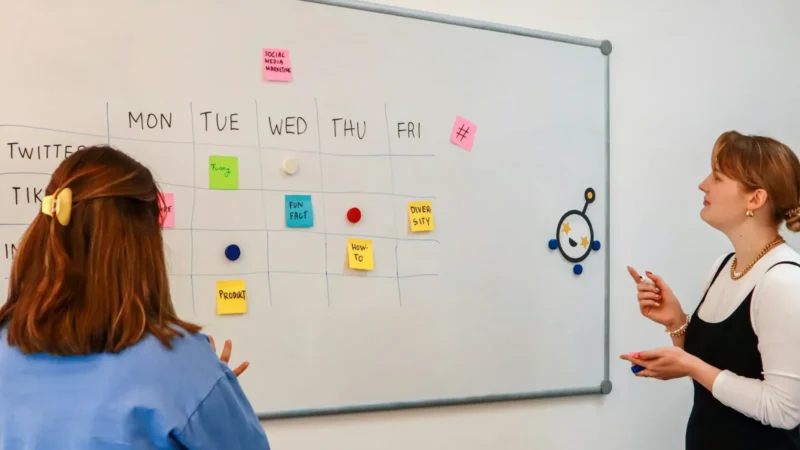
Agile project management for small teams: the practical guide
How a team of two to ten can work in agile cycles without the ceremony: Scrum or Kanban, a one-hour meeting rhythm, WIP limits and fixed-price clients.


Photo: Sable Flow / Unsplash
- Agile for small teams comes down to a ranked backlog, a simple board, a clear definition of done, a limit on work in progress and a short weekly rhythm of planning, check-ins, review and retrospective. Choose sprints for projects and Kanban for steady streams of requests, and use a ranked backlog to handle fixed-price clients.
Agile project management for small teams means working in short cycles, keeping a single ranked list of what matters most, limiting how much is in progress at once, and checking in often enough to change course before a problem gets expensive. You don’t need certifications, a full-time Scrum Master or a wall of sticky notes. A team of two to ten people can run a lightweight version in about an hour a week of meetings.
This guide is for agencies, studios and service businesses as much as software teams. It explains the ideas behind agile in plain words, helps you choose between a Scrum-style and a Kanban-style approach, and gives you a four-week plan to start, including how to make agile work when a client has agreed a fixed price.
What agile means, without the jargon
“Agile” comes from the Manifesto for Agile Software Development, written in 2001 by a group of software practitioners. It values “individuals and interactions over processes and tools”, “working software over comprehensive documentation”, “customer collaboration over contract negotiation” and “responding to change over following a plan”. Swap “working software” for “finished work the client can see” and the ideas apply to almost any team that delivers projects.
In practice, agile teams do four things differently from a traditional plan-everything-first approach:
- They deliver in small pieces. A homepage draft this week rather than a whole website in two months.
- They keep one ranked list. Everything the team could work on sits in a backlog, ordered by value, and the top items get done first.
- They limit work in progress. Finishing three things beats starting ten.
- They inspect and adapt. Short, regular check-ins decide what to change, based on what actually happened.
Our glossary has a longer definition of agile project management if you want the background.
Why agile suits small teams (and where it doesn’t)
Small teams have an advantage: everyone can fit in one conversation. The Scrum Guide says a Scrum team is “typically 10 or fewer people”, because smaller teams communicate better. Most small businesses already sit inside that number without trying.
Agile helps most when requirements change, when clients give feedback along the way, or when the team juggles several projects at once. It helps less when the work is truly predictable and repeated, such as a monthly bookkeeping close or a standard installation. For those, a checklist or a standard operating procedure is simpler; our SOP template is a good start.
It also doesn’t remove the need for a plan. Clients still want dates, budgets and milestones. Agile changes how you get there: you plan the next few weeks in detail and the months after in outline, then update both as you learn.
Scrum or Kanban: pick a style that fits your work
Most small teams end up with a mix, but it helps to know the two main styles.
Scrum-style: work in sprints
Scrum organises work into sprints, which the Scrum Guide describes as “fixed length events of one month or less”. At the start the team picks what it will finish in the sprint; at the end it reviews the result with stakeholders and holds a retrospective on how it worked together. A short daily check-in keeps everyone aligned; in Scrum it’s “a 15-minute event”.
Sprints suit teams building something over several weeks: a website, an app, a campaign launch, a brand identity. The fixed rhythm gives clients predictable review points.
Kanban-style: continuous flow
Kanban skips sprints. Work moves across a board (To do, In progress, Review, Done) and the team controls how much is in progress at once. The Kanban Guide lists three practices: defining and visualising a workflow, actively managing items in it, and improving it. It also asks teams to “explicitly control the number of work items” in progress, which is what people mean by WIP limits.
Kanban suits teams with a steady stream of smaller requests: social media management, support, maintenance retainers, content production.
A quick way to decide
| Your work looks like | Start with | Why |
|---|---|---|
| Projects with a clear end and client reviews | One- or two-week sprints | Regular review points and a visible finish line |
| A constant flow of small requests | Kanban board with WIP limits | No artificial batching; urgent work can enter any day |
| A mix of retainers and projects | Kanban for retainers, sprints for projects | Each type of work gets the rhythm it needs |
| Product work with bigger bets | Longer cycles, such as Shape Up | Basecamp’s method uses six-week cycles and a two-week cool-down |
The minimum setup for agile project management for small teams
You need five things. Anything more can wait until you feel its absence.
- A backlog. One list per project (or per team) of everything that might be done, written as outcomes: “client can approve homepage copy” rather than “copy”.
- A board. Columns for each status. Four is plenty: To do, In progress, Review, Done. Add Blocked if waiting on clients is common.
- A definition of done. A short, shared checklist of what “finished” means. The Scrum Guide calls this the Definition of Done. For an agency it might be: proofread, checked on mobile, approved by the client, files saved in the shared folder.
- A WIP limit. A rule such as “no more than two tasks in progress per person”. When the column is full, you finish or unblock something before starting anything new.
- A rhythm. Fixed times for planning, a short daily or twice-weekly check-in, a review with the client and a retrospective.
A meeting rhythm that fits in an hour a week
The Scrum Guide caps meetings for a one-month sprint at eight hours of planning, four of review and three of retrospective. Small teams on one- or two-week sprints need far less. Here is a rhythm that works for a team of three to eight people on a one-week cycle:
- Monday planning, 20 minutes. Look at the top of the backlog, agree what will be finished by Friday, and assign owners. If something doesn’t fit, it waits.
- Daily check-in, 10 minutes (or a written update). Each person says what they finished, what’s next and what’s blocking them. Blockers get solved after the call, not during it.
- Friday review, 15 minutes. Show finished work. For client projects, share it with the client the same day.
- Friday retrospective, 15 minutes. Three questions: what went well, what didn’t, what will we change next week. Pick one change only.
If your team is spread across time zones, replace the daily call with a written update in a shared channel. Use our meeting agenda template to keep the planning and review tight.
Agile with clients: fixed prices, changing requests
The objection agencies raise most often is “our clients pay a fixed price for a fixed scope”. Agile still works; you just make the trade-offs visible.
Fix time and budget, flex the details
Agree the budget, the deadline and the must-have outcomes in the contract. Treat the detailed feature or deliverable list as a ranked backlog. When the client asks for something new, show them the backlog and ask what should move down to make room, or quote it as an addition. This turns scope creep from an argument into a choice.
Show work early and often
Weekly reviews give the client a sense of progress and catch misunderstandings while they’re cheap to fix. A mockup rejected in week one costs an afternoon; the same rejection in week six costs the margin on the project.
Write approvals down
Record every approval against the task or deliverable, with a date. It protects both sides when memories differ. For more on running client projects end to end, see our guide to project management for agencies.
Estimating without stress
Small teams often skip estimating, then wonder why every sprint overflows. You don’t need precision; you need consistency.
- Use relative sizes. Story points or T-shirt sizes (S, M, L) compare tasks to each other rather than guessing hours.
- Measure what you finish. After three cycles, the average amount completed per cycle (velocity) tells you how much to plan next time. The Kanban equivalent is throughput: finished items per week.
- Split anything large. If a task won’t fit comfortably in one cycle, break it down until it does.
- Leave slack. Plan to around 80% of your average. Client emergencies, sick days and admin will fill the rest.
Three numbers that tell you if it’s working
You don’t need a reporting dashboard to know whether agile is helping. The Kanban Guide names four flow measures, and three of them are easy for any small team to track by hand or in a tool:
- Work in progress: how many items are started but not finished. If it keeps rising, the team is starting more than it finishes.
- Throughput: how many items you finish per week. A steady or rising number means the rhythm is working.
- Cycle time: how long an item takes from “in progress” to “done”. Long cycle times usually point to waiting, often on client feedback or approvals.
Look at these once a week in the retrospective. If cycle time is long because items sit in Review, the fix might be a set day for client approvals rather than working faster. If throughput drops every time a big client project lands, split that work into smaller pieces. The goal is not a perfect score. It is noticing a pattern early enough to change it, which is the whole point of working in short cycles.
Common mistakes when small teams go agile
- Copying big-company ceremonies. Two-hour planning meetings for a four-person team waste the time agile is meant to save.
- Tasks without owners. “The team” never finishes anything. Every card needs one name.
- A board nobody updates. If status lives in chat instead of on the board, the board lies. Make updating it part of the daily check-in. Our post on stopping tasks getting lost in Slack and email covers the habits.
- Skipping retrospectives. This is where the team gets better. Without it, you repeat the same problems every cycle.
- Ignoring the WIP limit when busy. It feels productive to start everything. It isn’t.
Your first four weeks
- Week 1: build the backlog for one project, set up a four-column board, agree your definition of done and a WIP limit.
- Week 2: run your first one-week cycle with planning, check-ins, review and retrospective. Change one thing.
- Week 3: add relative sizes to tasks and invite the client to the Friday review.
- Week 4: look at what you finished in three cycles, set a realistic plan for the next one, and decide whether to roll the approach out to other projects.
How startbuddi helps
startbuddi’s Work module holds projects, tasks, goals, time and client portals in one place, alongside your contacts and invoices. It supports both styles above without extra tools.
Every project has a Tasks view with list, board, timeline, calendar and table layouts. Statuses default to To do, In progress, Review and Done, and you can add your own per project. Tasks carry an owner, priority, due date, estimate in hours, subtasks and “blocked by” dependencies. My work shows everything assigned to you across projects.
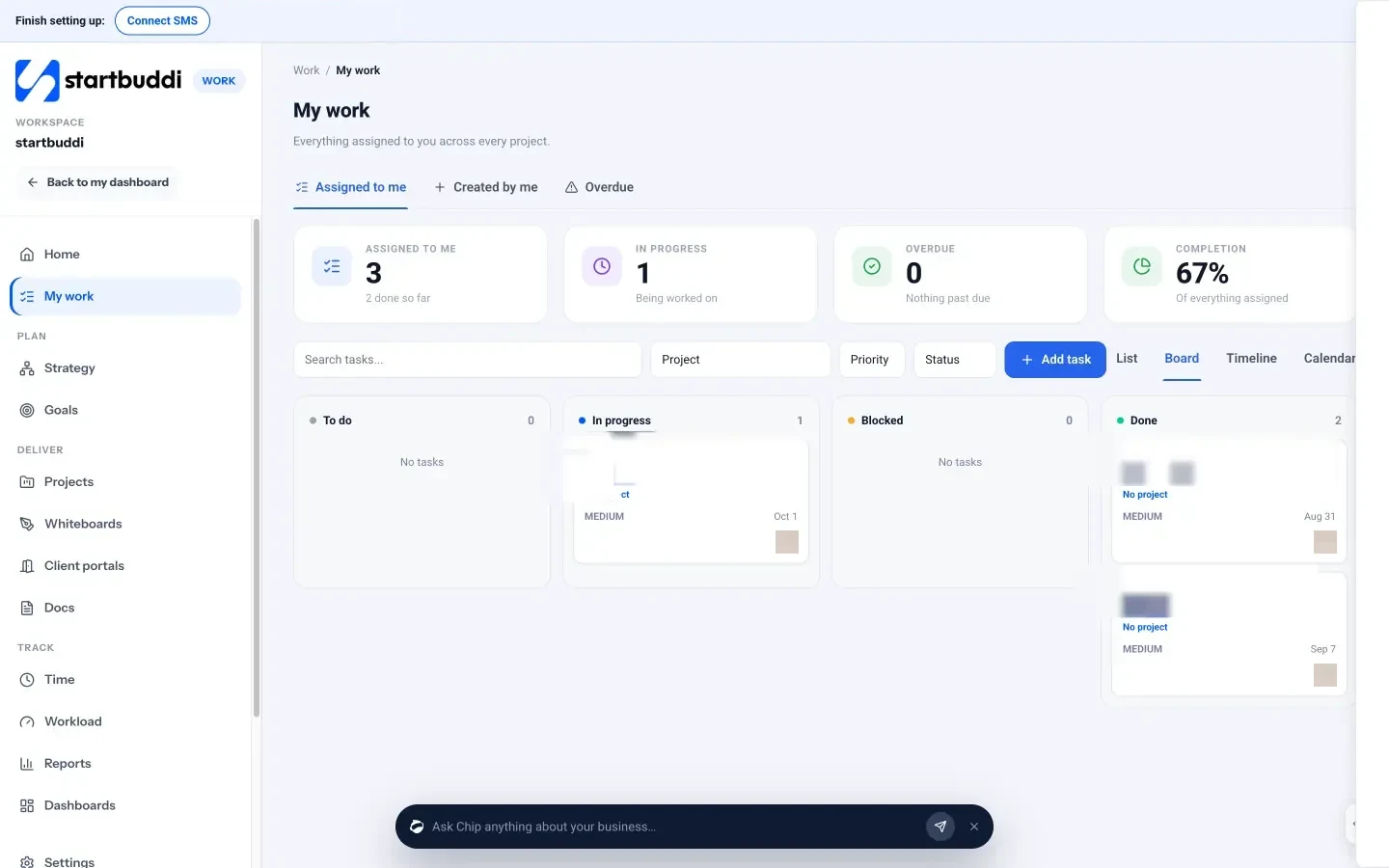
For Scrum-style teams, each project has a Sprints tab: create a sprint with dates and an optional goal, pull tasks from the backlog, add story points, and see velocity (the average completed over the last three sprints) and a burn chart. When you complete a sprint, unfinished tasks go back to the backlog or into the next sprint. The Timeline tab is a Gantt chart with dependencies and milestones for clients who want dates.
You don’t have to start from nothing. Project templates such as Client delivery, Website project, Social media management and Consulting engagement set up milestones and tasks you can change.
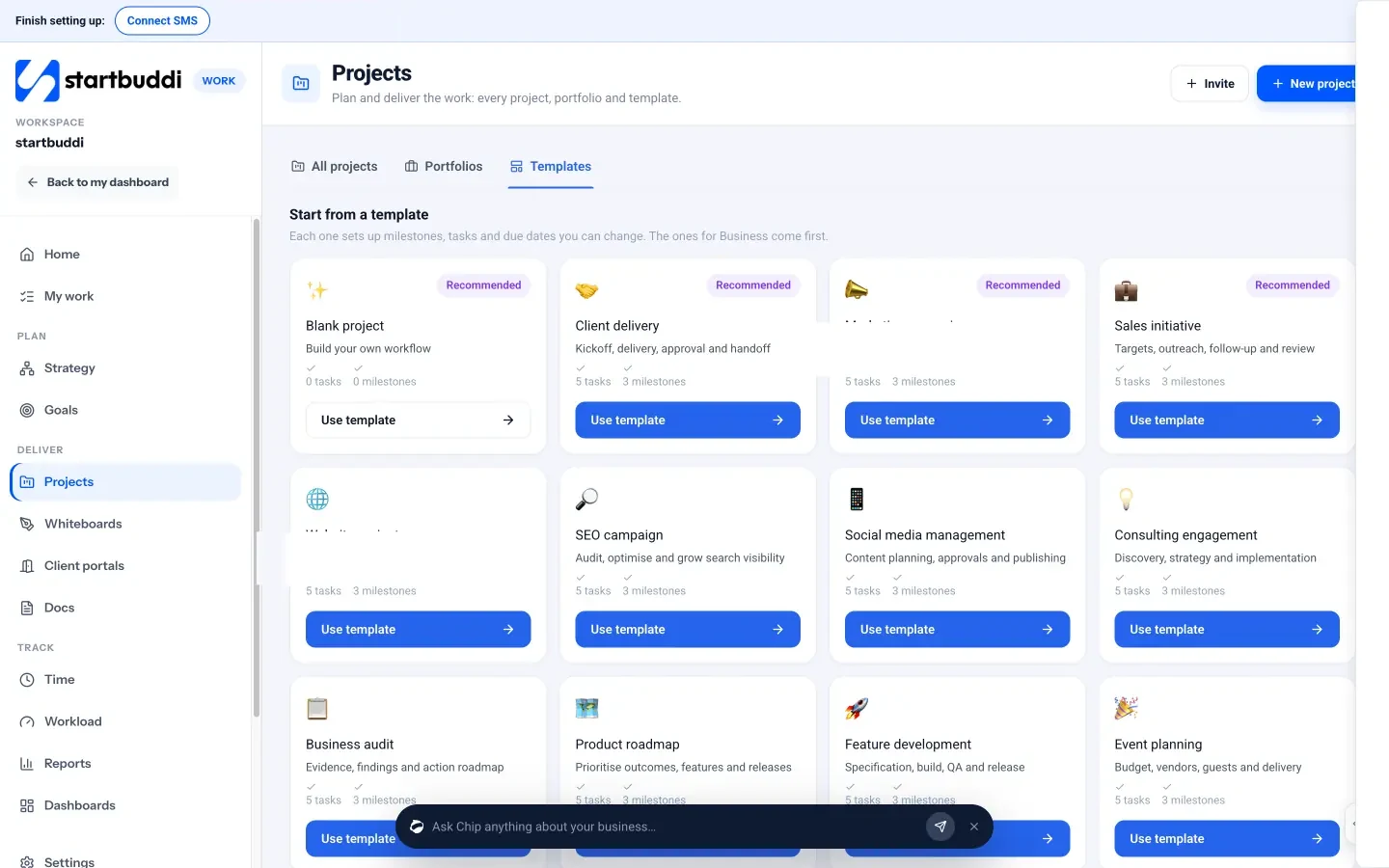
Two more pieces help with client work. Client portals let clients see shared work and approve deliverables, and an approval can be required before a deliverable is marked done. Time tracking logs hours against tasks so you can compare estimates with reality. The projects list flags which projects are at risk or overdue.
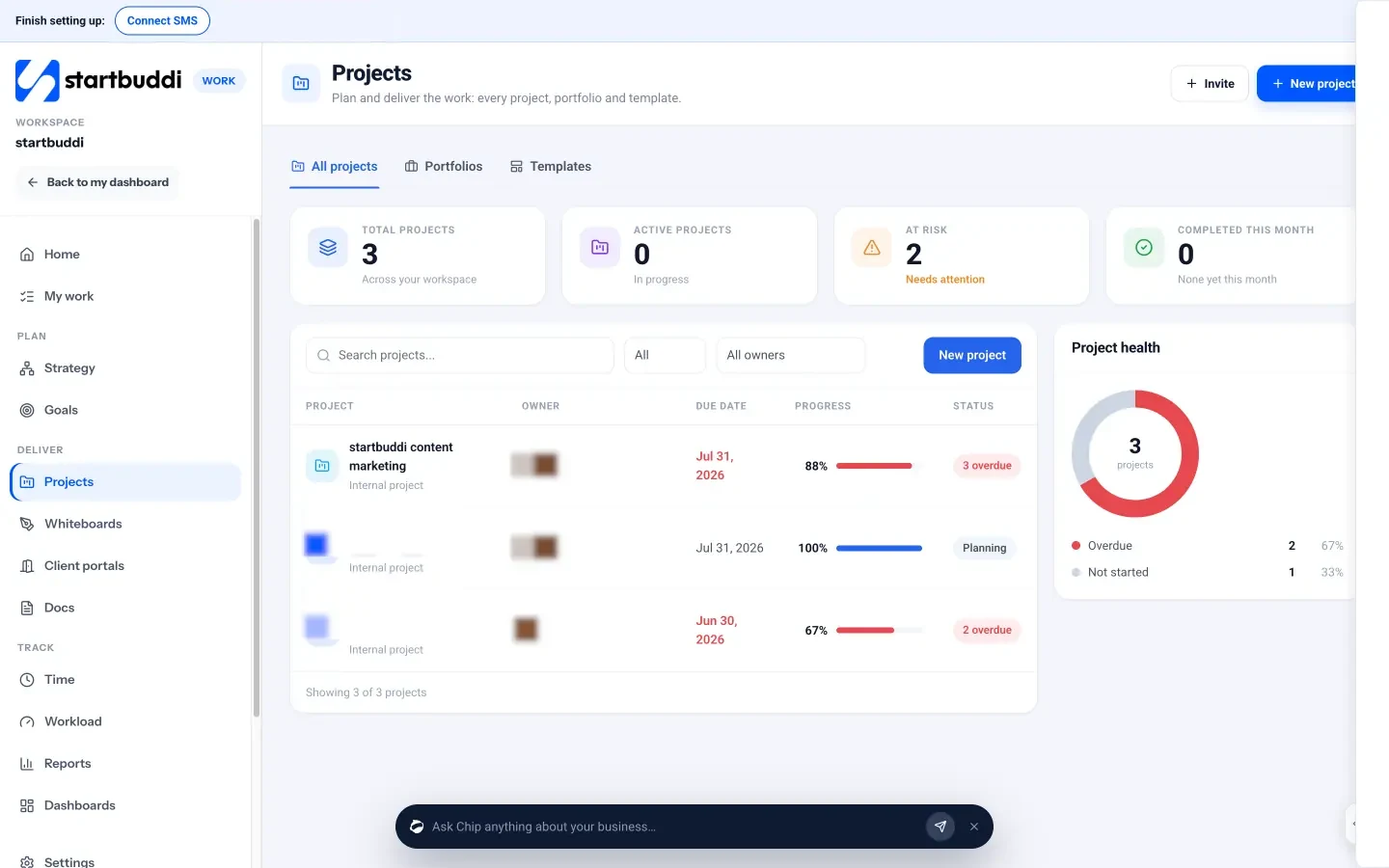
Limits worth knowing: live client portals need a paid plan (Starter includes one), and inviting teammates needs a plan with extra seats. startbuddi is built for small teams; it isn’t a replacement for Jira-style engineering tooling with release pipelines and code integrations. See agile project management in startbuddi for more.
Your next step
Pick one active project, write its backlog as outcomes, and run a single one-week cycle with the four short meetings above. After the retrospective, decide what to keep. You can try it in startbuddi on the Free plan and check what each plan includes on our pricing page.
Sources
- Manifesto for Agile Software Development (2001)
- The Scrum Guide (2020)
- The Kanban Guide
- Basecamp: Shape Up
Frequently asked questions
Do small teams need a Scrum Master?
Usually not as a separate role. One person, often the project lead, can keep the rhythm going and remove blockers. What matters is that someone owns the meetings and the backlog order.
How long should a sprint be for a small team?
One or two weeks suits most small teams. Shorter cycles give more review points and make it easier to spot problems early. The Scrum Guide's limit is one month.
Can agile work for non-software teams?
Yes. Agencies, marketing teams and service businesses use the same ideas: small deliverables, a ranked list, limits on work in progress and regular reviews with the client.
What is a WIP limit?
A cap on how many tasks can be in progress at once, per person or per column. When the limit is reached, the team finishes or unblocks work before starting anything new.
Tiwalade Joanna Okedara-Kalu is the founder, CEO and CTO of startbuddi, the business system that brings clients, bookings, invoices, projects, marketing and the Chip AI assistant into one place. Tiwalade builds software around how service businesses really work day to day, and writes about client management, getting paid on time and why small businesses outgrow the tools they start with.
Founded startbuddi and leads its product and engineering