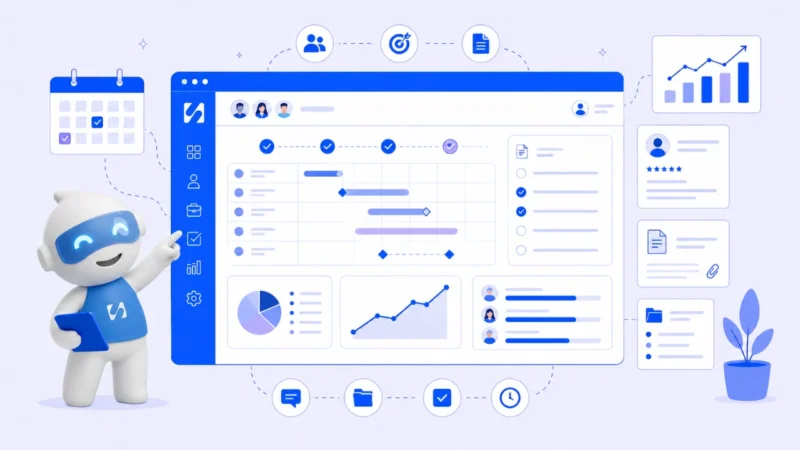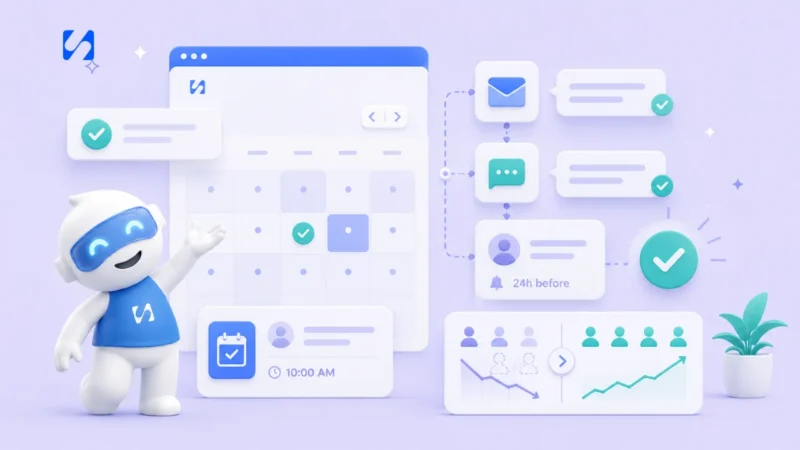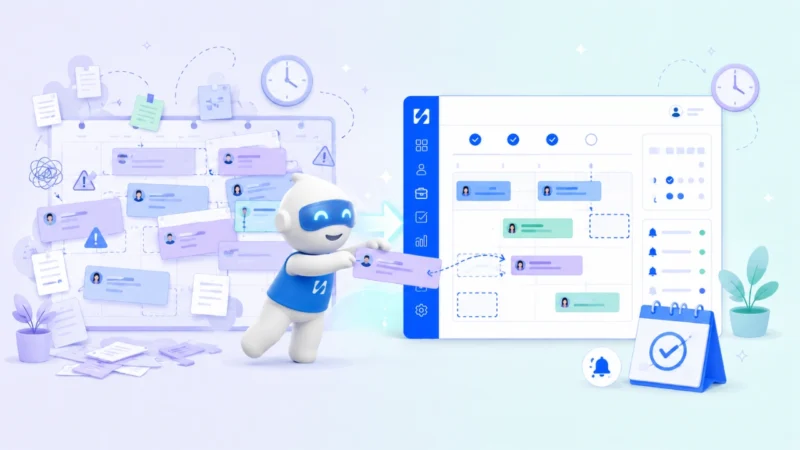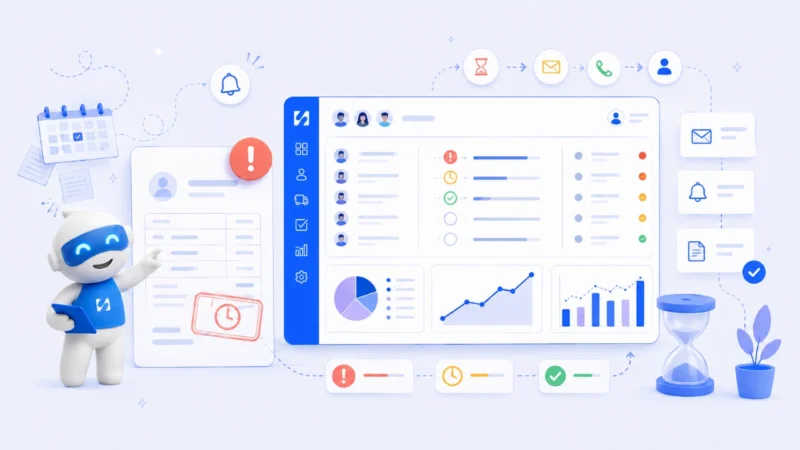
Manual scheduling sneaks up on you. It works fine with five clients. Then fifteen. Then thirty. At some point, it does not just slow down. It works against you. Missed bookings, overdue invoices, conflicts, and hours swallowed by admin you never signed up for.

In this article, you will learn why manual scheduling creates chaos, what it truly costs, how to schedule bill payments without manual entry, and when to switch. The cost is higher than you think.

Why Is Manual Scheduling Silently Sabotaging Your Business Every Single Day?

Manual scheduling

Most service professionals do not realize their scheduling system is the problem. They blame themselves: “I just need to be more organized” when the real issue is that manual scheduling was never built to scale.

Every task depends on human memory and human follow-through. A client books via DM. You write it in your calendar, send a confirmation, set a reminder, follow up the day before. You chase the deposit. Five manual steps for one booking, and if any single one breaks down, the whole thing collapses.

Manual scheduling bleeds into payments, client communication, and invoicing. A messy calendar is not disorganization. It is a system built on individual effort instead of automated process.

What Are the Real Hidden Costs That Manual Scheduling Is Charging Your Business Without a Receipt?

The obvious cost is time. The hidden costs are what actually damage your business.

Revenue leakage happens quietly. When clients can only book during your hours or have to chase you to confirm availability, some give up. That revenue never existed.

No-shows pile on. Without automated reminders, clients forget. Without deposits collected at booking, cancellations cost them nothing and cost you everything.

Staff time disappears into admin. Every minute confirming appointments and chasing payments is a minute not spent on billable work. Research shows businesses using automated scheduling recover five to ten hours per week that manual scheduling was quietly consuming.

And errors damage trust. Double-bookings, wrong times, missed follow-ups are not occasional mistakes. They are systematic. Everyone erodes client confidence in ways that are hard to rebuild. Keeping client information accurate and centralized is the first step toward stopping that erosion.

How Does Manual Scheduling Keep Triggering Double-Bookings No Matter How Careful You Are?

Double-bookings happen for one fundamental reason: no single source of truth.

When availability lives across your brain, your phone, a spreadsheet, and a basic calendar, any update to one source does not update the others. A client books on Instagram. You note it but forget to block the slot. Another client emails. The calendar looks free. You confirm. Two clients, one slot.

The system holds one authoritative, real-time record when you automate. A slot taken is blocked instantly for everyone.

How Do You Actually Schedule Bill Payments Without Manual Entry: And Why Does It Matter More Than You Think?

Knowing how to schedule bill payments without manual entry is one of the highest-leverage moves a service business can make, and most owners do not know it is even possible.

The default approach: finish a session, raise an invoice manually, send it, wait, chase it on day seven, remind on day fourteen, follow up on day twenty-one. Every touchpoint depends on you remembering.

Automated payment scheduling flips this. When a booking is confirmed, the system collects a deposit at checkout, when a session ends, an invoice fires automatically. When a payment goes overdue, reminders send on a pre-set schedule.

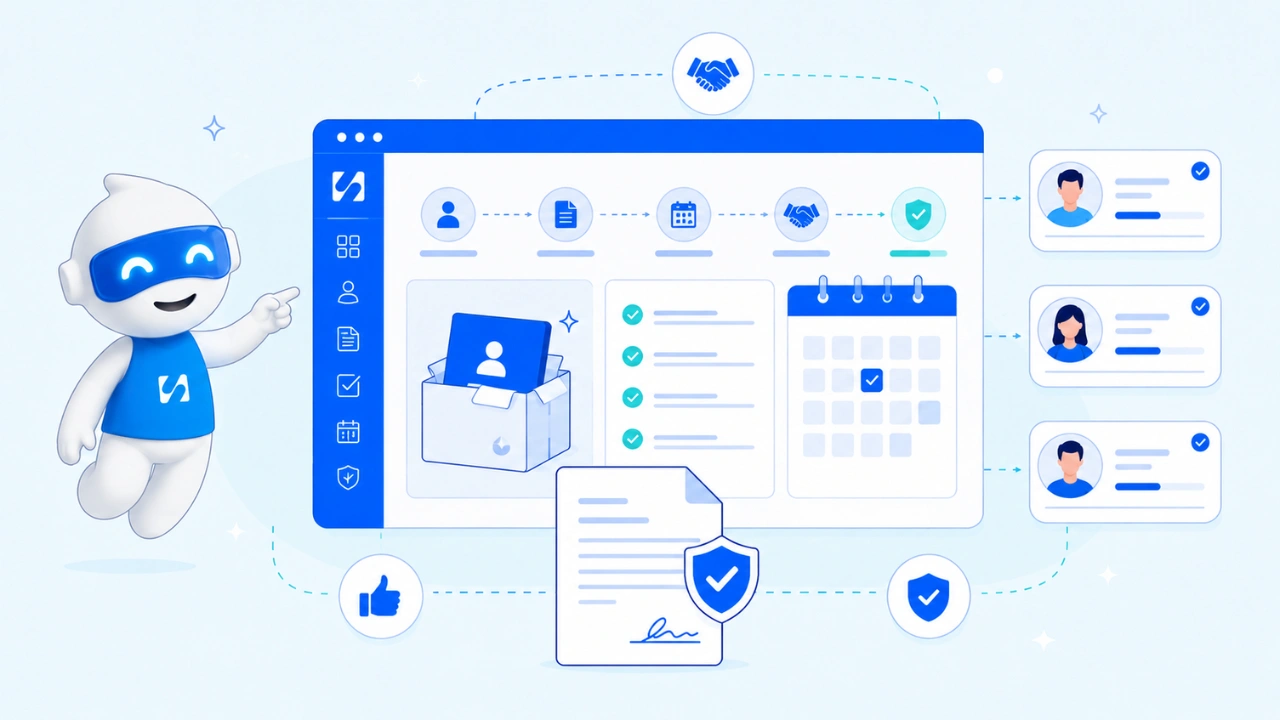
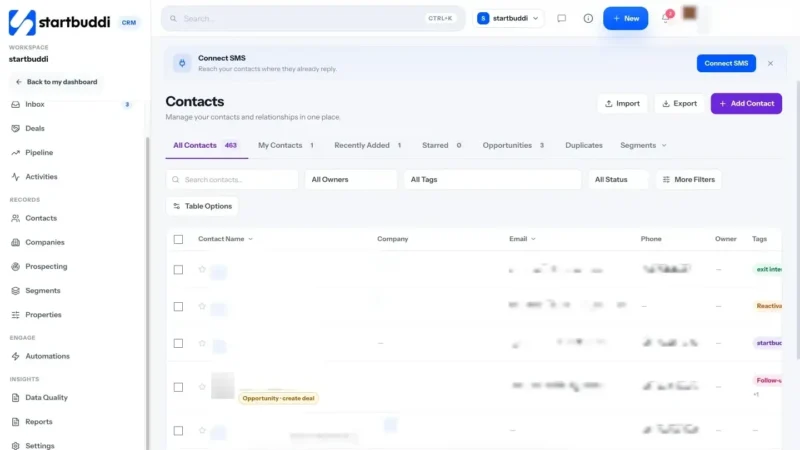
Tools like startbuddi are built for exactly this. It connects bookings directly to invoicing and payments in one workspace. When a client books, the deposit is collected, the CRM updates, and Chip AI monitors outstanding balances and sends reminders on your behalf. No manual entry. Revenue lands before you show up.

Which Warning Signs Prove Your Manual Scheduling Has Already Hit a Breaking Point?

If you are unsure whether manual scheduling is holding you back, these signs confirm it.

You spend more than an hour daily on scheduling admin: confirming, rescheduling, chasing, updating records. One hour daily is 260 hours a year lost to a problem a system solves automatically.

You have had at least one double-booking in the past month. That is not a fluke. It is a signal your system has no single source of truth.

You are not consistently collecting deposits upfront. If payment collection is manual and awkward, it will not happen reliably, meaning more no-shows and more time chasing money already earned.

Your client history lives in multiple places: WhatsApp, email, a spreadsheet, your memory. If you reconstruct context before every client call, your scheduling system is failing your relationships. There is a better way to keep track of client information that does not depend on memory.

What Does Your Business Look Like the Moment You Finally Replace Manual Scheduling?

Manual scheduling

The shift away from manual scheduling is immediate. The first week an automated booking system is live, you stop thinking about confirmations. The first month, no-shows drop because reminders fire without you. By month three, your calendar and revenue are visible in one place with no admin required.

For coaches, consultants, agencies, and freelancers, this is the difference between constantly catching up and getting ahead. When scheduling, payments, and reminders live in one connected system, you stop being the glue holding everything together. If you are still figuring out how to keep track of clients across separate tools, that is the clearest sign a connected system is overdue.

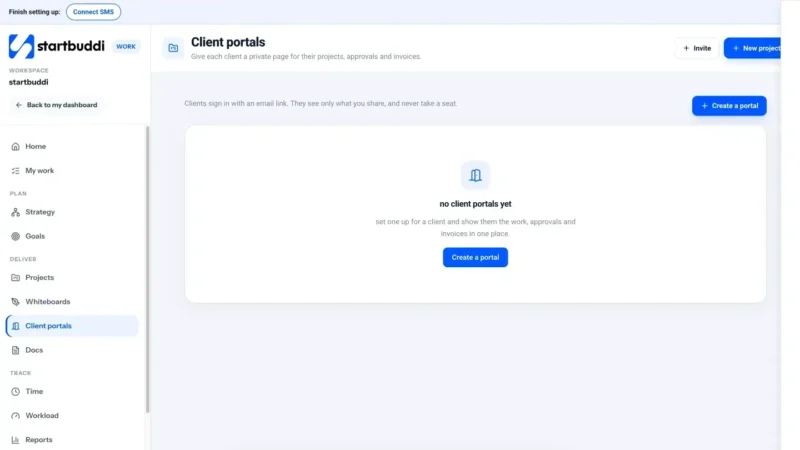
 startbuddi replaces Calendly, Stripe, spreadsheets, and WhatsApp follow-ups with one workspace where bookings, CRM, invoicing, and Chip AI work together. Most businesses are live within an hour of signing up.

Frequently Asked Questions 

What is manual scheduling?

Manual scheduling is booking, confirming, and managing appointments by hand without automation. It relies on human input across calendars, spreadsheets, and messaging apps, increasing the risk of errors, double-bookings, and missed follow-ups.

Why is manual scheduling a problem for small businesses?

It does not scale. As your client load grows, the admin burden grows with it. Small businesses lose hours each week to confirmations, reminders, and payment chasing that automated systems handle instantly.

How do I stop double-bookings when scheduling manually?

Move away from manual scheduling entirely. An automated booking system holds one real-time availability record, so every slot taken is blocked immediately.

What is the best way to replace manual scheduling?

Use an all-in-one tool that connects bookings, payments, and client records. This removes the gaps between separate apps where manual scheduling errors occur most. 

Conclusion

Manual scheduling feels manageable right up until it is not. Double-bookings, missed payments, and invisible revenue losses compound slowly, then all at once. The solution is not trying harder. It is replacing the system.

Automated scheduling outperforms manual scheduling. That is not a debate. The only question is how long you will let a broken system cost you before you act.

Ready to replace manual scheduling with something that actually works? You can create a free account on startbuddi, choose only the modules you need, and be set up in days. Paid plans start at less than $10 per month

A seamstress confirmed two clients for Saturday at 10am. One came through WhatsApp. One was in her notebook. She did not catch it until both showed up at her door at the same time. That is what happens when client information is scattered across too many places at once.

If you run a service business and you are trying to figure out how to keep track of clients information, the real problem is almost never effort. It is structure. This article breaks down where manual tracking breaks down, what a working system needs, and how to fix it today.

Why Is Keeping Track of Clients Information So Hard Without a System?

How to Keep Track of Clients Information

Manual tracking feels manageable with two or three clients. A notebook here, a voice note there. It works until it does not.

The real issue is that every piece of information lives in a completely separate place. Your notebook has no connection to your WhatsApp and your phone calendar has no link to the deposit someone sent last Tuesday. Your memory is the only thing holding everything together, and that is an unreliable way to run a business.

What Are the Most Common Ways Manual Tracking Breaks Down?

Manual tracking does not collapse all at once. It fails quietly, one missed note at a time, until a busy day reveals exactly how broken the system has become.

By double booking

How to Avoid Double Booking

Double-booking happens when your appointments exist in more than one place. You check the notebook for Friday at 2pm, it looks free, and you confirm the new booking. But the client you confirmed via WhatsApp three days ago is already in that slot.

If you want to know how to avoid double booking for good, every appointment must live in one place. A single calendar showing all confirmed bookings in real time, before you accept anything new, is the only way to guarantee this stops.

Managing Bookings and Payments in One Place

Most providers track bookings in one place and payments in another. A deposit comes in, you note it somewhere, and by appointment day you cannot find the record. Now you are either chasing a client for money they already paid or absorbing a loss you cannot prove.

When you manage bookings and payments in one place, this problem disappears. You open the appointment, the deposit is right there, and you know exactly what is still outstanding before the client walks in.

Losing a client’s booking history

Repeat clients are your most valuable clients. They already trust you. But if you cannot pull up their measurements or how many fittings they needed last time, you are starting from scratch every visit. Learning how to follow up with leads and existing clients properly is what turns a one-time booking into a long-term relationship.

According to Formstack, 72% of workers say inefficient processes negatively impact their job. For service businesses still running on notebooks and message threads, that frustration shows up every single day in missed bookings, lost payments, and clients who do not come back.

What Should a Simple System for Keeping Track of Clients Information Include?

You do not need something complicated. You need the right things connected to each other in the right way.

For example; seamstresses and tailors, the question is not just about having a calendar. It is about how your calendar, clients, and bookings are structured and linked together. A proper seamstress appointment scheduling database schema for calendar, clients, and bookings means every appointment automatically carries the client’s name, service details, measurements, and payment status inside one single record.

Every client information record should hold at minimum:

How Do You Organize a Booking Calendar for Clients?

A booking calendar that actually works does more than display dates. It shows real-time availability, flags conflicts before you confirm them, and stays directly linked to each client record. A calendar with no connection to your client data or payment status is just a date grid, and on its own, it is simply not enough.

Is Manual Tracking Ever Good Enough?

Yes, briefly. Three or fewer active clients with simple services, a notebook holds things together. But the moment you are taking deposits or juggling more than five clients, manual tracking becomes a liability. Decisions made from memory are exactly where money and client relationships get lost.

SituationManual TrackingWith a System
1 to 3 clientsWorkableNot needed yet
5+ clients with depositsRiskyStrongly recommended
Repeat bookings (seamstress)Loses historyFull history saved
Bookings and payments togetherTwo separate systemsOne connected view
Avoiding double-bookingHard to guaranteeAutomatic conflict alerts
Appointment remindersManual effortSent automatically

How Do You Move From Manual Chaos to a Working Client System?

The transition does not have to be complicated. Three steps cover most of it.

Start with your client list. One place, every client. Once they all live in a single database, keeping track of clients information becomes something your system does for you, not something you carry in your head.

Connect your calendar to your client records. When you create a booking, it should pull from your client list automatically and show you available slots before you confirm anything new.

Attach payment records to every booking. When a deposit is logged, it updates the appointment. You never have to scroll through a message thread to verify a payment again.

Frequently Asked Questions

How to avoid double booking with multiple clients?

 Keep every booking in one shared system. When all confirmed appointments are visible before you accept a new one, conflicts become impossible. Splitting your calendar across a diary, a phone, and message threads is exactly where double-booking starts.

How do I manage bookings and payments in one place? 

Use a client management interface that attaches payment records directly to each booking. Deposit received, balance outstanding, fully paid, all visible on the appointment itself, removing confusion from tracking them separately.

What is a seamstress appointment scheduling database schema for calendar, clients, and bookings? 

It is the structure that links your calendar, client records, and bookings together. When connected, every appointment automatically carries client details, service notes, and payment status without entering it in multiple places.

What is the best way to keep track of clients information for a small service business?

 The best system keeps your client data, booking calendar, and payments connected in one place. A spreadsheet works for three or fewer clients. Beyond that, a dedicated client management interface pays for itself quickly in time saved and mistakes avoided.

Conclusion

startbuddi is built for small service businesses that are done managing clients through notebooks and scattered message threads.

You get a full client management interface that saves every client detail, connects to your booking calendar, and tracks payments inside every appointment. Reminders go out automatically so clients show up without you chasing anyone.

If a client has booked before, their full history is right there when they rebook. No digging, no guessing. It is exactly what you need to keep track of clients information without the chaos of doing it manually.

If you’ve ever sent a follow-up email to a client and realised halfway through that you’re using the wrong name, wrong package or wrong details, you already know the pain. Client information goes missing more often than most founders want to admit. It lives in email threads, WhatsApp messages, sticky notes, spreadsheets, and that one form response you can’t find anymore.

This is one of the most common problems for small businesses, coaches, freelancers, and service-based businesses. And it quietly costs you clients, time, and money every single week.

This guide will walk you through why your current setup for storing client information is failing you, how to fix it step by step, and what a smarter, simpler system actually looks like.

Why Do Businesses Lose Track of Client Information?

The problem is not that you’re disorganised. The problem is that most small businesses are using systems that were never designed to work together.

You take an inquiry on Instagram. The client fills out a Google Form. You email them back. They book through Calendly. Their payment goes through PayPal. And somewhere in that chain, their name, business type, budget, and specific needs are scattered across five different platforms.

By the time you’re writing their proposal or preparing for their first call, you’re digging through your inbox trying to piece everything back together. That’s not a workflow. That’s detective work. If you’re not sure where to begin, this guide on how to keep track of clients breaks it down in a very practical way.

This is where a proper approach to storing and managing client information changes everything.

How Do I Keep Track of All My Clients in One Place?

 Keep Track of All My Clients

Getting organised with client information doesn’t have to be complicated. Here’s a step-by-step approach that actually works for small businesses.

Are You Collecting the Right Client Information From the Start?

Before you store anything, get clear on what matters. For most service businesses this includes full name, contact details, business type, budget range, the service they’re interested in, how they found you, and any specific notes from your first conversation. The more specific your intake process, the less back and forth you’ll have later.

A big part of this is also sorting out how you organise client communication. Most small businesses are juggling WhatsApp, email and voice notes all at once, which means context gets lost constantly and nothing is in one place. If that sounds familiar, this guide on how to organise client communication will help you fix that.

Is Your Client Information Living in One Place or Five?

Stop letting client details live in your inbox. Whether you’re using a spreadsheet or dedicated client information software, the rule is simple. One place, always updated, always accessible.

This is where Customer Relationship Management comes in. A CRM gives every client a profile. You can see their history, what stage they’re at in your sales pipeline, what you’ve discussed, and what’s next. No more guessing. Instead of stitching together five separate tools to do this, platforms like startbuddi keep your forms, bookings, CRM and follow-ups all connected in one place so nothing slips through.

Do You Have a Proper Client Onboarding Process?

Client onboarding is the moment you move someone from lead to paying client. Most businesses wing this. A structured onboarding process means your client fills out a detailed form, you receive that information directly into your system, and you already know everything you need before the first call even starts.

A lot of small businesses also try to manage their entire client relationship through WhatsApp, which works until it really doesn’t. If that is where most of your client conversations happen, here is a practical guide on how to manage clients on WhatsApp without losing important details in the chat.

How Do You Stop Losing Client Information Once and For All?

Client information

Once your intake process is clean and your CRM workflow is running, keeping client information organised comes down to one habit. Every touchpoint with a client gets logged. Every note, every update, every stage change. This keeps your sales pipeline accurate and your follow-ups timely.

When client onboarding feeds directly into your CRM, you stop relying on memory and start relying on your system. That is the difference between a business that feels chaotic and one that runs smoothly. If you want a simple system that connects your leads to your follow-ups, take a look at startbuddi’s CRM and lead management system to see how it works.

How Do You Personalise Proposals With Client Information?

When you know your client’s goals, budget and challenges, you can personalise proposals in a way that feels like you have been listening. Generic proposals get ignored. Personalised ones get signed.

Reference their specific goal. If a client told you they want to grow their client base by thirty percent in six months, put that number in the proposal. Show them how your service gets them there.

Use their industry language. A fitness coach and a law firm describe their problems very differently. Mirror their words back to them and they will feel understood immediately.

Address the objection they raised. If they mentioned budget concerns during onboarding, acknowledge it and show the value clearly.

Show them a clear next step. Personalised proposals should always end with a low friction action. Book a call, sign here, reply to confirm.

This level of personalisation is only possible when your client information is stored properly and accessible when you need it

Frequently Asked Questions

What is client information?

lient information refers to the details you collect about a customer or potential customer. This typically includes their name, contact details, business type, goals, budget, and notes from your conversations. Storing this properly helps you personalize your service and follow up effectively.

What is the best way to store client information? 

 The best way to store client information is in a single centralized system, ideally a CRM or an all-in-one platform that connects your forms, bookings, and communication in one place. This prevents data from being scattered across multiple tools.

What is client information software? 

 Client information software is any tool that helps you collect, store and manage details about your clients. This ranges from standalone CRM tools to all-in-one platforms like startbuddi that combine CRM with bookings, forms and automations.

How do I personalise proposals with client information?

To personalise proposals, reference the client’s specific goals, use their language, address any concerns they raised during onboarding, and show clearly how your service solves their exact problem. This is far more effective than sending a generic template.

Conclusion

If client information is slipping through the cracks right now, the fix is not working harder. It is building a smarter system. When your client onboarding is structured, your CRM workflow is clean, and your proposals are personalized, everything runs more smoothly and you close more work.

Platforms like startbuddi let you run your entire client management system including forms, bookings, CRM and automations for less than $10 a month. You don’t need five tools and five subscriptions. You need one system that keeps your client information organised and your business moving forward.

You got a new client last month. You spoke on WhatsApp, took notes in your phone, sent the invoice by email and saved their brief somewhere in Google Drive. Now they are asking for an update and you cannot find anything.

This is one of the most common problems small business owners and freelancers face. You are moving fast and before you know it, your client information is scattered across five different places with no real system holding it together. Learning how to keep track of clients is not just about staying organised. It directly affects your revenue, your reputation and how fast your business grows.

This guide will walk you through why your current setup is breaking down, what tools most businesses use, how to build a simple system that works and how to manage everything without adding more apps to the pile.

Why Is It So Hard to Keep Track of Clients When You Are Busy?

Keep Track of Clients

Most founders do not start with a system. They start with a few clients and handle things informally. One message here, one note there. It works at first. Then it does not.

You are managing five clients at once. One is waiting on a quote. Another needs a payment reminder. A third booked a call but never confirmed. You meant to follow up with a fourth two weeks ago and forgot completely. The fifth one sent their project brief in a WhatsApp voice note you still have not transcribed.

This is not a focus problem. It is a systems problem. Poor client tracking costs businesses real revenue. Missed follow-ups, forgotten leads and scattered information quietly drain your income over time. When client information is scattered, mistakes happen, clients feel unimportant and you lose the trust you worked hard to build.

What Tools Are Most Small Businesses Using to Manage Client Information?

To understand how to keep track of clients information properly, you need to see what most people try before they find something that actually works.

Here is the typical mix most small business owners end up with. A spreadsheet for names and contact details. A calendar app for bookings. A form builder to collect client briefs. A separate tool for invoices. WhatsApp for quick back and forth. And maybe Trello or Notion sitting somewhere in the middle trying to hold everything together.

Each tool does its own job. But together they create a mess. Your client data is split across platforms. You manually copy information from one place to another. Reminders do not sync. Nothing talks to anything else. You end up spending more time doing admin than actually running your business. If you are also struggling with why none of this seems to be moving your business forward, this piece on growth explains exactly why disconnected systems are often the root cause.

According to the Salesforce State of the Connected Customer report, customers expect consistent and connected experiences. When your internal systems are disconnected, that inconsistency shows up directly in how you serve them.

How Do You Set Up a Simple System to Keep Track of Clients?

Here is a practical step by step approach that works whether you are a solo freelancer or running a small team.

Step 1: Pick one central place for all client information

Stop saving client details across different apps. Choose one CRM where every client has a profile that includes their contact details, service history, current status and your last conversation with them. This is the foundation of how to keep track of clients without constantly searching for things.

Step 2: Create a consistent intake process

Every new client should fill out a form before work begins. That form captures their goals, budget, timeline and preferences and feeds straight into their profile automatically. No manual copying. No chasing information after the fact.

Step 3: Track every interaction

When you send a proposal, confirm a booking, note it. When you have a call, add a short summary. Over time this builds a full history that helps you serve each client better and shows you patterns you would otherwise miss completely. Getting your communication organised in one place is what makes this step actually sustainable.

Step 4: Automate your reminders and confirmations

After a client books or fills a form, they should automatically receive a confirmation. Before a deadline or session, they should get a reminder. You should not be typing these manually every single time. If you are still unsure which tool fits your business, this guide on how to choose a CRM will help you make the right call.

How to Keep Track of Clients Information?

How to Keep Track of Clients Information?

This is where most founders get it wrong. They try to fix the chaos by adding another tool instead of consolidating everything into one place.

Here is what a clean workflow actually looks like. A potential client visits your website and fills out an inquiry form. Their contact is automatically created in your CRM. They receive a confirmation email. You schedule a call and they get a reminder the day before. After the call they sign up, their status updates and the project begins. Every step is logged. Nothing is lost.

That is how to keep track of clients information without the back and forth. When your bookings, forms, payments and communication all live in the same system, follow-ups happen on time, clients stop repeating themselves and you stop doing admin manually.

Instead of paying separately for a form builder, a CRM, a booking tool and an email platform,startbuddi brings all of this into one place. One login, one dashboard, the full client journey handled without switching between apps.

Frequently Asked Questions

What is the best way to keep track of clients for a small business?

Use a single system that stores client contacts, tracks communication, handles bookings and sends automated reminders. An all-in-one platform works better than managing separate tools that do not connect with each other.

How do I keep track of clients information without a complicated setup?

 Start with a simple intake form that captures client details automatically and feeds into a central contact database. Tools that combine forms, CRM and reminders in one place make this straightforward even for non-technical founders.

What should be included in a client tracking system?

At minimum your system should store contact details, service history, booking dates, payment status, follow-up reminders and notes from each interaction. The goal is to have a full picture of every client in one view.

How often should I update my client records? 

Update after every meaningful interaction, whether that is a call, a booking, a payment or a message. The more current your records are, the easier it is to follow up at the right time and avoid costly mistakes.

Conclusion

If you are serious about growing your business, the first thing to fix is how you track your clients. Scattered notes and unread chats are costing you real money and real relationships. Knowing how to keep track of clients properly is what separates businesses that grow consistently from those that stay stuck in reactive mode.

Book a free consultation to talk through how to set this up for your specific business.

You can also create a free account on startbuddi, choose only the modules you need and get started quickly. Paid plans start at less than $10 per month, far less than what most founders are already spending across separate tools.

You open WhatsApp on a Monday morning and you have 24 unread messages. Some are leads asking about your services. Some are existing clients asking about bookings. A few are follow-ups you promised to send last week and completely forgot. Sound familiar?

This is what happens when you try to manage clients through WhatsApp without a proper system. WhatsApp is a great communication tool, but it was never built to run a business. When your entire client pipeline lives in a chat thread, things fall apart fast. Leads go cold. Bookings get missed. Clients feel ignored. Beyond that, keeping sensitive client conversations inside a chat app also opens the door to risks like scams that target both businesses and their clients. And you end up working harder just to stay in place.

This guide will walk you through why WhatsApp alone is not enough to manage clients, what a real system looks like, and how to fix this without buying five different tools. By the end, you will know exactly how to keep track of clients and stop losing money in your inbox.

Why Is Managing Clients on WhatsApp So Hard?

Manage Clients

WhatsApp feels easy at first. Everyone uses it. Clients message you directly. You reply fast. It feels personal and simple.

But as your business grows, those chats become a problem. You cannot easily search for a specific client’s details or see which leads you never followed up with. You have no record of what was agreed, what was paid, or what was booked. Everything is buried in conversations that keep moving down the screen.

The real problem is not WhatsApp itself. The problem is that WhatsApp has become your CRM, your booking system, your reminder tool, and your client database all at once, and it was designed to be none of those things. If you are unsure what tool actually fits your business, this guide on how to choose a CRM breaks it down simply.

How Do You Keep Track of Client Information Without Losing It?

Knowing how to keep track of client information properly means having one place where everything lives automatically, not somewhere you manually update every evening after a long day.

Here is what proper client tracking looks like step by step:

Step 1: Capture client information through a form, not a chat. When a new lead contacts you, instead of collecting their name and service interest through back and forth messages, send them a short intake form. They fill it in. The information goes directly into your system.

Step 2: Let the information enter your CRM automatically. Once the form is submitted, the contact should appear in a CRM for small business with their name, contact details, and what they enquired about.

Step 3: Trigger a confirmation message immediately. The moment someone submits a form or books a slot, they should receive an automatic confirmation. This improves your response time and makes you look professional without you lifting a finger.

Step 4: Set up reminders and follow-up sequences. Instead of remembering to chase every lead manually, your system sends follow-up messages at set intervals. Three days after an enquiry, one day before a booking, one week after a service. If you want to build this properly, read this practical guide on how to follow up with leads without being pushy or forgetting anyone.

Step 5: Track every interaction in one place. Your client pipeline should show you who is a new lead, who has been contacted, who has booked, and who needs a follow-up. 

What Tools Are Businesses Using for Client Communication Management?

Client Communication Management

Most service businesses end up paying for multiple tools to do what one system should handle. They use Calendly for bookings, Mailchimp for emails, Typeform for forms, a spreadsheet for client tracking, and WhatsApp for everything in between. 

This leads to client data scattered everywhere, missed follow-ups because reminders live in different places, manual work just to keep things updated, and higher monthly costs that add up quickly. Many businesses also discover that using a CRM built for email marketing alongside their other tools helps close the gap between capturing a lead and actually staying in touch with them consistently.

Research shows that if a business responds to a lead within an hour, that lead is seven times more likely to convert compared to businesses that wait longer. According to LeadAngel, this gap comes down to systems, not effort. When your follow-up process is scattered across WhatsApp, email, and a spreadsheet, fast response times are almost impossible to maintain consistently. 

Instead of paying separately for a booking tool, a form builder, an email platform, and a CRM, platforms like startbuddi give you all of this in one place. You get forms that feed directly into a CRM, bookings with automatic confirmations, follow-up notifications, and a full view of your client pipeline, without switching tabs or copying data between apps. Where you would normally pay for Calendly, plus a CRM, plus an email tool, startbuddi puts everything under one roof.

What Does a Proper Client Follow-Up System Actually Look Like?

Here is a real workflow that works. A potential client sees your Instagram post and clicks a link to your website. They fill out a short enquiry form. Their contact information enters your CRM automatically. They receive a confirmation message immediately. You get a notification that a new lead came in. Two days later, a follow-up message goes out automatically. If they book, a reminder is sent the day before their appointment. After the service, a thank you message goes out on its own.

You did not do any of that manually. You set it up once and it runs. That is what conversation tracking and a real follow-up system look like in practice.

Research shows that 94% of businesses report a sharp increase in sales productivity after implementing a CRM system, and businesses using CRMs see an average 29% increase in sales revenue. According to Flowlu, the difference is not working harder. It is having the right structure in place.

When your client communication management is automated and centralized, you stop relying on memory and start running a business that actually follows through.

Frequently Asked Questions

Can WhatsApp Business help me manage clients better? 

WhatsApp Business adds useful features like quick replies and labels, but it still cannot track your client pipeline, automate follow-ups, or store client information in a searchable CRM like startbuddi.

How do I keep track of client information without a spreadsheet? 

Use a CRM like startbuddi that connects to your intake forms. When a client fills out a form, their details go directly into the system. You never manually enter anything, and all client information stays in one searchable place.

What is the best follow-up system for small businesses?

The best follow-up system is one that runs automatically. A client fills a form, gets a confirmation, receives a follow-up after a set number of days, and gets a reminder before their appointment. You set the rules once and the system handles it.

How do I improve my response time for new leads?

Set up an automated confirmation that fires the moment a lead submits a form or books a session. This tells them you received their message and what to expect next, while making them feel attended to immediately.

Conclusion

If you have been trying to manage clients through WhatsApp and feel like you are always one step behind, this is your sign to build a real system. You can create a free account on startbuddi, choose only the modules you need, and be set up in days. Paid plans start at less than $10 per month.

When your bookings, client information, forms, and communication all live in one place, running your business stops feeling like chasing. You know who needs a follow-up, you know who has booked and you know which leads are still warm.

Imagine you had a great call with a potential client last Tuesday. They seemed interested. You meant to follow up but things got busy. A week later you remember, send a message, and they have already gone with someone else.

That one missed follow-up could have been a paying client. Multiply that across a month and you start to see the real cost of running a business without a system.

This is why CRM is important for small business owners to understand early. A CRM, which stands for Customer Relationship Management, is not just software for big corporate sales teams. It is the system that tracks every lead, sends follow-ups at the right time, and makes sure no one falls through the cracks. This guide will walk you through what CRM actually does, why it matters, and how to choose the right one without overcomplicating it.

Customer Data Management: Why Scattered Information Is Costing You Money

Most small business owners are running on notes in their phone, spreadsheets, WhatsApp messages, and memory. That might work when you have five clients. It breaks completely when you have fifty.

According to HubSpot, businesses without a centralized system lose up to 79% of marketing leads because they never follow up properly. That is most of the people who showed interest in your business, gone.

Without a proper customer data management system, you end up with:

Best CRM for a Startup: 5 Tools Worth Knowing (And One That Does It All)

Best CRM for a Startup

There are solid options out there depending on your budget and business needs, but not all of them are built with small business simplicity in mind.

  1. Startbuddi: Built specifically for service-based businesses who do not want five different tools. For less than $10 a month, startbuddi gives you CRM, bookings, forms, payments, automations, and notifications inside one dashboard. Everything your business needs to capture leads, follow up, and book clients is already there. Learn more about how to choose a CRM and how to integrate CRM with your website.
  2. HubSpot CRM: Has a generous free plan and is widely used for sales pipeline tracking and lead nurturing. Can feel like overkill for solo founders and you will still need separate tools for bookings and forms.
  3. Zoho CRM: Affordable and flexible with automation tools built in. Works best when paired with other Zoho products, which can add complexity for non-technical founders.
  4. Salesforce CRM: Powerful and customisable but built for larger businesses. Too expensive and complex for most startups at the early stage.
  5. Pipedrive: Great for visual sales pipeline tracking. Still requires separate tools for bookings, forms, and client communication.

Benefits of CRM for Small Business: What Actually Changes When You Have One

Benefits of CRM for Small Business

Here is what actually changes when you have a CRM working properly.

You stop losing leads. Every enquiry gets logged automatically. Your sales pipeline tracking becomes visible instead of invisible.

Your follow-up becomes automatic. Your follow-up systems send messages on a schedule. Lead nurturing, confirmations, and reminders all happen without you thinking about it every morning.

You know your customers better. A CRM stores every interaction, what they asked, when they booked, what they paid, making client communication feel personal even when it is automated.

Customer retention goes up. According to Techdella, retaining existing customers costs significantly less than acquiring new ones, and a CRM keeps you consistently in touch with your existing base.

Your business growth systems become consistent. Growth only happens when the right actions happen repeatedly. A CRM makes that consistency possible even when you are stretched thin.

Here is what this looks like when it is working. A potential client visits your website and fills out your contact form. Within seconds they get a confirmation email. Their details land automatically in your CRM. A sales pipeline stage is assigned. Two days later an automated follow-up goes out. If they book, they get a reminder the day before. You did none of that manually. That is exactly why CRM is important for small business owners who want to grow without burning out.

Step-by-Step: How to Set Up a CRM for Your Small Business

Setting up a CRM does not have to be complicated. Follow these five steps and you will have a working system in place faster than you think.

Step 1: Map Where Your Leads Are Coming From

Know your sources before picking any tool. Website forms, Instagram DMs, referrals, or booking links. Your CRM needs to connect to wherever people first reach out.

Step 2: Choose the Right CRM for a Startup or Small Business

The best CRM for a startup is not always the most expensive one. If you want CRM, bookings, forms, and automations without managing separate platforms, startbuddi covers all of that under $10 a month. Instead of paying separately for HubSpotCalendlyTypeform, and Mailchimp, startbuddi has all of it in one dashboard.

Step 3: Build Your Lead Capture and Follow-Up Systems

Create a simple form on your website that feeds directly into your CRM. Set up automatic emails to go out when someone submits a form or books an appointment. Your follow-up systems handle the consistency so you never rely on memory again.

Step 4: Sales Pipeline Tracking: Know Where Every Lead Stands

Set up stages like New Lead, Contacted, Proposal Sent, Won, and Lost. Check it once a week and you will always know exactly who needs attention.

Step 5: Use Automation Tools to Run Your Business Growth Systems

Once your pipeline is set up, automate the repetitive work. Reminders, follow-ups, and booking confirmations should all run on their own. As covered in this online business setup guide, having systems in place before you scale is what separates businesses that grow from those that stay stuck.

Frequently Asked Questions

Why is CRM important for small business owners specifically?

Because small teams cannot afford to drop leads. A CRM keeps your client communication and business growth systems running consistently even when you are busy.

What is the best CRM for a startup on a tight budget?

HubSpot CRM has a solid free tier and Zoho CRM is affordable. If you want CRM plus bookings, forms, and automations in one place, startbuddi is worth looking at for under $10 a month.

How long does it take to set up a CRM?

 A basic CRM can be set up in a few hours. startbuddi is designed so founders can be up and running in days without any technical help.

Do I need technical skills to use a CRM?

No. Most modern tools are built for non-technical users and do not require a developer or coding knowledge.

Conclusion

Now you know why CRM is important for small business owners at every stage. It is not about adding more software. It is about replacing scattered notes, missed follow-ups, and disconnected tools with one clear system that works even when you are not watching it.

If you want help mapping out the right setup for your business, book a free consultation and get clarity on what needs to be in place.

Platforms like startbuddi let you run bookings, CRM, forms, automations, and client communication all in one place for less than $10 a month. Create a free account, pick only the modules you need, and be up and running in days.

When your customer data management, sales pipeline tracking, lead nurturing, and client communication all work together in one place, your business stops feeling like chaos and starts running like a real system. Simplify your workflow and let the system do the heavy lifting

You had a great conversation with a potential customer. They seemed interested. You told yourself you would follow up in a day or two. Then life happened. A week passed. By the time you remembered, you had already lost the moment and the lead.

This is one of the most common and costly mistakes small business owners make. Not because they do not care, but because everything else demands attention and pushes follow-up aside. The good news is that AI lead follow up is changing this completely. With the right automation tools and AI tools now available, AI can write your follow-up messages, send them at the right time and keep leads warm without you lifting a finger.

This guide will walk you through how AI follow-up works, what makes a great message and how to build a system that runs on its own.

Why Most Businesses Lose Leads in the Follow-Up Stage

Follow-Up Stage

The problem is not getting leads. The problem is what happens after.

According to HubSpot’s sales research, 44 percent of salespeople give up after just one follow-up, even though 80 percent of sales require at least five touchpoints. Most small businesses are not even getting to that second message.

Here is what typically goes wrong:

The result is lost revenue. A lead that goes cold rarely comes back.

What a Perfect Customer Follow Up Message Looks Like

A strong customer follow up message does three things well.

It references the action the person took. If someone booked a call, the message should acknowledge that. If they filled a contact form, it should speak to what they were asking about.

It gives value without pressure. The goal is to stay helpful. A good follow-up answers a question, offers a next step or reminds them why they reached out.

It arrives at the right time. Follow up timing strategy matters more than most people think. The first message should go out within 24 hours. A second touchpoint three to five days later if there is no reply keeps the conversation alive without feeling pushy.

A message that does all three feels personal, relevant and timely. That is exactly what AI helps you produce consistently. You can also learn more about how to follow up with leads effectively before building your sequence.

How AI Lead Follow Up Actually Works

AI lead follow up is not just automation. It is about writing better messages faster and delivering them to the right person at the right moment.

Here is how the workflow looks:

To keep this running properly, you also need a reliable way to track your leads so nothing gets missed between steps.

The Tools Businesses Usually Juggle Just to Follow Up

To build even a basic follow-up system, most businesses end up using multiple tools:

Each tool has its own login, its own learning curve and its own monthly cost. Customer data ends up scattered. Follow-ups slip through because the workflow is too complicated to maintain.

According to McKinsey research, around 50 percent of the tasks small business workers handle every day could already be automated with technology that exists right now. Most just do not have the right system in place.

Instead of managing five tools, many founders are moving to one platform where everything works together. When your form, CRM and follow-up messages all live in the same place, nothing falls through the cracks.

How Startbuddi Makes AI Lead Follow Up Simple

AI Lead Follow Up Simple

This is where startbuddi comes in.

Startbuddi is built for exactly this problem. Inside the platform is an AI-powered follow-up feature that helps you create each step of your follow-up sequence including what to say, how to say it and when to send it. You do not guess. The AI helps you write messages that match your tone and your customer’s situation.

While you would normally need ActiveCampaign for email automation, a separate CRM, a form tool and ChatGPT sitting open in another tab just to write your messages, startbuddi puts all of that into one place.

The workflow looks like this:

Your customer engagement stays consistent because the communication feels personal, even when it is fully automated.

Frequently Asked Questions

What is AI lead follow up? 

It is the use of artificial intelligence to help write, personalize and automate follow-up messages sent to potential customers after they show interest in your business.

How does an automated lead follow up system work? 

When a lead fills a form or books a call, the system captures their details, triggers a series of messages and sends them at set intervals without any manual input from the business owner.

What should a customer follow up message include?

It should reference the action the person took, offer something helpful and arrive at the right time. It should feel personal and relevant, not generic.

Can small businesses afford an AI follow-up system?

Yes. Platforms like startbuddi offer full follow-up automation, CRM and bookings starting at under ten dollars per month, making it accessible for freelancers, coaches and small business owners at any stage.

Conclusion

AI lead follow up is one of the most practical things a small business can set up right now. When your messages are written well, sent on time and triggered automatically, your leads feel seen and your conversion rate improves.

You can also create a free account on startbuddi, choose the modules you need and get started today. Paid plans start at less than ten dollars per month, meaning you can run a complete automated lead follow up system without a big budget. Platforms like startbuddi make it possible to manage bookings, CRM, forms and follow-up all in one place for less than ten dollars a month. Simplify your workflow and let the system do the work for you.

You started your business to serve clients and build something meaningful. But somewhere along the way, money stress crept in. You are not sure what came in last month. You are not sure what went out. And you have no clear picture of whether the business is actually working financially.

Cash flow tracking is one of the most important habits a small business owner can build, yet most founders avoid it until things get uncomfortable. The good news is you do not need to hire an accountant to understand your numbers. You just need a simple system.

This guide will walk you through how to track your income and expenses, understand your burn rate and runway, and use the right tools to stay in control without the stress.

Cash Flow Management Is Not the Same as Profit and Here Is Why It Matters

Many founders think they are doing well because money is coming in. But cash flow management is not the same as tracking revenue. Revenue is what you earn. Profit is what remains after expenses. Cash flow is what is actually in your account and available right now.

A business can show profit on paper and still not be able to pay rent next month. According to SCORE, 82% of small businesses fail due to cash flow problems. Understanding your cash inflow and outflow gives you the financial visibility you need to make real decisions before things get tight.

How to Start Cash Flow Tracking Step by Step

Cash Flow Tracking

Before jumping into the steps, understand this: the goal is not perfection. The goal is consistency. Even a basic system you use every week beats a complex one you ignore.

Step 1: Separate Business and Personal Money

Open a dedicated business bank account if you have not already. When personal and business spending are mixed together, your numbers will never be clear. Every sale goes into the business account. Every expense comes out of it. This one step removes most of the confusion.

Step 2: Map Your Cash Inflow and Outflow

Write down every source of money coming in. Client payments, product sales, retainers, anything. Then write down everything going out. Software, supplies, contractors, ads, rent. Once you can see both sides clearly, you have a real picture of where your business stands.

Step 3: How to Track Business Expenses and Income in Excel

A spreadsheet is a fine starting point. Create columns for date, description, category, amount in, amount out and running balance. Update it every week without fail. A weekly habit beats a monthly panic every time. That said, spreadsheets do not send alerts, they do not connect to your booking or invoicing system and they break down fast as your business grows.

Step 4: Know Your Burn Rate and Runway

Your burn rate is your average monthly spend. Your runway is how many months you can operate before running out of money. If you spend $1,500 per month and have $7,500 available, your runway is five months. These two numbers should always be visible to you. They shape your financial planning and stop you from making rushed decisions out of fear.

Step 5: Set Up an Invoicing System That Chases Payments

Late payments are one of the biggest cash flow killers for small businesses and freelancers. According to the QuickBooks 2025 Small Business Late Payments Report, 56% of small businesses are currently owed money from unpaid invoices, with an average of $17,500 in outstanding payments sitting in their pipeline. An invoicing system that sends automatic reminders removes the awkward follow-up and keeps money moving in. Every unpaid invoice is a gap in your cash flow that should not be there.

The Cash Flow Management Tools Businesses Normally Use and Why It Gets Messy

Cash Flow Management Tools

When founders try to manage cash flow, they end up with a stack of disconnected tools. A spreadsheet for expenses. QuickBooks or a similar tool for bookkeeping. A separate invoicing platform. A booking system. A CRM for client follow-ups. An email tool for reminders.

QuickBooks is a well-known option for small business accounting. According to QuickBooks’ pricing page, plans start at $25 per month and go up from there. That is fine if accounting is all you need, but most small business owners need far more than that. They also need bookings, client records, forms and automated follow-ups.

The deeper problem is that these tools do not talk to each other. Customer data lives in your CRM. Invoices are in another system. Booking confirmations are somewhere else. You end up entering the same information multiple times, missing follow-ups and spending time managing your tools instead of running your business.

Good cash flow tracking depends on having accurate, real-time information. That only happens when your systems are not scattered across five different platforms. A unified system changes this completely. Bookings, client records, forms, payments and automated communication all connected and working together in one place.

How to Manage Cash Flow With One Connected System

Here is what a clean workflow looks like when everything is in one place:

A client visits your website and fills out a form. Their details go straight into your CRM. A confirmation email is sent automatically. They book an appointment and pay a deposit online through a connected payment system. A reminder goes out before the session via automated notifications. All of this is tracked in one dashboard and you can see exactly what payments are coming and when.

No manual entry. No missed follow-ups. No chasing payments by hand.

Many founders simplify this using platforms like startbuddi, which combines bookings, client management, forms, payments and automations into one system. Instead of paying separately for QuickBooks, a booking tool, a CRM and an invoicing platform, Startbuddi brings all of it together. You get automated reminders, client records, invoicing and bookings without connecting anything manually. That is a very different experience from juggling five tools with five logins and five monthly bills.

Frequently Asked Questions

What is the best way to track your cash flow?

Update your income and expense records every week, keep your business and personal accounts separate and use a connected system that handles invoicing and client management together. Spreadsheets are a solid starting point but become harder to manage as your workload grows.

How do you manage cash flow in a business?

Start by recording all income and expenses. Calculate your burn rate and runway every month. Set up automatic invoicing reminders to reduce late payments. Review your numbers weekly so you are never caught off guard by a shortfall.

Why is cash flow management important?

Because profit on paper does not always mean money in the bank. Cash flow management gives you financial visibility so you can plan ahead, pay your obligations on time and grow with confidence instead of constantly guessing.

How do you track business expenses and income in Excel?

Create columns for date, description, category, amount in, amount out and running balance. Update weekly and use a new tab for each month. This works well early on but as your business scales, a connected platform like startbuddi saves time and reduces costly errors.

Conclusion

Cash flow tracking does not have to be complicated. You do not need an accountant, expensive software or a finance background. You need consistent habits, a clear view of your inflows and outflows and tools that work together.

You can create a free account on startbuddi, choose the modules you need and start right away. Paid plans start at less than $10 per month, which makes it one of the most affordable ways to run bookings, client records, payments and automations in one place.

If you are running a service business, coaching practice or startup and still copying customer details from your website into a spreadsheet manually, this article is for you. Every time someone fills a form on your site, that contact should land automatically in your CRM, trigger a confirmation email and enter a follow-up sequence without you touching anything.

That is exactly what happens when you understand how to integrate CRM with website properly. This guide will walk you through why it matters, how to do it step by step, what tools businesses normally use and how to simplify all of it without juggling five different subscriptions.

Why CRM Data Integration Should Be a Priority Right Now

When your website and CRM are disconnected, you end up doing a lot of manual work. A lead fills a contact form. You get a notification email. You log into your CRM and create the contact by hand. Then a day passes. You forget to follow up. The lead goes cold.

CRM data integration removes that gap. When your website and CRM communicate in real time through API integration or webhooks, every new contact, form submission or booking gets recorded automatically. Your customer data pipeline stays clean, accurate and current.

How to Integrate CRM With Website: Step by Step

Choose a CRM That Supports Website Integration

Before you connect anything, this would help you understand the four steps you need to get right for this to work smoothly.

Step 1: Choose a CRM That Supports Website Integration

Your first step is picking a CRM that makes website connection straightforward. The most widely used options are HubSpot CRM, Salesforce and Zoho CRM. All three support API integration, webhooks and native form embeds that allow data to flow between your site and your CRM automatically.

HubSpot CRM is known for being beginner friendly. You embed a HubSpot form directly on your website and every submission syncs to your CRM immediately. Salesforce is more powerful but typically needs more setup. Zoho CRM sits in the middle with solid built-in tools for smaller teams. If you are just starting out, pick a CRM that lets you connect your website without needing a developer.

Step 2: Set Up Lead Capture Forms With CRM Data Sync

Your website needs a form that connects directly to your CRM. This is the foundation of how to integrate CRM with website correctly. There are three common methods: embed a native form from your CRM onto your website, use a third-party form builder connected to your CRM through API integration, or use webhooks to push form submissions into your CRM in real time.

The goal is CRM data sync. When someone fills a contact form or books a service on your site, their details should appear inside your simple CRM lead management system within seconds, not hours.

Step 3: Use Marketing Automation Inside Your CRM to Handle Follow-Ups

Once a contact enters your CRM from your website, you want an automation to take over immediately. This is what is marketing automation in CRM actually means in practice. A welcome email fires automatically. A task gets created for your team. A reminder is scheduled before the next call or appointment.

This is the difference between manually chasing every lead and having a system that follows up for you. Lead capture automation works when your forms, CRM and communication tools are all connected and your workflows are ready to run the moment a new contact comes in. If you want to go deeper on this, here is a practical guide on how to organize client communication so nothing falls through the cracks.

Step 4: Test the Full Flow Before Going Live

Submit a test form on your website. Confirm the contact appears in your CRM. Check that the automation fires. Make sure the confirmation email sends correctly. This step protects you from losing real leads the moment you launch.

Tools Businesses Normally Use for CRM Integration With Website

 CRM Integration With Website

To handle all of this, most businesses end up managing several tools at the same time. A website or landing page builder. A CRM like HubSpot CRM, Salesforce or Zoho CRM. A form builder like Typeform or Gravity Forms. An email marketing tool like Mailchimp. An automation platform like Zapier to connect everything together.

That is five tools, five monthly costs and five places where customer data can fall out of sync. This is where the CRM vs marketing automation discussion often comes up for founders. Some businesses use a marketing automation tool without a proper CRM. Others have a CRM but no automation at all. In both situations, manual work creeps back in and leads get lost.

The smarter approach is having everything in one place. Instead of paying separately for a form builder, a CRM, an email platform and an automation tool, startbuddi brings all of this together in one system. You get forms, CRM, automated emails, booking management and a full customer data pipeline without needing to build API integration between tools or pay for a Zapier account to hold it all together. Where you would normally need five tools with five logins and five monthly bills, startbuddi has all of that available from one dashboard.

According to Salesforce’s State of the Connected Customer Report, 79% of customers expect consistent interactions across departments, yet 54% say it generally feels like sales, service and marketing do not share information. That disconnect is nearly impossible to fix when your tools are all operating separately.

Frequently Asked Questions

What is CRM integration?

CRM integration is the process of connecting your CRM system to other tools or platforms, like your website, so that customer data moves between them automatically without manual entry.

What is marketing automation in CRM? 

Marketing automation in CRM means using automated workflows inside your CRM to send emails, assign tasks, schedule reminders or trigger follow-ups when a contact takes an action like filling a form or booking an appointment.

How to integrate multiple CRM systems into one platform?

Most businesses use API integration or tools like Zapier to connect multiple CRMs. The more sustainable long-term approach is to consolidate into one platform that combines CRM, forms, bookings and communication so you are not managing multiple disconnected systems.

Can you integrate cash collection software with a CRM tool?

Yes. Many CRM platforms support connections with payment tools through APIs or built-in integrations. Some platforms include payment collection natively as part of the same system, which means you do not need a separate tool at all.

Conclusion

Learning how to integrate CRM with website is one of the most practical things you can do for your business right now. It stops leads from going cold, keeps your customer data accurate and removes the manual work that slows most small businesses down.

If you want expert help setting this up for your specific business, book a free consultation and we will walk through the right setup together.

Platforms like startbuddi make the whole process straightforward without needing a developer or a complicated tool stack. You can create a free account, choose the modules that match your needs and get started quickly. Paid plans start at less than $10 per month.

You posted on Instagram; someone filled your contact form. A referral called you. Someone replied to your email campaign. Now you have leads sitting in four different places and you cannot remember who said what or where they came from.

This is one of the most common struggles for small business owners today. And it is not about working harder. It is about having the right system. Understanding how CRMs handle multi-channel lead tracking is the first step to fixing this problem.

This guide will walk you through what lead tracking actually means, why businesses lose leads without realising it, and how to connect all your lead sources in one place so nothing falls through the cracks.

Why Is Lead Source Tracking So Hard When You Use Multiple Channels?

 Lead Source Tracking

Today a potential customer might find you through Google, Instagram, a referral, a WhatsApp message or a Facebook ad. Each of those is a different channel. Each one deserves a proper follow-up.

Most businesses are not set up for this. Leads sit in email inboxes. DMs go unread for days. Contact form submissions get buried. There is no single view of the customer journey and no way to know which channel is actually bringing in the best clients.

This is where lead source tracking becomes critical. When you know where your leads are coming from, you can focus on what is actually working.

What Is a Lead in CRM 

A CRM lead is any person who has shown interest in your business but has not yet become a paying customer. They might have filled a form, booked a call, sent a message or clicked your ad. In a CRM system, each lead gets its own record. You can see their name, contact details, where they came from and what stage of your sales pipeline they are in.

Without this, you are guessing. With it, you have real sales pipeline visibility across every channel you use.

How CRMs Handle Multi-Channel Lead Tracking Step by Step

How CRMs Handle Multi-Channel Lead Tracking

Here is how CRMs handle multi-channel lead tracking in a practical way that works for small businesses.

Step 1: Capture Leads From Every Channel Automatically

A good CRM connects to your website forms, landing pages, social media ads and email campaigns. When someone submits a form or clicks an ad, their information goes directly into the CRM. You can read more about how lead capture automation removes manual entry entirely.

Step 2: Tag Each Lead With Its Source for Accurate Lead Attribution

Every lead that enters your CRM gets tagged with where they came from. Instagram ad. Google search. Referral. Email campaign. This is what makes lead attribution models useful. You can see exactly which channels are driving real results and which ones are wasting your time.

Step 3: Map the Full Customer Journey and Track Touchpoints

A lead rarely converts on first contact. They might click your ad, visit your website, then come back three days later and fill a form. CRMs track these touchpoints across the full customer journey so you see the complete picture, not just the last interaction.

Step 4: Move Leads Through a Clear Pipeline

Once a lead is captured, they move through stages. New lead. Contacted. Proposal sent. Closed. This is your pipeline. With strong pipeline visibility you always know where each lead stands and what the next action should be.

Step 5: Automate Follow-Ups for Better Conversion Tracking

Most leads do not convert because no one follows up. CRMs solve this with automation. A lead fills your form, they receive a confirmation email automatically. A follow-up goes out shortly after. You get a reminder to call. This kind of conversion tracking runs without you doing anything manually. See how to properly follow up with leads using automated systems.

The Tools Businesses Normally Use and Why It Gets Messy

CRM,

To do all of this without a CRM, most businesses end up using a long list of separate tools. A form builder to collect leads. A spreadsheet to track them. An email platform for follow-ups. A booking tool to schedule calls. A payment tool on top of that.

Popular platforms like Salesforce CRMHubSpot CRM and Zoho CRM are powerful options for larger teams. But they also come with steep learning curves, complex setup and monthly costs that add up quickly when you are running a lean operation.

This is why more small business owners are moving toward all-in-one platforms. Instead of paying for five different tools and spending weeks connecting them, everything lives in one place from day one. Your forms, CRM, bookings, payments and automations all work together automatically.

Rather than paying separately for a form builder, a CRM, a booking tool and an email platform, startbuddi combines all of these into one system built for small businesses. So instead of managing Typeform, Calendly, Mailchimp and a CRM separately, startbuddi gives you lead capture, customer tracking, bookings and automated follow-ups under one roof. You only pay for what you actually need.

How to Stop Losing Leads From Multiple Channels

Knowing how CRMs handle multi-channel lead tracking is one thing. Putting it into practice is another.

If you want to stop losing leads from multiple channels, the answer is to simplify your system, not add more tools. Here is what a clean workflow looks like.

A potential client sees your Instagram post and clicks the link. They fill a short form on your page. Their contact enters your CRM automatically with the source tagged as Instagram. They receive a confirmation message. You get a notification. An automated follow-up goes out two days later. You can track leads and see their full history in one place. That is how to connect all your lead sources in one CRM without dropping any opportunity.

Service businesses, online stores and even fashion brands like those covered in this online business guide are discovering that proper lead management is what separates businesses that grow consistently from those that stay stuck.

Frequently Asked Questions

What is a lead in CRM? 

A CRM lead is a contact who has shown interest in your business but has not yet become a paying customer. In a CRM, each lead has a profile showing their details, where they came from and where they sit in your sales pipeline.

How do I track lead source performance in a pipeline? 

You track lead source performance by tagging each lead with the channel they came from when they enter your CRM. Over time you can filter your pipeline by source and see which channels bring in the most leads and which ones actually convert to paying clients.

How do I prioritize leads and deals with CRM dashboards? 

CRM dashboards let you view all your leads in one place, sorted by stage, source or activity level. You can score leads based on engagement and recent interactions. This helps you focus your time on the contacts most likely to close.

How do I connect all lead sources in one CRM? 

You connect your lead sources by integrating your forms, landing pages, social media tools and email platforms directly with your CRM. When everything feeds into one system, every lead is captured automatically with its source tagged, follow-ups happen on time and nothing gets missed.

Conclusion

Understanding how CRMs handle multi-channel lead tracking is not just a technical topic. It is the difference between a business that grows predictably and one that relies on memory and manual follow-up.

When your bookings, CRM, forms and automations all work together, you stop losing leads. You see which channels bring in the best clients. You follow up faster and close more deals.

If you are ready to build a proper system, book a free consultation with the startbuddi team to get started the right way. You can also create a free account, choose only the modules you need and be up and running quickly. Paid plans start at less than $10 per month