Email marketing for service businesses: campaigns and automations that fill your calendar
How to run email marketing for a service business: the six sequences to automate, when a one-off campaign helps, example emails, sending rules and how to measure it.


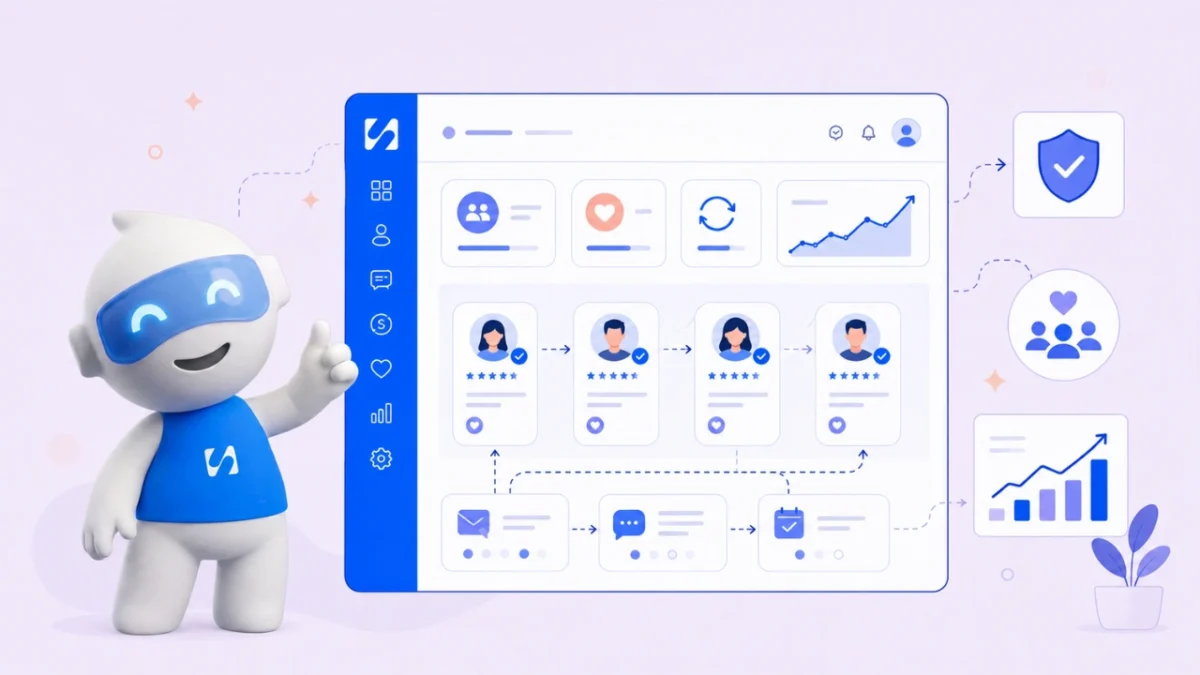
- Email marketing automation for service businesses means setting up a few sequences once, such as enquiry replies, booking reminders, onboarding, review requests and win-backs, so the right email goes out at the right moment. In 2026 it only works if you send from an authenticated domain, email people who agreed to hear from you, and judge results by clicks and bookings rather than opens.
Email marketing for service businesses works best as a mix of a few one-off campaigns and a set of automated emails. The automated part means writing a handful of emails once and letting software send each one when something happens: a form is filled in, a booking is made, a project ends, an invoice goes overdue. For a coach, consultant, clinic, agency or cleaning company, that usually means six sequences covering the whole client journey, from first enquiry to repeat booking. Done well, it saves hours a week and makes a small business feel attentive. Done badly, it lands in spam. In 2026 the difference comes down to three things: sending from your own authenticated domain, emailing only people who agreed to hear from you, and measuring clicks and bookings instead of opens.
This guide maps the client journey, gives you the six sequences with timings and example emails, explains the sending and consent rules that now apply, and shows how to set everything up in a week. If you want automations beyond email, such as WhatsApp and SMS, our post on 12 business workflow automation examples covers those.
Why email marketing works for service businesses
Service businesses sell time, and time is exactly what email eats. Replying to every enquiry with the same information, reminding people about appointments, sending welcome packs and asking for reviews are all important, and all repetitive.
Automation handles the repetitive part so your attention goes to the conversations that need a person. It also fixes consistency: the tenth client of a busy month gets the same welcome as the first. Our glossary entries on email automation and email drip sequences explain the terms in brief.
Two warnings before you start. First, automation doesn’t replace replies. When a person writes back, a person should answer. Second, fewer, better sequences beat many clever ones. Start with the moments that already cost you clients.
Map your client journey first
Every service business follows roughly the same path. Write yours down and note where things go wrong today.
- Enquiry: someone fills in a form or asks for a quote.
- Booking: they book a call, consultation or appointment.
- Decision: they receive a proposal or price and decide.
- Onboarding: they become a client and need to know what happens next.
- Delivery: the work happens.
- Wrap-up: the job ends, you ask for feedback and a review.
- Return: you invite them back, or they drift away.
For most businesses the leaks are at step 1 (slow replies), step 2 (no-shows), step 3 (proposals nobody chases) and step 7 (past clients nobody contacts). That’s where to automate first.
Six email automation sequences for service businesses
Each sequence below has a trigger, timings and a short example. Adjust the tone to yours.
1. Enquiry reply
Trigger: a contact form or quote request. Emails: one straight away, one follow-up after two days if they haven’t booked.
Subject: Got your message, {{first_name}}
Thanks for getting in touch about a garden redesign. I’ll reply personally by tomorrow lunchtime. If it’s easier to talk, you can book a free 15-minute call here: [link]. Tunde, GreenPlot Gardens
The instant email buys you time without leaving the enquiry hanging. The follow-up catches people who meant to book and forgot.
2. Booking confirmation and reminders
Trigger: a new booking. Emails: a confirmation at once, a reminder 24 hours before, and a short “see you soon” two hours before for in-person visits. Put the address, parking, what to bring and how to reschedule in every one. Our guide on how to reduce no-shows explains why the reschedule link matters as much as the reminder.
3. Proposal follow-up
Trigger: a deal moves to “proposal sent”. Emails: day 3 (“any questions?”), day 7 (one useful example or case detail), day 14 (a polite close: “shall I keep this open?”). Stop the sequence as soon as they reply. A sequence that keeps nudging someone who already said yes looks careless.
4. New client onboarding
Trigger: a deal is won or a first invoice is paid. Emails: a welcome on day 0 with what happens next and who to contact; a “what we need from you” checklist on day 1; a check-in after the first week.
Subject: Welcome aboard, here’s what happens next
Hi {{first_name}}, we’re glad to be working with you. This week: kickoff call on Thursday, then first drafts by the 14th. Before Thursday, could you send your logo files and two websites you like? Reply to this email with any questions. It comes straight to me.
5. Review request
Trigger: a booking is marked complete or a project closes. Emails: one on the day after, one reminder a week later, then stop. Ask a specific question (“what was the most useful part?”) and link straight to the review page. Never offer rewards for positive reviews; many review platforms ban it.
6. Win-back
Trigger: a cancelled booking, or a manual send to clients you haven’t seen for a set period. Emails: a friendly note with a reason to return (a seasonal check-up, a new service), and one follow-up. Use this sparingly: twice a year is plenty for most businesses.
When to send a one-off email campaign
Automations handle the moments every client goes through. A one-off campaign (sometimes called a broadcast) is for news that goes to many people at once. Good reasons for a service business to send one:
- A new service or package, with who it is for and one way to book.
- A seasonal nudge, such as a garden clean-up before spring or a tax-season check-in from a bookkeeper.
- A short monthly tip that shows your expertise, with one link to book.
- Limited availability, such as “three slots left in March”, sent only to past clients.
Send campaigns to a group that fits, not your whole list, keep to one call to action, and don’t send more than you can make useful. Once a month is plenty for most service businesses. If you are comparing email tools, many offer a free tier with sending limits; check each one’s pricing page, and see our list of email marketing software.
How to write automated emails that don’t sound automated
The best automated emails read like a quick note from the owner. A few habits get you there.
- Write as one person to one person. Sign with a name, not “The Team”. Use “I” if you’re a solo business.
- Keep it short. Three to five sentences for most sequence emails. If it needs more, it probably needs a call.
- One email, one job. A reminder reminds. A review request asks for a review. Don’t add a newsletter and a discount to either.
- Use merge fields carefully. A first name is friendly. Five merge fields in one email feels like a form letter, and a blank field (“Hi ,”) looks broken. Set a fallback such as “there”.
- Let replies reach a person. Use a real reply-to address and check it. “Reply to this email” is the most useful line in any sequence.
- Match the moment. A proposal follow-up sent at 11pm on a Saturday reads as a machine. Send business emails in working hours in the client’s time zone where you can.
Read each email aloud before it goes live. If you wouldn’t say it to a client across a table, rewrite it.
A timing table you can copy
| Sequence | Starts when | Emails and timing | Stops when |
|---|---|---|---|
| Enquiry reply | Form submitted | Now, then day 2 | They book or reply |
| Booking reminders | Booking made | Now, 24 hours before, 2 hours before | Appointment time |
| Proposal follow-up | Proposal sent | Day 3, 7 and 14 | They reply or decide |
| Onboarding | Deal won or first payment | Day 0, 1 and 7 | Sequence ends |
| Review request | Job completed | Day 1 and 8 | They leave a review or reply |
| Win-back | Cancellation or manual send | Now, then day 5 | They book or unsubscribe |
The 2026 sending rules you can’t skip
Mailbox providers have tightened up, and the rules now affect small senders too.
Authenticate your domain
Google’s email sender guidelines require anyone sending more than 5,000 messages a day to Gmail addresses to set up SPF, DKIM and DMARC, support one-click unsubscribe with a visible unsubscribe link, and keep their reported spam rate below 0.30%, with 0.10% as the healthier target. Most service businesses send far less than 5,000 a day, but authentication helps every sender, and Yahoo publishes similar sender best practices. In short: send from your own domain (you@yourbusiness.com, not a free Gmail address), and complete the DNS setup your email tool gives you.
Keep lists clean
Remove addresses that bounce, stop emailing people who never open or click after several months, and never import a bought list. Each of those protects your spam rate.
Consent and the law
General information, not legal advice. Rules on marketing email differ by country, and they follow the person receiving it.
- United States: the FTC’s CAN-SPAM compliance guide requires accurate sender details, honest subject lines, a valid postal address and an opt-out that you honour within 10 business days. Each email that breaks the law can carry penalties of up to $53,088.
- United Kingdom: under PECR, the ICO’s guidance on electronic mail marketing says you generally need consent, with a “soft opt-in” exception for existing customers who bought similar services and were given a simple way to opt out.
- Nigeria: the Nigeria Data Protection Act 2023 lets people object to direct marketing at any time.
Service emails such as booking confirmations and invoice reminders are usually treated differently from marketing, but don’t slip promotions into them. Check the rules where you and your clients are, and keep a record of how each person signed up. If your list is small, our guide on growing an email list from zero covers consent-friendly ways to build it.
How to measure email automation in 2026
Open rates are no longer a reliable score. Apple’s Mail Privacy Protection loads remote content privately in the background, which hides whether a person actually opened your email, so opens are over-counted for many lists.
Judge each sequence by what it’s for:
- Enquiry reply: share of enquiries that book a call.
- Booking reminders: no-show rate before and after.
- Proposal follow-up: share of proposals that get a decision.
- Onboarding: how quickly clients send what you need.
- Review request: reviews received per completed job.
- Win-back: bookings from past clients.
Look at clicks, replies and unsubscribes for each email. If one email in a sequence gets far more unsubscribes than the others, rewrite or remove it.
Set it up in a week
- Monday: authenticate your sending domain and write your footer (business name and postal address).
- Tuesday: build the enquiry reply. Test it by filling in your own form.
- Wednesday: booking confirmation and reminders.
- Thursday: onboarding and review request.
- Friday: proposal follow-up. Leave win-back for next month.
After four weeks, check the numbers above and change one thing at a time.
How startbuddi helps with email marketing automation
In startbuddi, every automation runs on one engine, in Automations, alongside email marketing, forms, bookings, invoices and your contacts. Here’s what that means for the sequences above.
- Triggers from across the business: form submitted, new booking, booking cancelled, completed or missed, deal won, invoice paid or overdue, email opened or clicked, and more.
- Ready-made templates, including a lead capture welcome flow, new client onboarding, a booking reminder stack, overdue invoice recovery and a cancellation win-back.
- Steps that stop at the right time: waits, conditions, “wait for their reply” and “exit when” rules, so a proposal follow-up ends when the client answers.
- Tell Chip what you want. Describe the automation in plain words, such as “when someone books a meeting, send a confirmation and remind the owner”, and Chip plans it, writes the emails and saves it as an inactive draft for you to review and switch on.
- Checks before it goes live: test with a contact or simulate an event, then an activation review shows how many contacts can be reached and who is suppressed.
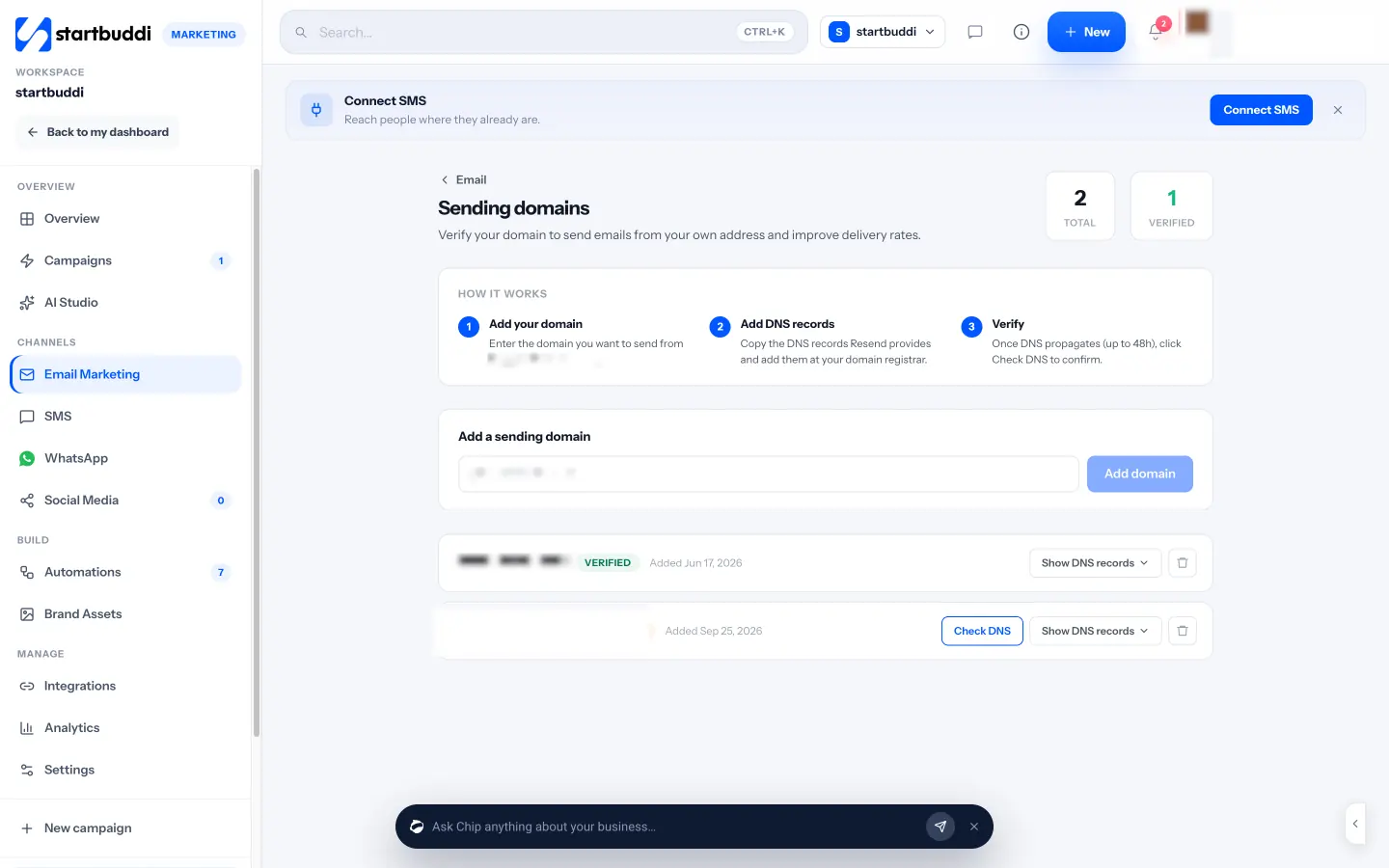
- Your own sending domain, with DNS records to add, and an unsubscribe link and business address added to every marketing email automatically.
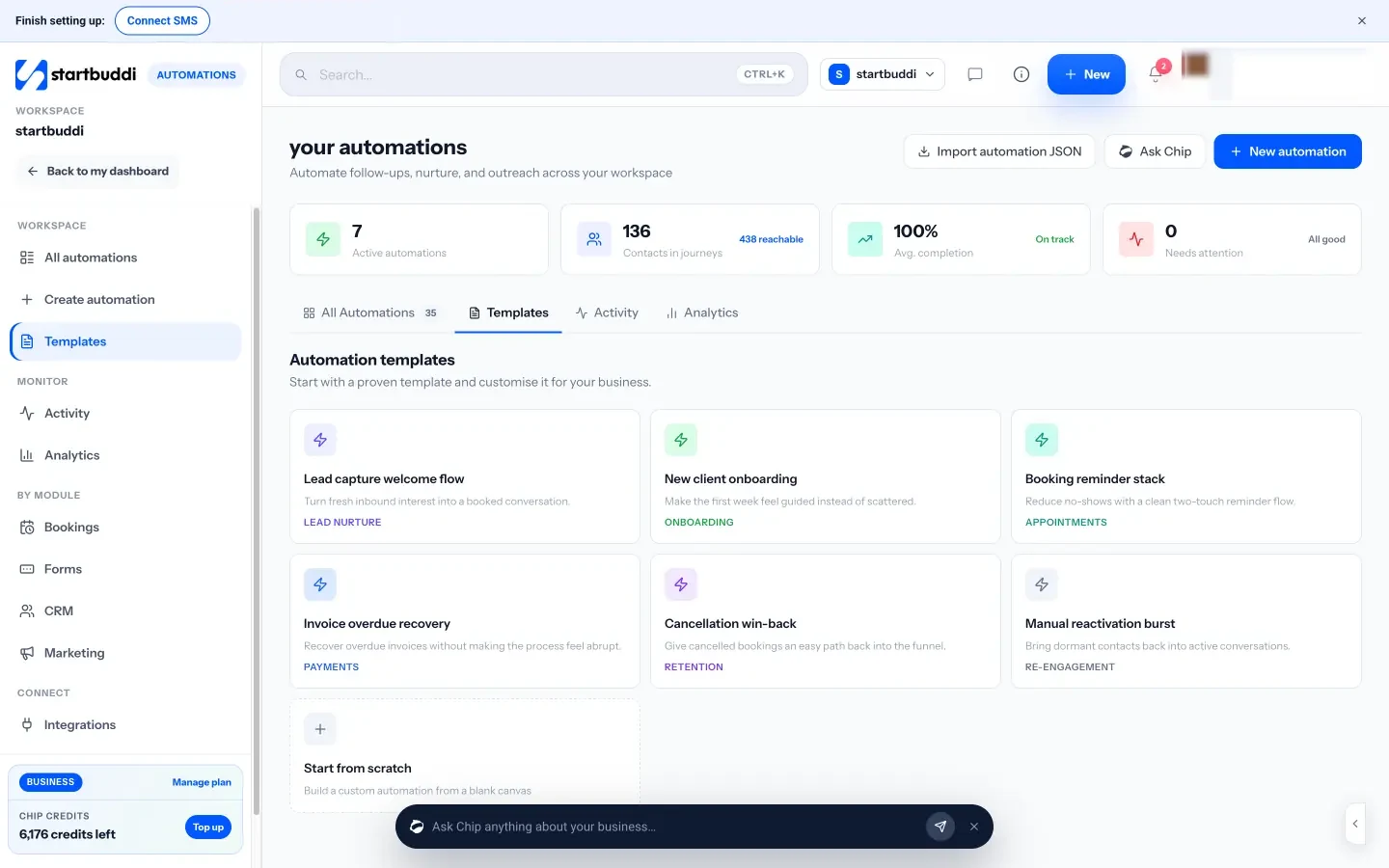
The Automations home shows every flow with its trigger, status and how many people are in it, plus an activity log of everyone who has been through each one.
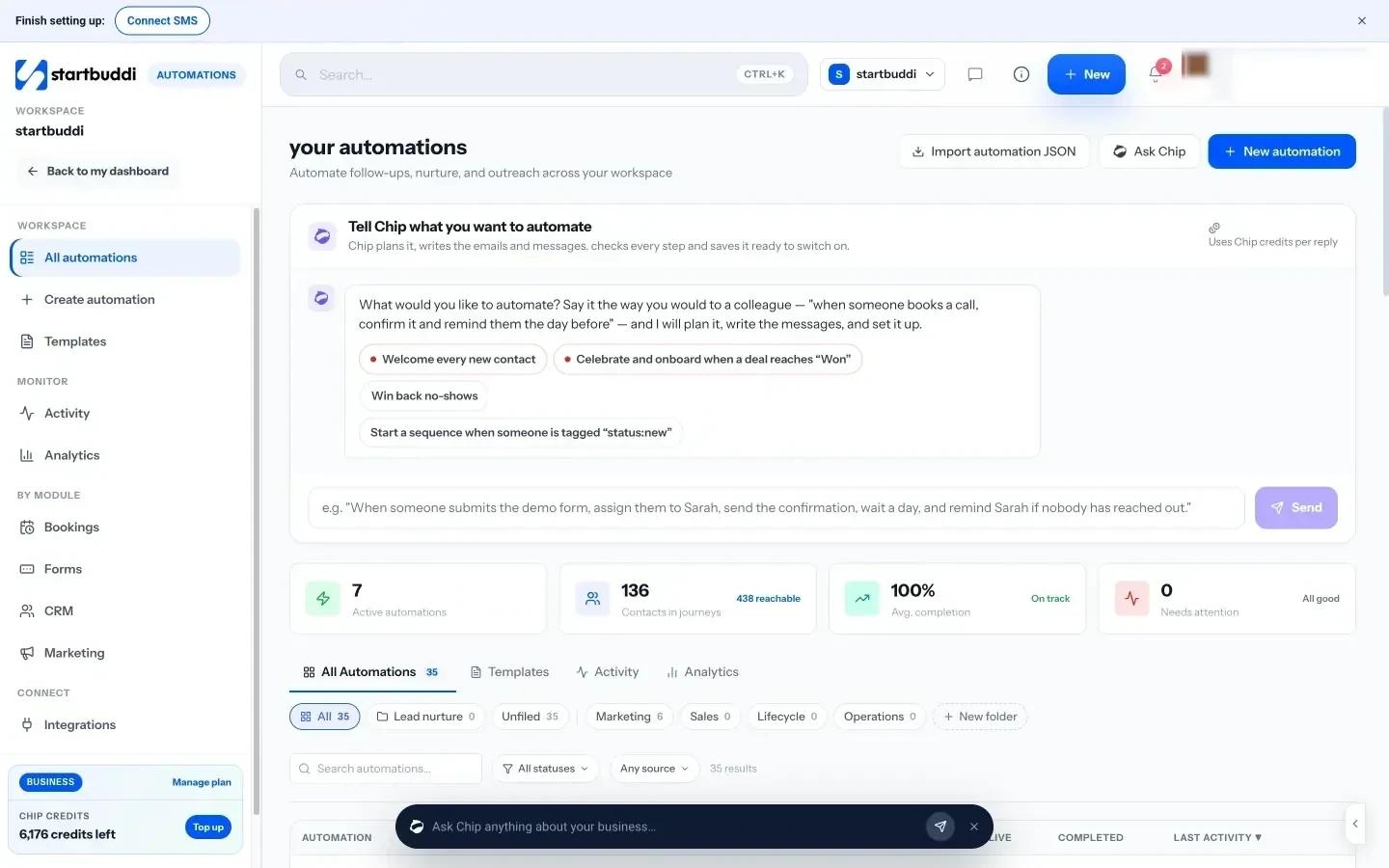
Limits to know. The Marketing module needs the Starter plan or above, Free includes 2 active automations against 10 on Starter, and every paid plan has a 30-day trial. Each plan includes a monthly number of automation runs (250 on Starter, 2,000 on Growth and 5,000 on Scale) and email sends (3,000 on Starter, 10,000 on Growth, 25,000 on Scale). Without a verified domain, marketing email from the shared startbuddi address is capped at 1,000 a month and 200 a day. Date-based triggers such as birthdays aren’t live yet. The help article on setting up your first email sequence has the steps.
Your next step
Pick the one leak that costs you most, probably slow enquiry replies or no-shows, and automate just that sequence this week. Measure it for a month before adding the next. If you’d like to build it in startbuddi, compare the plans on the pricing page and start a 30-day trial.
Sources
- Google: Email sender guidelines
- Yahoo: Sender best practices
- FTC: CAN-SPAM Act compliance guide for business
- ICO: Electronic mail marketing
- Nigeria Data Protection Act 2023 (full text)
- Apple Support: Use Mail Privacy Protection on iPhone
Frequently asked questions
What emails should a service business automate first?
Start with the enquiry reply and booking reminders. They fix the two biggest leaks for most service businesses: slow responses and no-shows.
How many emails should an automated sequence have?
Two or three is enough for most service sequences. Add a stop rule so the sequence ends as soon as the person replies, books or decides.
Do I need my own domain for email marketing automation?
It's strongly recommended. Sending from your own authenticated domain with SPF, DKIM and DMARC improves delivery, and Google requires it for senders above 5,000 emails a day.
Are open rates still useful?
Only as a rough signal. Apple Mail Privacy Protection hides real opens for many readers, so clicks, replies and bookings are better measures.
Olabimpe Salami is the email and outreach specialist at startbuddi. Olabimpe writes about the messages that bring customers in and back: email, WhatsApp and SMS campaigns, follow-ups, and turning enquiries into paying clients.
Runs email and outreach at startbuddi