CRM for logistics: how to track clients, quotes and payments without the spreadsheet mess
What a CRM should do for a freight, haulage or courier business, the features that matter, how to test tools with real data, and where a CRM ends and a TMS begins.


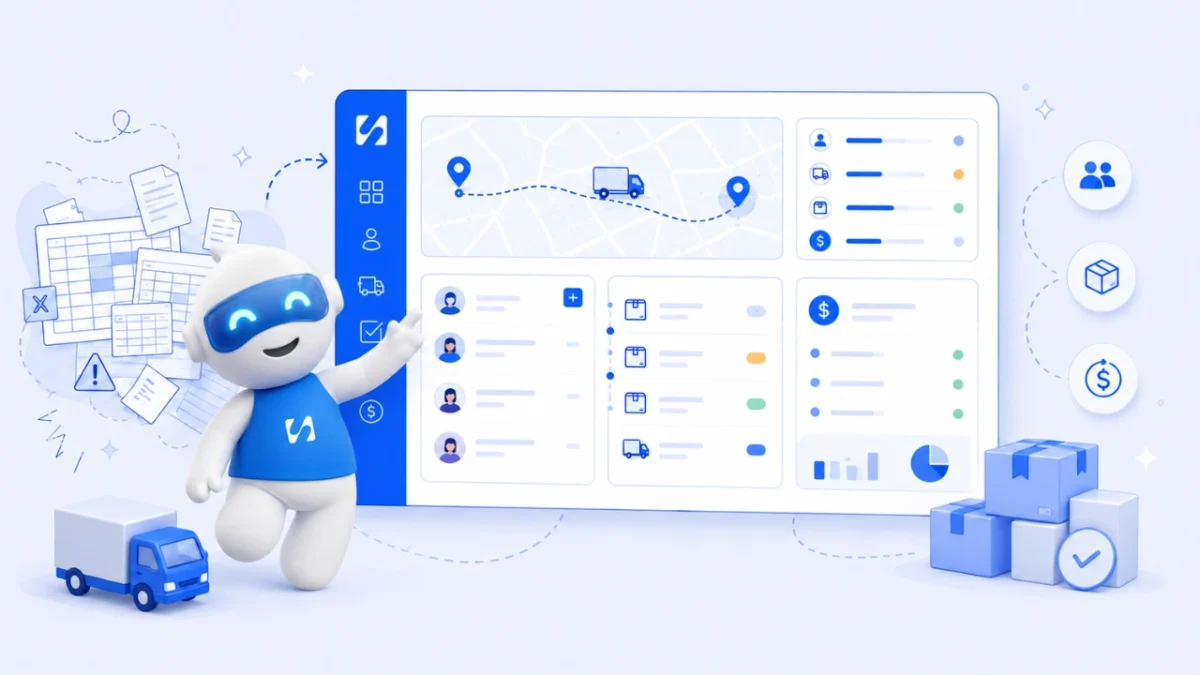
- A CRM for logistics tracks shipper accounts, contacts, quotes, conversations and renewals. Map your customer journey first, shortlist three tools, test them with real customers for a week, and keep your TMS or dispatch tool for operations.
To choose a CRM for logistics, start with how you win and keep shippers, not with a feature list. The right CRM for a logistics company keeps every customer account, contact, quote and conversation in one place, reminds your team to follow up, and shows which contracts are up for renewal. It sits next to your transport or warehouse software rather than replacing it.
This guide is for small freight forwarders, haulage firms, courier and last-mile businesses, clearing agents and 3PLs anywhere, from Lagos to Leeds. It explains what a CRM should and shouldn’t do for you, the features that matter in logistics, how to test tools with your own data, and the mistakes to avoid.
What a CRM does for a logistics business (and what it doesn’t)
A CRM (customer relationship management system) is your shared record of customers and prospects: who they are, who you speak to there, what you quoted, what they said and what happens next. In logistics that means shippers, consignees, agents and the people inside each one: the logistics manager who books, the finance officer who pays, the director who signs the contract.
It is easy to confuse a CRM with the operational software logistics firms also use:
| Software | What it runs | Typical questions it answers |
|---|---|---|
| CRM | Customers, sales and service relationships | Who asked for a quote? Which accounts haven’t booked in a month? Whose contract renews next quarter? |
| TMS (transport management system) | Planning and executing shipments | Which carrier, which route, what did it cost, where is the load? |
| WMS (warehouse management system) | Stock in a warehouse | What is on which shelf, what needs picking? |
| Fleet or telematics tools | Vehicles and drivers | Where is the truck, how is it being driven, when is it due for service? |
Gartner describes a TMS as software supporting the sourcing, planning, execution, visibility and settlement of transport (Gartner Peer Insights: transportation management systems). That is a different job. Some large platforms combine the two, but for a small or mid-sized firm, a simple CRM plus whatever you use for operations (even a spreadsheet or dispatch app) is usually the practical setup.
Why relationships decide who keeps the freight
Logistics customers rarely leave because of one late load. They leave because they stop trusting what you tell them. Two surveys make the point:
- A 2023 survey of over 500 logistics and supply chain professionals by Tive and FreightWaves found only 20% of shippers were satisfied with the visibility they got from their logistics providers, and only 4% were “very satisfied” with shipment communications (FreightWaves and Tive).
- A 2025 survey of nearly 100 shippers by Denim and Peerless Research Group found 67% put service level and reliability first when choosing a freight partner, against 10% who put price first (AJOT).
Both are small, US-leaning samples, so treat them as signals rather than laws. But they match what most operators see: the firms that keep customers are the ones that answer quickly, update proactively and remember the details. A CRM is how a small team does that without relying on one person’s memory or one salesperson’s phone.
Map your customer journey before you look at tools
Write down the steps a new account goes through with you. For many logistics firms it looks like this:
- Enquiry: a call, a WhatsApp message, a website form or a referral.
- Qualification: lanes, volumes, cargo type, timelines, who decides.
- Quote or rate request: often several rounds, sometimes per lane.
- Trial shipment: the first load that proves you.
- Agreement: a rate card or service contract.
- Regular business: repeat bookings, issues, invoices and payments.
- Review and renewal: rate reviews, new lanes, or a customer drifting away.
Every step is a stage your CRM should be able to show. If a tool can’t represent your journey without workarounds, it will be abandoned within a few months. It is also worth separating two pipelines: one for new business (enquiry to first contract) and one for account management (renewals, upsells and at-risk customers). Our explainer on sales pipelines covers the basics.
Features that matter in a CRM for logistics
Companies with several contacts each
You sell to organisations, not individuals. The CRM should hold a company record with many people linked to it, each with their role, so a new team member can see who books, who approves and who pays.
Quotes tracked as deals
Each quote or rate request should be a deal with a value, a stage and an expected close date. That lets you answer “how much are we quoting this month, and how much are we winning?” Look for a clear won/lost step and a place to record why you lost (price, transit time, capacity).
One inbox for every channel
Logistics conversations happen on WhatsApp, email and the phone, often all three with the same customer. A CRM that pulls those conversations onto the customer record means anyone on the team can pick up a thread. Check which channels are supported in your region, and whether several staff can share one business WhatsApp number.
Tasks, reminders and notes
Follow-ups are where freight is lost. You want reminders on each account (“call about Q3 rates”), notes everyone can see, and a history of what was said.
Quotes to invoices
If quoting and invoicing live in different tools, the same figures get typed twice. A tool that turns an accepted quote into an invoice, and shows what each customer owes, saves admin and awkward calls.
Simple reports
You need a handful of numbers: new enquiries, quotes sent, win rate, revenue by customer, and accounts that have gone quiet. Fancy dashboards matter less than accurate ones.
Import, export and permissions
You will bring in a customer list from a spreadsheet and may need to export data to your accountant or TMS. Check CSV import and export, and whether you can control who sees what, for example keeping pricing away from junior staff.
Nice to have, not essential at first
- Automated follow-up emails after a quote.
- AI suggestions on which deals are stalling.
- A customer portal for documents.
- Direct integration with your TMS (valuable, but check the cost and who maintains it).
How to evaluate CRM tools in two weeks
- Shortlist three. Use a researched list such as our best CRM software for small business page, and read each vendor’s own pricing and feature pages.
- Load real data. Import 50 real customers and ten open quotes from your spreadsheet. Demo data hides problems.
- Run a real week. Ask two people (one in sales, one in customer service) to use it for every enquiry for five working days.
- Test the awkward cases. A customer who messages on WhatsApp, emails a PDF and then calls. A quote that gets re-priced three times. A lost deal that comes back.
- Add up the true cost. Per-user pricing multiplies quickly. Include seats, message costs (SMS and WhatsApp often cost extra) and setup time.
Questions to ask any vendor
- Which messaging channels work in our country, and what do they cost to send?
- How do we get our data out if we leave?
- Where is our data stored, and how do you handle data protection requests?
- What does the plan limit: contacts, users, messages, automations?
Customer data and the law
A CRM holds personal data about the people you deal with, so data protection law applies: the Nigeria Data Protection Act 2023 in Nigeria, UK GDPR in the UK (see the ICO’s guidance), and similar laws in Kenya, South Africa and elsewhere. The common principles: collect what you need, keep it accurate and secure, only give access to people who need it, and get consent before sending marketing messages. Check the rules where you operate.
This is general information, not legal advice.
Your first 30 days with a new CRM
Choosing the tool is half the work. The other half is getting a busy team to use it. A simple rollout plan:
Week 1: set up the basics
- Create your pipeline stages from the journey you mapped. Keep it to five or six stages.
- Add a small set of custom fields that matter in logistics: main lanes or routes, cargo type, typical monthly volume, contract or rate review date.
- Import your top 50 accounts first, not everyone. Clean data on your best customers beats messy data on everyone.
Week 2: connect your conversations
- Connect your business email and, where possible, your business WhatsApp number, so conversations land on the customer record.
- Agree who owns each account and assign them in the CRM.
Weeks 3 and 4: build the habit
- Every new enquiry becomes a deal the same day, with a next step and a date.
- Hold a 15-minute pipeline review each Monday: new quotes, quotes older than a week, and accounts that haven’t booked in 30 days.
- Log every rate change and complaint as a note, so the history is there when the contract comes up for review.
After a month, look at the numbers. How many enquiries came in, how many were quoted, how many were won? That baseline tells you where to focus next: more enquiries, faster quotes, or better follow-up.
Common mistakes when choosing a logistics CRM
- Buying an operations system to fix a sales problem. If your issue is forgotten follow-ups, a big TMS won’t help. If your issue is route planning, a CRM won’t either.
- Too many fields. A form with 40 fields means nobody fills it in. Start with company, contact, lanes, volume and next step.
- Only the owner uses it. A CRM that the customer service team never opens will always be out of date.
- Skipping the clean-up. Importing a messy spreadsheet creates a messy CRM. Remove duplicates first. Our post on CRM vs spreadsheet covers the move.
- No owner for each account. Every customer needs one named person responsible for the relationship.
How startbuddi helps logistics companies manage customers
To be clear about fit first: startbuddi is not a transport management system. It doesn’t do dispatch, route planning, load tracking, GPS or fleet management, and it has no public API today, so data moves between startbuddi and other systems by CSV. What Customers does is run the relationship side: accounts, contacts, quotes, conversations and money owed.
- Companies and contacts. Each shipper is a company with its people linked to it. Add a company from its website and startbuddi fills in the logo and details where it can. Import your customer list from a CSV, up to 10,000 contacts at a time. See contacts and companies.
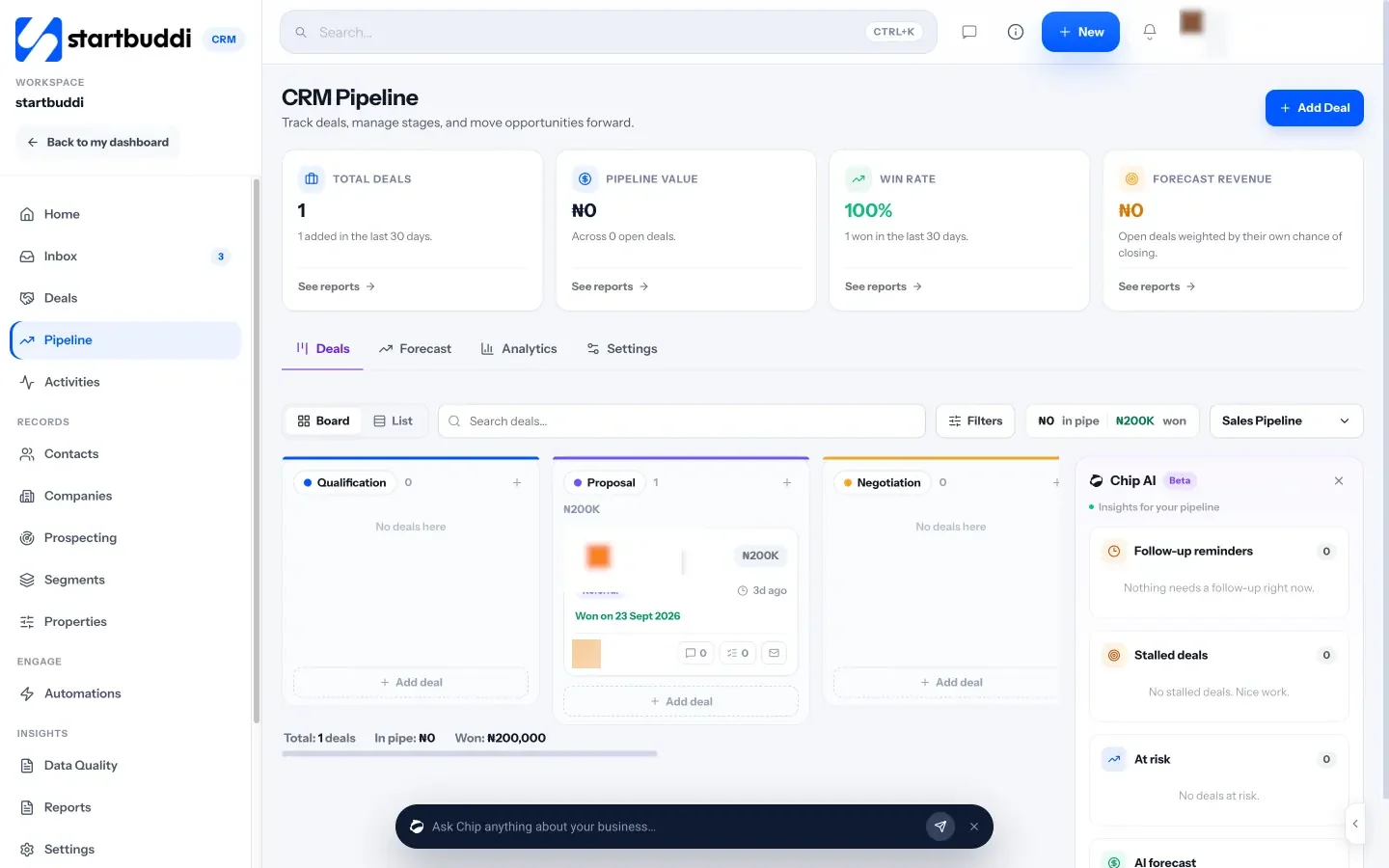
- Pipelines for new business and renewals. You can run several pipelines, for example one to close new business and one to manage renewals. Stages are yours to rename. When a contact replies, their deal moves out of the first stage, and when an invoice on a deal is paid, the deal is marked won. See sales pipeline and deals.
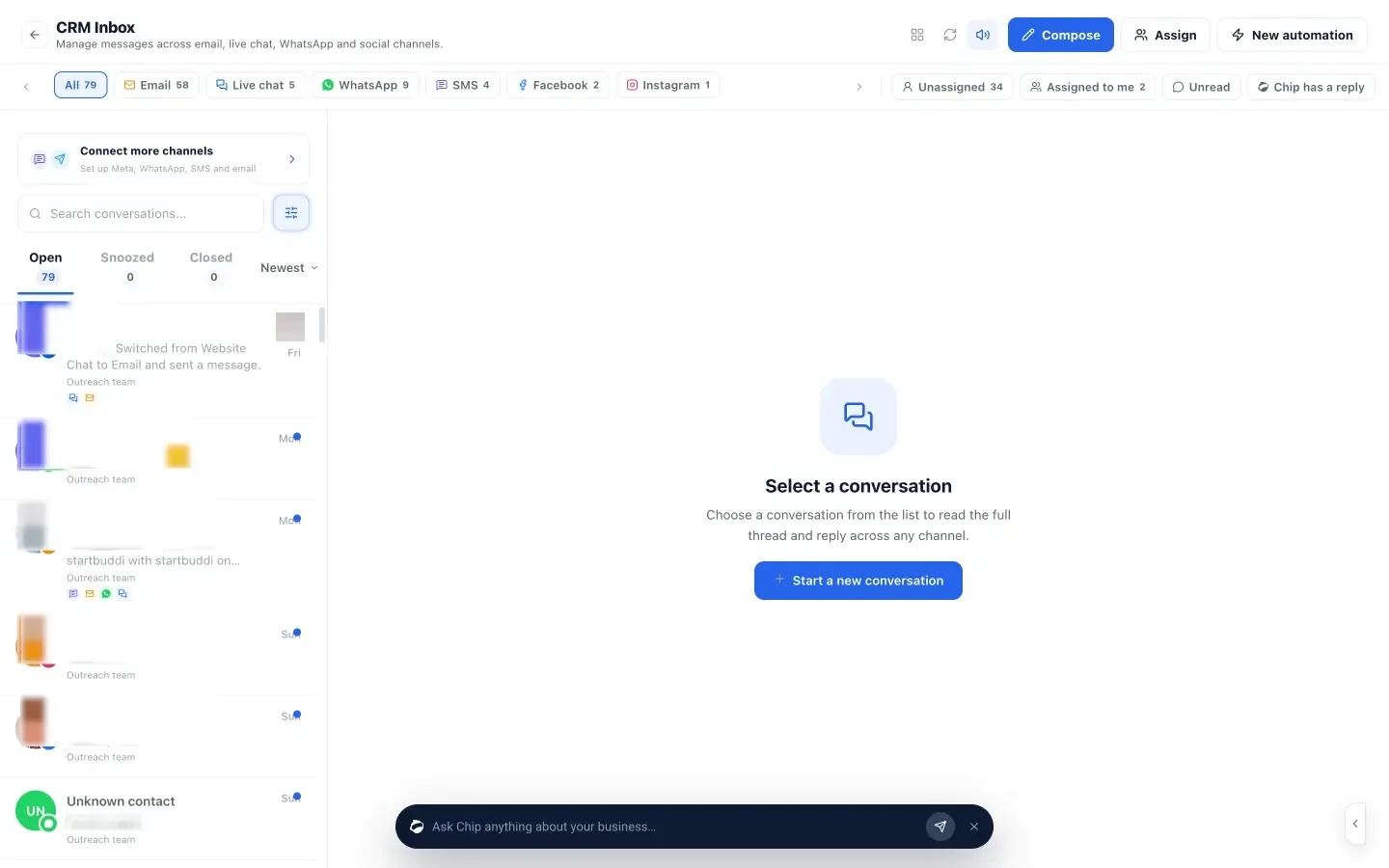
- One inbox. Email, WhatsApp, SMS, website chat, Instagram and Facebook conversations land in one shared inbox, where you can assign threads, leave internal notes and create a deal from a conversation. WhatsApp and SMS need the Starter plan or above. Chip can reply for you on the Growth plan and above.
- Quote, then invoice. In Money Manager, send an estimate, mark it accepted and convert it to an invoice without retyping. Customers can pay online through your own Paystack or Stripe account, or by bank transfer, and the contact record shows what they have been invoiced and what is outstanding.
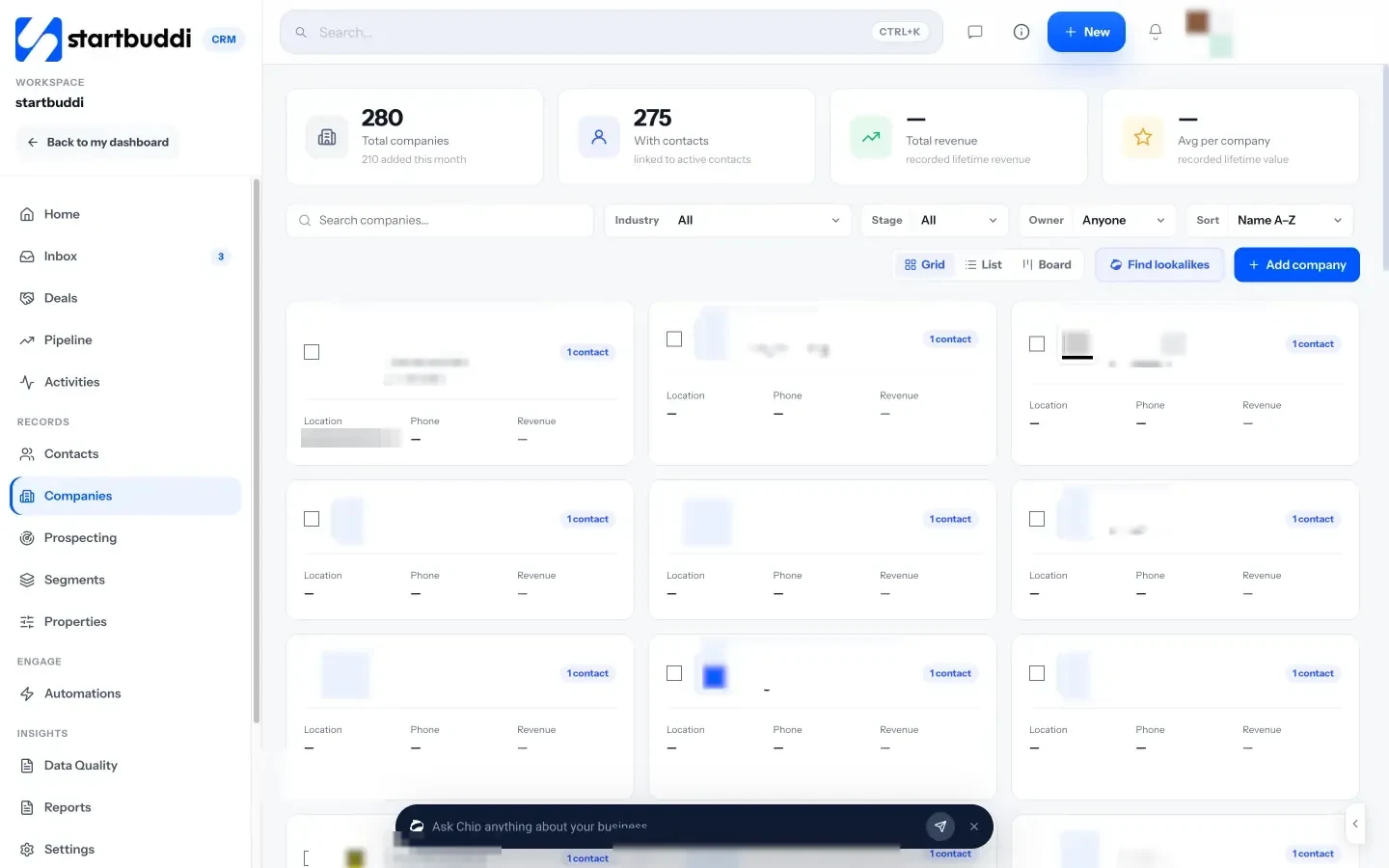
Plans are by contacts and seats: Free covers 250 contacts and one seat, Starter 2,500 contacts and two seats, Growth 15,000 contacts and five seats, Scale 75,000 contacts and 15 seats. See pricing and our CRM for logistics page.
Your next step
This week, write your seven-step customer journey on one page and export your customer list from wherever it lives today. Then trial two or three CRMs with that real data for five working days. If startbuddi is on your list, import the list into Customers, set up a new-business pipeline and a renewals pipeline, and see whether your team keeps using it.
Sources
- Gartner Peer Insights: Transportation management systems market definition
- FreightWaves and Tive: Only 20% of shippers are satisfied with their shipment visibility
- AJOT: Freight survey reveals what shippers really want from brokers and carriers (Denim and Peerless Research Group)
- Nigeria Data Protection Commission: Nigeria Data Protection Act 2023
- Information Commissioner’s Office: guidance for organisations
Frequently asked questions
Is a CRM the same as a TMS?
No. A TMS plans and runs shipments. A CRM manages the customers and sales around them. Many small firms use a simple CRM next to their TMS or dispatch tool.
Does a small courier business need a CRM?
If more than one person talks to customers, or you regularly forget follow-ups and quotes, yes. A free or low-cost CRM is enough to start.
What should I track for each logistics customer?
Company, key contacts and roles, lanes or routes, typical volumes, open quotes, contract or rate review date, the account owner and the next step.
Can a CRM manage WhatsApp conversations with shippers?
Some can, through the WhatsApp Business Platform. Check which channels work in your country, what messages cost and whether several staff can share one number.
Tiwalade Joanna Okedara-Kalu is the founder, CEO and CTO of startbuddi, the business system that brings clients, bookings, invoices, projects, marketing and the Chip AI assistant into one place. Tiwalade builds software around how service businesses really work day to day, and writes about client management, getting paid on time and why small businesses outgrow the tools they start with.
Founded startbuddi and leads its product and engineering