If you run a small business or freelance, the inability to track payments properly can quietly hurt your cash flow. You send invoices. Time passes. You wonder: did…
- Why Is It So Hard to Track Payments Without a System?
- What Happens When You Do Not Track Payments Properly?
- How Do You Set Up a Simple Payment Tracking System?
- What Tools Actually Help You Track Payments Effectively?
- How Do You Follow Up on Late Payments Without Awkwardness?
If you run a small business or freelance, the inability to track payments properly can quietly hurt your cash flow. You send invoices. Time passes. You wonder: did they pay? When? How much? That confusion is not just stressful, it is expensive. Missing one overdue payment can trigger a chain reaction that throws your entire month off balance.
The good news is that fixing this does not require an accounting degree. You just need a clear system.
In this article, you will learn how to track payments step by step, which tools work best, and how to follow up on late payments without damaging client relationships. By the end, you will have everything you need to stop guessing and stay fully in control of your cash flow.
Why Is It So Hard to Track Payments Without a System?
Most business owners start by tracking payments in their head or with a basic spreadsheet. That works fine with two or three clients. But once your client list grows, the cracks show fast.
You forget which invoice you sent last week. A client says they paid but you cannot confirm it quickly. The problem is not that you are disorganized. The problem is that you are relying on memory and manual checks instead of a dedicated payment tracking system. Without one, every payment becomes a guessing game.
What Happens When You Do Not Track Payments Properly?
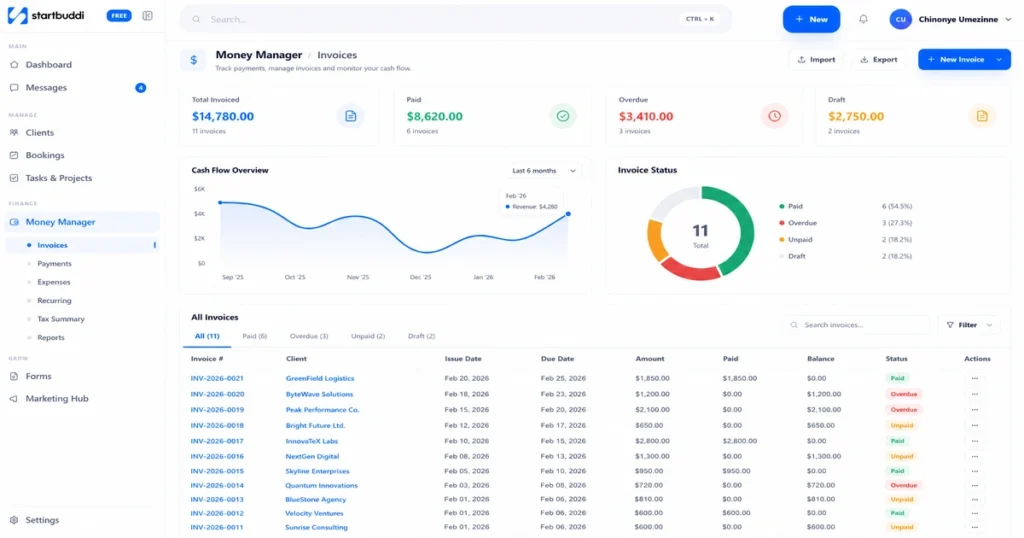
Poor payment tracking creates real business problems, not just inconvenience.
Cash flow gaps: When you do not know which invoices are overdue, you cannot chase them. Money you have already earned sits uncollected while your own bills pile up.
Duplicate or missed payments: Without clear records, you might accidentally charge a client twice or miss following up on someone who never paid at all.
Weak forecasting: If you do not know what payments are coming in and when, your financial decisions become guesswork.
Damaged client relationships: Sending a payment reminder to someone who already paid is embarrassing. It signals that you are not organized, which erodes trust.
All of these problems are preventable with the right system in place.
How Do You Set Up a Simple Payment Tracking System?
You do not need expensive software to start. The core of any good system is consistency.
Here is what a basic payment tracking setup should include:
A record for every invoice: Log the client name, invoice number, amount, due date, and payment status. Do this every time, without exception.
Clear payment statuses: Label each invoice as Unpaid, Paid, or Overdue. Never leave one blank. This single habit alone will save you hours of confusion each month.
One central place for all records: Whether it is a Google Sheet, dedicated accounting software, or a tool like startbuddi, everything needs to live in one place. A proper system keeps all client records clean and accessible. Scattered records across email threads and notebooks guarantee missed payments.
A set day to review: Block out 15 minutes each week to check your payment list. Look for anything overdue. Follow up before it becomes awkward.
This structure removes the guesswork. When a client asks if their invoice is paid, you can answer in 10 seconds.
What Tools Actually Help You Track Payments Effectively?
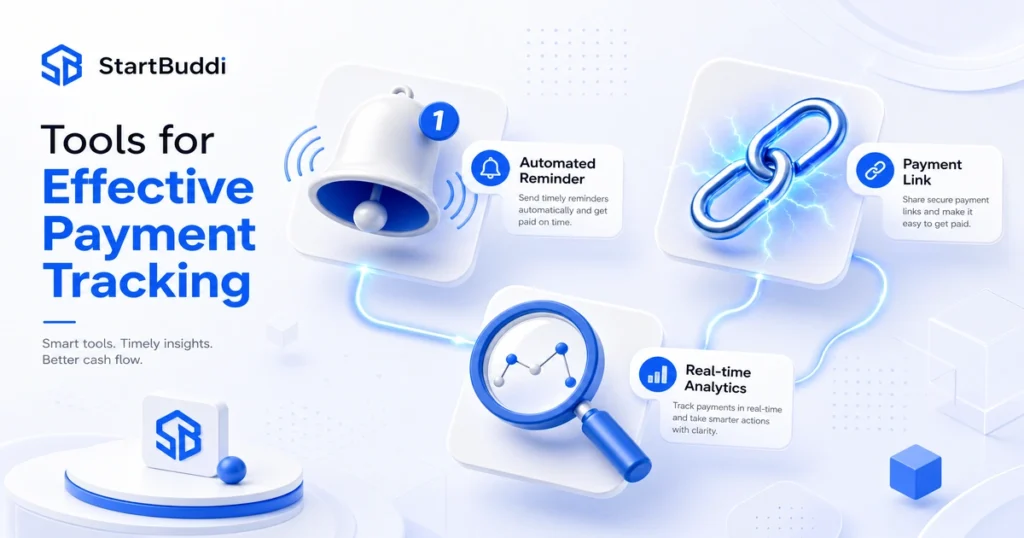
The right tool depends on your business size and how many clients you manage. Here are the most practical options:
Spreadsheets (Google Sheets or Excel): Free, flexible, and good for very small operations. The downside is that they are fully manual. You have to update them yourself, and there are no automatic reminders or alerts. If you are unsure whether a spreadsheet is still enough for your business, read this comparison of CRM vs Excel to help you decide.
Accounting software (QuickBooks, FreshBooks, Wave): These platforms automate most of the tracking for you. They generate invoices, record payments, flag overdue amounts, and connect to your bank account for automatic reconciliation. Great for growing businesses.
Purpose-built small business tools: Platforms like startbuddi are designed specifically for small business owners who need clean payment tracking without the complexity of full accounting software. You get automated reminders, invoice management, and a clear view of who owes you money — all in one place.
The best tool is the one you will actually use consistently. Start simple, then upgrade as your needs grow.
How Do You Follow Up on Late Payments Without Awkwardness?
Late payments are common. How you handle them matters.
First, make it a rule to follow up the day after a payment is due — not a week later. The longer you wait, the harder the conversation becomes.
Here is a simple approach that works:
- Day 1 overdue: Send a short, friendly email. Attach the invoice again. Keep the tone warm, not accusatory.
- Day 7 overdue: Send a second reminder. Mention the due date clearly. Ask if there is anything blocking the payment.
- Day 14 overdue: Follow up by phone or direct message. Keep it professional but direct.
Most late payments happen because of oversight, not bad faith. Understanding why a client keeps missing payments helps you address the root cause rather than just chasing each invoice one by one. A clear and polite reminder resolves the majority of them quickly.
The key is to automate this process as much as possible. Set up automated payment reminders in your tracking system so you do not have to remember to send them manually.
How Do You Reconcile Payments to Avoid Errors?
Reconciliation means matching your payment records against your bank statement to confirm everything lines up. Do this at least once a month.
This catches common errors like a payment that shows as received in your records but never cleared the bank, a transfer that arrived without a reference number, or a duplicate charge that slipped through.
Run this from one workspace
Clients, projects, money and marketing — connected, not scattered across five apps.
See how it worksBlock 30 minutes at the end of each month for this. It keeps your records accurate and prevents small errors from becoming expensive surprises. If an amount still shows unpaid after reconciliation, follow these steps on how to collect it from a client.
Frequently Asked Questions
How do I keep track of who has paid me?
Use a payment tracking system where you log every invoice with the client’s name, amount, due date, and status (Paid, Unpaid, or Overdue). Review it weekly to stay on top of outstanding payments.
What is the best way to track payments for a small business?
For small businesses, accounting software like Wave or FreshBooks works well because they automate invoice creation, payment reminders, and reconciliation. Purpose-built tools like startbuddi are also great for owners who want simplicity without extra complexity.
How often should I reconcile my payments?
At minimum, reconcile your payments monthly by comparing your records to your bank statement. For busier businesses, weekly reconciliation is better.
Conclusion
Learning to properly track payments is one of the highest-return habits you can build as a business owner. It takes a small upfront investment of time to set up, but it pays off every single month in reduced stress, fewer missed payments, and better financial clarity.
If you are still chasing clients and wondering who has paid you, the answer is a consistent system — not more effort. Tools like startbuddi make it easy to get started without overwhelming complexity, and you can be up and running for less than $10. Stop guessing and start knowing exactly where your money stands.
Put this into practice
Everything in this guide is built into startbuddi — free to start.
Start freeWritten by
Chinonye Umezinne
SEO Copywriter| Email growth Specialist| I help businesses increase revenue with strategic SEO content & high-converting email funnels.
Keep reading
Related playbooks

Stop reading. Start doing.
Free to start. No card needed. Your full workspace is ready in five minutes.