Communication is at the forefront of every organization. It’s how teams stay aligned, hit goals, and actually get work done. Slack is great for that, quick check-ins, “did…
- Why Do Tasks Get Lost in Slack and Email Threads?
- What Is Collaborative Task Management?
- Why Doesn't Team Task Management Work When It's Just Talk?
- How Does Task Management in Slack Actually Work When Done Right?
- How Do You Fix Email Task Management for Good?
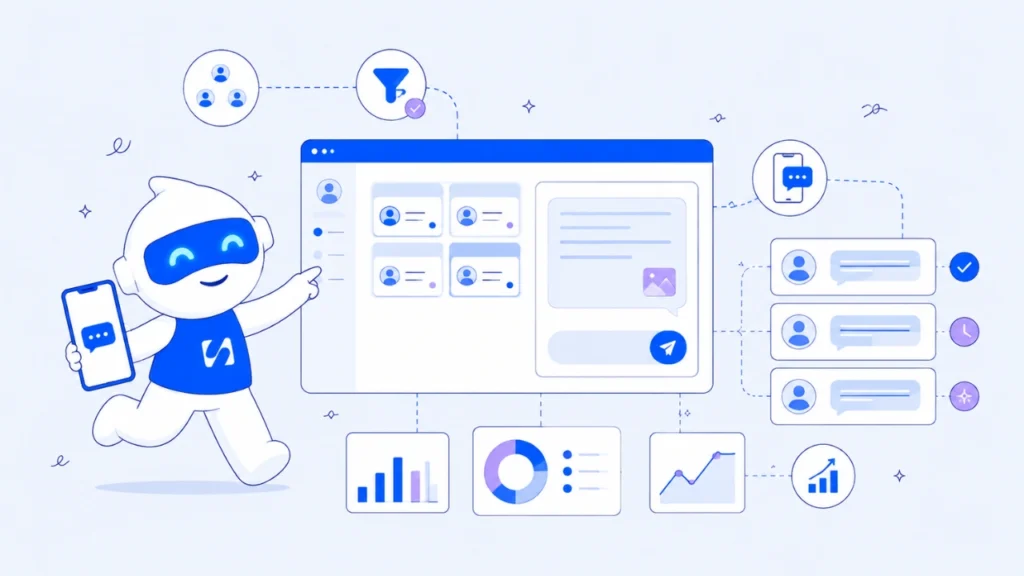
Communication is at the forefront of every organization. It’s how teams stay aligned, hit goals, and actually get work done. Slack is great for that, quick check-ins, “did you submit this yet.” Gmail is great for sending things along. But every extra app is another tab, another place work can quietly slip through. The organizations pulling ahead right now are the ones bringing messages, calls, projects, deadlines, and submissions into one place. That’s what collaborative task management actually looks like.
In this guide, you’ll discover how high-performing teams use collaborative task management to coordinate work, track progress, and make sure every project moves forward without missed deadlines or forgotten responsibilities.
Why Do Tasks Get Lost in Slack and Email Threads?
Tasks get lost because Slack and email were built for conversation, not tracking work. A deadline message sits between fifty others by lunchtime. An email action item gets buried under three new threads. Neither tool tells you what’s open, who owns it, or when it’s due.
This is the core problem with Slack task tracking: a message gets read, reacted to with a thumbs up, then forgotten an hour later. There’s no status, no owner, no reminder.
Small teams feel this most. Without a dedicated system, everyone assumes someone else is handling it, and that assumption is where deadlines quietly slip.
What Is Collaborative Task Management?
Collaborative task management is the practice of assigning, tracking, and completing work as a team inside one shared system, instead of scattering instructions across chat apps, inboxes, and sticky notes.
It combines three things that Slack and email can’t do well together:
- Clear ownership – every task has one person responsible for it
- Visible status – anyone can see what’s done, in progress, or overdue
- Deadline tracking – due dates are attached to the task, not buried in a message
Done right, this approach turns “I thought you were doing that” into “I can see exactly where that stands.” It’s less about adding another tool and more about giving your team one place where talk turns into tracked, accountable work.
Why Doesn’t Team Task Management Work When It’s Just Talk?
Talking about a task in Slack or confirming it by email feels like progress, but neither creates a record anyone has to check back on. No due date sits in a dashboard, no status updates on its own. Add a separate CRM for client details, and now the task, the conversation, and the client context all live in different places.
This is the trap most growing teams fall into: mistaking discussion for delegation. A task mentioned in passing carries the same weight as one nobody ever raised, unless it’s written down and tracked somewhere everyone can see.
The real fix isn’t a better chat app or a better inbox, it’s connecting communication directly to tracked tasks. This is where a platform like startbuddi changes things: conversations, tasks, and deadlines connected in one workspace, so nothing needs re-explaining across tools.
How Does Task Management in Slack Actually Work When Done Right?
Slack isn’t the enemy, it’s just not built to be your task tracker. Forcing Slack task management through pinned messages or starred DMs works for a day, then falls apart as the channel fills up.
The fix is connecting conversations to an actual task workspace, so a decision made in chat automatically becomes a tracked item with an owner and a deadline.
How Do You Fix Email Task Management for Good?
You fix email task management by pulling action items out of the inbox the moment they appear, instead of letting them live in a thread that eventually gets buried.
Practical steps:
- Convert requests into tasks immediately. Create a task before replying, not after.
- Stop using “reply-all” as a task list. A ten-reply thread is not a status update.
- Set one rule: no task lives only in an inbox. It gets a due date and an owner somewhere trackable.
- Review open items weekly, not just when a client asks why nothing happened.
Email and task management work well together only when email is treated as an intake point, not a filing system. The inbox should start the task, never quietly end it.
What Are the Benefits of Team Task Management for Small Businesses?
The biggest benefit is simple: fewer things fall through the cracks. Strong team task management gives small businesses:
- Accountability – tasks have owners, so there’s no ambiguity about who’s responsible
- Transparency – managers and teammates see progress without asking for a status update
- Fewer missed deadlines – due dates are tracked centrally, not scattered across inboxes
- Better collaboration – teams spend less time repeating themselves and more time doing the work
When comparing the best task management software for small business use, prioritize tools that connect communication directly to tasks and deadlines. startbuddi keeps conversations tied to the clients and projects they came from, so buried Slack-style messages don’t quietly become missed work.
What Does Good Collaborative Task Management Look Like in Practice?
From working with service businesses and SaaS teams that live in Slack and email all day, one pattern is constant: the businesses that stop missing deadlines stop treating chat as their system of record.
Best practices that consistently work:
- Assign an owner the moment a task is created, not after a reminder is needed
- Attach a due date to anything that matters, even “small” requests
- Keep task status visible to the whole team, not just the manager
- Review overdue items on a set schedule, weekly at minimum
Missed deadlines are rarely about effort, they’re about visibility. When communication, task tracking, deadlines, and team collaboration sit in one connected workspace instead of five tools, nothing depends on memory.
Frequently Asked Questions
Run this from one workspace
Clients, projects, money and marketing — connected, not scattered across five apps.
See how it worksHow does a data management platform work?
It organizes information so teams can store, access, and update it in one place — the same principle applies to work: tasks and deadlines need one connected system, not scattered records
Which work management platforms have the best messaging features?
The strongest platforms combine task tracking with chat tied directly to the task, like startbuddi, not a separate app, since task management in Slack alone doesn’t give you deadlines or status tracking.
What’s the difference between task management and just chatting about tasks?
Chatting creates a conversation. Task management creates a record, an owner, a deadline, and a status that updates. Email task management and Slack task management both fail when they stay conversational.
How often should a team review open tasks?
Weekly, at minimum. Teams practicing consistent team task management catch overdue items before a client has to ask about them.
Conclusion
Losing tasks in Slack and email isn’t a discipline problem, it’s a systems problem. Real collaborative task management means every task has an owner, a due date, and a visible status the whole team can see.
If you’re ready to stop chasing threads and start tracking work properly, startbuddi connects your conversations, tasks, deadlines, and CRM in one workspace, starting at less than $10. Fewer scattered tools, more visible ownership, that’s what good task management should feel like.
Put this into practice
Everything in this guide is built into startbuddi — free to start.
Start freeWritten by
Chinonye Umezinne
SEO Copywriter| Email growth Specialist| I help businesses increase revenue with strategic SEO content & high-converting email funnels.
Keep reading
Related playbooks
Stop reading. Start doing.
Free to start. No card needed. Your full workspace is ready in five minutes.