If customers are reaching out and you are forgetting to follow up, you are already losing revenue. Learning how to track leads properly is one of the most…
- Why Businesses Keep Losing Leads Without a Lead Capture System
- How to Track Leads Step by Step with a Simple Lead Management System
- CRM vs Excel: Why a Simple CRM for Small Business Beats a Spreadsheet
- CRM for Beginners: Why One Unified System Changes Everything
- Frequently Asked Questions
If customers are reaching out and you are forgetting to follow up, you are already losing revenue. Learning how to track leads properly is one of the most important moves a small business can make.
Most founders start out managing contacts through WhatsApp, their email inbox, or a basic spreadsheet. That works for a while. But the moment enquiries start coming in from different directions, things fall apart. Leads go cold. Follow-ups never happen. And customers who were ready to buy end up going somewhere else.
This guide will walk you through how to track leads the right way, why most businesses struggle with it, which tools are usually involved, and how to build a system simple enough to use every single day.
Why Businesses Keep Losing Leads Without a Lead Capture System
The core problem is not having too few customers. It is not having a system to catch the ones you already have.
When someone discovers your business, whether through Instagram, Google, a referral, or your website, they are interested for a limited window of time. If you do not respond quickly, organize their details, and follow up consistently, that window closes.
Without a proper lead capture system, you end up with:
- Contacts scattered across your inbox, DMs, and notes app
- No clarity on where customers are coming from (lead source attribution)
- No way to separate inbound leads vs outbound leads
- Manual follow-ups that get forgotten or feel disorganized
- Zero conversion tracking, so you never know what is actually working
According to Harvard Business Review, companies that respond to leads within an hour are nearly seven times more likely to have a meaningful conversation with a decision maker compared to those who wait longer.
The system you use to manage this process makes all the difference.
How to Track Leads Step by Step with a Simple Lead Management System
Here is a practical approach that works for freelancers, coaches, and service businesses.
Step 1: Create one entry point for all your leads
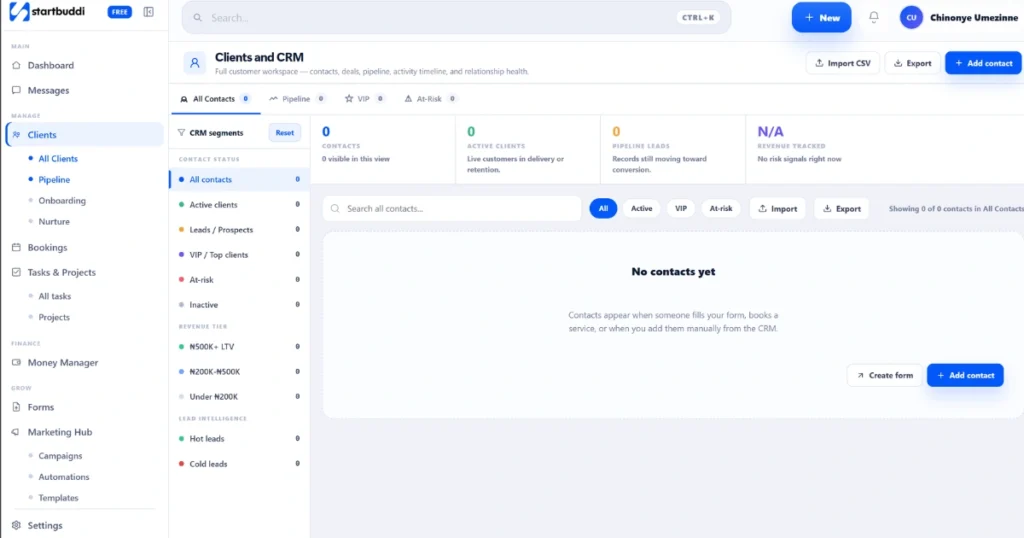
Every lead should arrive in one place. This means having a contact form, a booking link, or a landing page connected to a contact management system. When someone submits their details, that information should be stored automatically, not just land in your email inbox.
Step 2: Define your lead pipeline stages
Not all leads are at the same point in their journey. Build stages that reflect your actual sales process. A simple version might look like: New Enquiry, Contacted, Proposal Sent, Booked, Won, or Lost. Assigning every contact to a stage gives you instant visibility into your customer journey tracking without guessing.
Step 3: Set up follow-up automation
This is where most small businesses save the most time. When a new lead enters your system, an automatic email or SMS should go out immediately. According to Salesforce, 80 percent of sales require at least five follow-up touches, yet most businesses stop after one or two. The lead nurturing process runs itself when automation is set up correctly.
Step 4: Track where your leads come from
Lead source attribution tells you whether a customer found you through Google, Instagram, a referral, or a paid ad. Knowing this helps you stop guessing and start putting effort where it actually brings results.
Step 5: Measure your conversion tracking
Review how many leads are moving through your pipeline each week. Where are people stalling? Where are they dropping off? This is how you find the weak spots in your sales funnel tracking and fix them before they cost you customers.
CRM vs Excel: Why a Simple CRM for Small Business Beats a Spreadsheet
Many founders start with Google Sheets. It feels easy. You add columns for name, phone number, date, and status. For a short while, it works.
But the CRM vs Excel conversation becomes real the moment business starts picking up.
With Google Sheets:
- There are no automatic reminders or follow-ups
- Data does not connect to your booking system or emails
- Multiple people update it differently and things break
- There is no sales funnel tracking built in
- There is no contact management system running in the background
Tools like HubSpot CRM and Zoho CRM were built to solve exactly this. They let you manage lead pipeline stages, log conversations, and trigger tasks automatically. Email platforms like Mailchimp and ActiveCampaign add the lead nurturing process on top, connecting your email sequences directly to your contact records.
These tools are powerful. But for a solo founder or small team, the learning curve and the cost can feel overwhelming before you even get started.
According to G2’s CRM statistics report, nearly 43 percent of businesses using a CRM actively use fewer than half the features they are paying for.
CRM for Beginners: Why One Unified System Changes Everything
This is where CRM for beginners thinking matters most.
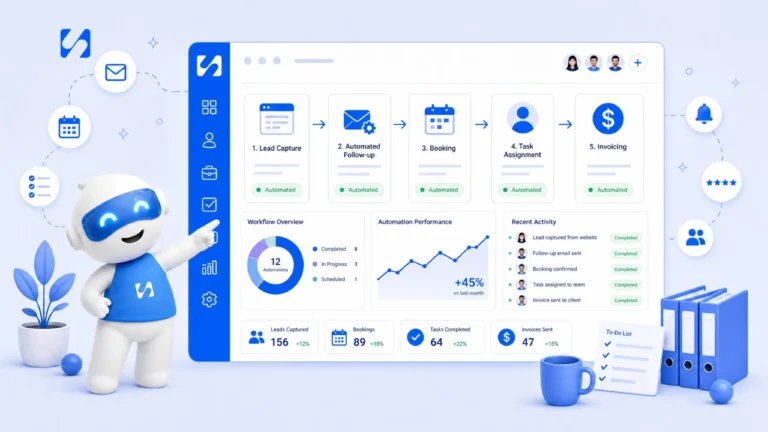
Instead of connecting a form builder, an email tool, a booking system, a spreadsheet, and a payment processor, the simpler move is to use one platform that handles all of it together.
When your lead capture, contact management system, bookings, follow-up automation, and communication all live in the same place, you stop losing things. You stop copying data between tools. You see the full picture of your customer journey tracking without switching between five different apps.
Many founders simplify this by using platforms like startbuddi, which brings CRM, bookings, forms, payments, notifications, and automations into one system. Instead of paying separately for HubSpot CRM to manage contacts, ActiveCampaign for email sequences, a form builder for lead capture, and a scheduling tool for bookings, startbuddi gives you all of this in one place. If you are still figuring out how to track leads without stitching together multiple subscriptions, this kind of all-in-one setup is where most founders eventually land. Less setup, less cost, and more time focused on actually running your business.
Frequently Asked Questions
What is the simplest way how to track leads for a small business?
Start by setting up a lead capture system such as a website form or booking link. Connect it to a simple contact management system so every enquiry is stored automatically. Then add follow-up automation so nobody gets forgotten.
Is CRM vs Excel really worth switching?
Yes. Google Sheets can store data but it cannot automate follow-ups, connect to bookings, or trigger email sequences. A proper CRM handles all of this without any manual work on your side.
Run this from one workspace
Clients, projects, money and marketing — connected, not scattered across five apps.
See how it worksWhat tools do I need to begin tracking leads?
At minimum you need a lead capture system, a contact management system to store and organize leads, and follow-up automation. Many platforms bundle all three so you do not need to pay for tools separately.
What are lead pipeline stages?
Lead pipeline stages are labels that show exactly where each contact sits in your sales process. Common stages include New Enquiry, Contacted, Proposal Sent, Booked, and Won or Lost. They give you a clear picture of who needs attention and when.
Conclusion
Understanding how to track leads is not about using the most expensive software. It is about having a clear system that captures contacts, organizes them properly, and makes sure nobody falls through the gaps.
Whether you are a coach, a freelancer, or a service business taking its first steps toward organized growth, the right lead tracking setup is the difference between chasing revenue and building it consistently.
You can create a free account, choose only the modules you need, and get started right away. Paid plans start at less than ten dollars per month.
When your bookings, CRM, forms, and communication work together in one place, running a business stops feeling like managing chaos. Platforms like startbuddi make it possible for small businesses to run systems like this at a very affordable cost, so there is no reason to keep managing everything manually.
Your next customer is already looking for you. Make sure your system is ready to catch them.
Put this into practice
Everything in this guide is built into startbuddi — free to start.
Start freeWritten by
Chinonye Umezinne
SEO Copywriter| Email growth Specialist| I help businesses increase revenue with strategic SEO content & high-converting email funnels.
Keep reading
Related playbooks
Stop reading. Start doing.
Free to start. No card needed. Your full workspace is ready in five minutes.