How to organise your business contacts in one place
A simple system to organise business contacts: one shared list, consistent fields, a few tags that matter, and a 15-minute weekly clean-up.


Chinonye wrote this while on the startbuddi team. The product has changed since, so the team updated it on .

- Move every client, lead, supplier and partner into one shared list with the same core fields. Sort them with a short set of type, interest and location tags, log each conversation with a next step, and clean the list for 15 minutes every week.
To organise business contacts, put every person your business deals with into one shared contact list, give each record the same core fields, sort people with a small set of tags by type (client, lead, supplier, partner), and log each conversation with a next step. Then spend 15 minutes a week keeping it clean. That’s the whole system. The rest of this guide shows you how to set it up so it still works when you have 2,000 contacts instead of 200.
Business contacts are wider than customers. They include leads who haven’t bought yet, suppliers and contractors, referral partners, investors, accountants, the printer you use twice a year and the journalist who once wrote about you. Most small businesses keep these across a phone address book, an email inbox, LinkedIn, WhatsApp and a spreadsheet nobody updates. Each works on its own. Together they mean nobody can answer “who do we know at…?” without a long search.
Why the way you store business contacts matters
A contact list is only as useful as the fastest answer it can give you. When it’s organised, you can:
- Find the right person in seconds, even when you only remember their company or where you met them.
- Send a check-in to every client you haven’t spoken to in six weeks.
- Hand a supplier relationship to a new teammate without a two-hour briefing.
- Keep relationships when someone leaves, because the contacts belong to the business, not to one person’s phone.
When it isn’t organised, the costs are quiet: a warm referral partner you forgot to thank, a lead who went to a competitor while their number sat in a DM, a supplier whose new email you never saved.
Step 1: pick one home for all your business contacts
The fix isn’t another app. It’s deciding that one place is the source of truth and moving everything there. For a solo business that can be a well-structured spreadsheet. Once two or more people share contacts, or you want reminders and conversation history, a simple CRM (a shared contact database) is easier to keep accurate. Our comparison of a CRM vs a spreadsheet helps you decide which you need today.
Whatever you choose, agree one rule with your team: new contacts go into the shared list, not into a personal phone or private sheet. Personal copies are how contact lists split into five versions of the truth.
Step 2: gather business contacts from everywhere they live
Work through your sources one at a time. Most can export to a CSV file (a spreadsheet saved as plain text), which almost every contact tool can import.
| Where contacts hide | How to get them out |
|---|---|
| Phone address book | Export from your phone’s contacts app or your Google or iCloud account |
| Email inbox | Export contacts from Gmail or Outlook, then delete newsletters and no-reply addresses |
| Spreadsheets | Combine into one sheet with the same column names |
| WhatsApp and DMs | Add active people by hand, with a note on what was discussed |
| Business cards and notebooks | Type in the ones you still need; bin the rest |
| LinkedIn lets you download your connections from its data export settings |
Don’t import everything blindly. Start with people you’ve dealt with in the last year. A list of 300 accurate contacts is worth more than 3,000 you can’t trust.
Step 3: give every contact the same core fields
Consistency is what makes a contact list searchable. Before importing, tidy your file so every row uses the same fields:
- First name and last name in separate columns.
- Email and phone, with phone numbers in one format including the country code (+44, +234, +1).
- Company and role.
- Contact type: client, lead, supplier, partner and so on (more on this below).
- Source: how you met them (referral, event, website, Instagram).
- Owner: the person in your business who looks after the relationship.
- Last contact date and next step.
Only collect what you’ll use. Data protection rules in many countries, including the UK’s data minimisation principle, expect you to keep personal data limited to what you need. This is general information, not legal advice; check the rules where you work.
Step 4: sort business contacts with tags you can act on
Tags turn a flat list of names into groups you can filter and message. The trick is to use a small, agreed set in three families.
Who they are
Client, Lead, Past client, Supplier, Contractor, Partner, Referral source, Investor, Press. Every contact gets exactly one of these, so treat it like a type rather than a free-for-all tag.
What they care about
The service or product line they buy or asked about, and the industry they’re in. For a web studio that might be “Website build”, “Monthly support”, “Hospitality”, “Legal”.
Where they are
City, country or time zone, if you serve several markets. It matters when you schedule calls or send campaigns across Lagos, London and Toronto.
Write the approved tag list down and keep it short. When “VIP”, “vip client” and “Important” all mean the same thing, filters stop working. Review the list every quarter and merge or delete tags nobody uses.
With tags in place, questions that used to take half an hour take a few seconds: every referral partner in Nairobi, every past client who bought a website more than a year ago, every supplier you pay monthly.
Step 5: use companies to group the people who work together
If you deal with other businesses, you’ll often know several people at the same company: the founder who hired you, the finance manager who pays you, the assistant who books meetings. Keep each as a separate contact and link them to one company record. You see the whole relationship in one view, and when the founder leaves, the company record still shows who else you know there.
The same applies to suppliers. A printing company might have a sales rep, an accounts contact and a delivery driver. One company record with three linked contacts saves you from hunting through three chats.
Treat suppliers, partners and referrers as relationships too
Most advice about contacts focuses on clients. But the contacts that quietly keep a small business running are often the others, and they need a slightly different rhythm.
Suppliers and contractors
Record what they supply, their payment terms, the account number you use with them and a backup contact. Add a next step for renewals and price reviews (“Ask for 2027 rates in November”). When a supplier lets you down, you want the alternative’s number in the same list, tagged the same way, not buried in last year’s email.
Referral partners
An accountant who sends you two clients a year is worth a lot. Tag them as a referral source, and when a new client arrives, set the source field to that person. After six months you can see who actually sends work, and thank them properly: a message, a coffee, or a referral back.
Past clients
Don’t delete people just because the project ended. Tag them as past clients with the date of their last job. They are the easiest people to sell to again and the most likely to recommend you, and a filter for “past clients, last job over 12 months ago” becomes your list for a friendly check-in.
Press, investors and advisers
These tend to be few but important. A short note on what they care about and when you last spoke saves an awkward “remind me who you are” moment when you need them.
Step 6: log every interaction and set a next step
Storage is only half the job. A contact record without history is just a name and a number. Build two habits into your week:
- Leave a trace after every meaningful conversation. A short note on what was discussed and what was agreed. For calls, record the outcome: interested, not now, declined, referred us to someone.
- Set a next step and a date before you close the record. Even for a supplier: “Ask for new price list in January.”
This is what lets anyone on the team pick up a relationship. It’s also where most service businesses quietly lose money: a lead with no next step is a lead nobody calls. If that’s your biggest gap, our guide on how to follow up with leads goes deeper.
Step 7: keep business contacts clean every week
Most teams only clean their contacts when something breaks: emails bounce, a message goes to someone who left, a lead gets called twice. A short weekly habit prevents that. Every Friday, spend 15 minutes on this checklist:
- Merge duplicates (search for the same phone number or email twice).
- Fix or remove emails that bounced this week.
- Add owners and next steps to any new contacts missing them.
- Update job changes you’ve heard about.
- Archive contacts with no activity and no reason to keep them.
Once a quarter, do a bigger review: check tags, remove people who asked not to be contacted, and delete data you no longer have a reason to hold.
Sharing business contacts across a team without chaos
When two or more people use the same list, a few rules stop it becoming a free-for-all:
- One owner per contact. Others can help, but one name is responsible for the relationship.
- Updates go in the shared record, not in a personal inbox or phone notes.
- Decide who can delete. Most teammates should be able to add and edit; only one or two people should delete.
- A one-page playbook for new hires: where contacts live, which tags to use, how to log a call, who owns what.
When someone leaves, reassign their contacts on their last day, not three months later when a client complains nobody replied.
Common mistakes when organising business contacts
- Mixing people and companies in one record, so you can’t tell who actually said what.
- Too many tags, so filters return nonsense.
- Importing everything, including 400 newsletter senders and people you met once in 2019.
- No source field, so you can’t tell which events or referrers bring your best clients.
- Treating it as a one-off project instead of a weekly habit.
How startbuddi helps you organise business contacts
In startbuddi, Contacts and Companies live in the Customers area. You can add a contact with just a name, an email or a phone number, and import a CSV of up to 10,000 contacts at a time. The import lets you map each column, decide whether existing duplicates are updated or left alone, and tag or group everyone in the batch, which is handy for labelling a supplier list or an event list in one go.

Filters cover owner, tags, source, lead status and last contacted date, and any filter can be saved as a segment. Companies group the people who work together; add a company from its website and startbuddi can fill in the logo and details for you.
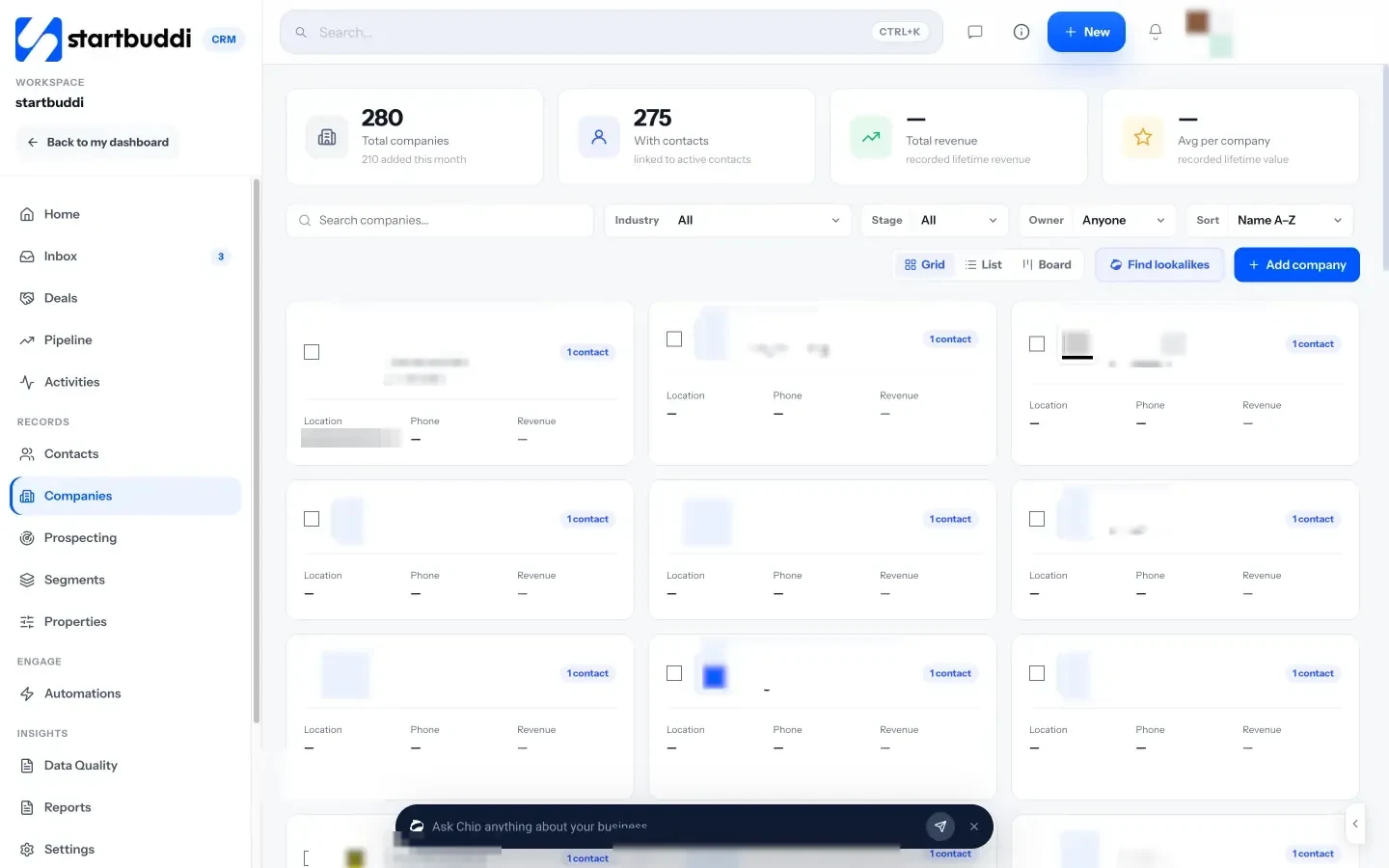
Each contact has notes, tasks, files and a history of emails and messages, and a WhatsApp, email or call button at the top. If you use the shared inbox, conversations sit next to the contact, and notes added in the inbox appear on the contact too. Contacts can also be created automatically from your forms, bookings and website chat, so new people don’t depend on someone typing them in.
You can export contacts to CSV or Excel at any time. The Free plan covers 250 contacts; Starter covers 2,500, Growth 15,000 and Scale 75,000 (see pricing). See pricing for the full list.
If most of your contacts are customers rather than suppliers or partners, our guide on how to organise customer information covers the extra fields and habits that matter for sales.
Your next step
This week, export your phone and email contacts, pick the people you’ve dealt with in the last year, and give each one a type tag and an owner. That single afternoon gets you most of the way. If you’d like the list to sit next to your messages, bookings and invoices, try startbuddi Customers on the free plan.
Sources
Frequently asked questions
What is the fastest way to organise business contacts?
Export contacts from your phone and email, keep only people from the last year, import them into one shared list, then add a type tag and an owner to each.
What tags should I use for business contacts?
Three families: who they are (client, lead, supplier, partner), what they care about (service or industry) and where they are. Keep the list short and written down.
How often should I clean my contact list?
Fifteen minutes a week for duplicates, bounces and missing owners, plus a bigger review each quarter for tags and old data.
Is a spreadsheet enough to manage business contacts?
For one person with a few hundred contacts, often yes. Once several people share contacts or you need reminders and history, a simple CRM is easier to keep accurate.
SEO Copywriter| Email growth Specialist| I help businesses increase revenue with strategic SEO content & high-converting email funnels.