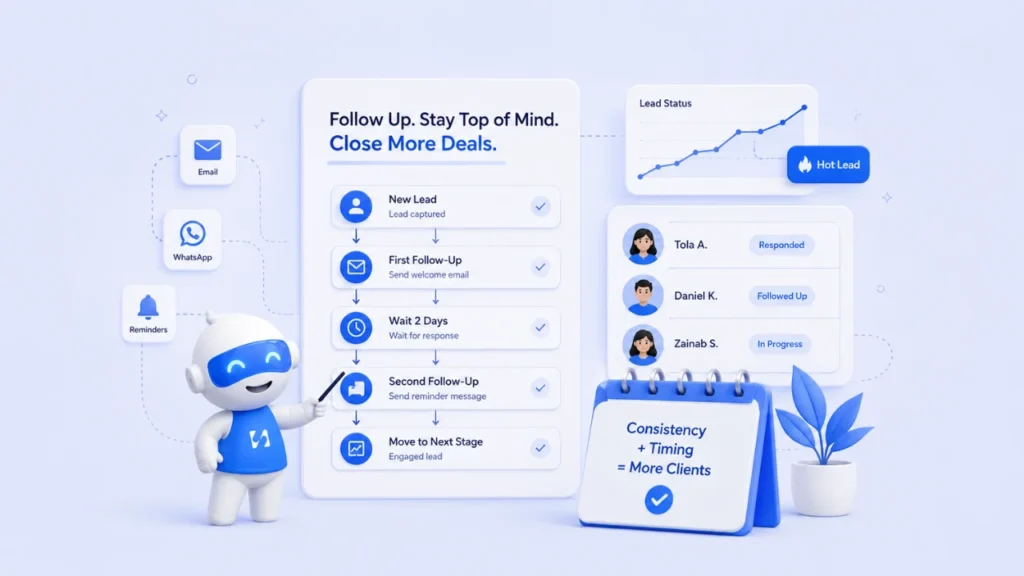
earn how to build a client follow-up system that organizes leads, automates reminders, and turns more conversations into paying customers
- What Is a Client Follow-Up System?
- Steps on How to Build a Client Follow-Up System
- How startbuddi Can Build the Whole System for You
- How to Know if Your Follow-Up System Is Working
- Final Thoughts
Getting a new lead should feel exciting. Someone has shown interest in your service, filled out your form, sent a WhatsApp message, or booked a discovery call.
But then the day gets busy.
You deliver work for an existing client, attend a meeting, answer emails, and deal with an unexpected problem. Before you know it, three days have passed, and you still haven’t followed up with the person who wanted to buy.
This is exactly why a client follow-up system matters. It takes follow-up from something you have to remember to something your business can manage consistently.
Google’s current guidance emphasizes people-first content that demonstrates real expertise, provides useful information, and gives readers enough value to solve their problem. This guide follows that approach by focusing on practical steps businesses can actually implement.
What Is a Client Follow-Up System?
Before building one, it helps to understand what the system actually does.
A client follow-up system is a structured process for recording leads, tracking conversations, scheduling follow-ups, sending reminders, and knowing what action should happen next.
It can be as simple as a spreadsheet with reminders, but a proper lead management system can do much more.
For example, when someone submits your website form, the system can automatically save their details, assign them to a sales stage, send an acknowledgment message, create a follow-up task, and notify the appropriate team member.
The goal is simple: no interested prospect should disappear simply because someone forgot to follow up.
Steps on How to Build a Client Follow-Up System
Here are the steps you need to take to build your follow-up system:
Step 1: Capture Every Lead in One Place
Your follow-up process cannot work if your leads are scattered across WhatsApp, Instagram, email, spreadsheets, and someone’s phone.
Start by creating one central place where every new prospect is recorded. You can use startbuddi’s CRM to keep your leads organized and accessible in one place.
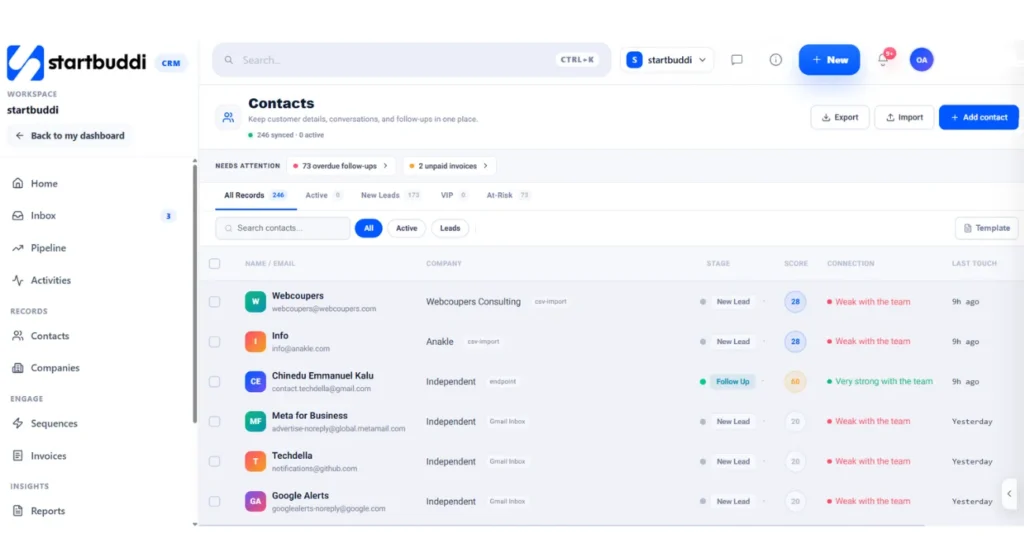
This is the foundation of good customer relationship management. Your record should contain the person’s name, contact information, service they’re interested in, source of the lead, date of inquiry, current stage, and next follow-up date.
A CRM for small businesses can make this much easier because your team can see the same information instead of keeping separate notes.
startbuddi, for example, connects lead capture with our CRM, so information collected through forms can move directly into your customer records. Our CRM also keeps client conversations and relationship information together.
Step 2: Create Clear Follow-Up Stages
A list of contacts isn’t enough. You need to know where each person is in the buying process.
This is where sales pipeline management becomes useful.
Your stages might look like:
- New lead
- Contacted
- Qualified
- Discovery call booked
- Proposal sent
- Negotiation
- Won
- Lost
- Follow up later
The exact stages depend on your business.
A photography business may have different stages from a software agency, but the principle remains the same: every lead should have a clear status.
When someone asks, “Who needs a follow-up today?” your system should be able to answer immediately.
Step 3: Decide When to Follow Up
One of the biggest mistakes businesses make is following up randomly.
A better sales follow-up process gives every stage a timeframe.
For example:
Day 0: Respond to the inquiry.
Day 1: Send useful information or answer questions.
Day 3: Check whether they have reviewed the proposal.
Day 7: Send another helpful message.
Day 14: Ask whether the project is still a priority.
Day 30: Move suitable prospects into a longer-term lead nurturing sequence.
You don’t have to copy this schedule exactly. The important thing is having a schedule.
Your follow-up should also give the prospect a reason to respond. “Just checking in” is easy to ignore. A useful answer, recommendation, case study, or clarification creates a better conversation.
Step 4: Personalize Your Follow-Ups
Automation can save time, but automation should not make your communication sound robotic.
A strong automated follow-up uses information about the lead to make the message relevant.
Instead of:
“Hello, are you still interested in our services?”
Try:
“Hi Tunde, I wanted to follow up on the branding proposal we discussed. You mentioned that the new identity needs to be ready before your product launch in September. Would you like me to clarify anything in the proposal?”
The second message shows that you remember the conversation.
That matters because effective client communication is about context, not simply sending more messages.
Step 5: Automate the Repetitive Work
Once you know what should happen and when, automation can take care of repetitive tasks.
This is where follow-up automation becomes powerful.
For example, a new lead could automatically receive a welcome email. If they don’t book a call, the system can send another helpful message after a few days. If they book, the system can stop the lead-nurturing sequence and move them into the next stage.
startbuddi’s automation system includes workflows designed around goals such as preventing lost leads, nurturing subscribers, booking reminders, onboarding, and win-back campaigns. Triggers can include a form submission, new contact, booking, cancellation, or tag being added.
That means your client follow-up system can continue working even when you’re busy delivering client work.
Step 6: Connect Your Forms, CRM and Bookings
Here’s where many businesses create unnecessary work for themselves.
A prospect fills out a form.
You manually copy their information into a spreadsheet.
Then you send a booking link.
Then you copy the appointment into your calendar.
Then you create a reminder.
That’s too many steps.
A connected lead capture process removes much of that manual work.
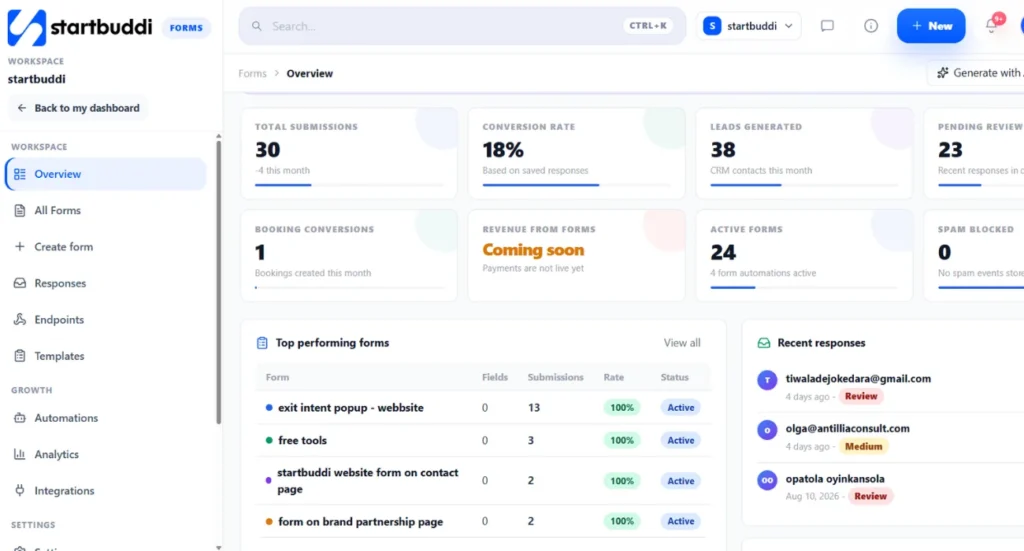
With startbuddi, forms, CRM, and booking workflows can work together. A prospect can submit information, enter the CRM, and book a meeting without your team having to move the data between separate systems.
This is one reason an integrated client tracking system can be more useful than simply buying another standalone tool.
Step 7: Follow Up Based on Behaviour
Not every lead deserves the same message.
Someone who opened your proposal but hasn’t replied may need a different follow-up from someone who hasn’t opened anything.
Look at actions such as:
- Form submitted
- Email opened
- Link clicked
- Meeting booked
- Meeting missed
- Proposal viewed
- No response
- Previous customer
This allows your marketing automation to become more relevant.
For example, someone who attended a consultation but didn’t buy could receive educational content. Someone who cancelled a meeting could receive a simple rescheduling message.
The more useful your follow-up becomes, the less it feels like you’re chasing someone.
How startbuddi Can Build the Whole System for You
At this point, you can probably see that a good client follow-up system is bigger than sending reminder emails.
You need lead capture, CRM, communication, scheduling, automation, project management, and eventually billing to work together.
This is where startbuddi has a strong advantage.
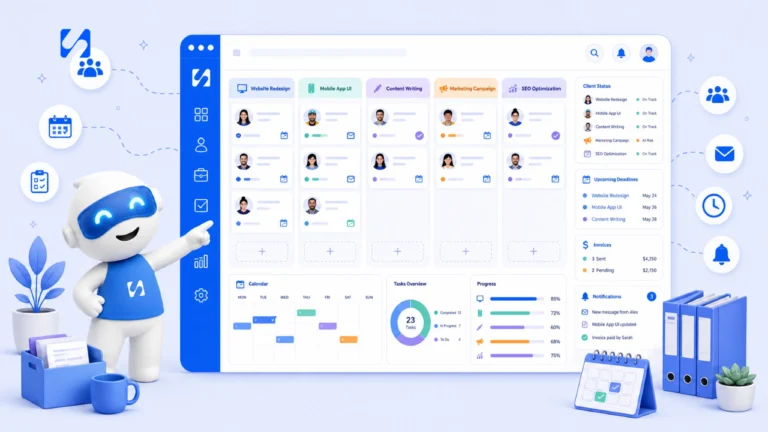
startbuddi is designed as an all-in-one workspace for service businesses, bringing CRM, projects, bookings, forms, invoicing, marketing, automation, and AI into one connected environment.
Our CRM software keeps client information and conversations organized. Our Form Builder can capture new leads. Our Booking Software can turn interested prospects into scheduled meetings. Our AI Sequencing Automation and workflow tools can help automate follow-ups across the customer journey.
Run this from one workspace
Clients, projects, money and marketing — connected, not scattered across five apps.
See how it worksYou can also use our Project Management Software once a lead becomes a client, while OKR Software helps your team connect daily work with larger business goals.
The biggest advantage is the connection between these functions. A won deal can trigger the next steps instead of requiring your team to manually recreate information in another application.
How to Know if Your Follow-Up System Is Working
A good client follow-up system should make your business easier to manage and your sales process easier to measure.
Track a few important numbers every month:
- Lead response time: How quickly does someone receive their first response?
- Follow-up completion rate: How many scheduled follow-ups actually happen?
- Lead conversion rate: How many leads become paying customers?
- Proposal conversion rate: How many proposals turn into deals?
- Lost-lead rate: How many opportunities disappear without a clear reason?
- Reactivation rate: How many old leads become active again?
These numbers help you identify where your process is breaking.
If many leads are being contacted but few convert, your sales conversation may need improvement. If many leads never receive follow-up, your system is probably the problem.
What is the best way to follow up with a potential client?
The best approach is to create a consistent follow-up schedule, personalize your messages, provide useful information, and track every interaction in a client follow-up system or CRM.
How often should I follow up with a lead?
There is no universal number that works for every business. A practical approach is to follow up soon after the initial inquiry, then space out subsequent messages while adjusting the timing based on the lead’s engagement.
Can a CRM automate client follow-ups?
Yes. Modern CRM platforms can trigger reminders, emails, tasks, and other actions based on events such as new leads, form submissions, bookings, or changes in pipeline stage. startbuddi supports these types of automation through its connected CRM and workflow tools.
Final Thoughts
A strong client follow-up system doesn’t mean bombarding prospects with messages.
It means knowing who your leads are, understanding where they are in the buying process, following up at the right time, and giving them something useful when you reach out.
Start small.
Capture every lead in one place. Create clear pipeline stages. Set follow-up dates. Personalize your messages. Automate repetitive tasks. Then measure what happens.
And if you want all of those pieces connected, startbuddi gives service businesses the tools to manage leads, clients, bookings, projects, forms, automation, and business goals from one workspace.
Instead of wondering, “Did anyone follow up with that lead?”, you can build a system where the answer is visible.
Ready to stop letting good leads go cold?
Book a demo with startbuddi and see how you can build a more organized client follow-up process for your business.
Put this into practice
Everything in this guide is built into startbuddi — free to start.
Start freeWritten by
Omolola Akiyode
As Project Lead and Content Strategist at startbuddi, I lead cross functional projects and develop content strategies that drive brand growth, customer engagement, and business results. I specialize in translating complex ideas into clear, impactful content while ensuring projects are delivered efficiently and aligned with business objectives. My passion lies in building systems, creating meaningful content, and helping businesses connect with their audiences through strategic storytelling.
Keep reading
Related playbooks
Stop reading. Start doing.
Free to start. No card needed. Your full workspace is ready in five minutes.