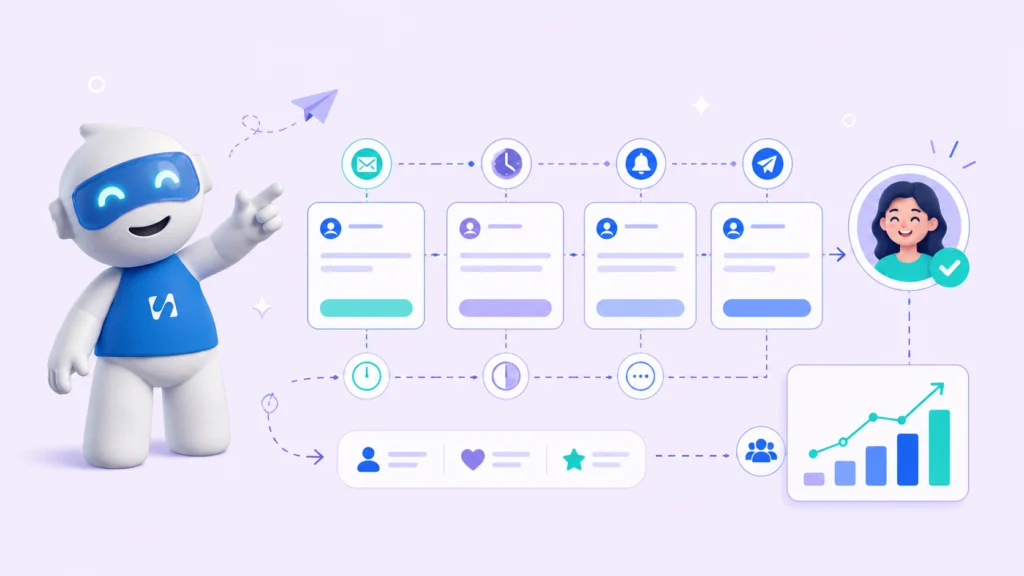
You sent the message. They seemed interested. Then nothing. You follow up once, maybe twice, and eventually move on. A week later you find out they went with…
- Why Most Small Businesses Lose Leads Before Converting Them
- Step 1: Map Your Customer Follow-Up Touchpoints Before You Need Them
- Step 2: Respond Fast to New Leads and Improve Your Conversion Rate
- Step 3: Personalize Every Message to Signal Buyer Intent
- Step 4: How Multi-Channel Follow-Up Increases Customer Engagement
You sent the message. They seemed interested. Then nothing. You follow up once, maybe twice, and eventually move on. A week later you find out they went with someone else.
This happens to small business owners, coaches, and freelancers every single day, and the frustrating part is it has nothing to do with your price or your service. It comes down to follow-up.
The best ways to follow up with customers are not complicated, but without a system behind them, even the most motivated founder drops the ball.
This guide will walk you through exactly how to fix that, which tools make it easier, and how to stop losing leads you already worked hard to get.
Why Most Small Businesses Lose Leads Before Converting Them
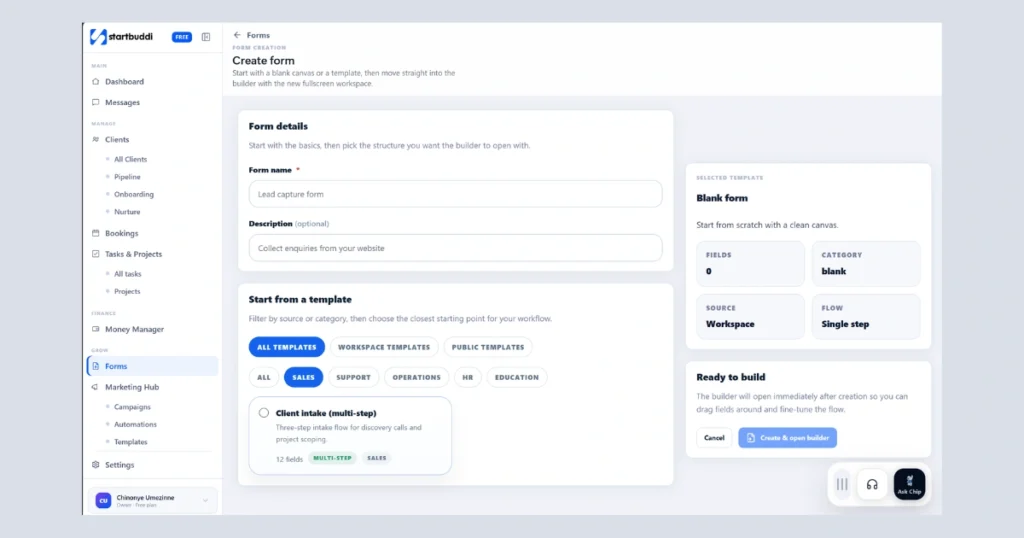
Following up sounds simple. In practice, it rarely happens consistently. You get busy. You forget who you spoke to last week. A lead came in on Tuesday and by Friday you have no idea where things stand.
According to Invesp, 80 percent of successful sales require at least five follow-up touchpoints, yet 44 percent of salespeople give up after just one. That gap is where most conversions die.
The real problem is not effort. It is the absence of a structured process. Without a clear customer journey mapped out, follow-up becomes reactive instead of intentional. If you are still figuring out how to handle inbound leads before they go cold, that is the right place to start.
Step 1: Map Your Customer Follow-Up Touchpoints Before You Need Them
The first step is to decide in advance when and how you will reach out to every lead. Think about the stages a customer goes through from first contact to purchase. Common touchpoints include the first inquiry, a quote or proposal, a reminder if there is no response, and a check-in after a first meeting.
Decide what happens at each stage. Will you send an email, a text, or make a call? Write it down and treat it as a repeatable workflow, not something you will remember on the day.
Step 2: Respond Fast to New Leads and Improve Your Conversion Rate
Speed matters more than most business owners realize. A lead who hears from you within five minutes is dramatically more likely to convert than one who waits 24 hours.
According to InsideSales.com, the odds of contacting a lead drop by 10 times after the first hour.
When a new form is submitted or a booking request comes in, your system should trigger a confirmation immediately. The customer feels seen and the conversation starts before you even open your laptop. Founders who want to grow their business consistently treat fast response time as a non-negotiable part of their sales process.
Step 3: Personalize Every Message to Signal Buyer Intent
Generic messages feel like spam. Personalization shows that you paid attention. You do not need to write a different email for every person. You need templates with space for personal details. Use the person’s name. Reference what they asked about. When you reflect back what the customer told you, they feel understood and that feeling converts.
Step 4: How Multi-Channel Follow-Up Increases Customer Engagement
Email is not always enough. Some customers respond faster to a text. Others prefer WhatsApp. A multi-channel approach means you do not rely on a single method.
Send an email confirmation right away, follow up with a text 24 hours later if there is no response, then send a short personal email on day three. This kind of structured sequence increases replies without feeling aggressive. Getting your client communication organized across every channel is what keeps leads warm between touchpoints.
Why CRM Tools and Disconnected Software Make Follow-Up Harder
Most business owners end up using separate tools. A CRM like Salesforce or Zoho CRM for contacts, Mailchimp for emails, a booking tool for appointments, and a form builder for new inquiries. Each works in isolation. Form data does not appear in the CRM automatically. Reminders have to be set manually. You end up doing the same data entry across three different platforms.
According to Salesforce research, small businesses using disconnected tools spend up to 23 percent more time on admin than those using an integrated system. When systems are not connected, humans fill the gap and humans are inconsistent.
How Broken Business Systems Kill Conversions and Cost You Clients
Here is what a broken sales pipeline looks like. A new lead fills out your form. You manually copy the contact into your CRM. You send a follow-up from Gmail. You schedule a call in your calendar. Then you forget to set a reminder and the follow-up never happens. Three days later that lead signs up with your competitor.
Leads fall through gaps not because you did not care but because the system had no way to hold it all together. If you have cold leads sitting untouched right now, there is still a way to bring them back. Learning how to re-engage cold leads with email is one of the fastest ways to recover revenue you thought was gone.
How to Automate Customer Follow-Up Workflows With AI Assistants and Simple Tools
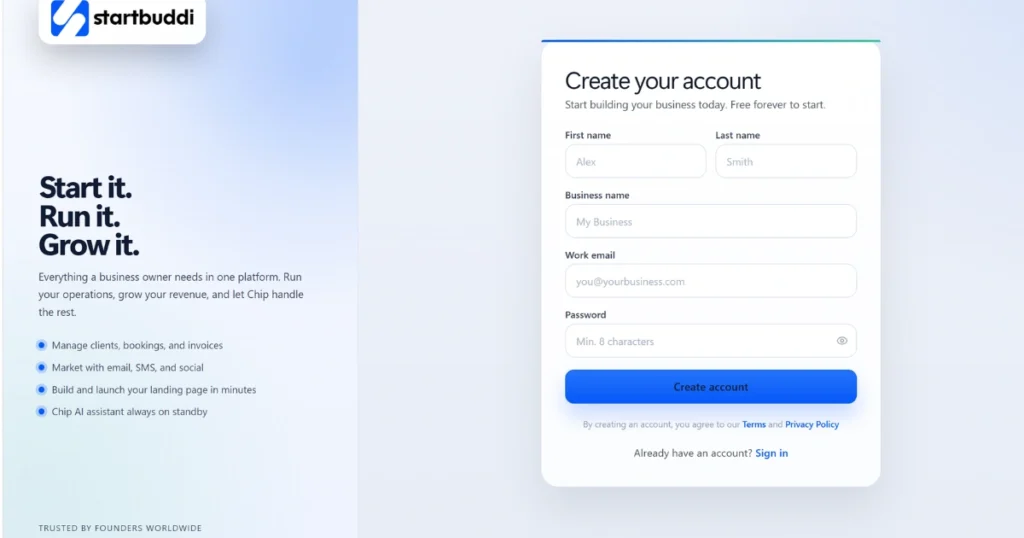
The solution is not to add another tool. It is to consolidate what you already rely on into one place.
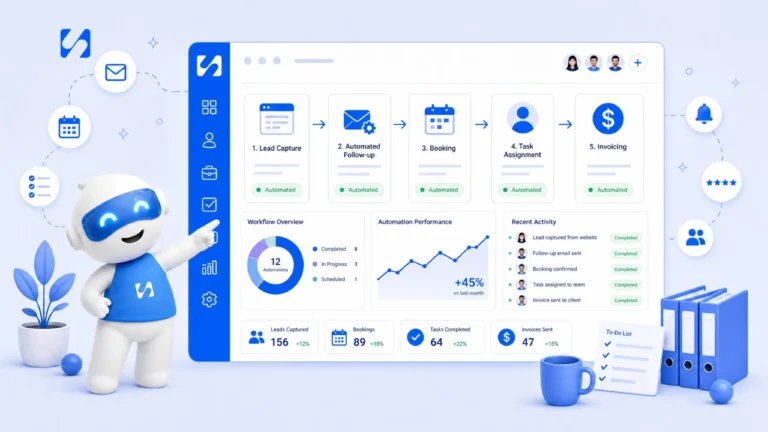
When your forms, CRM, bookings, and automated messages work together, every step triggers the next automatically. A form submission creates a contact. A contact triggers a confirmation. A booking creates a reminder. Everything runs without you touching it.
Many founders simplify this using startbuddi, which combines forms, CRM, bookings, and automated messages in one platform. Instead of paying separately for Mailchimp, Calendly, and a CRM, Startbuddi keeps everything connected so the best ways to follow up with customers happen automatically. It also has a built-in AI assistant so if you are unsure how to set up a sequence or structure your pipeline, you can ask directly inside the platform and get guidance right away.
How Automated Follow-Up Reminders Work in a Simple CRM Inbox
A client visits your website and fills out a contact form. Their details are saved instantly in your CRM inbox. A confirmation message goes out automatically. A follow-up reminder is queued for 24 hours later. If there is no response, a second message fires on day three. When they book a call, a confirmation and reminder go out without you doing anything.
Every step runs on its own. You show up for the conversation, not the admin behind it. This is how automated follow-up reminders work in a simple CRM inbox and how your lead nurturing, customer engagement, and communication move together on one timeline. For businesses that also rely on an online storefront, having this same automation connected to your customer touchpoints makes the entire buying experience smoother.
Run this from one workspace
Clients, projects, money and marketing — connected, not scattered across five apps.
See how it worksFrequently Asked Questions
Q: How many times should you follow up with a potential customer? Most leads need between five and eight touchpoints before deciding. A structured sequence spread over two weeks keeps you visible without being pushy.
Q: What is the best time to follow up with a customer? Respond within the first hour of receiving an inquiry. Mid-morning on weekdays tends to get the best response rates for follow-up messages.
Q: How do automated follow-up reminders work in a simple CRM inbox? When a form is submitted or a booking is made, the system triggers follow-up messages automatically based on rules you set in advance. No manual reminders needed.
Q: What is the difference between customer follow-up and lead nurturing? Follow-up is the immediate outreach after first contact. Lead nurturing is the longer process of building a relationship over time. Both are part of the customer journey and improve conversion rates at different stages.
Conclusion
If you have been losing leads because follow-up keeps slipping, the answer is a system that runs it for you. The best ways to follow up with customers are simple when the right tools are in place with
You can create a free account right away, use the built-in AI assistant to guide you through the process, and get your system running faster than you think. Paid plans start at less than $10 per month, making it one of the most affordable ways to run bookings, CRM, forms, and automated communication all in one place.
Put this into practice
Everything in this guide is built into startbuddi — free to start.
Start freeWritten by
Chinonye Umezinne
SEO Copywriter| Email growth Specialist| I help businesses increase revenue with strategic SEO content & high-converting email funnels.
Keep reading
Related playbooks
Stop reading. Start doing.
Free to start. No card needed. Your full workspace is ready in five minutes.