Understanding the Expenses Section in startbuddi Money Manager
Managing business spending can become difficult when expenses are scattered across notebooks, spreadsheets, bank alerts, or different apps. That is why the Expenses section inside the startbuddi Money Manager exists.
The Expenses area is designed to help businesses record, organize, monitor, and review every expense made inside the business. Whether it is office supplies, transportation, subscriptions, salaries, internet bills, or marketing costs, this section gives businesses one place to manage spending properly.
If you are new to the platform, you need to first get familiar with the startbuddi dashboard before diving into this section, so you understand how everything connects. For businesses that want better financial visibility, the Expense Tracking Software inside startbuddi helps reduce confusion and improves financial organization.
What Is the Expenses Section Used For?
The Expenses section is mainly used to record business spending, categorize expenses properly, monitor cash flow, reduce unnecessary spending, keep financial records organized, prepare reports for decision-making, track recurring expenses, and understand spending patterns.
Instead of trying to remember every payment manually, the Expense Tracking Software helps store everything in one place.
Explanation of Each Part Inside the Expenses Section
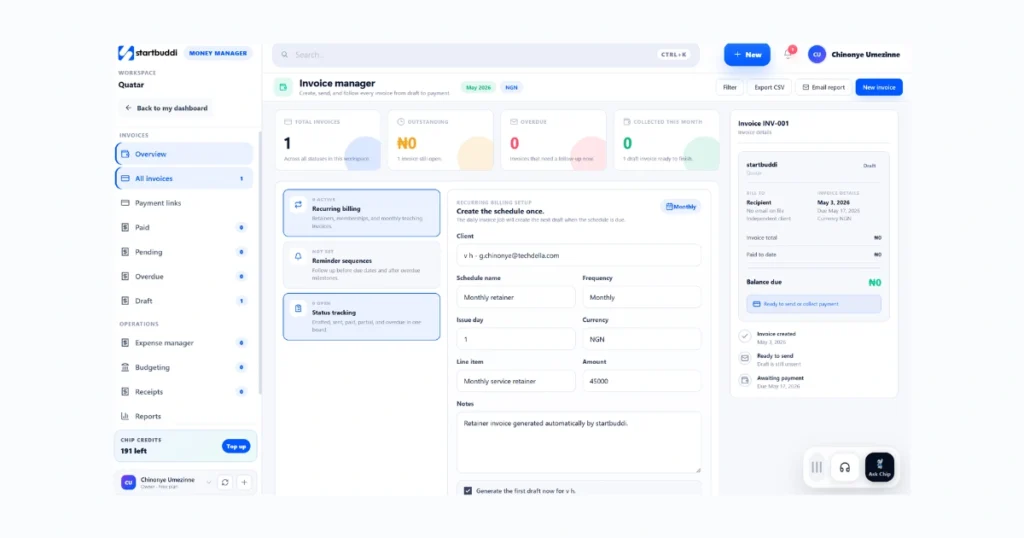
1. Add Expense
This feature allows users to manually record a new expense. Users can enter the expense amount, category, date, payment method, vendor or supplier name, notes or description, and receipt or proof of payment.
This is useful for documenting daily business spending accurately. If a business spends money on Facebook ads or fuel, it can immediately be added through the Add Expense feature. The Expense Tracking Software helps prevent missing financial records.
2. Expense Categories
Expense categories help businesses organize spending into sections. Common categories may include marketing, utilities, transportation, office supplies, software subscriptions, staff salaries, rent, and internet.
Categorization makes it easier to analyze which areas consume the most money. Without proper categorization, businesses may struggle to identify unnecessary spending.
3. Expense History
This section stores all previously recorded expenses. Users can search expenses, filter by date, filter by category, review payment history, and edit older records.
The Expense Tracking Software makes historical tracking easier because businesses can quickly review past transactions without searching through multiple files.
4. Reports and Analytics
Reports help users understand spending behavior. This area may show monthly expense totals, weekly spending, category breakdowns, spending trends, and financial summaries.
Visual reports help businesses make smarter financial decisions. For example, if marketing expenses suddenly increase, business owners can identify it quickly through reports generated by the Expense Tracking Software.
5. Recurring Expenses
Some expenses happen repeatedly every month — such as rent, internet subscriptions, staff payments, and software tools. The recurring expense feature helps automate these records so users do not need to add them manually every time. This saves time and improves consistency.
6. Attachments and Receipts
Many businesses need proof of payment for accountability. Users may be able to upload receipts, invoices, payment screenshots, and bills. This helps keep financial documentation organized inside one system. The Expense Tracking Software improves record management by keeping both the transaction and proof together.
Why the Expenses Section Is Important
Many businesses fail to monitor spending properly. When expenses are not tracked, money leaks happen, budgets become inaccurate, profit becomes difficult to calculate, and financial planning becomes harder.
The Expenses section helps businesses stay financially organized and understand exactly where money is going. Using Expense Tracking Software also improves accountability across teams because every expense can be documented properly.
It is also worth knowing that the Expenses section connects directly with the invoicing side of the business. If you need to manage what clients owe you at the same time, the invoicing guide on startbuddi walks you through creating and sending invoices so both your income and your spending stay organized inside one workspace.
Best Practices for Using the Expenses Section
To get the best results, record expenses immediately after they happen, use proper categories, upload receipts when possible, review reports weekly, monitor recurring expenses regularly, and remove unnecessary spending habits.
Businesses that consistently use Expense Tracking Software usually have better financial control and planning.
Frequently Asked Questions
Yes. Most expense systems allow users to edit expense details if corrections are needed.
Categories help businesses understand spending patterns and improve budgeting decisions.
Yes. The Expenses section may allow users to upload receipts, invoices, or payment proof for better documentation.
Recurring expenses save time by automatically recording repeated monthly payments.
It helps businesses stay organized, monitor cash flow, reduce overspending, and improve financial decision-making.
Conclusion
The Expenses section inside startbuddi Money Manager is built to help businesses gain better control over their spending. Instead of managing expenses manually, users can organize transactions, categorize payments, monitor reports, and maintain proper financial records in one place.
For businesses that want clearer financial visibility and improved organization, using the Expense Tracking Software inside startbuddi can simplify expense management and support better business decisions over time.