
Is your CRM full of leads you have not touched in six months? You are not looking at a dead pipeline. You are looking at revenue you already…
- Why Good Leads Go Cold and What Your CRM Data Is Telling You
- How to Nurture Cold Leads Before You Ask for Anything
- How Automation in CRM Improves Lead Follow-Up Times
- How to Fix It: The Real Strategy for Recovering Cold Leads
- How to Prioritize Leads and Deals with CRM Dashboards
Is your CRM full of leads you have not touched in six months?
You are not looking at a dead pipeline. You are looking at revenue you already paid for. These people showed interest once. They did not forget you. Your follow-up system just stopped.
Understanding how to revive cold leads six months old is one of the highest-return things a small business can do. No new ad spend. No new traffic. Just reconnecting with people who were already interested.
This guide will walk you through how to use your CRM data to find which leads are worth re-engaging, build an automated sequence that brings them back, and fix the gap that lets them go cold.
Why Good Leads Go Cold and What Your CRM Data Is Telling You
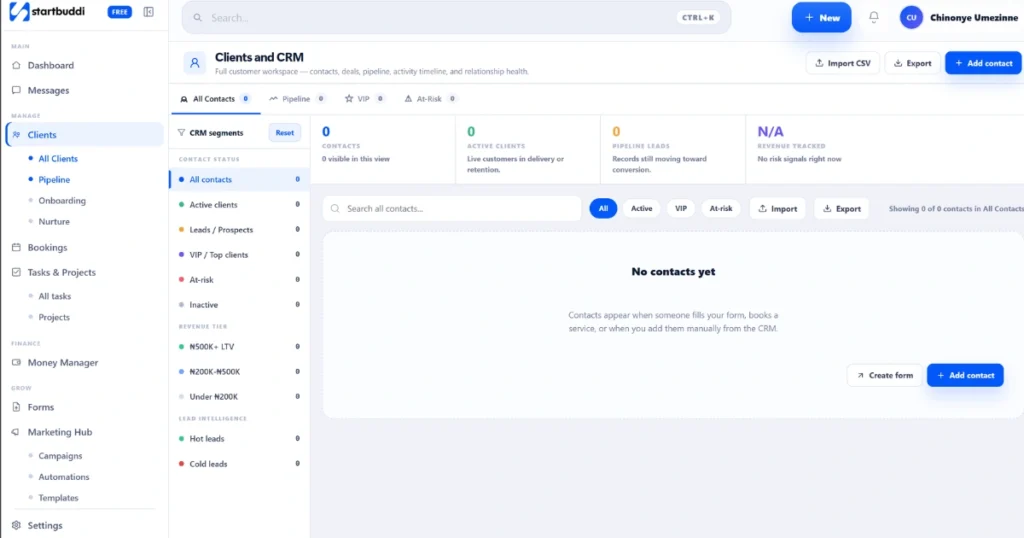
Cold leads are a systems failure, not a sales failure.
A lead responds once, you plan to follow up, something more urgent takes over, and a week becomes six months. The problem is not motivation. It is that nothing in your workflow caught the gap.
Platforms like HubSpot CRM, Salesforce, Zoho CRM, and ActiveCampaign store behavioral signals most businesses ignore. Email opens, link clicks, pricing page visits, and past form submissions are all sitting in your data right now. They tell you who was still warm when they went quiet and who is worth bringing back into your sales pipeline.
Before you write a single re-engagement email, pull that data and understand what it is showing you.
How to Nurture Cold Leads Before You Ask for Anything
The biggest mistake businesses make when re-engaging cold leads is sending a generic check-in. After six months of silence, “just following up” gets ignored every time.
Cold leads need nurturing, not chasing. Give the lead a reason to re-engage before you ask for anything. A useful insight, a recent client result in their industry, a new service they did not know about. These work better than a pitch.
A strong cold lead nurturing approach looks like this:
- Segment by where each lead dropped off in the lead lifecycle. A lead who visited your pricing page needs a different message than one who only opened your first email.
- Use lead scoring to rank which contacts deserve the most attention first.
- Deliver value in the first email with no ask at all.
- Wait three to five days before sending a second email with a soft call to action.
- Only make a direct ask in the third email.
The goal is to move them gradually through a customer reactivation funnel, not to remind them you exist.
How Automation in CRM Improves Lead Follow-Up Times
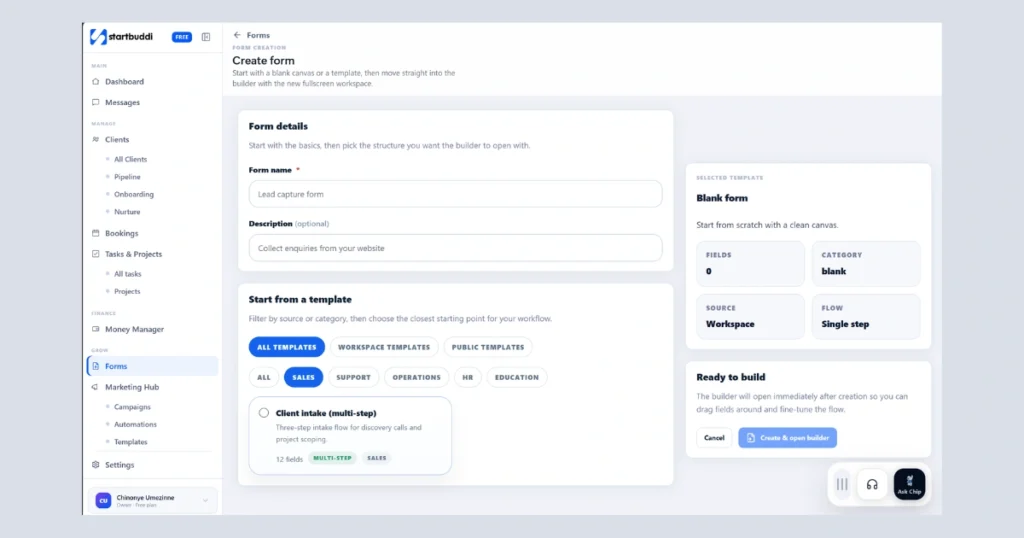
Manual follow-up fails because humans forget. Automation does not.
When your CRM has proper email automation workflows in place, a cold lead re-entering your pipeline triggers the right message at the right time without anyone having to remember to send it.
According to research by Harvard Business Review, businesses that follow up with leads within one hour are seven times more likely to qualify that lead than those who wait even a few hours. Automation removes the human delay entirely.
Here is how it works in practice:
- A cold lead opens your reactivation email. Your CRM captures this as an engagement signal and updates their lead score automatically.
- A behavioural trigger fires. Your team gets an instant internal notification so someone can follow up before the moment passes.
- If the lead clicks your booking link, a confirmation email sends immediately and reminders fire before the meeting.
- If they do not book, the next email in your sequence goes out on schedule without anyone needing to check.
This is the difference between a system and a hope.
Many founders handling this exact problem use platforms like startbuddi, which combines CRM, email automation, bookings, and forms in one place. Instead of connecting HubSpot, ActiveCampaign, and Calendly through a Zap that breaks every few weeks, everything works together natively so your reactivation sequence actually runs end to end.
How to Fix It: The Real Strategy for Recovering Cold Leads
Here is the step by step process to revive cold leads six months old using data you already have.
Step 1: Pull your cold segment. Filter contacts in your CRM with no activity in 90 to 180 days. Tag them separately. Do not mix them with active leads.
Step 2: Run a lead scoring analysis. Look at each contact’s history. Multiple email opens, pricing page visits, and past calls are high-intent signals. Focus on top scorers first.
Step 3: Segment by drop-off point. Group leads by where they stopped engaging. Each group needs a different message.
Step 4: Build a three-email reactivation sequence. Email one: value with no pitch, email two: a case study or relevant update, email three: a low-friction call to action like a 15-minute call.
Step 5: Set behavioral triggers. When a cold lead opens your email or clicks a link, your CRM should notify your team immediately so you catch re-engagement before it goes cold again.
Step 6: Move re-engaged leads into your active pipeline straight away. Your CRM handles the update automatically. No manual data entry.
How to Prioritize Leads and Deals with CRM Dashboards
Once your reactivation sequence is live, your CRM dashboard becomes your daily control panel.
Sort your cold lead segment by last activity date and email open rate. Leads that opened your reactivation email within 48 hours move to the top. Keep re-engagement leads separate from active conversations in your pipeline view so nothing gets missed.
Set up a view showing only leads with engagement signals in the last seven days. That is your daily action list. How to prioritize leads and deals with CRM dashboards comes down to one principle: let the data tell you who to call today, not your gut.
Track your recovery rate over 30 days. How many cold leads re-engaged? How many booked a call? This tells you which messages are working.
Run this from one workspace
Clients, projects, money and marketing — connected, not scattered across five apps.
See how it worksFrequently Asked Question
How long should a cold lead reactivation email sequence be?
Three emails. The first offers value with no pitch. The second builds credibility with a result or update. The third includes a clear call to action. Longer sequences risk feeling like spam after months of silence.
How do I know which cold leads are worth re-engaging?
Use lead scoring in your CRM. Look for leads that opened multiple emails, visited your pricing page, or booked a call but did not show. These are high-intent signals even after months of silence.
How does automation in CRM improve lead follow-up times?
Automation removes the human step of deciding who needs a follow-up and when. When a lead opens an email or clicks a link, the next action fires automatically so high-intent leads never fall through the cracks.
What tools do I need to run a cold lead reactivation campaign?
At minimum, a CRM, an email automation tool, and a booking link. Most businesses run these as separate tools that do not sync properly, which is where reactivation sequences break. According to Forrester Research, companies that excel at lead nurturing generate 50% more sales-ready leads at 33% lower cost than those without a nurturing system in place. If your business also runs an online store, it is equally important to make sure your essential store features are set up to capture and track leads from the start.
Conclusion
Knowing how to revive cold leads six months old is one of the simplest ways to increase revenue without spending on new marketing. The leads are already there. The data is already in your CRM. What most businesses are missing is the system to act on it consistently.
startbuddi lets you create a free account, pick the modules you need like CRM, bookings, automation, and forms, and get started quickly. Paid plans start at less than $10 per month, so you can run a proper lead recovery system without a big tools budget.
Put this into practice
Everything in this guide is built into startbuddi — free to start.
Start freeWritten by
Chinonye Umezinne
SEO Copywriter| Email growth Specialist| I help businesses increase revenue with strategic SEO content & high-converting email funnels.
Keep reading
Related playbooks
Stop reading. Start doing.
Free to start. No card needed. Your full workspace is ready in five minutes.